- Apache Phoenix is another query engine similar to Apache Drill but unlike Drill which can connect to any databases, it can only connect to HBase.
- Why Phoenix then,
- It’s fine tuned for performance on the top of HBase.
- The overhead of having a Phoenix layer on the top of HBase thus is not worth it, if your developer team is more good in SQL rather then the non-relational Hbase
- It supports OLTP, user-defined functions
- integrates with Flume, Spark, Hive etc
- So while Apache drill can be said as jack of all the pots, Apache Phoenix can be called master of one.
- Phoenix Architecture:
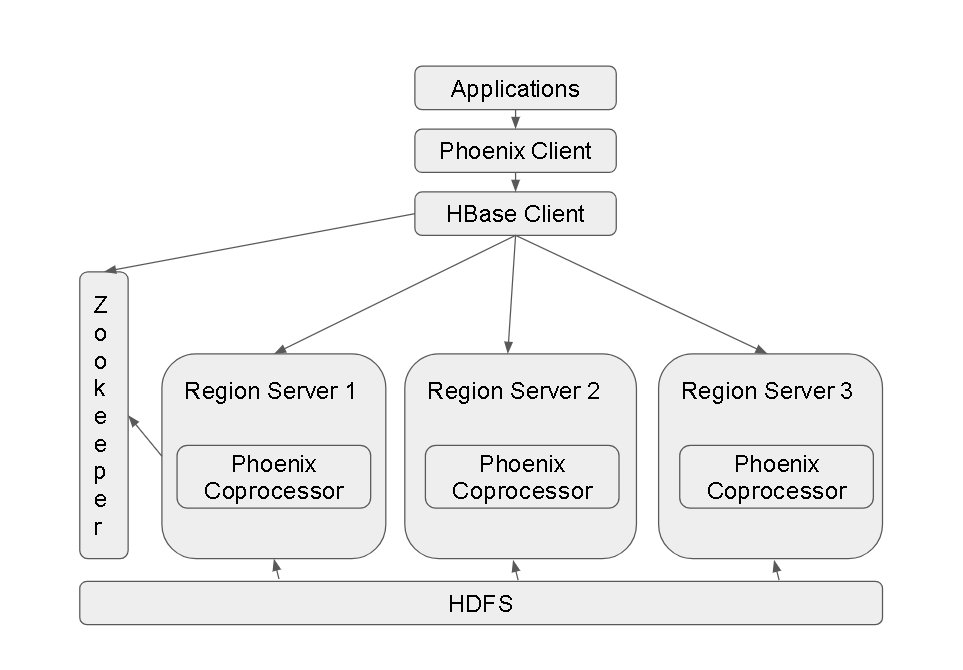
- Each HBase Region Server has the Phoenix CoProcessor installed and the client(s) have the Phoenix Client installed.
- Phoenix Use-cases/Modes:
- Command Line Interface
- Phoenix JDBC driver – mostly used in this fashion with Applications written in Java, Python etc
- Phoenix Query Server – thin client interface making it possible for access to non-JVM environments
- Phoenix APIs specially Phoenix Java API
- Installing and Playing with Apache Phoenix:
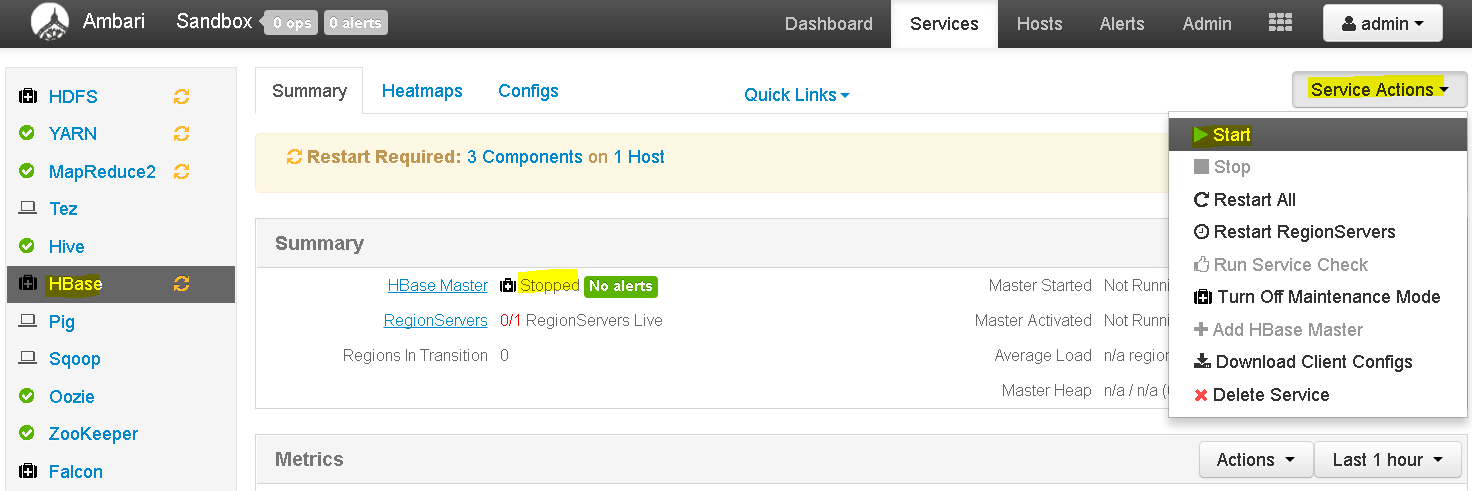
- By default, HBase service is not running on Hortonworks Cluster , so go to Ambari Dashboard and start HBase service.
- Now login to the Ambari Sandbox console using ‘maria_dev’ credentials and elevate permissions to root.
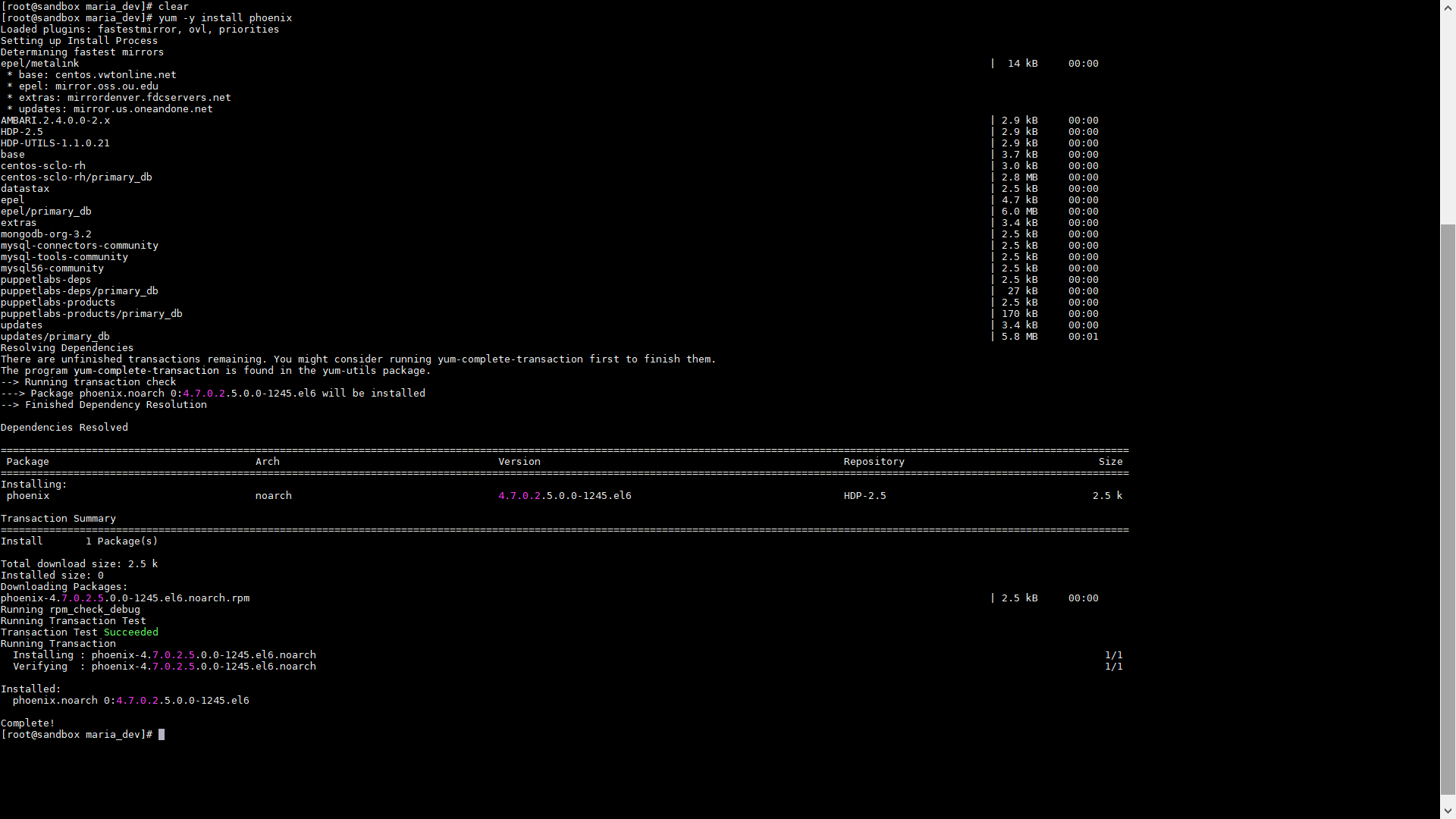
- Execute this to install Apache Phoenix – yum -y install phoenix
- No change directory to – cd /usr/hdp/current/phoenix-client and then cd bin
- Now run sqlline.py using command – python sqlline.py
-
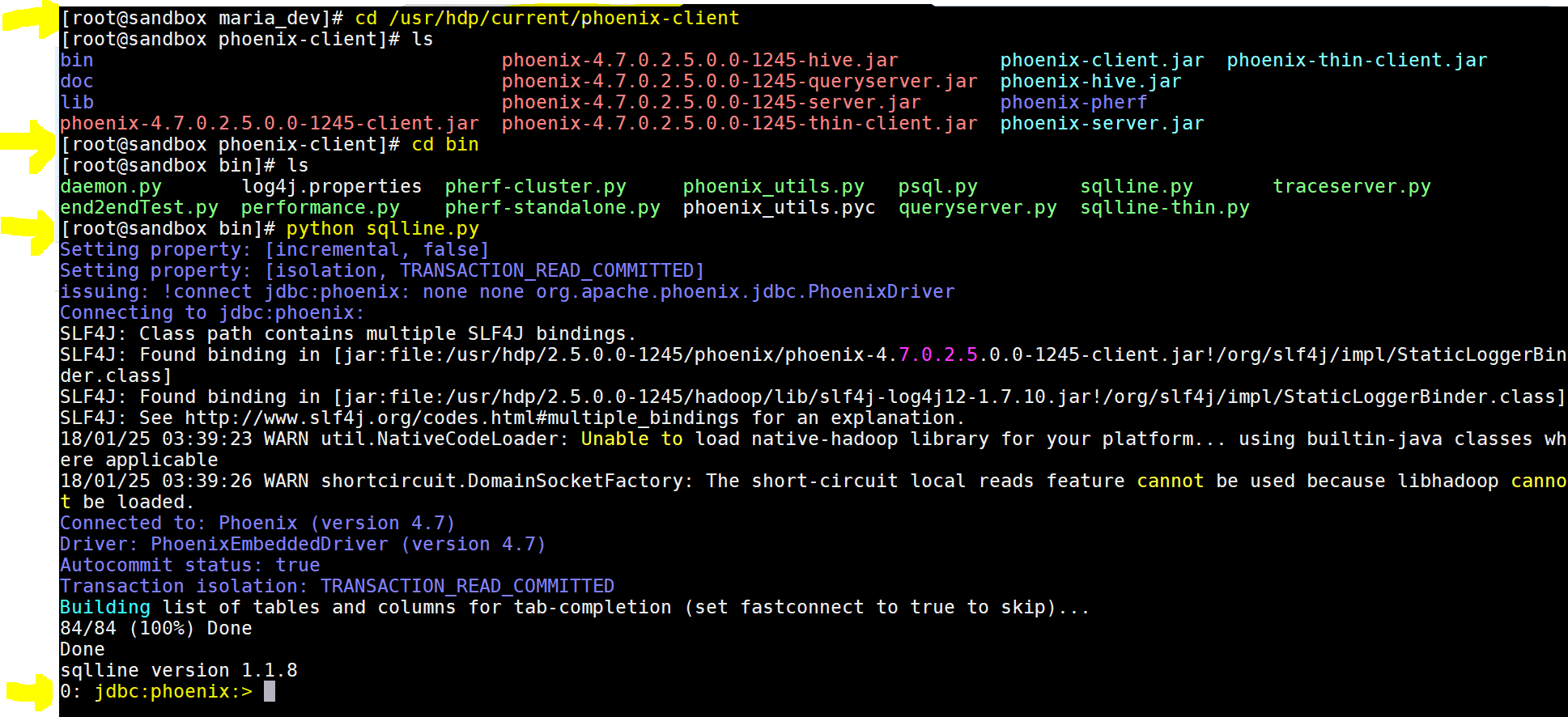
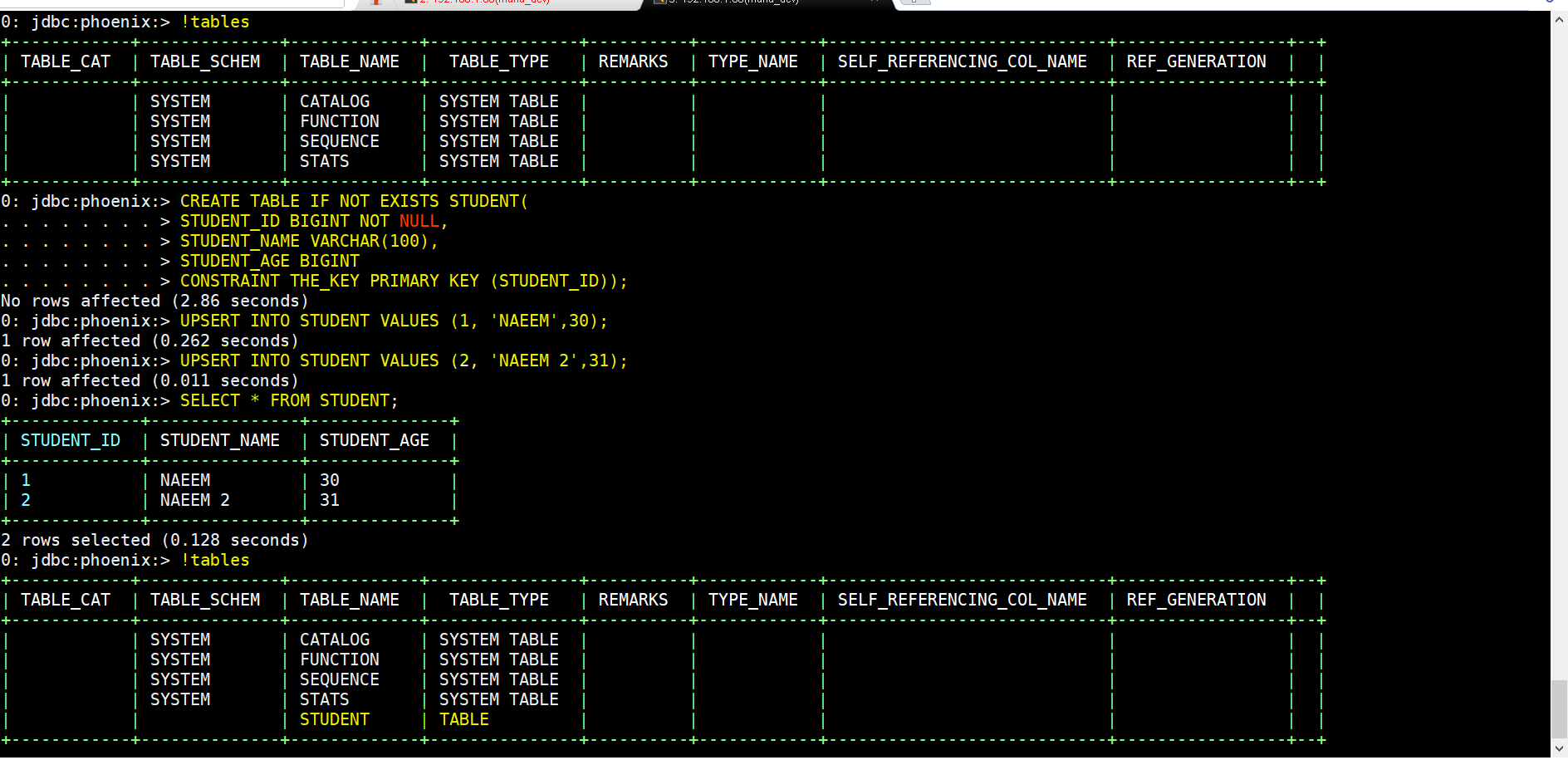
yay!!! we got the phoenix command prompt - Lets now play using few commands:
- To see list of tables – !tables
- To create a table – CREATE TABLE IF NOT EXISTS STUDENTS(ID BIGINT NOT NULL, NAME VARCHAR, AGE BIGINT CONSTRAINT PKEY PRIMARY KEY (ID));
- To insert records(instead of ) – UPSERT INTO STUDENT VALUES(1, ‘NAEEM’,34);
- To drop table – DROP TABLE STUDENT;
- Integrating Phoenix with HBase using Pig:
- First lets create this table usersData:
- CREATE TABLE usersData ( USERID INTEGER NOT NULL, AGE INTEGER, GENDER CHAR(1), OCCUPATION VARCHAR, ZIP VAR CHAR CONSTRAINT PKEY PRIMARY KEY(USERID));
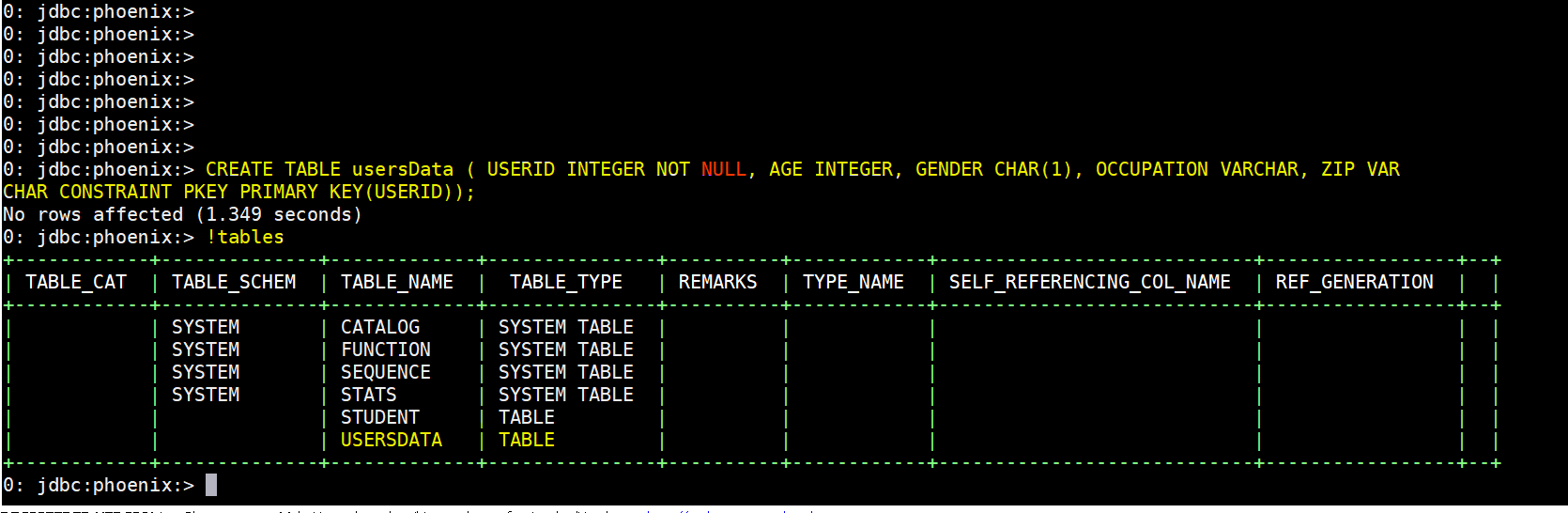
- Quit the Phoenix command line – !quit
- Then lets download this script to Ambari Sandbox into maria_dev folder using – wget https://s3.amazonaws.com/testbucket786786/phoenix-pig-integration.pig
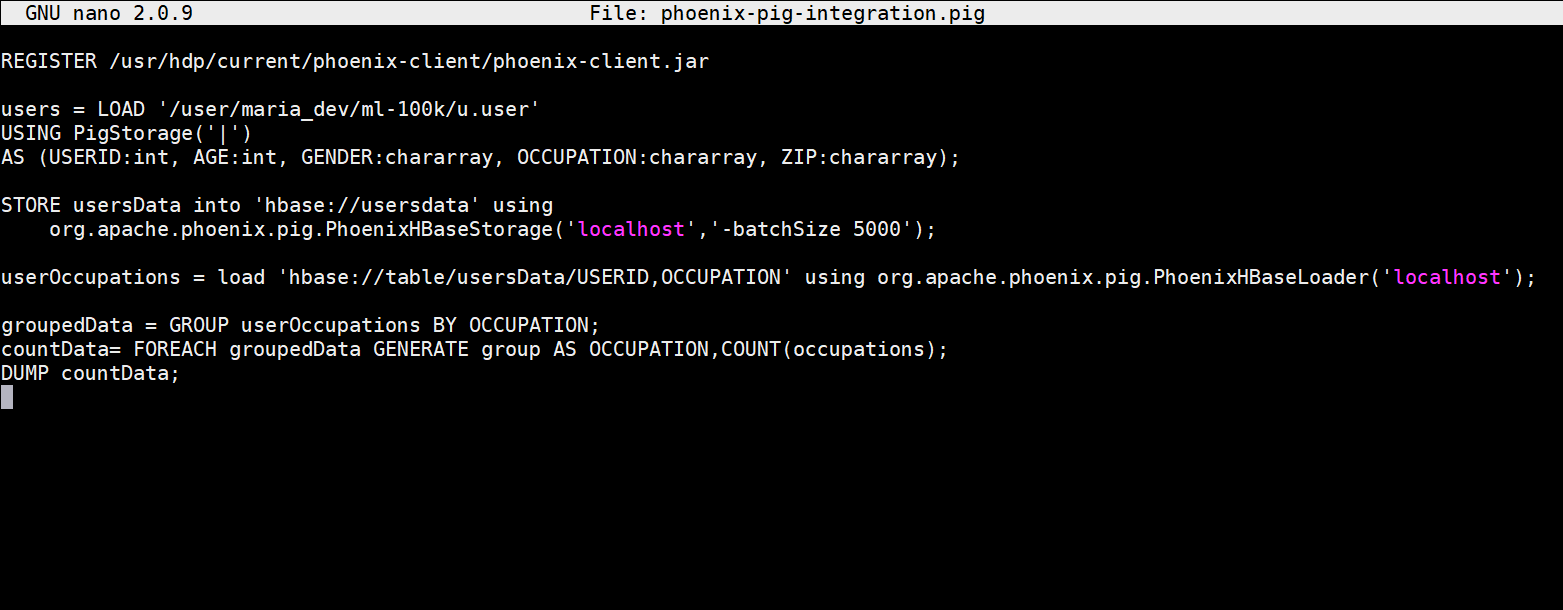
- # registers the pjoenix jar files
REGISTER /usr/hdp/current/phoenix-client/phoenix-client.jar# loads usersdata file using Pig latin
usersData = LOAD ‘/user/maria_dev/ml-100k/u.user’
USING PigStorage(‘|’)
AS (USERID:int, AGE:int, GENDER:chararray, OCCUPATION:chararray, ZIP:chararray); # stores usersData into Hbase using Phoenix command
STORE usersData into ‘hbase://usersdata’ using
org.apache.phoenix.pig.PhoenixHBaseStorage(‘localhost’,’-batchSize 5000′); #load projected data from HBase using Phoenix command
userOccupations = load ‘hbase://table/usersData/USERID,OCCUPATION’ using org.apache.phoenix.pig.PhoenixHBaseLoader(‘localhost’); # group by and count data and dump the output
groupedData = GROUP userOccupations BY OCCUPATION;
countData= FOREACH groupedData GENERATE group AS OCCUPATION,COUNT(occupations);
DUMP countData; - Now finally lets execute the file – pig phoenix-pig-integration.pig
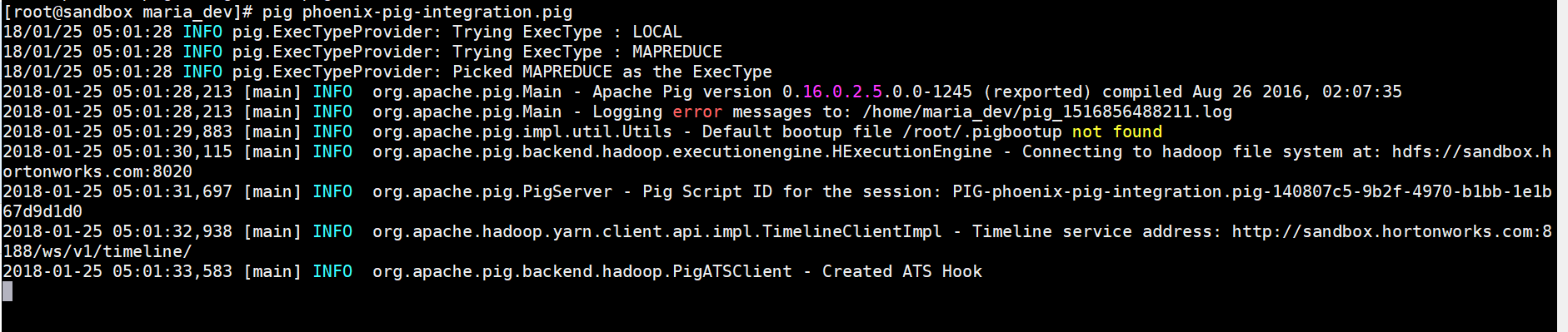
- Here is the result output:
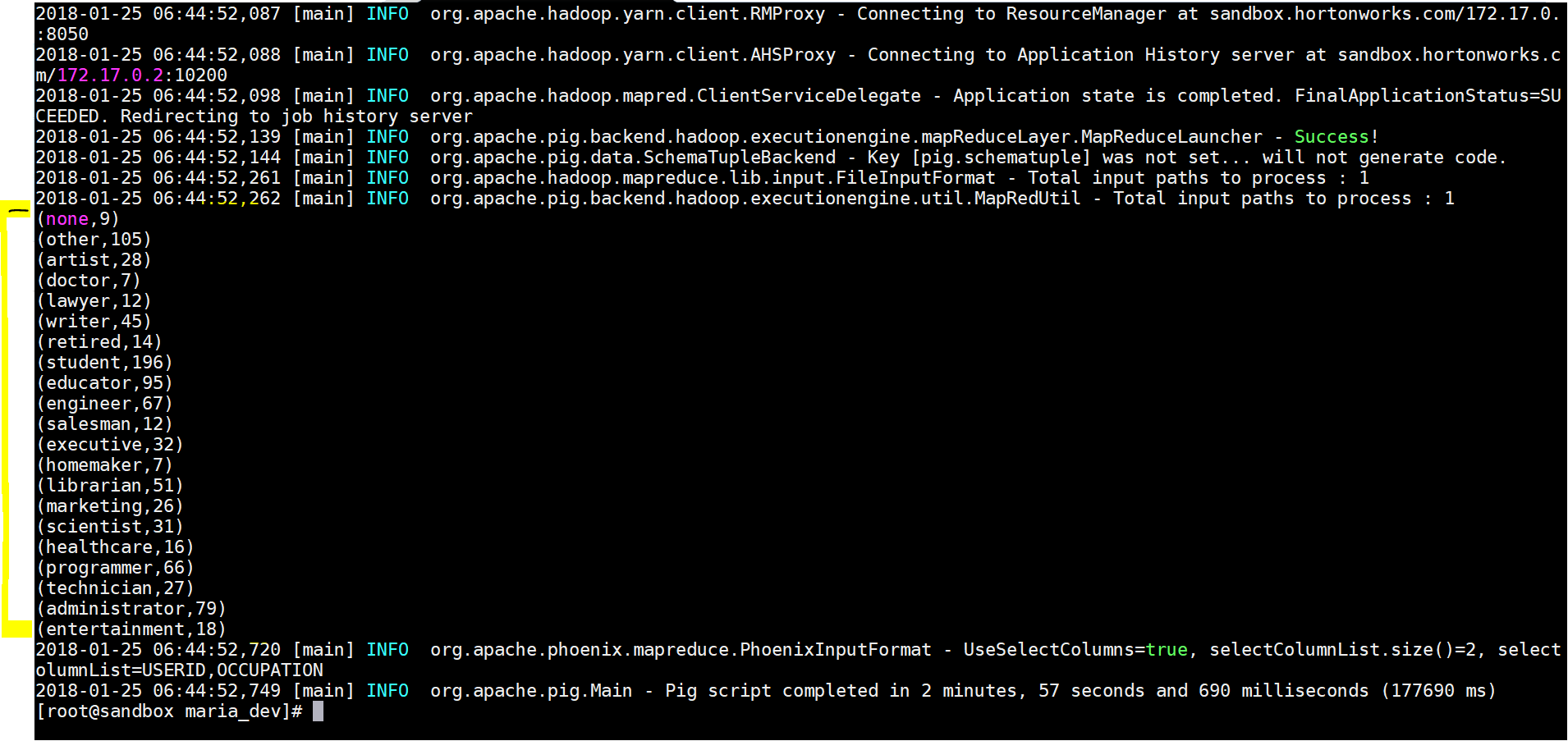
- Lets see the results in Apache Phoenix –
- use – select * from usersData
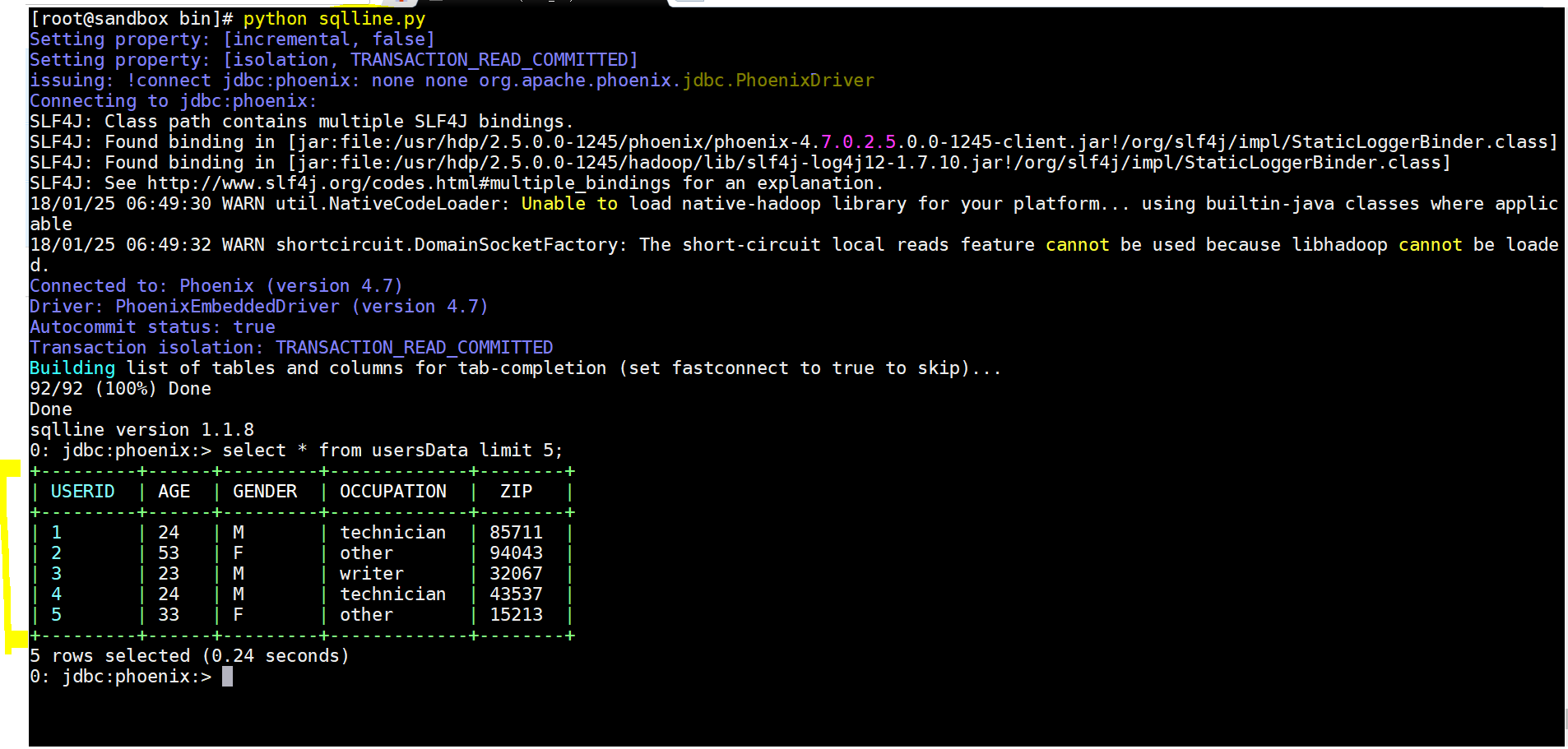
- Yay!!! we integrated Apache Phoenix and Pig to process the required data.
Apache Phoenix – Another Query Engine with a SQL Interface Fine Tuned for Performance with HBase
