- The previous session on MongoDB was on Big data integration of MongoDB and how to use Spark and Python to access data to and fro between HDFS and MongoDB. We saw how we can process/analyse the data using Big data technologies and then save it in MongoDB to be used by different kind of applications – https://mohdnaeem.wordpress.com/2018/01/17/big-data-integration-with-mongodb-using-spark/.
- In this session the focus would be on deep diving into MongoDB, install it as a standalone server on a linux system, assess it different powers and features, analyse its CRUD operations, aggregation, indexing, security, replication, sharding etc.
- Below is list of topics which we will try to cover:
- Why MongoDB?
- open source
- document(JSON) based – supported across platforms and languages
- high availability – embedded document structure decreases IO, fail-over support and replica sets support high availability
- high performance and persistence – indexing makes querying faster
- auto scaling – replication and sharding make it highly auto scaling
- non relational database – no high IO sensitive query plans and joins
- Installing MongoDB
- Spin up a Linux machine using VirtualBox or VMWare (I am using the CentOS 7 Distro).
- Using SSH login to the server and elevate to root privilege.
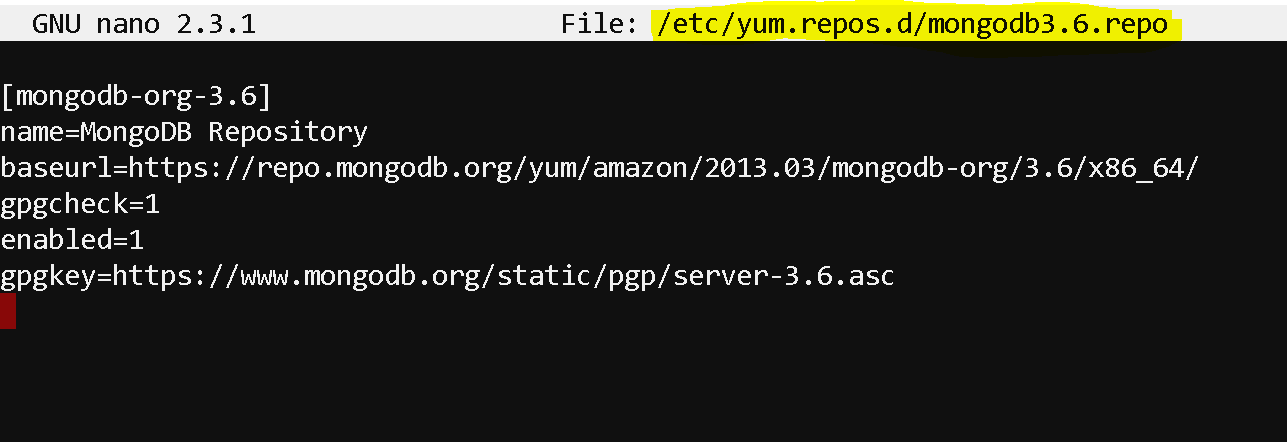
- To install MongoDB, first setup a repository for MongoDB
- Create a ‘mongodb3.6.repo’ repository file under ‘/etc/yum.repos.d’
- nano /etc/yum.repos.d/mongodb3.6.repo
- edit the file to add the below lines and save the file:
- [mongodb-org-3.6]
name=MongoDB Repository
baseurl=https://repo.mongodb.org/yum/amazon/2013.03/mongodb-org/3.6/x86_64/
gpgcheck=1
enabled=1
gpgkey=https://www.mongodb.org/static/pgp/server-3.6.asc
- [mongodb-org-3.6]
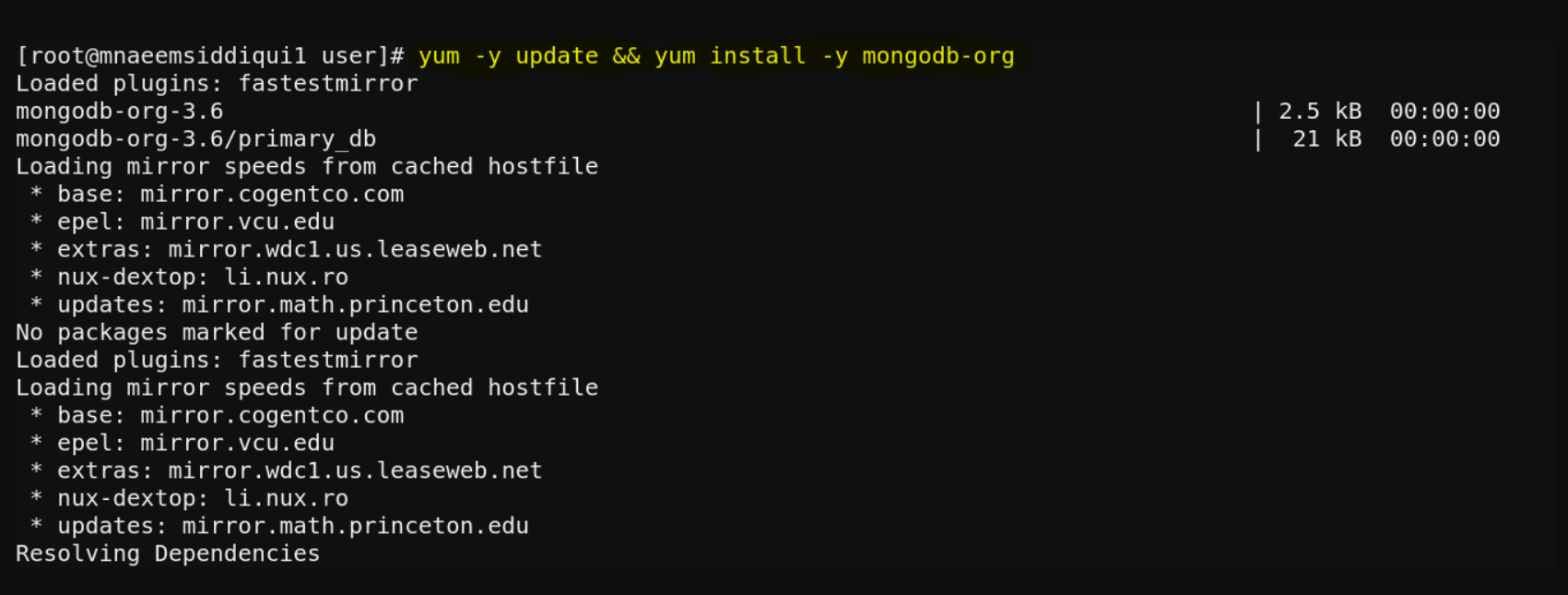
- Now update the server and install MongoDB:
- yum -y update && yum install -y mongodb-org
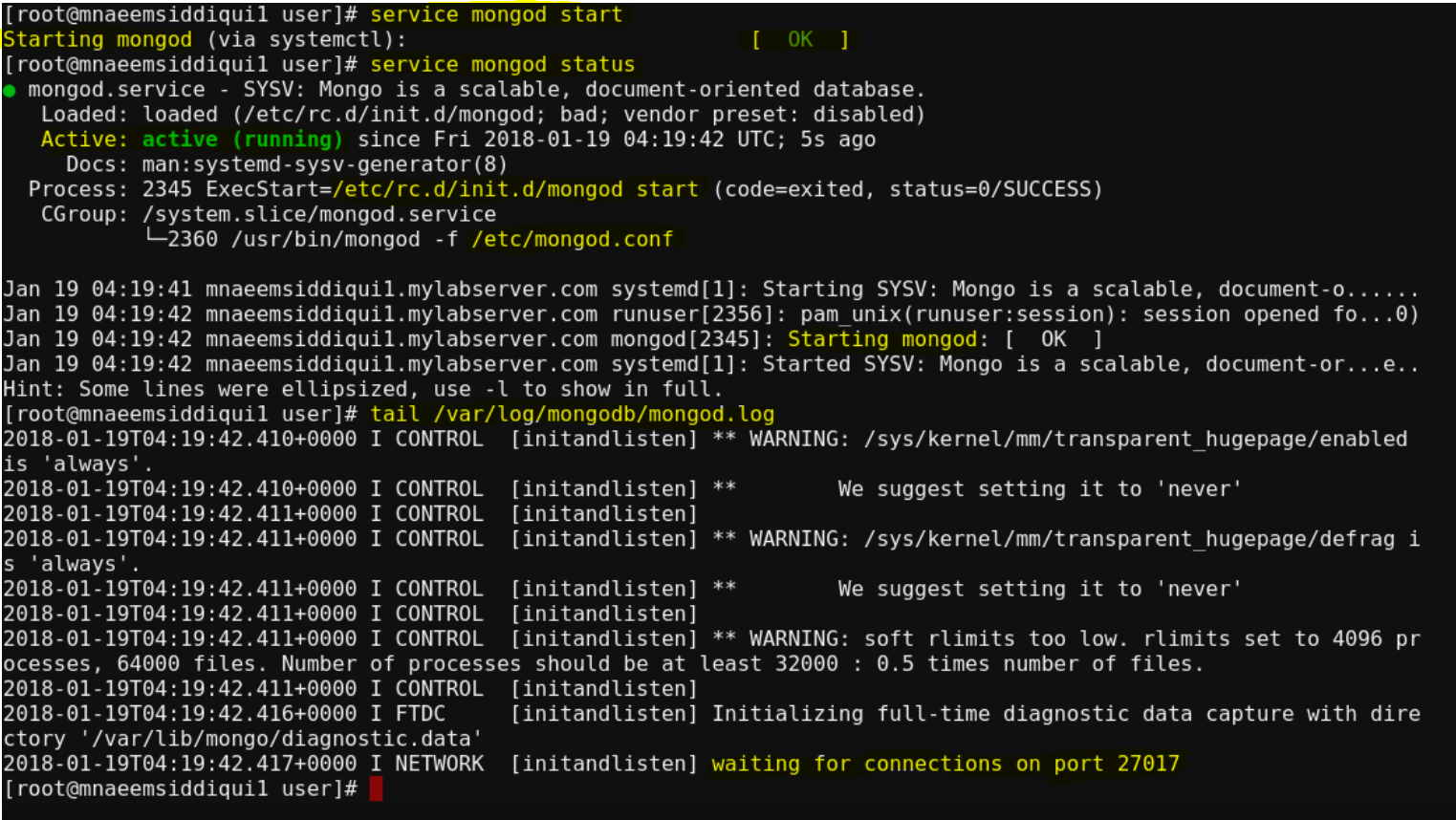
- Start MongoDB – service mongod start
- Re-Start MongoDB – service mongod restart
- Stop MongoDB – service mongod stop
- Enable MongoDB – chkconfig mongod on
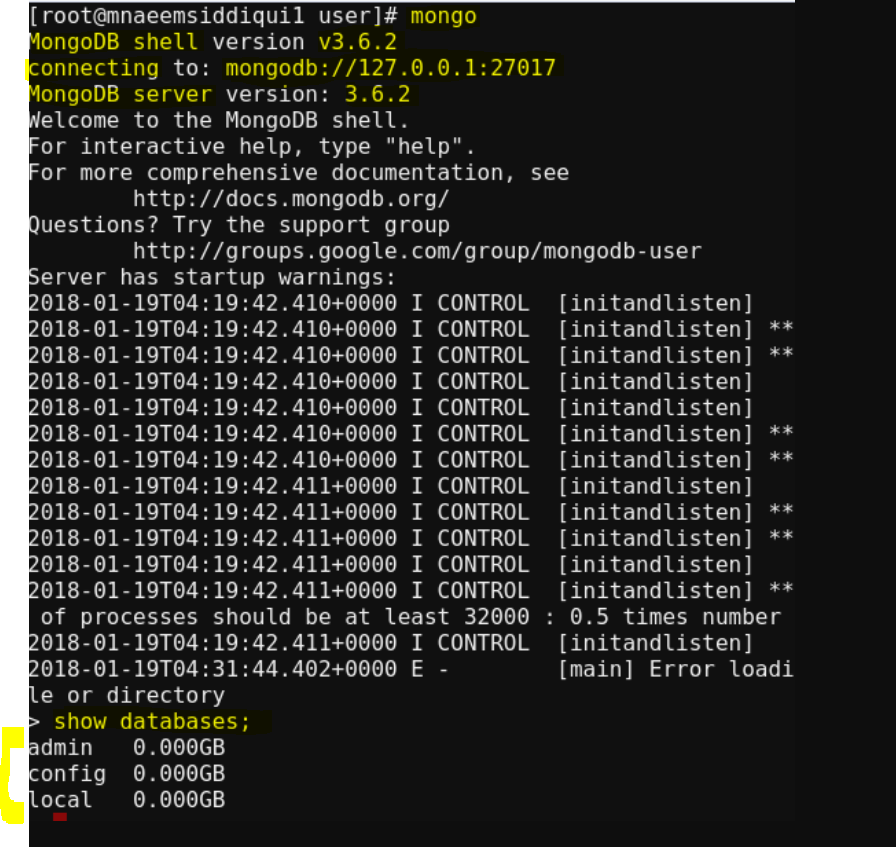
- Start Mongo shell – mongo
- Import Data into MongoDB
- Download this JSON dataset
- wget https://raw.githubusercontent.com/mongodb/docs-assets/primer-dataset/primer-dataset.json
- Use MongoDB Import tool to import data
- mongoimport –db myTestDB –collection restaurants –file /home/user/primer-dataset.json
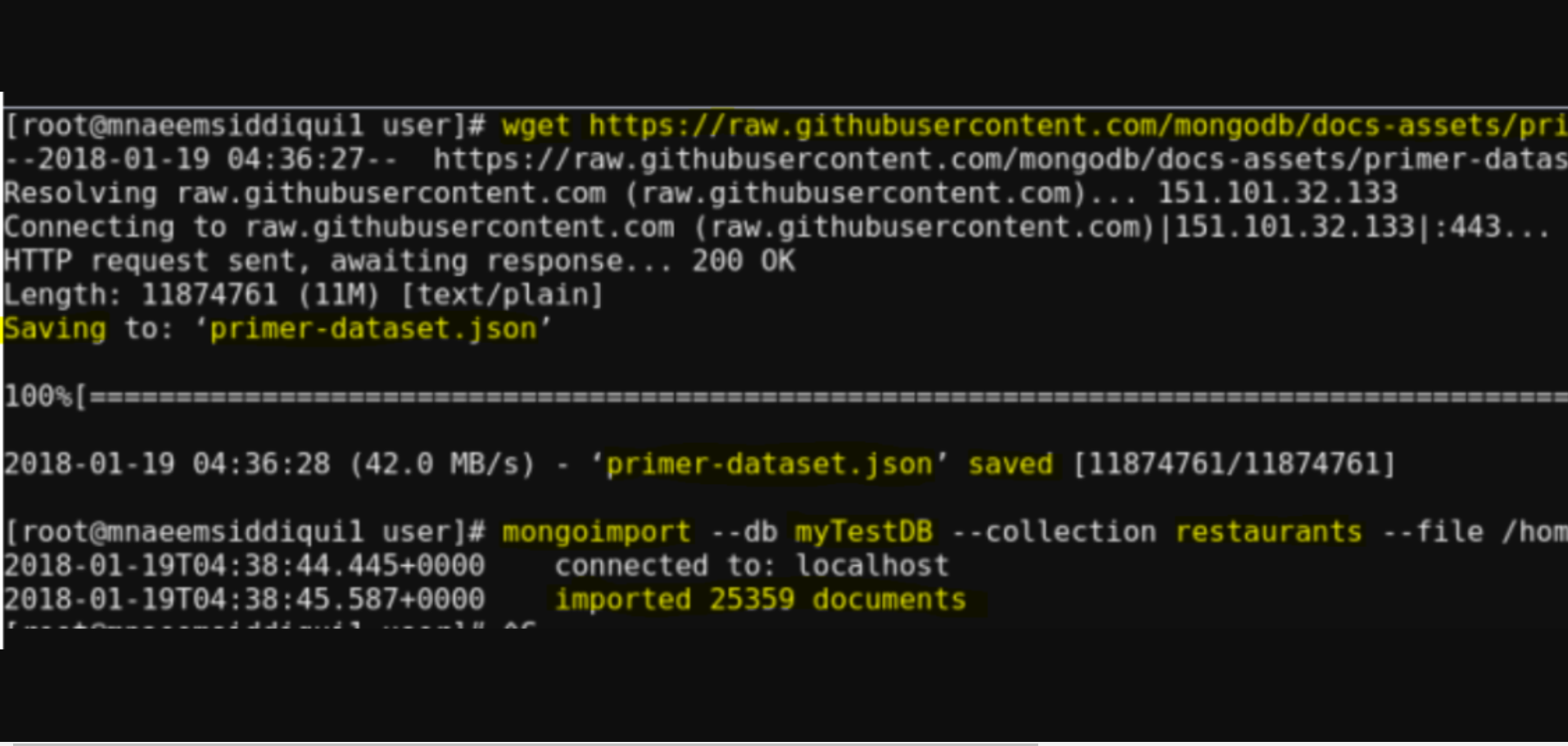
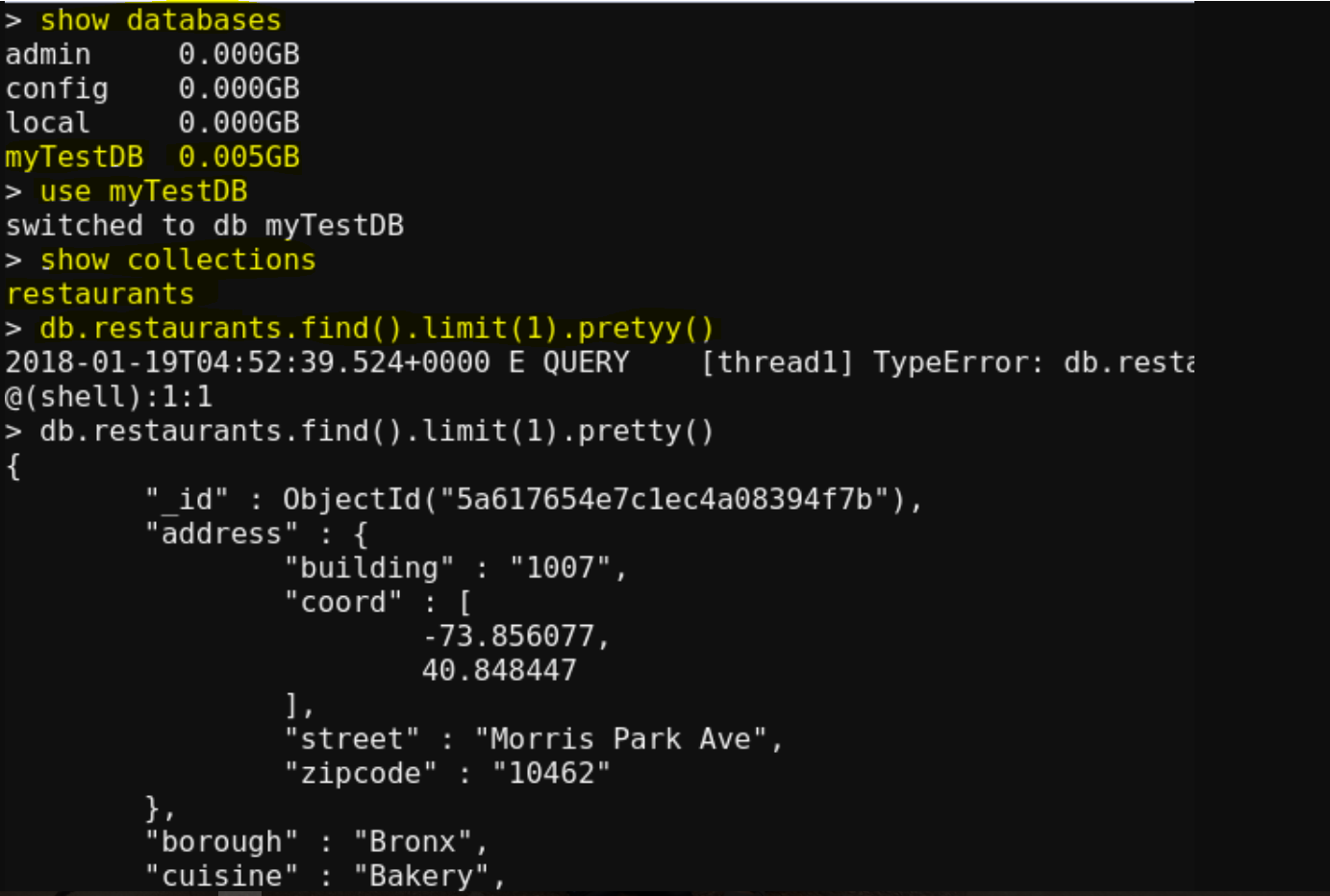
- To login into into Mongo Shell – mongo
- To show the databases – show databases
- To switch to a specific database – use myTestDB
- To show the list of collections – show collections
- A basic search query to find all records from restaurants and limit to show only one and make output pretty – db.restaurants.find().limit(1).pretty()
- to check server status : db.serverStatus()
- Download this JSON dataset
- Create a ‘mongodb3.6.repo’ repository file under ‘/etc/yum.repos.d’
- CRUD operations:
- Insert Documents:
- Use following commands –
- db.Students.insertOne()
-
db.Students.insertOne(db.Students.insertOne( { “name” : { “first name” : “mohd”, “last name” : “naeem” }, “age” : “35”, “address” : { “address 1” : “123 Best way”, “city” : “dallas”, “state” : “tx”, “zip” : “75039” } }}
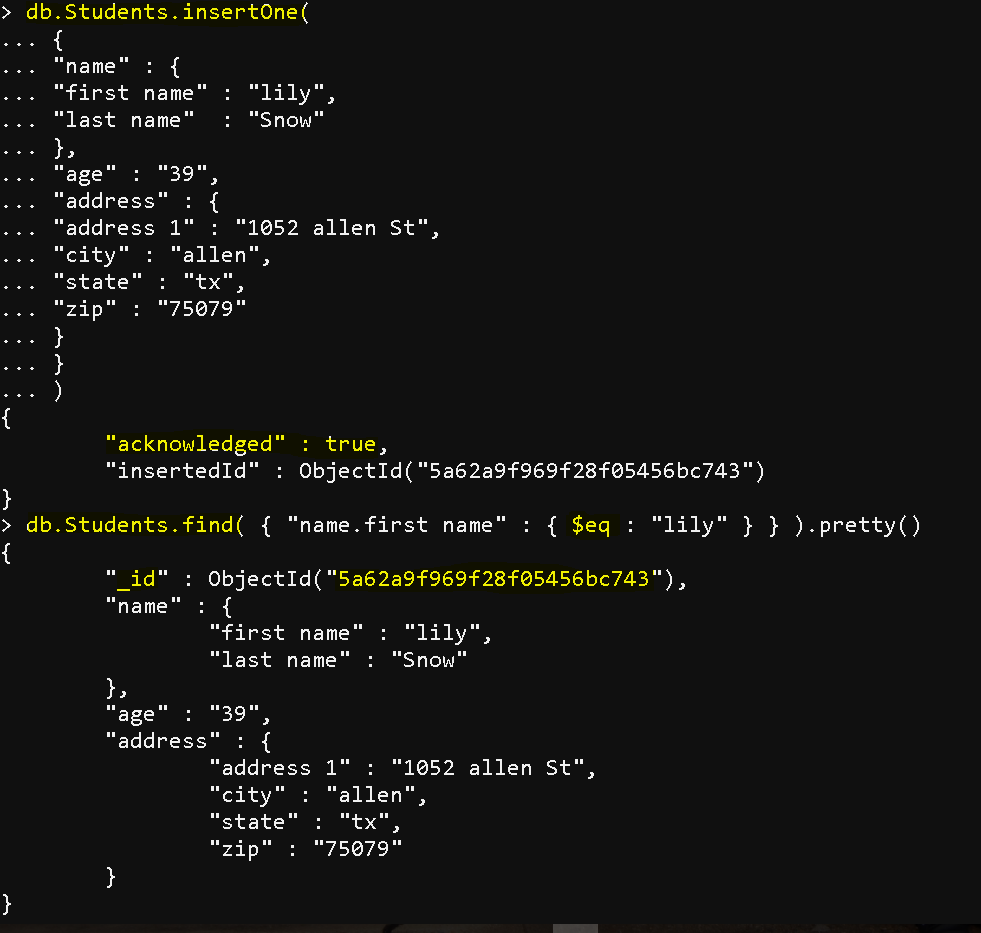
- db.Students.insertMany()
-
db.Students.insertOne([ { “name” : { “first name” : “bob”, “last name” : “martin” }, “age” : “37”, “address” : { “address 1” : “123 Ant St”, “city” : “plano”, “state” : “tx”, “zip” : “75056” } }, { “name” : { “first name” : “jacob”, “last name” : “tran” }, “age” : “38”, “address” : { “address 1” : “1092 allen St”, “city” : “allen”, “state” : “tx”, “zip” : “75079” } }])
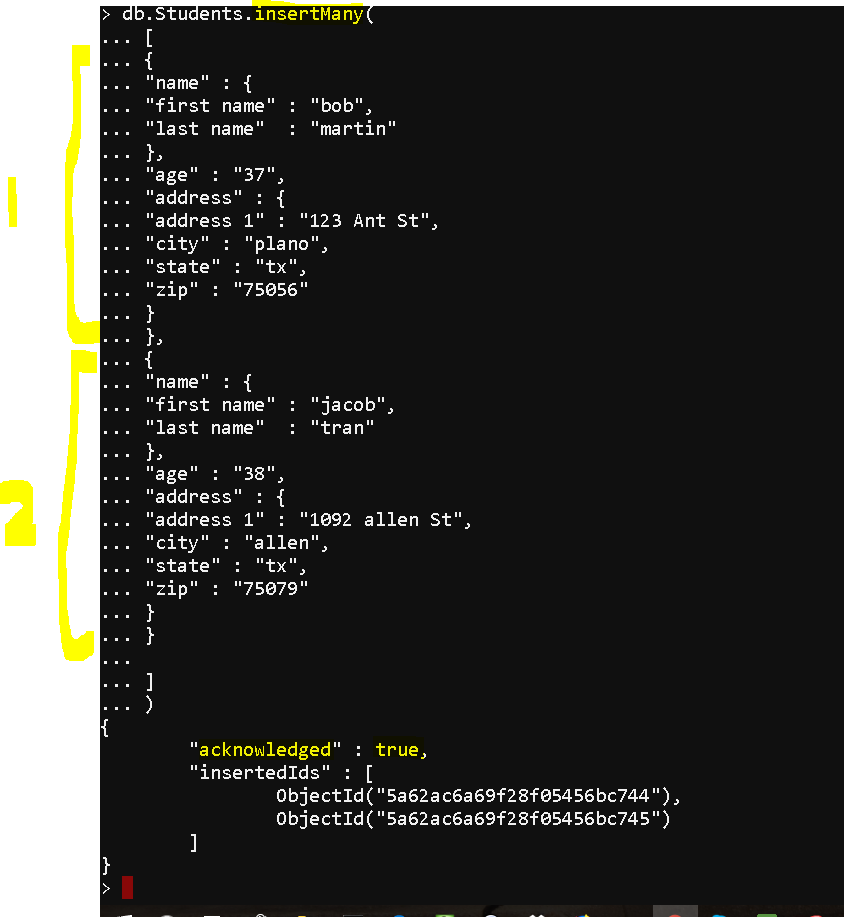
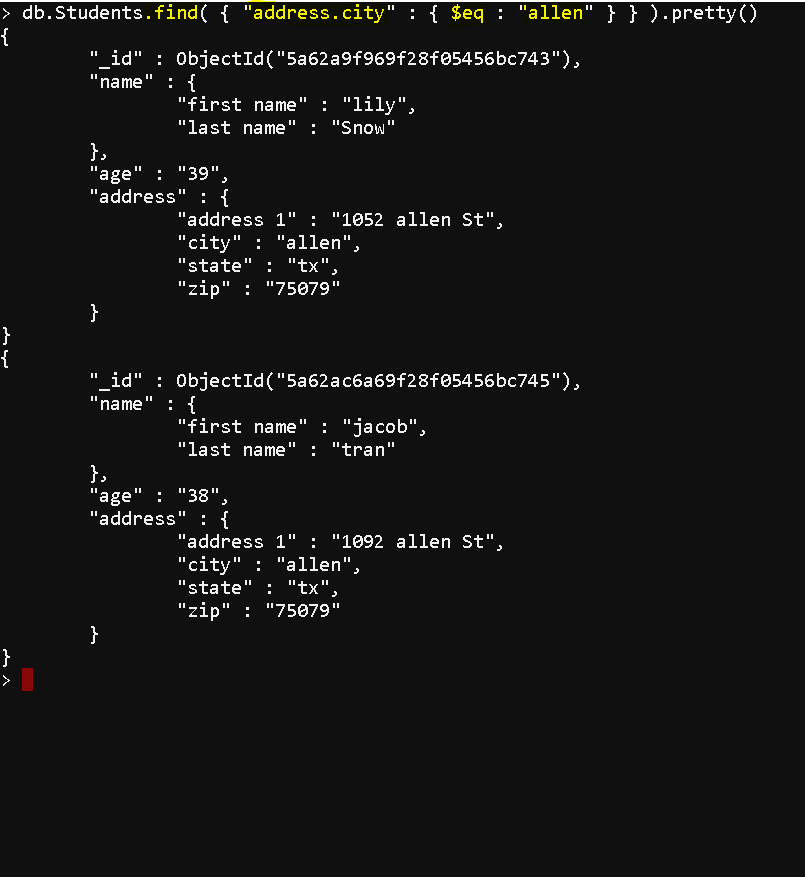
- Use following commands –
- Query Documents:
- find all documents : db.Students.find()
- limit to 5 results : db.Students.find().limit()
- beautify the output : db.Students.find().pretty()
- Use “IN” operator : db.Students.find( { “address.city” : { $in : [“allen”,”plano”] } } )
- Use “AND” operator : db.Students.find( { “address.city” : { $eq : “allen” }, “address.state” : { $eq : “tx” } } )
- Use “OR” operator : db.Students.find( { $or: [ { “address.city”: “allen” }, { age: { $gt: “20” } } ] } )
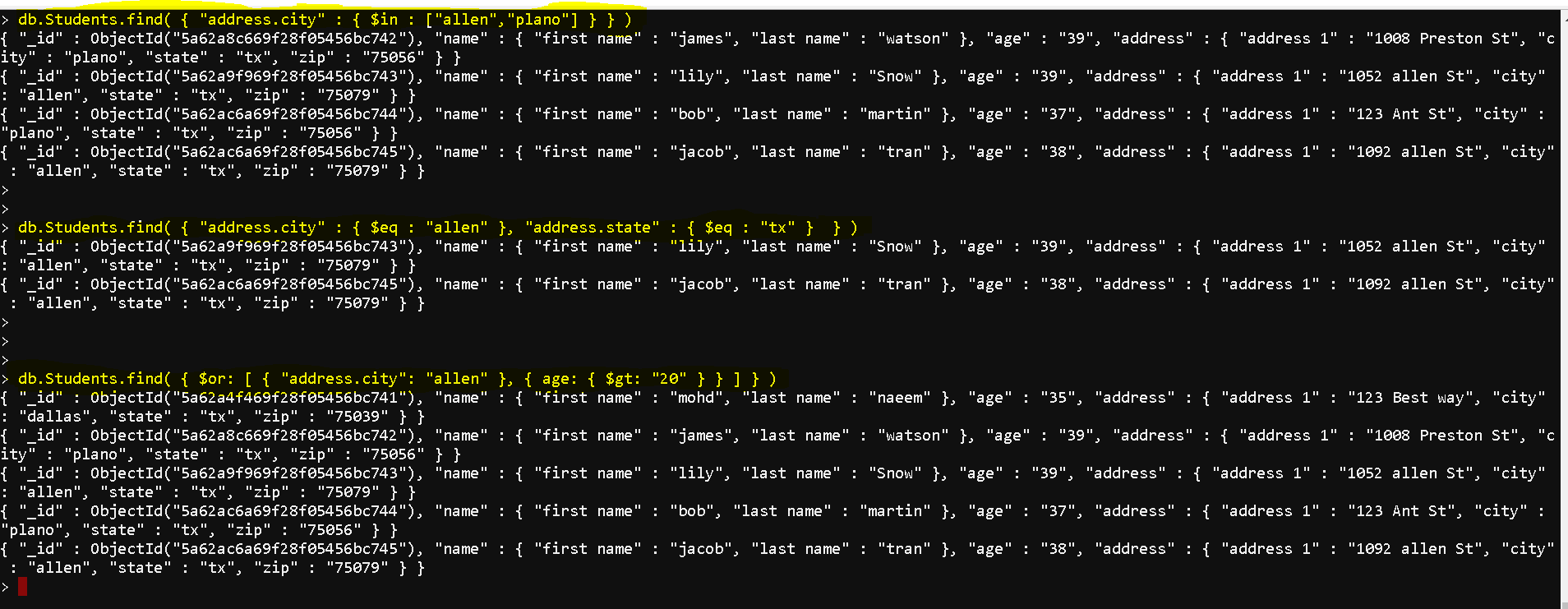
- Use ‘AND’ and ‘OR’ both :
- db.Students.find( {
address.state: “tx”,
$or: [ { age: { $gt: “20” } }, { address.city: “allen” } ]
} )
- db.Students.find( {
- Show or hide a column using 1 or 0:
- db.Students.find( { “address.state”: “tx” }, { “name”: 1, “age”: 1, “_id”:0 } ) # shows name and age but hides ‘_id’
- db.Students.find( { “address.state”: “tx” }, { “name”: 1, “age”: 1, “address.city”: 1, “address.state”: 1, “_id”: 0 } ) # specifically shows name, age, city, state and hides ‘_id’
- db.Students.find( { “address.state”: “tx” }, { “_id”: 0 } ) # shows all columns except ‘_id’
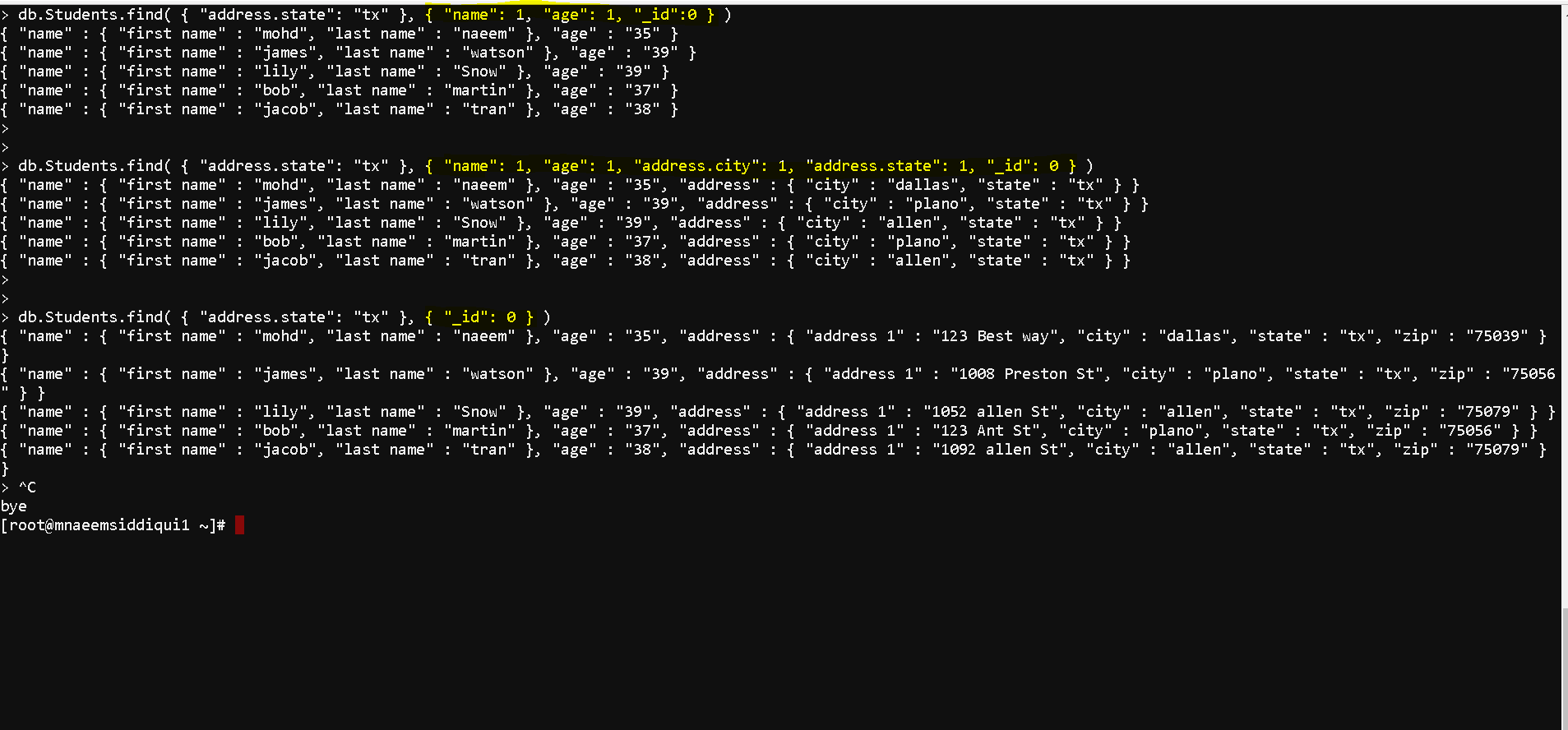
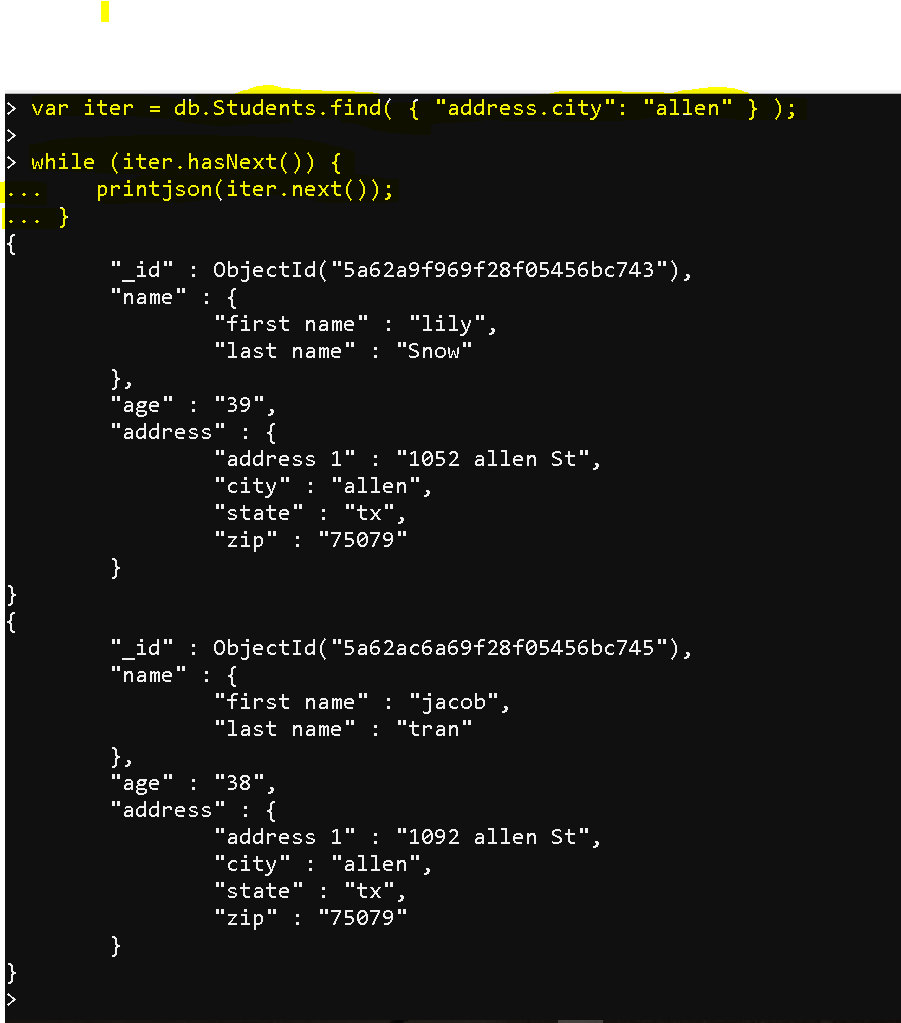
- Iterate through an array:
- var iter = db.Students.find( { “address.city”: “allen” } );while (iter.hasNext()) {
printjson(iter.next());
} 
- var iter = db.Students.find( { “address.city”: “allen” } );while (iter.hasNext()) {
- To check the database stats : db.stats()
- To create a new database : use databasename
- To drop a database : db.dropDatabase()
- Update Documents :
- the following update methods are supported:
- update one document : db.students.updateOne()
- update many documents : db.students.updateMany()
- replace one document : db.students.replaceOne()
- replace many documents : db.students.replaceMany()
- db.students.findOneAndReplace()
- db.students.findOneAndUpdate()
- db.students.findAndModify()
- db.students.save()
- db.students.bulkWrite()
- Lets see few examples:
- use testdb
db.students.find()
db.students.updateOne( { “_id”: ObjectId(“5a62e4bb46f31613eb74604b”) }, { $set: { “age”: “42” } } )
db.students.updateMany( { “address.state”: “tx” }, { $set: { “age”: “43” } } )
db.students.updateOne( { “_id”: ObjectId(“5a62e4bb46f31613eb74604b”) }, { $set: { “age”: “47” } } )
db.students.replaceOne( { “_id”: ObjectId(“5a62e4bb46f31613eb74604b”) }, {“name” : { “first name” : “Mohd”, “last name” : “Naeem” }, “age” : “49”, “address” : {
“address 1” : “123 Best Way”, “city” : “Dallas”, “state” : “TX”, “zip” : “75039” } }) 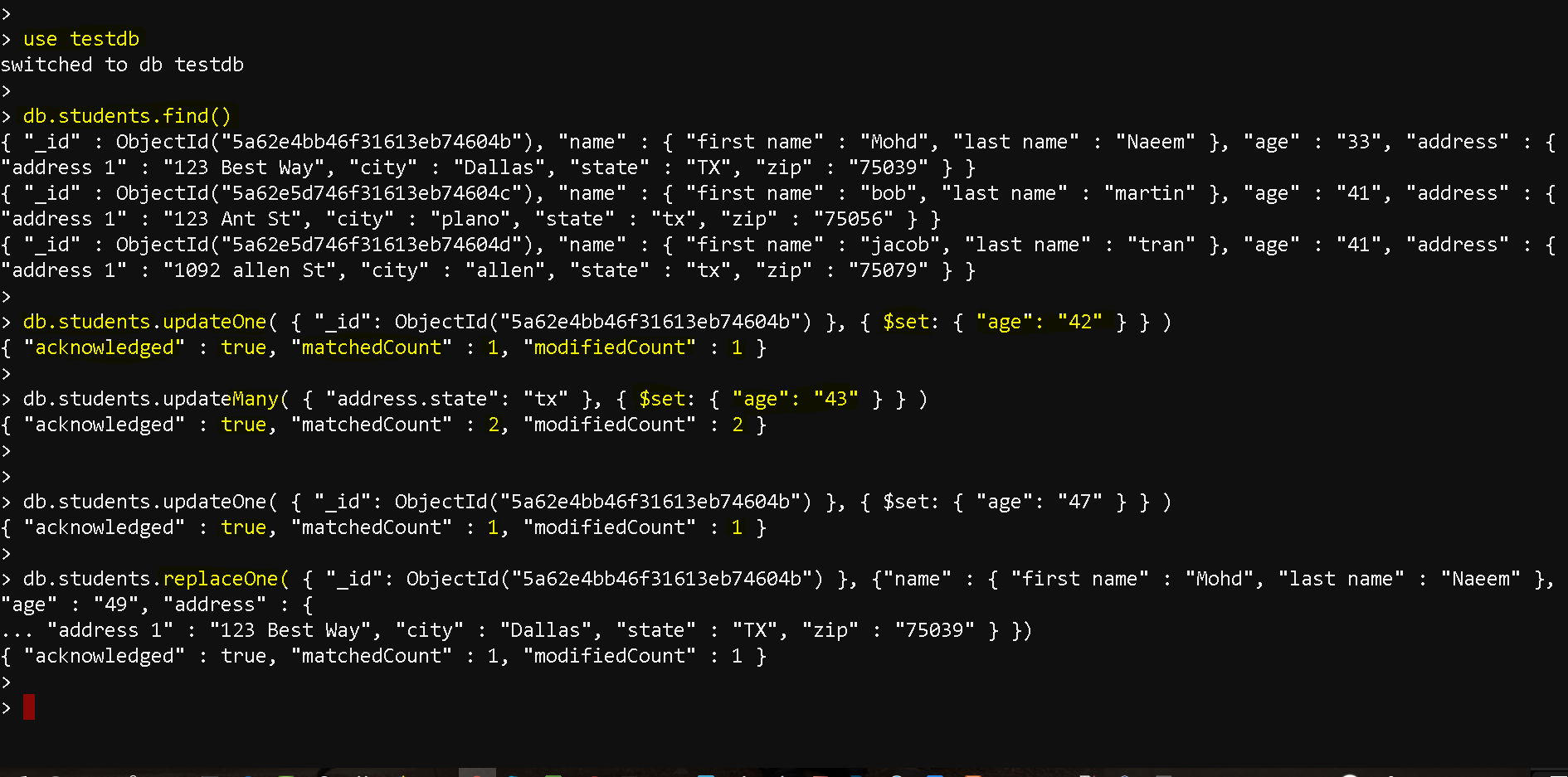
- the following update methods are supported:
- Delete documents :
- Methods supported:
- db.collection.deleteOne() – deletes one document
- db.collection.deleteMany() – deletes multiple documents
- db.collection.remove() – deletes one document
- Lets see few examples:
- use testdb
db.students.find()
db.students.deleteOne( { “_id”: ObjectId(“5a63d7ff611fcb0edc56a968”) } )
db.students.remove( { “_id”: ObjectId(“5a63d90b611fcb0edc56a969”) } )
db.students.deleteMany( { “name.last name”: “Tomg” } ) 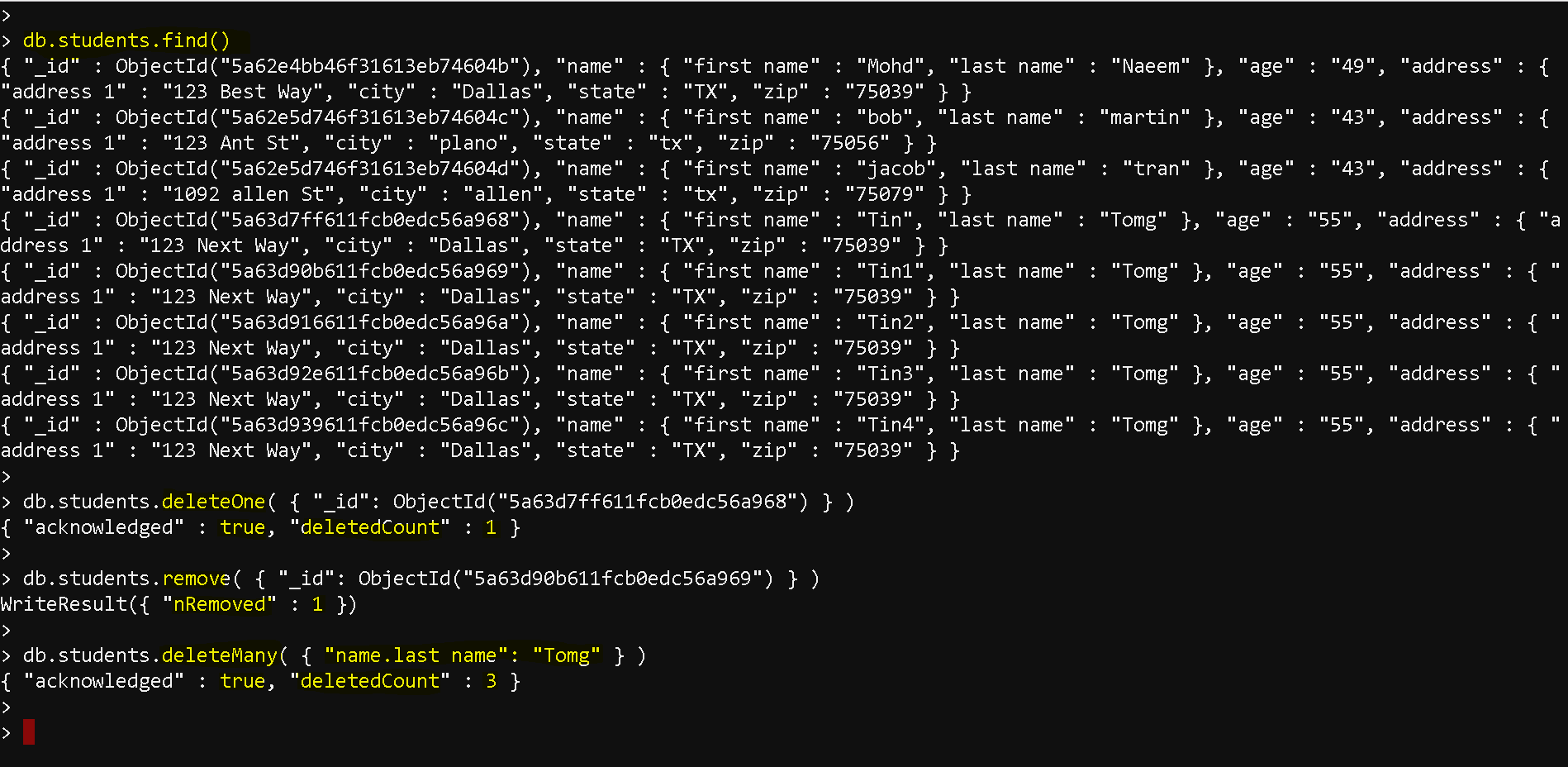
- Methods supported:
- Insert Documents:
- Aggregations:
- functions supported:
- db.collection.aggregate([{$group : {_id : “$address.city”, totalage : {$sum : “$age”}}}])
- db.collection.aggregate([{$group : {_id : “$address.city”, avgage : {$avg : “$age”}}}])
- db.collection.aggregate([{$group : {_id : “$address.city”, minage : {$min : “$age”}}}])
- db.collection.aggregate([{$group : {_id : “$address.city”, maxage : {$max : “$age”}}}])
- db.collection.aggregate([{$group : {_id : “$address.city”, firstage : {$first: “$age”}}}])
- db.collection.aggregate([{$group : {_id : “$address.city”,lastage : {$last: “$age”}}}])
- Lets see some examples:
- use testdb
db.students.find()
db.students.count()
db.students.distinct(“name.first name”)
db.students.find().sort({“age” : -1})
db.students.aggregate([{$group : {_id : “$address.city”, averageAge : {$avg : NumberInt(“$age”)}}}]) 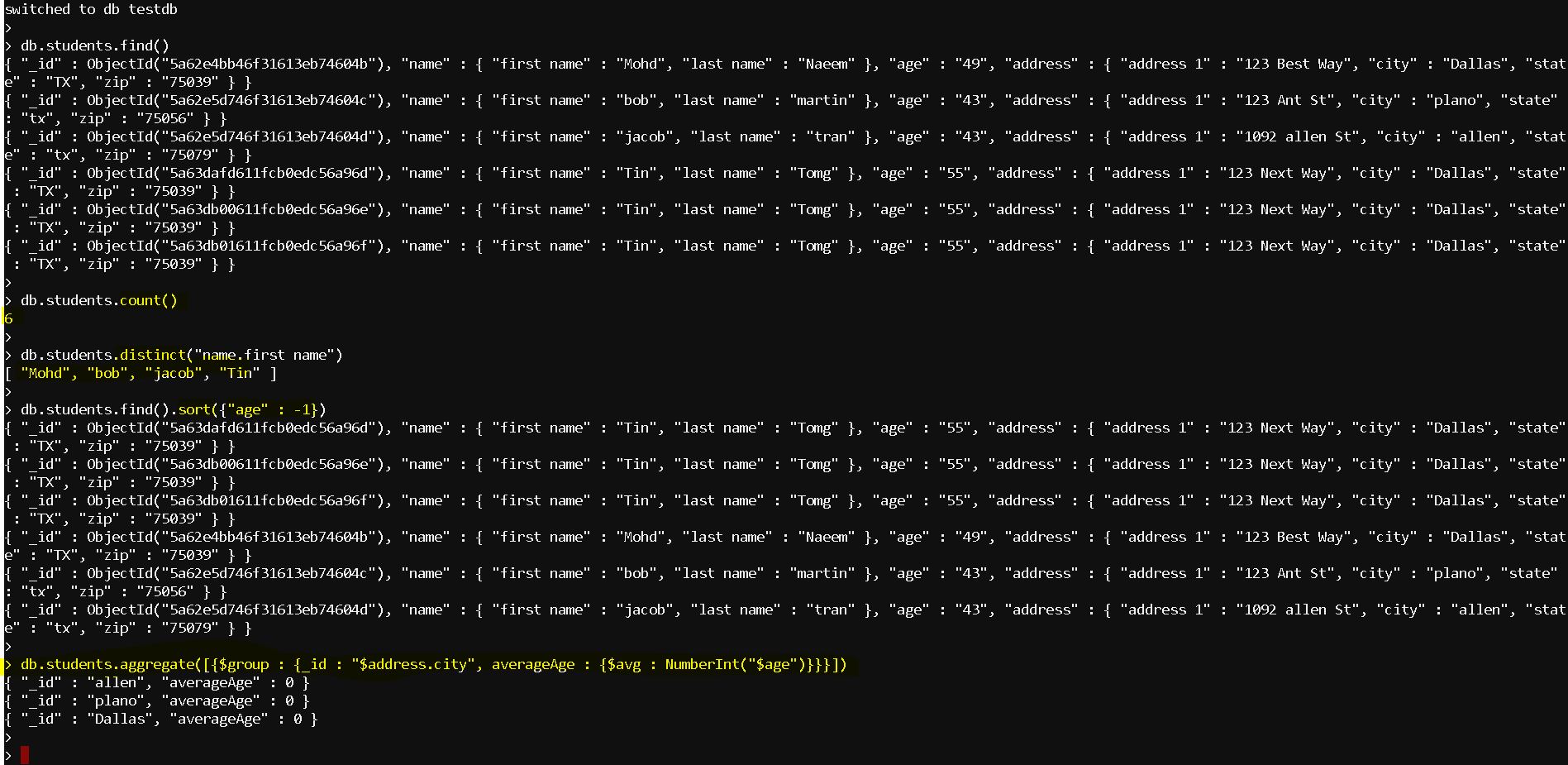
- functions supported:
- Indexing:
- Indexes help in efficient execution of a query.
- If no indexes are present, it performs a collection scan meaning scanning all document in a collection
- If a proper index exists , it uses the index to limit the number of documents it must inspect.
- To create an index on age filed in ascending order
- db.students.createIndex( { age: 1 } )
- To create an index on age filed in descending order
- db.students.createIndex( { age: -1 } )
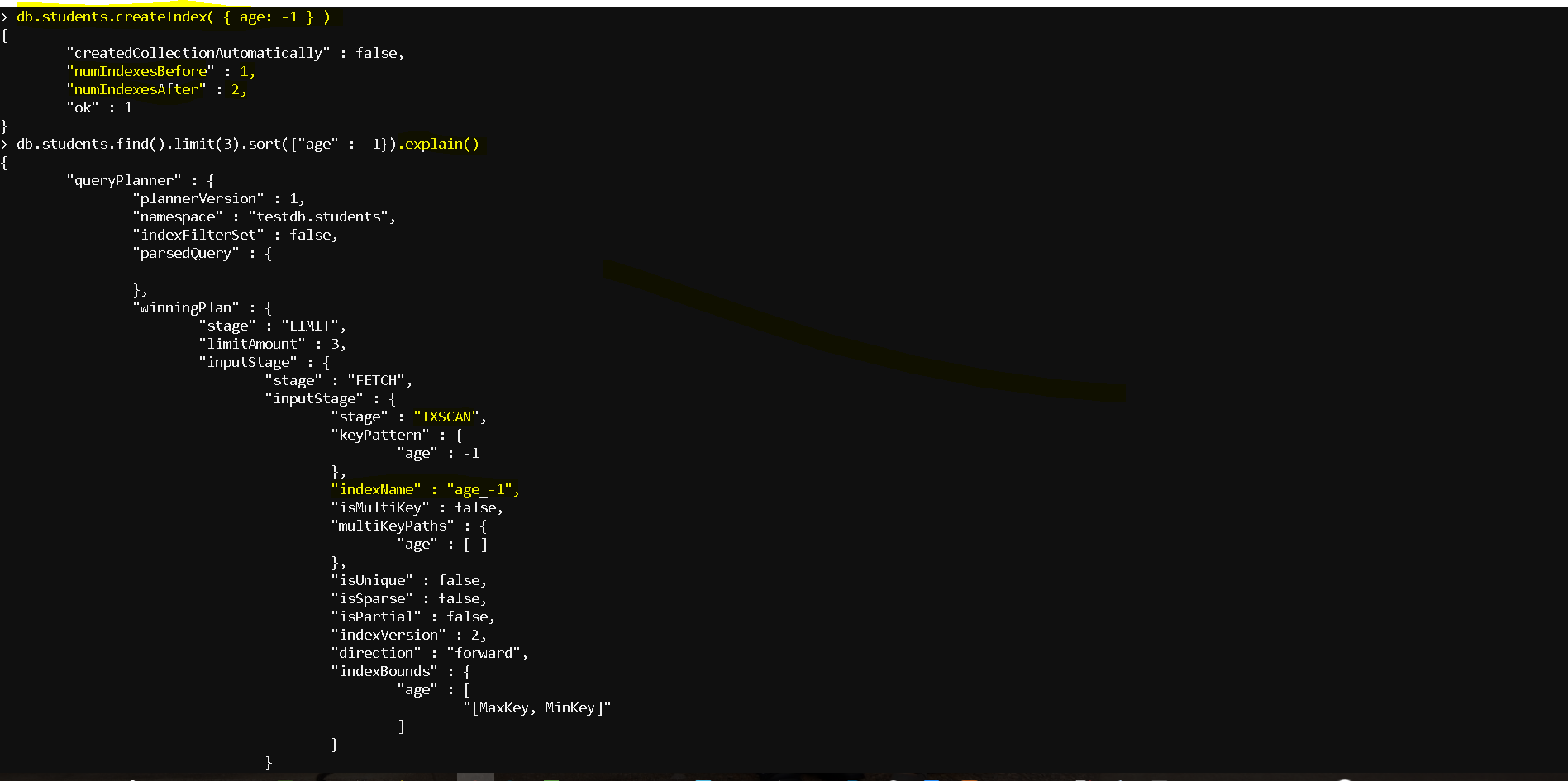
- How to evaluate the index plan:
- See how the full document scan being used before indexing:
- db.students.find().limit(3).sort({“age” : -1}).explain()
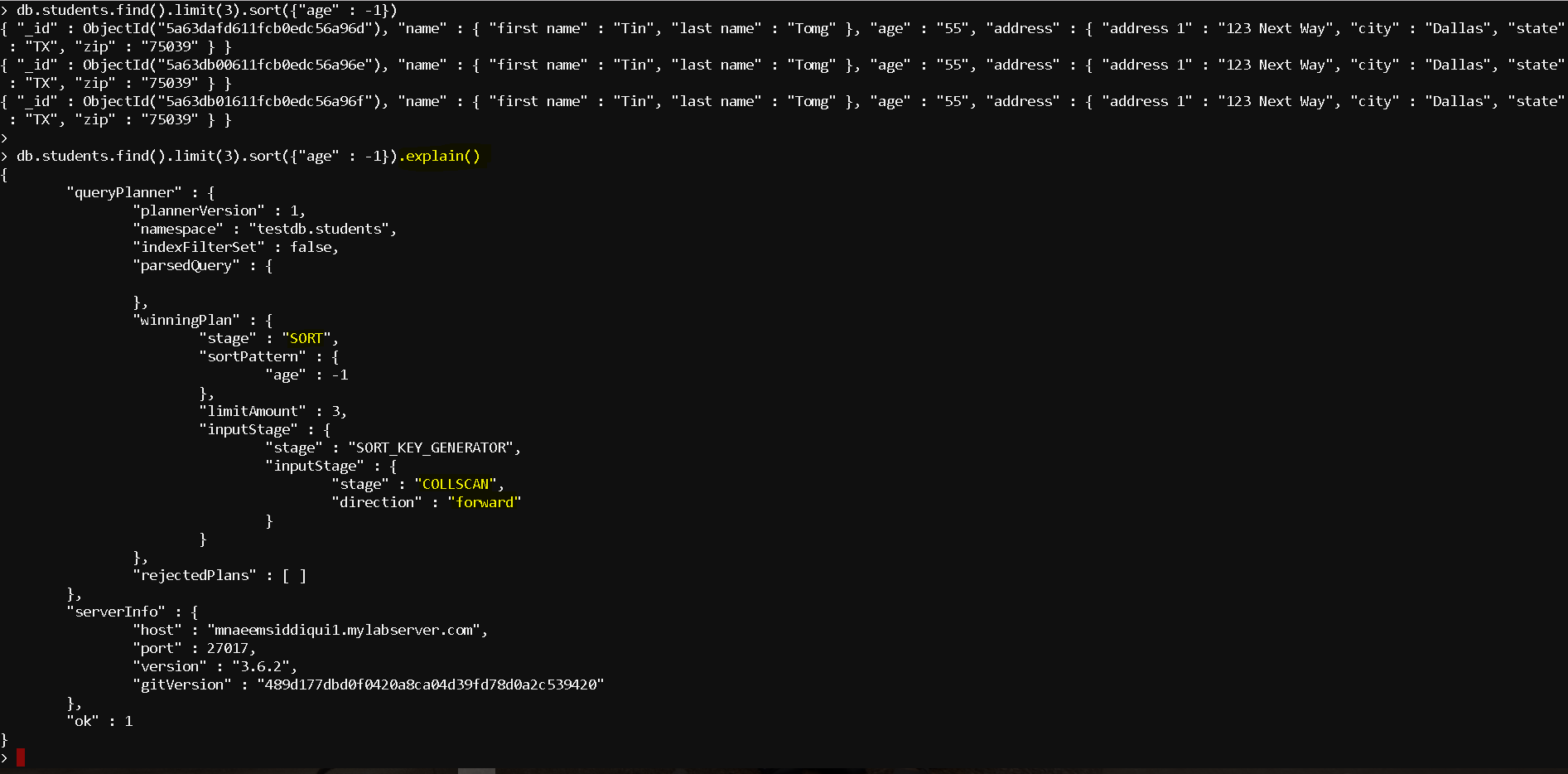
- Now lets create the index – db.students.createIndex( { age: -1 } )
- Now lets check the query plan, you can see that now its is using the index – “stage” : “IXSCAN“, “keyPattern” : { “age” : -1 }, “indexName” : “age_-1“,
- Replication and Sharding:
- Replication:
- provides high availability by redundancy
- In MongoDB all the mongo processes which hold similar data set are called replica sets.
- By replication, the master replicates the data to secondaries
- Sharding:
- With humongous data its challenge for single master to handle all data.
- Sharding helps in breaking the data in small replica sets, each ‘shard’ holds a specific replica set based on the ‘shard key’ and is managed by Config servers holding information about which shard is holding which replica set .
- Sharding helps in an increased throughput due to sharing of the read and write workload by multiple shards.
- A deep dive in Replication and Sharding will be the part of another blog post.
- Replication:
- Security and Administration:
- A deep dive in security and administration will be the part of another blog post.
- Why MongoDB?
MongoDB – A Dive Deep