- Why Cassandra:
- Before we discuss Cassandara, we have to also discuss about something called as CAP Theorem – As per CAP(Consistency, Availability and Partition tolerance) theorem – “you can achieve max 2 of the 3 at max for a system” …
- Consistency – means if you write some data, the system should be consistent to get that data back asap. Consistency can be ‘read after write’ or ‘eventual’
- read after write : you can read the data as soon as you write
- eventual : there is a lag and although the data is guaranteed to be read but may be after a second or two.
- Availability – means the system should be always available no matter what using master-slave, live-backup, primary-secondary mechanisms. Even if one or few nodes in a fleet go down, still is available through other nodes.
- Partition tolerance – means that the system should be highly distributed, scalable and partitionable.
- It is a NoSQL /non-relational database with syntax like SQL.
- Lets draw a CAP model and see how different data access technologies fare:
-
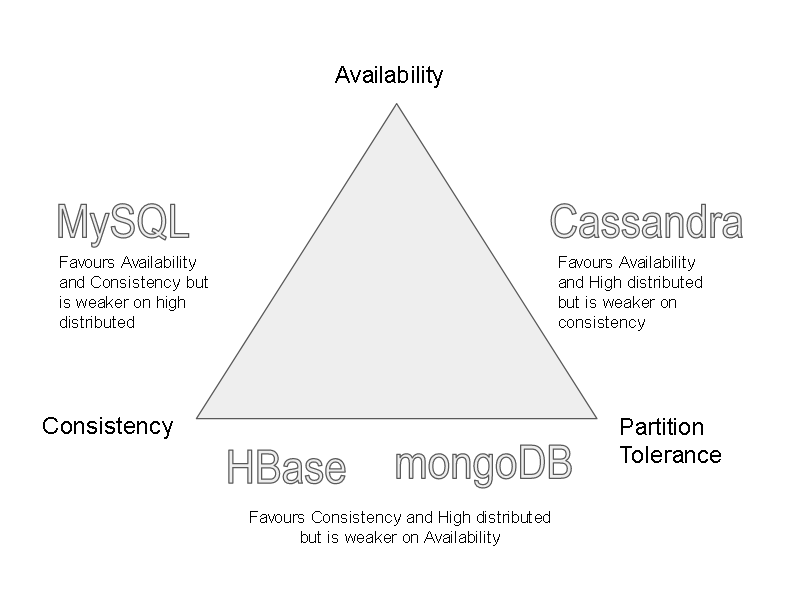
Cassandra – has tunable consistency(more of eventual, but can be tuned), highly distributed and high availability
-
- Consistency – means if you write some data, the system should be consistent to get that data back asap. Consistency can be ‘read after write’ or ‘eventual’
- Before we discuss Cassandara, we have to also discuss about something called as CAP Theorem – As per CAP(Consistency, Availability and Partition tolerance) theorem – “you can achieve max 2 of the 3 at max for a system” …
- Cassandra Architecture:
- It is a NoSQL distributed database with SQL-like commands called as CQL.
- CQL is similar in syntax like SQL but has limitations like
- No Joins are supported so all data but me denormalized
- Each table must have a primary key
- Databases in Cassandra are called Keyspace
- the command like interface is called CQLSH
- DataStax is a connector for Cassandra + Spark
- alllows Sparks to use data-frames to write and read data to/fro from Cassandra tables.
- can be used in following use cases:
- data transformed in Spark is saved in Cassandra to be viewed by various presentation tools
- Data stored in Cassandra can be pulled by Spark to analyse.
-
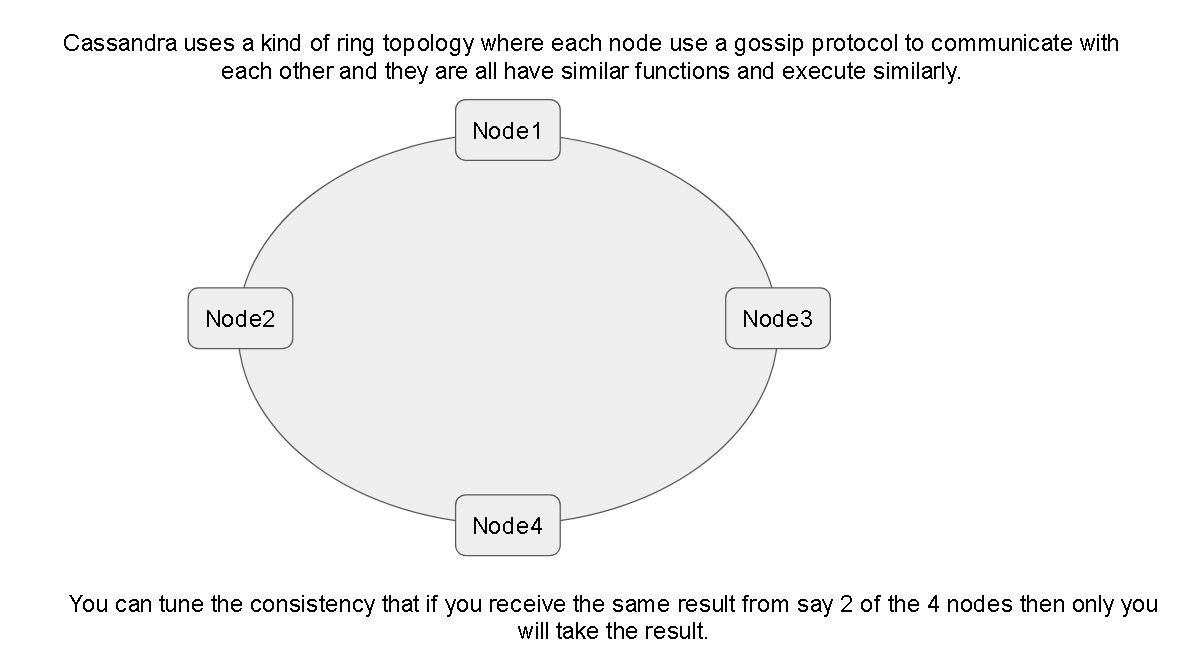
Cassandra Simplified Architecture
- How to install Cassandra:
- Its not part of Hortonworks Ambari or Cloudera clusters
- Need to installed by either a docker or manually
- Login to Ambari Sandox box using ‘maria_dev’ credentials and elevate to root user.
- First update the sandbox – yum -y update
- In case you get update issues – move the sandbox.repo file from /etc/yum.repos.d folder to /tmp folder like this:
- mv /etc/yum.repos.d/sandbox.repo /tmp
- Install tools to install multiple versions of Python and use them without breaking each other –
- yum -y install scl-utils – to install scl utilities
- yum -y install centos-release-scl-rh – to install centos related scl utilities
- yum -y install python27 – to install python 2.7
- scl enable python27 bash – to enable python 2.7
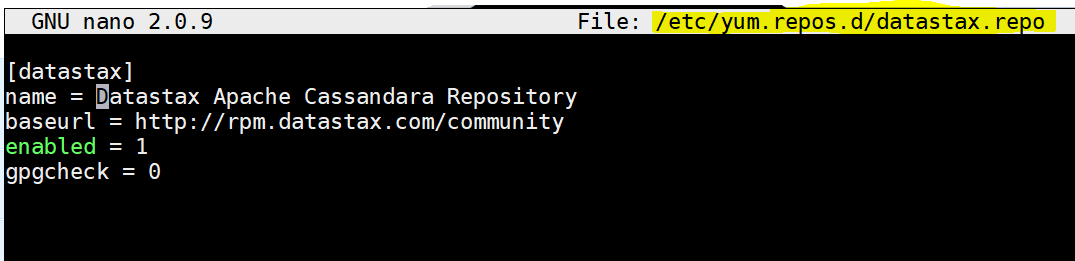
- Create a repository for datastax as : nano /etc/yum.repos.d/datastax.repo
- Copy the below content ans save file.
- [datastax]
name = Datastax Apache Cassandara Repository
baseurl = http://rpm.datastax.com/community
enabled = 1
gpgcheck = 0
 Now you are ready to install Cassandra: yum -y install dsc30
- Now lets install some dependencies for its CQLSH : yum -y install sqlsh and pip install cqlsh
- Now lets start Cassandra service – service cassandra start
- Run command nodetool enablethrift
- Now lets start CQLSH command line – cqlsh –cqlversion=’3.4.0′
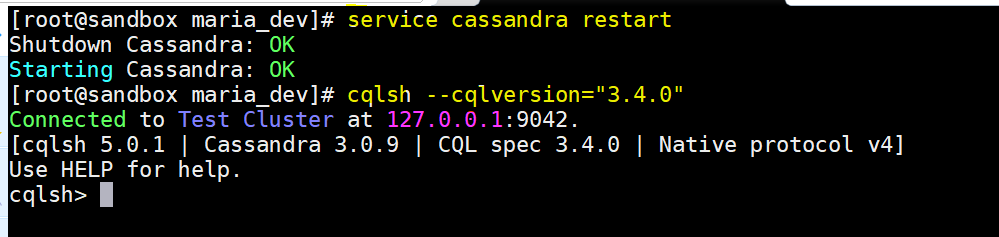
- Once you are in CQLSH shell now you can create a Keyspace and then tables.
- First create a KeySpace movielens – CREATE KEYSPACE movielens with replication = {‘class’ : ‘SimpleStrategy’, ‘replication_factor’ : ‘1’} AND durable_writes = true;
- Now use Movielens Keyspave : use movielens;
- Now create table : CREATE TABLE usersData (userID int, age int, gender text, occupation text, zip text, PRIMARY KEY(userID));
- View Empty table – SELECT * FROM usersData;
- View table structure – DESCRIBE usersData;
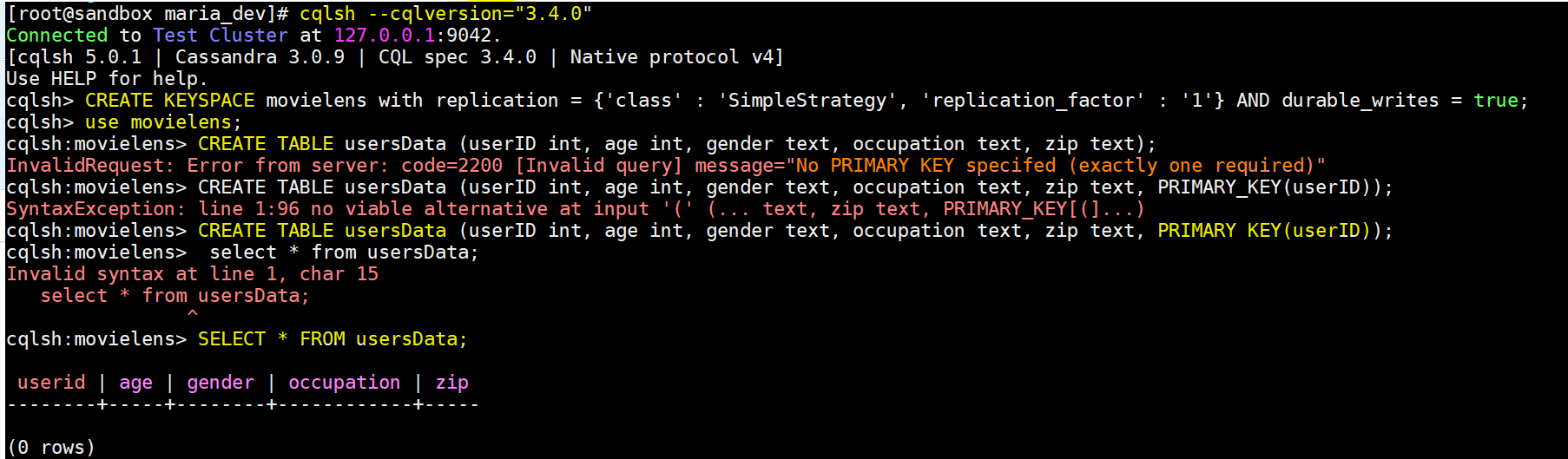 Wow, we create a table too now we will use spark to push data into this table
- Please download script https://s3.amazonaws.com/testbucket786786/SparkCassandraIntegration.py
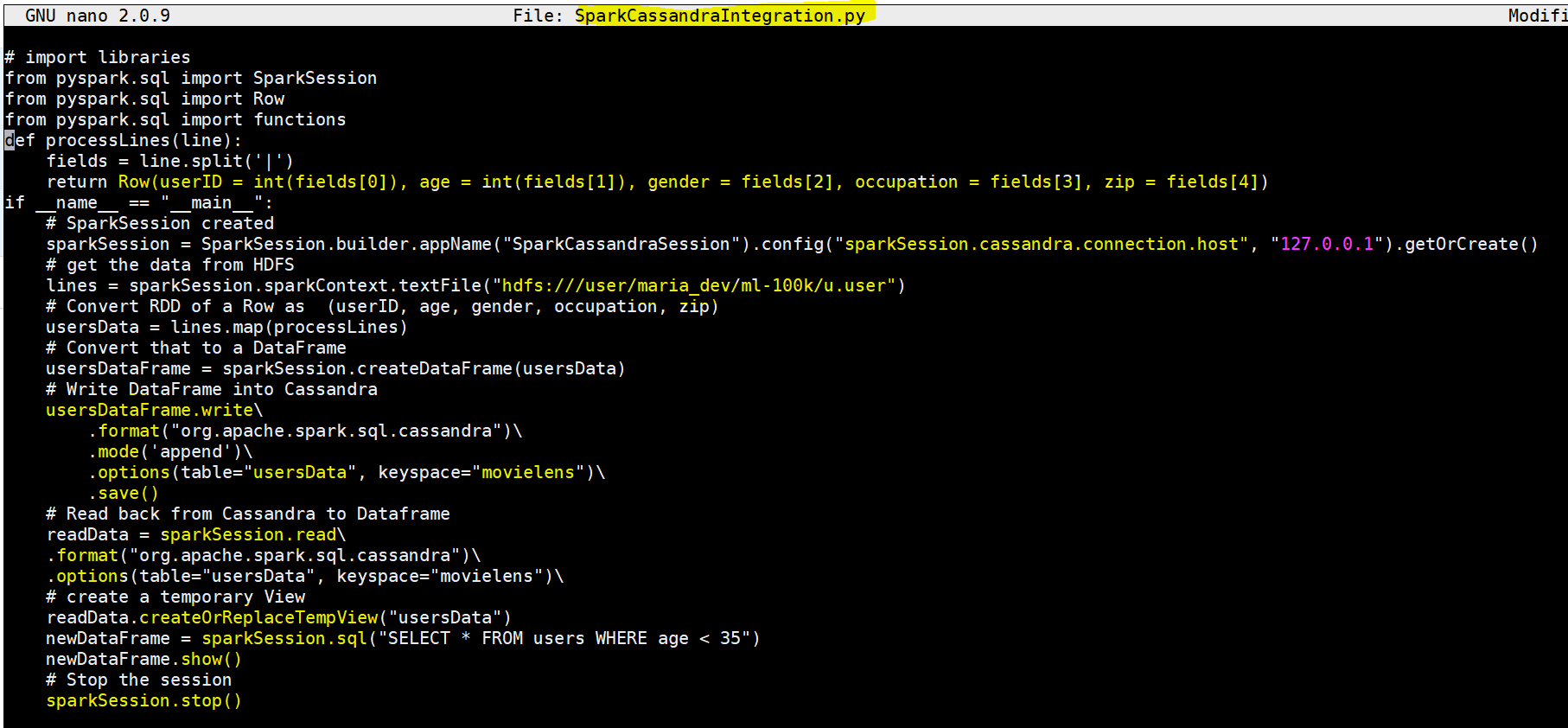
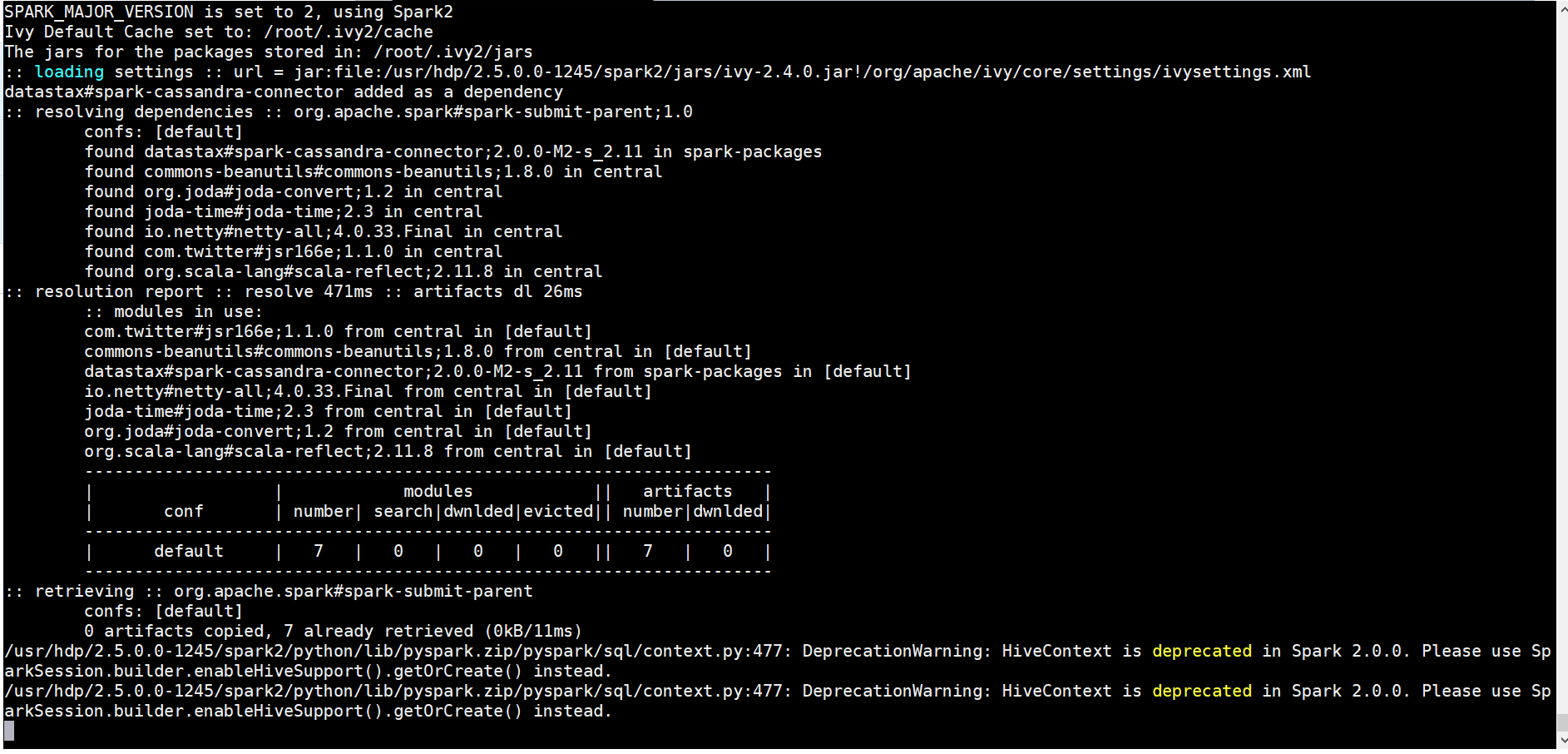
- Lets execute the script – spark-submit –packages datastax:spark-cassandra-connector:2.0.0-M2-s_2.11 SparkCassandraIntegration.py –conf spark.cassandra.connection.host=”127.0.0.1″
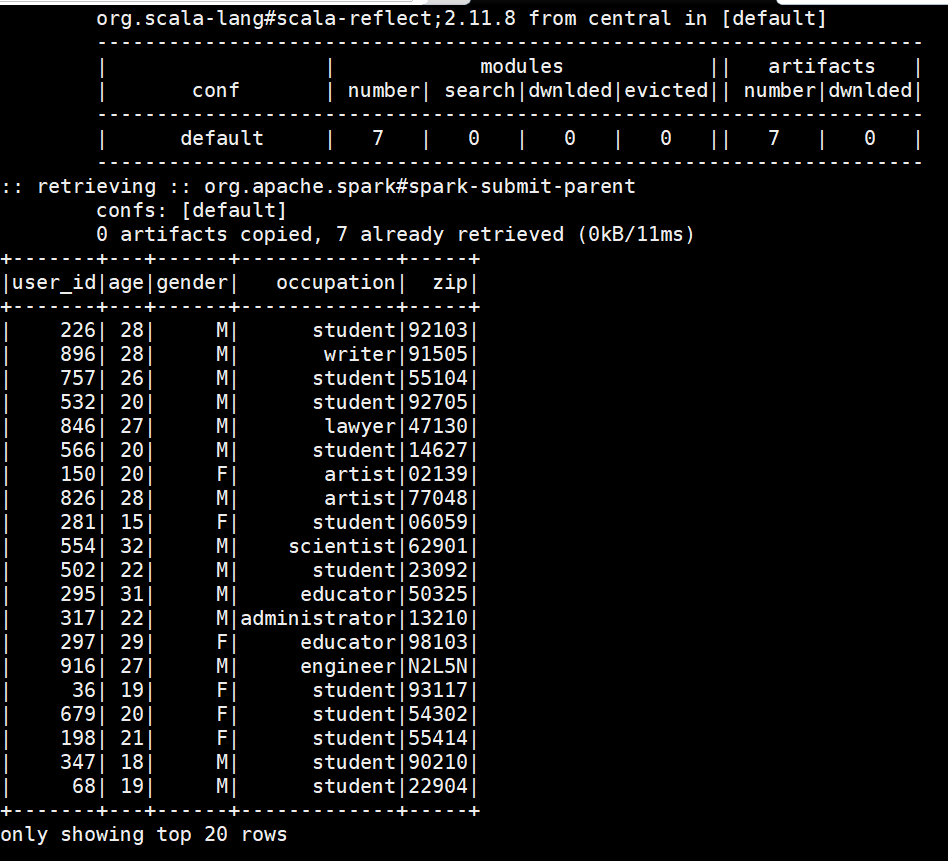
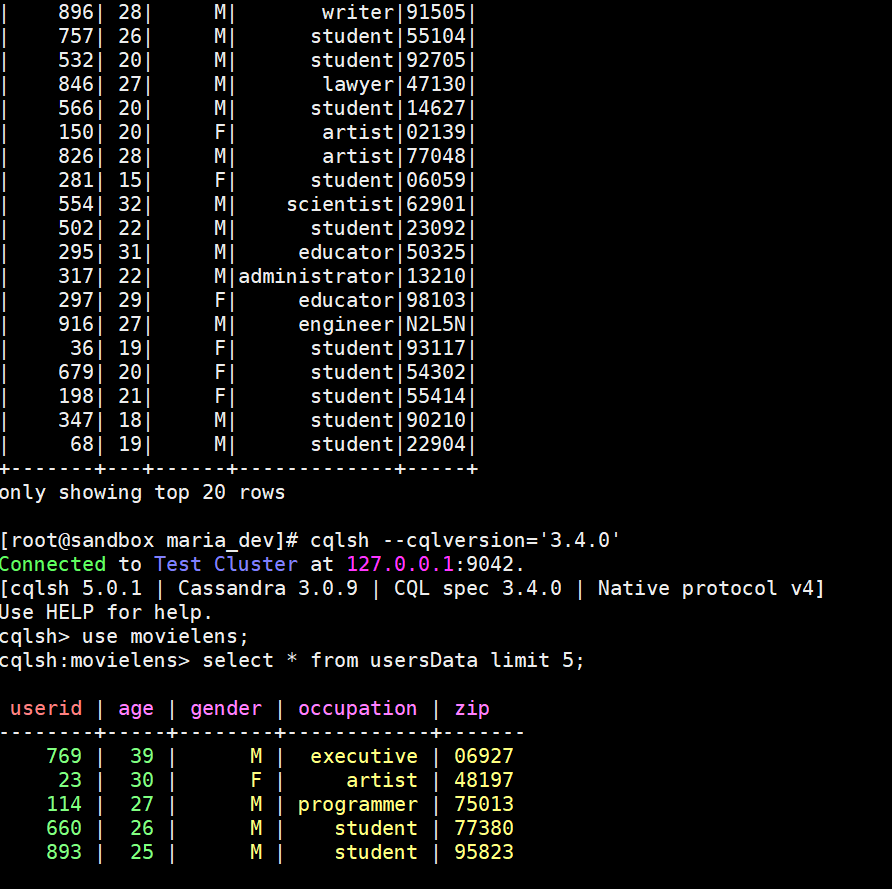
- Lets verify if data was written to the table, login back to cqlsh and use movie lens Keyspace and do a select.
- To stop a Cassandra connection – service cassandra stop
Big Data Integration with Cassandra Using Spark
