
- As we saw in out last post that we successfully uploaded data to HDFS( stands for Hadoop File System and is the core behind the distributed storage feature of Hadoop. I will dedicate another post on how the data is stored in HDFS on various nodes and how monitors the blocks of huge data and how watches the monitor … )”user\maria_dev\NaeemData” and the 2 files u.data holds the movie ratings and u.item holds the movie details.
- Once the data is stored in HDFS, we have lots of engines to process the data, it all depends which one is the best in which scenario.
- In this article we will use use “Hive” which uses a SQL like syntax to process your data.
- It would be very easy for people with SQL background.
- So lets start.
- Use Ambari Dashboard to open “Hive View” by clicking on the rectangular box just left to user name box “maria_dev”(on right hand top side)
-
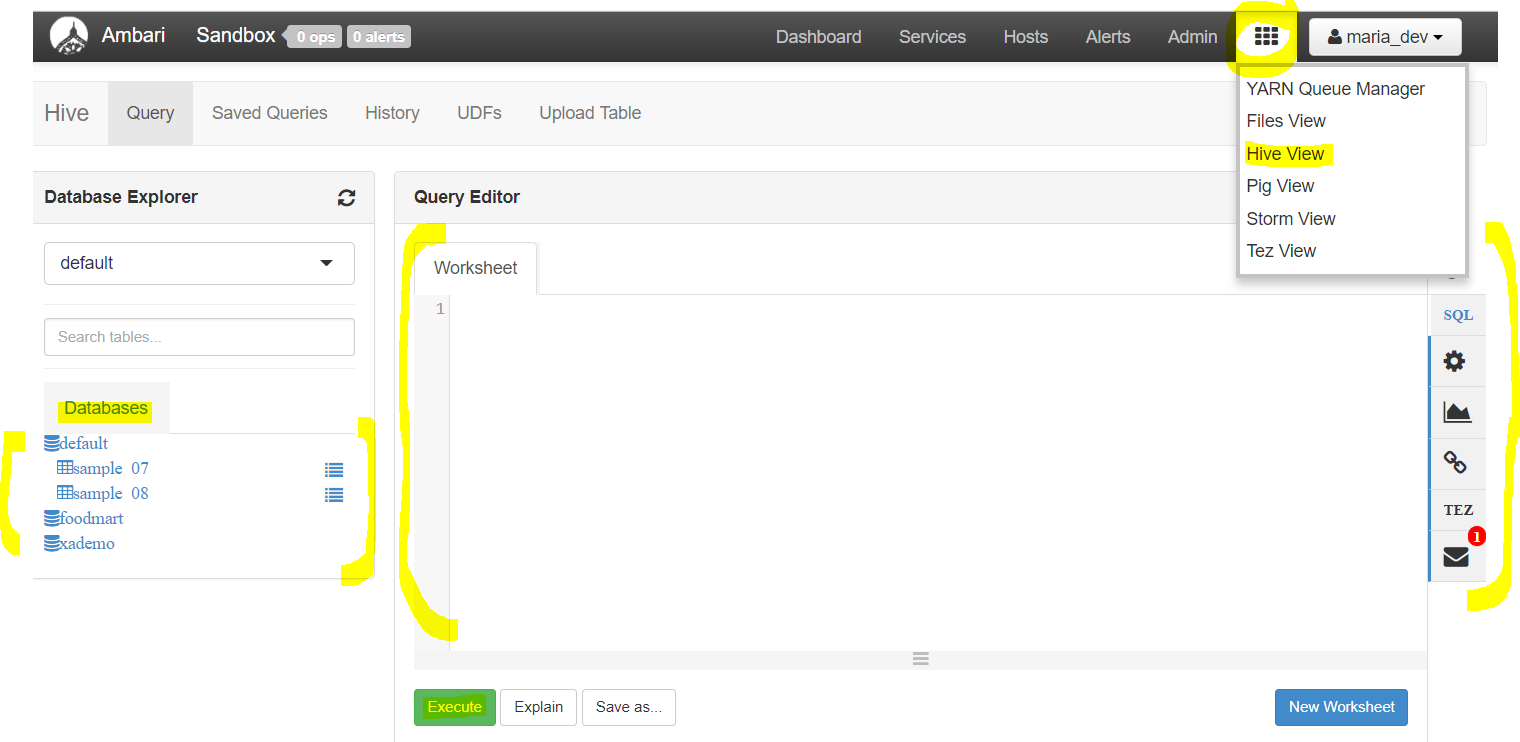
We will first add the 2 files we upload to HDFS to the HIve Database and then use the query editor to write and process the query. - Now click on tab “Upload table”, you will see 2 options, either upload directly from local sandbox or from HDFS.
- I will use “UploadfromLocal” for u.data and “Upload from HDFS” for u.item so that we understand both.
-
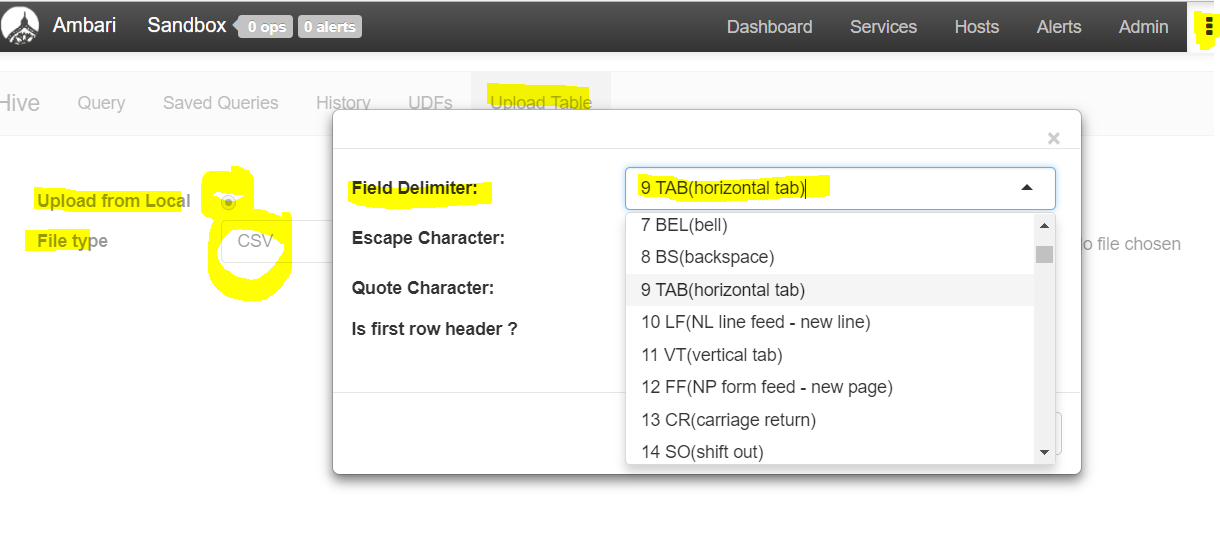
First select “Upload table” tab, then check upload from local, then select File Type as CSV and on the settings for the file type click open to select delimiter as TAB delimiter - Now you will upload the file from local and then set the table name, column names and types etc and finally press “Upload Table” button
-
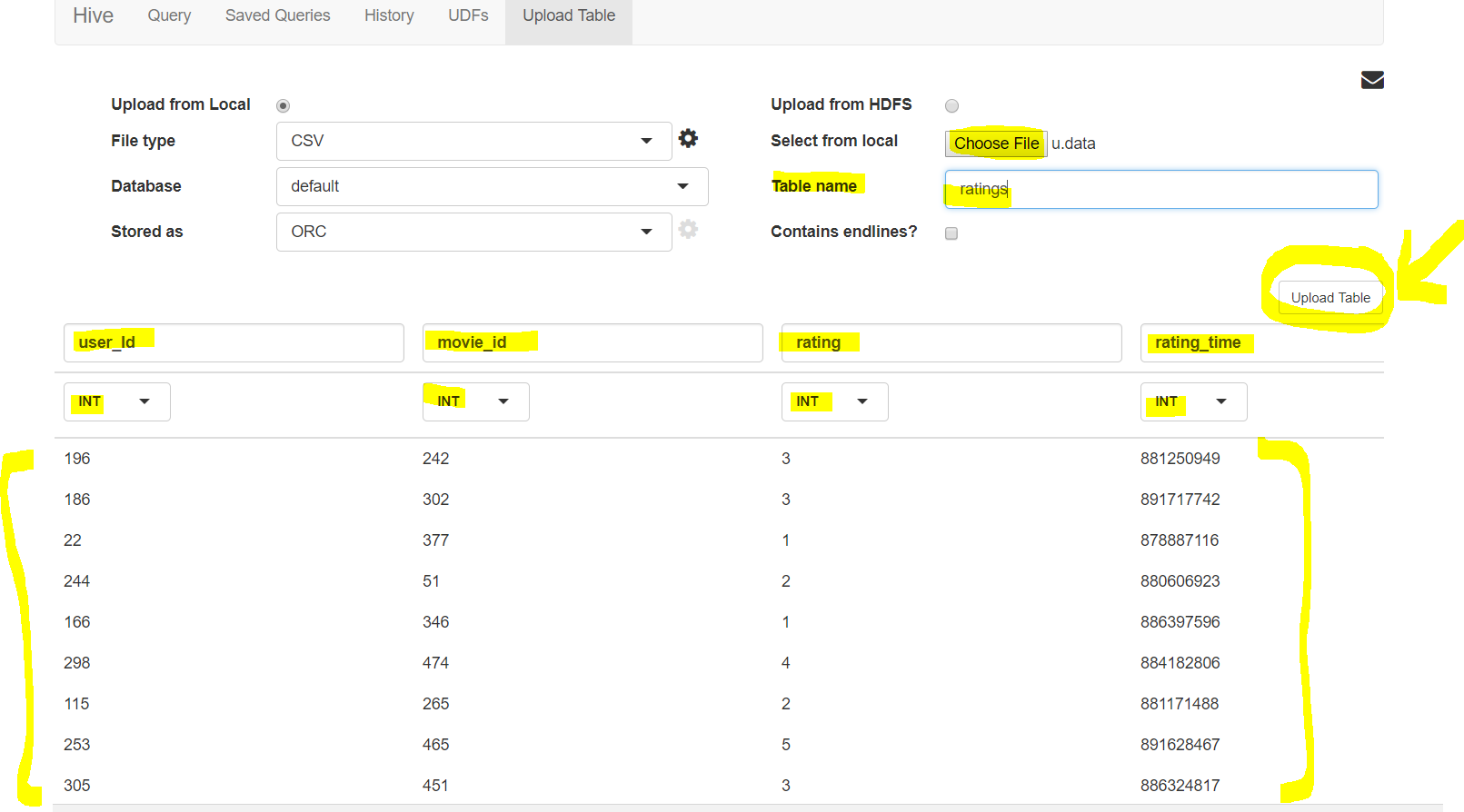
see preview of the data file and how you will set table name, column names, data types of columns - Once uploaded you can view your table like this :
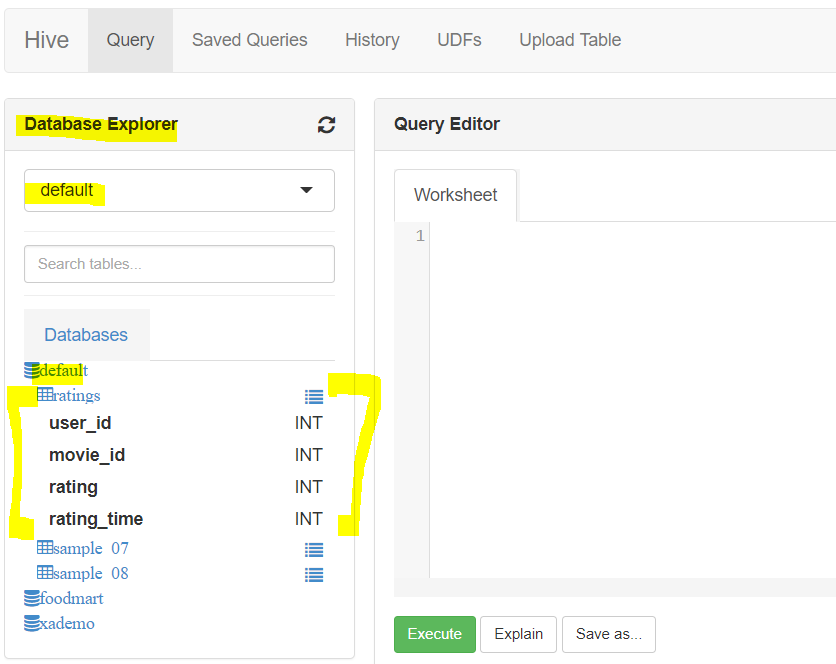
- Now lets upload the other file using HDFS
-
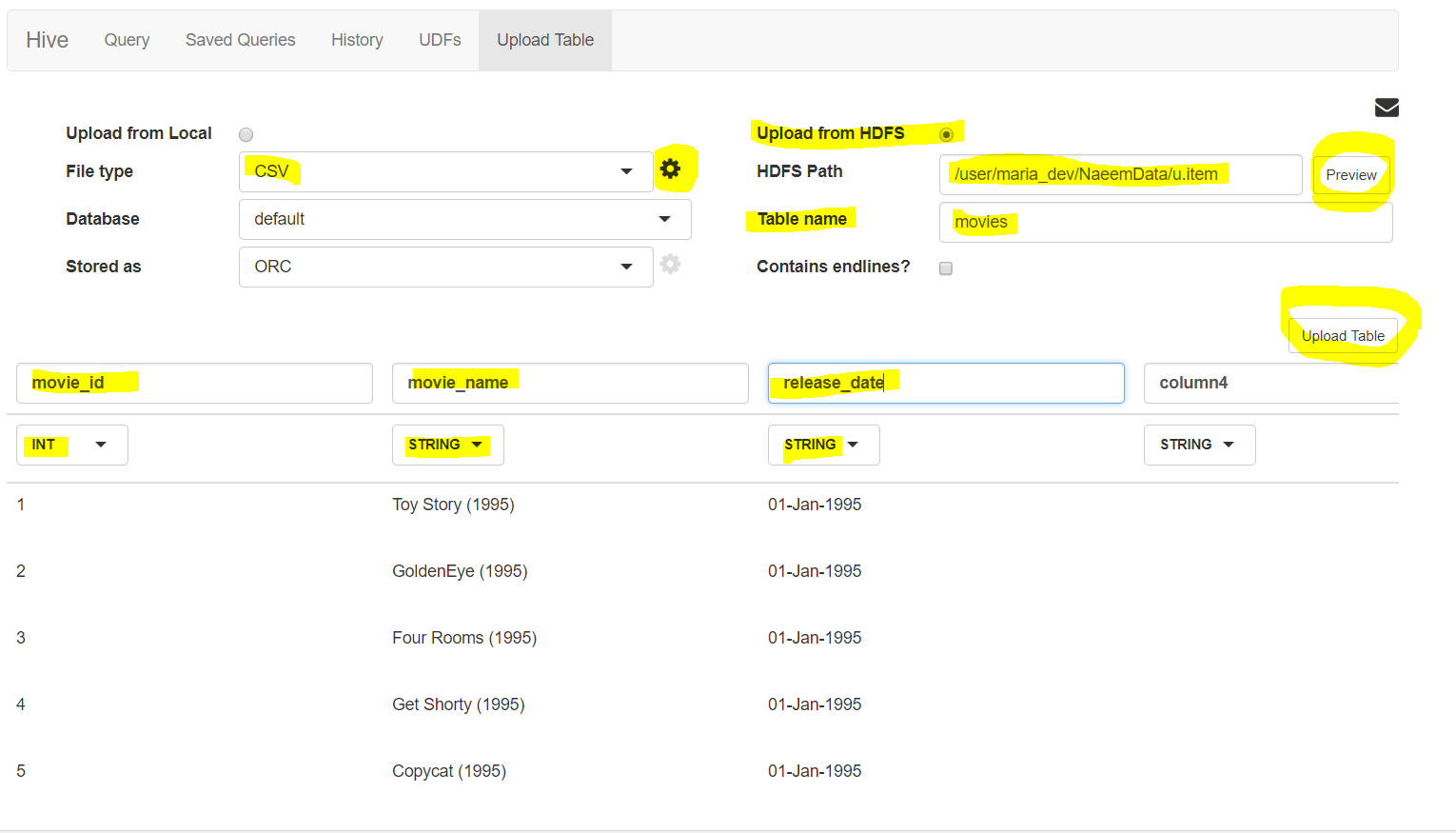
First select Upload from HDFS, then select file type as ‘CSV’ then click the settings button of file type to select delimiter as pipe ‘|’, then enter the HDFS path. Click the Preview button to see preview of the file. Then enter table name, column names and column types and finally click on ‘upload table’ button. - Yay!, the second files has been uploaded via HDFS.
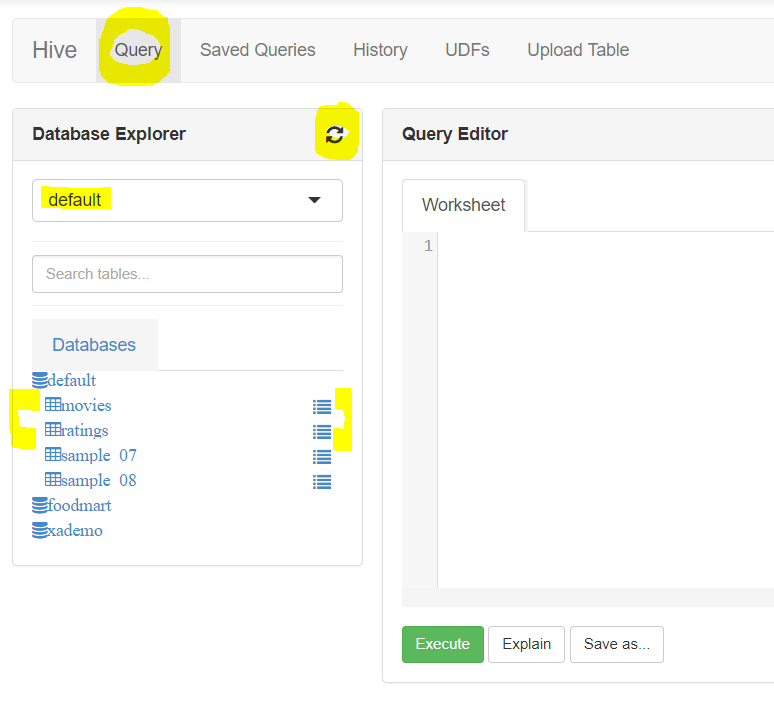
- Click on ‘Query’ tab and refresh the data base explorer by selecting the default database, you will see both tables ratings and movies now
- Lets process the data now:
- We want to check the highest rated movie from the data. We will the count of the ratings per movie by grouping the data on movie_id and then sort it on descending order by the rating count to get the highest ratings movie.
- You will see the results in the results tab and logs/errors in logs tab.
- See the query : ( link here – https://s3.amazonaws.com/testbucket786786/HiveQuery.txt)
select r.movie_id, m.movie_name, count(r.movie_id) as ratingCount
from ratings r
join movies m on(r.movie_id = m.movie_id)
group by r.movie_id, m.movie_name
order by ratingCount DESC;
- Hurray! we succeeded in:
- uploading data into Hive database using files from local as well as HDFS
- executing a HIVE query on the 2 tables and joining the data to get meaningful info – as per the dataset – “Start Wars” is the highest rated movie.
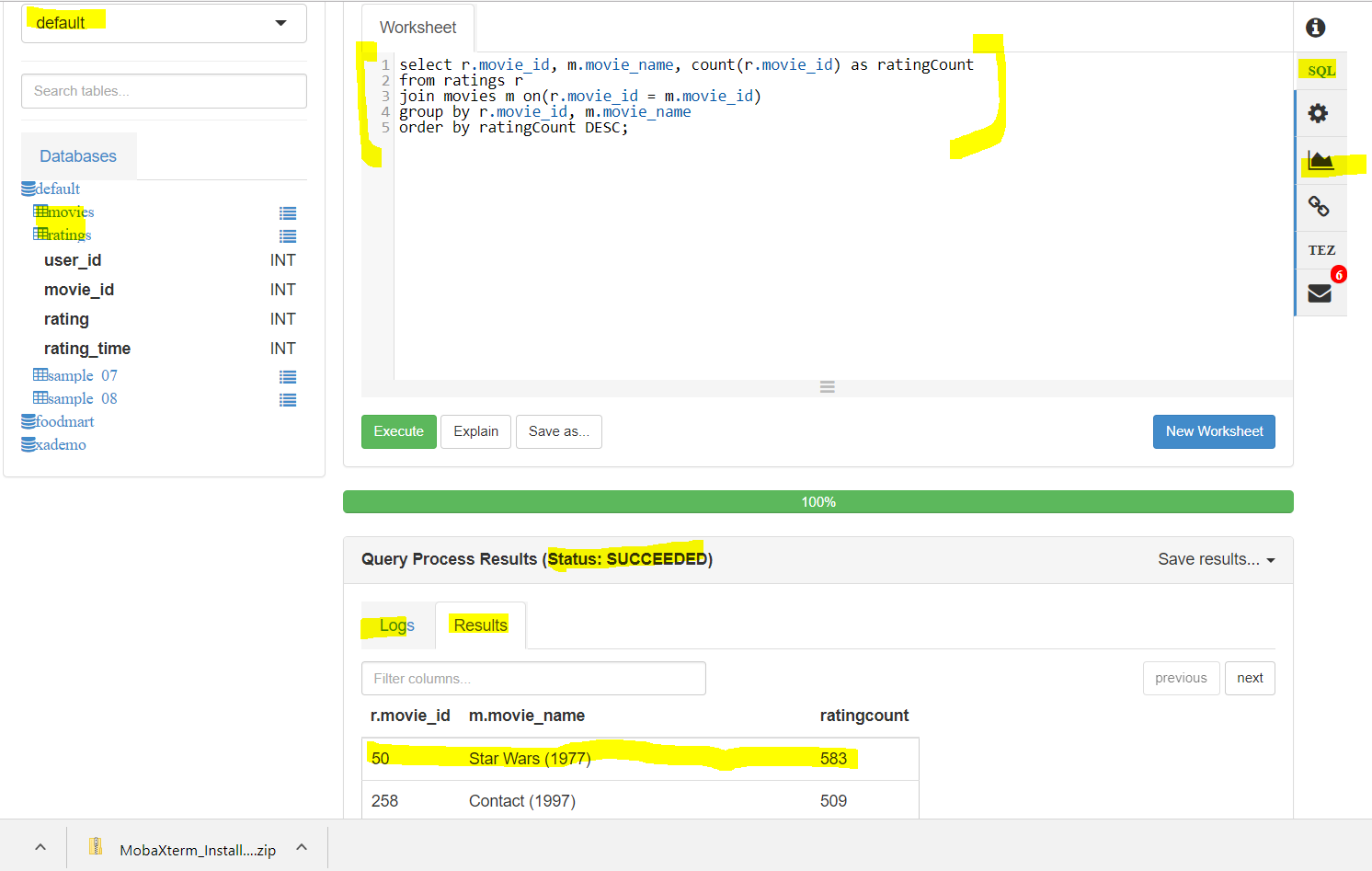 We can also see a graph of the same by clicking on the graph button by plotting movie id on x-axis and ratingCount on y axis.
-
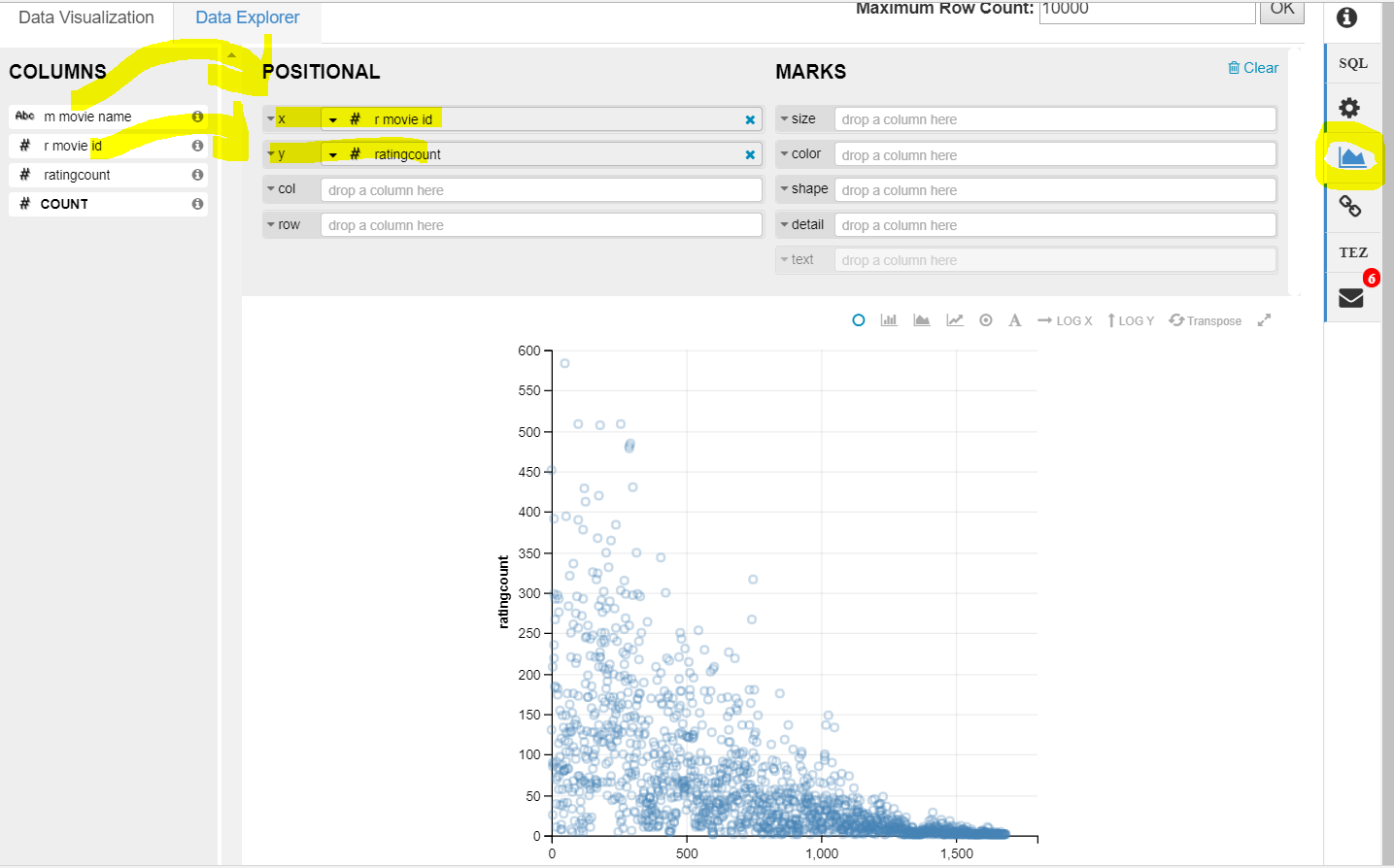
What do you interpret from the graph – the movie_id of the highest rated movies is lower than those which are worst rated …LOL…meaning on old era better movies were being made and with time we are getting worser and worser movies…hahaha….you analysed some information from the data-set provided using big data techniques. - Here is a challenge question for you – we want a list of top movies with highest averages having at least rated by 10 users. First try and see if matches with my answer below:
- First create a view by grouping on ratingCount and avgRating, group the movies by movie id and filter by ratingCount >10 and order them in descending order of avgrating to get top averaged movies. Finally join them with movie metadata table to get movie name too.
-
create view if not exists TopAvgRatedMovies
as
select movieID, count(movieID) as ratingCount, avg(rating) as avgRating
from ratings
group by (movieID)
having ratingCount>10
order by avgRating desc;
select moviename, avgRating, ratingCount
from movies m
JOIN TopAvgRatedMovies t ON (m.movieID = t.movieID); - Here is the link too – https://s3.amazonaws.com/testbucket786786/TopAverageRatedMovies.txt