
- In Hadoop Architecture, while HDFS is the distributed file system, MapReduce or Tez are the distributed processing engines.
- To process huge amount of data, we need to first ingest it into the distributed storage system called as HDFS(Hadoop File System)
- You can either spin a Hadoop Cluster all by yourself or you can use containers like HortonWorks, Cloudera, MapR etc.
- I will be using a “HortonWorks Sandbox v2.5” to help you how you can ingest data first and then process it.
- The dashboard of HortonWorks is called Ambari Dashboard:
-
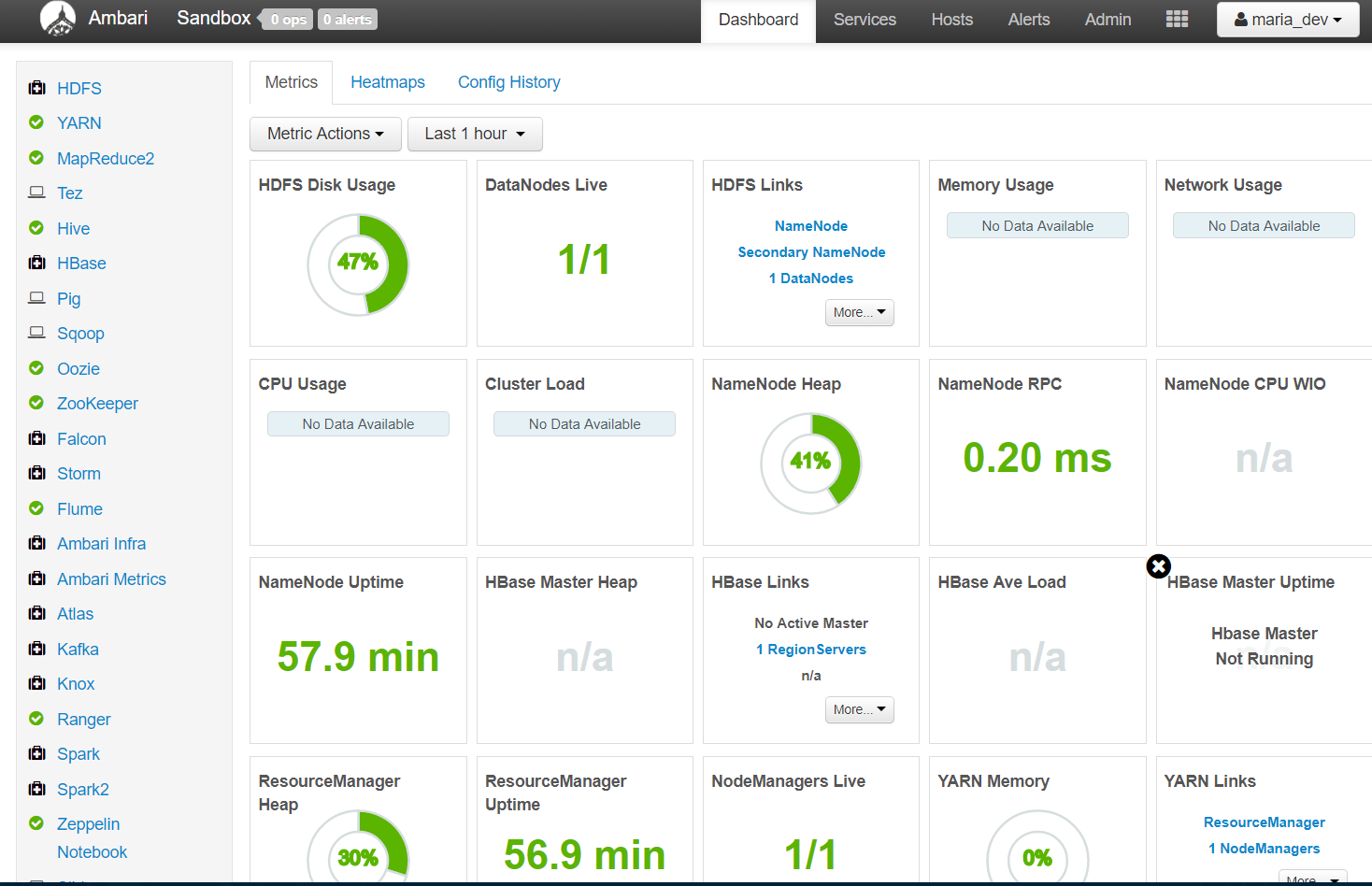
This is how a Ambari Dashboard Looks like with all the services like YARN, Pig, MapReduce2, TEZ etc on the left hand side and metric details about the health of the cluster on the right and more links to check host details, alerts and different views like file view, pig view etc
- You can ingest data either using the Ambari Dashboard’s Files View or using Command Line.
- Lets try both one by one.
- Ingest data using “Files View”:
- Click on the rectangular matrix/grid like button just left to the user name ‘maria_dev’.
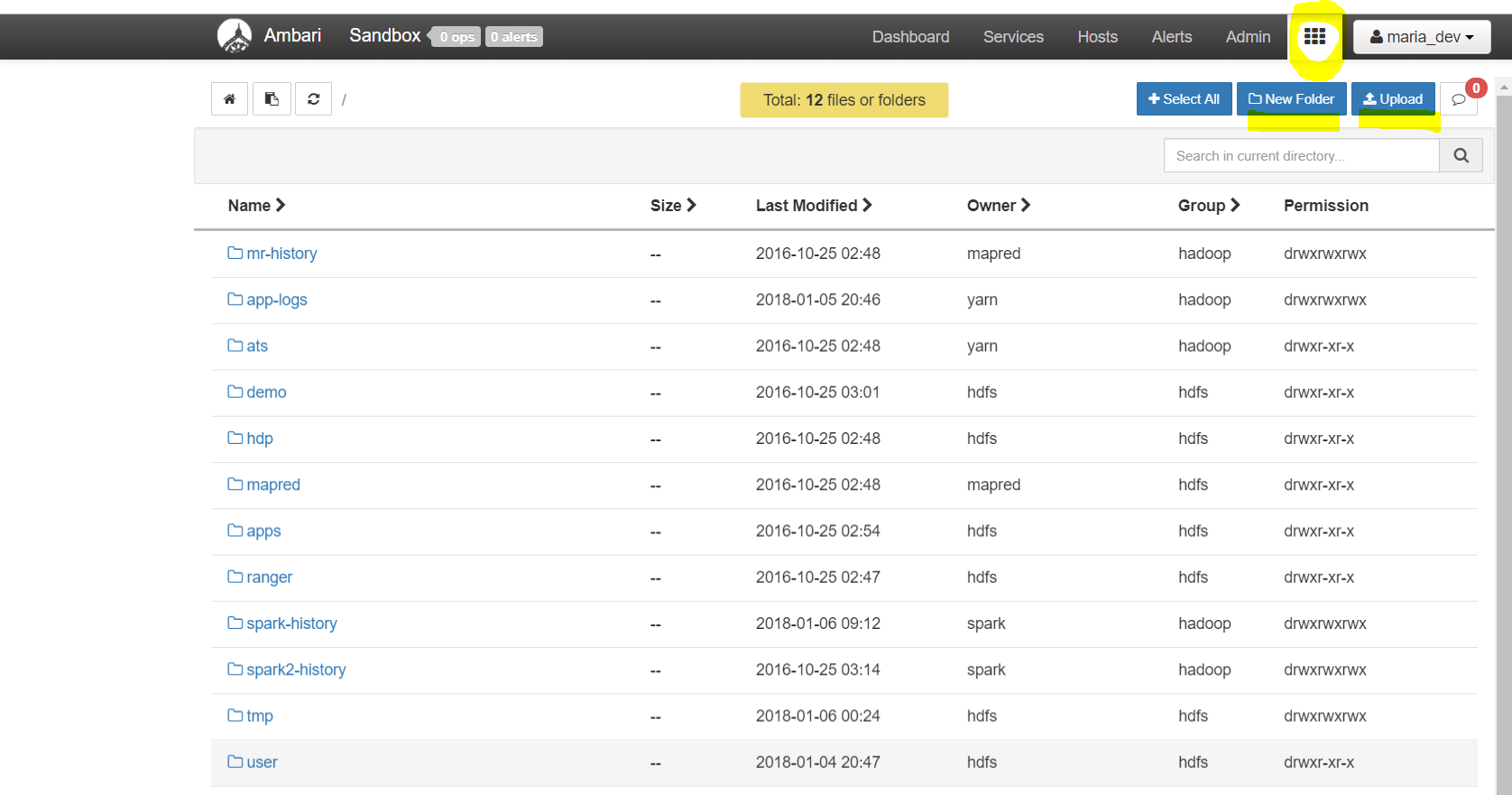
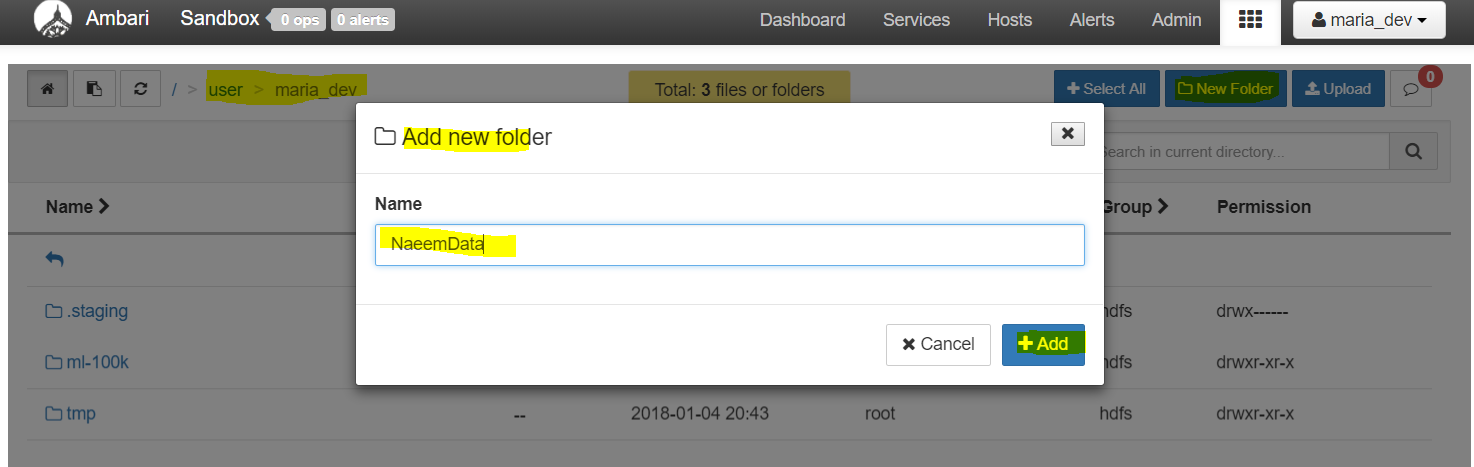
Click on the rectangular matrix/grid like button just left to the user name ‘maria_dev’. You will see this screen showing the HDFS file structure and buttons to add folders and uploads files. Very intuitive …. - Click on “New Folder” to add a folder and then upload files in that folder.
- Now lets go to this site – https://grouplens.org/datasets/movielens/ to download some data (e.g “MovieLens 100K Dataset”, which we can inject, lets download that data and unzip in in our local system.
-
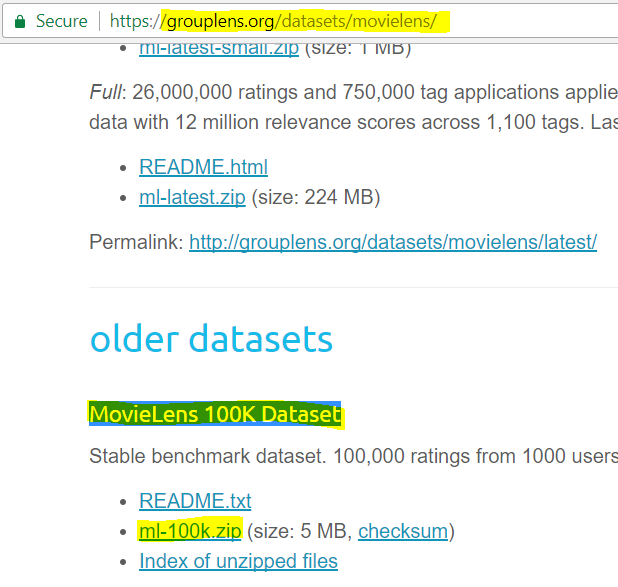
Download highlighted zip file and unzip it on your local system. We will upload u.data( which holds the ratings data) , u.item( which holds the movie meta data) and u.user( which holds the user data). These 3 files hold the movie ratings, movies and users information. -
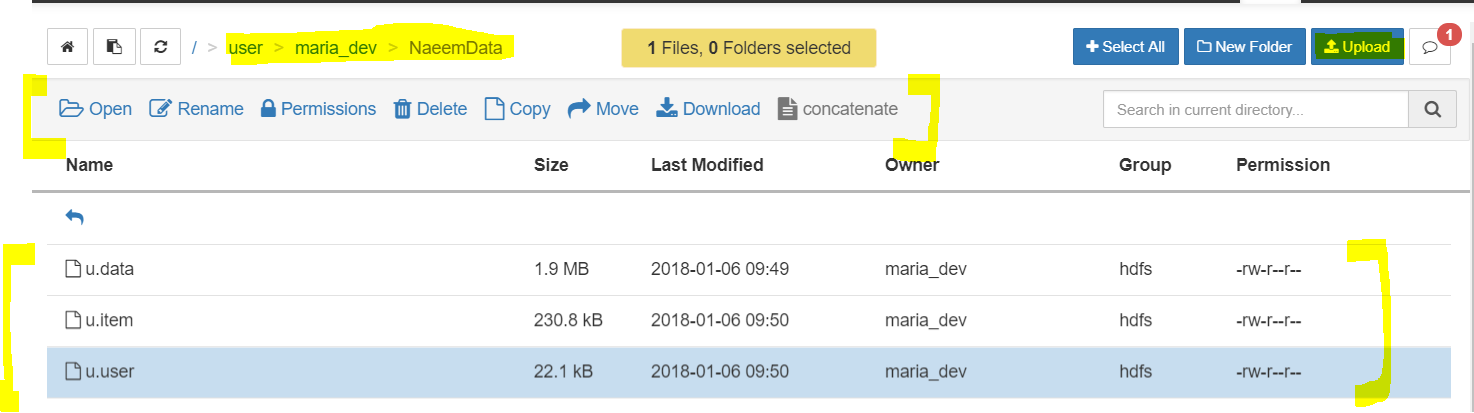
Above 3 files uploaded via Ambari’s Files View into “Naeem Data” folder. You also see links for files to open, rename, delete, copy, move etc…. - You are done, you have ingested some sample data to HDFS
- Click on the rectangular matrix/grid like button just left to the user name ‘maria_dev’.
- Ingest data using “Command Line”:
- First SSH into the sandbox using ‘maria_dev’ as user as well as password.
- You can use any SSH tools like Putty or MobaXterm in Windows or the Terminal in Mac or Linux. I am using MobaXterm.
-
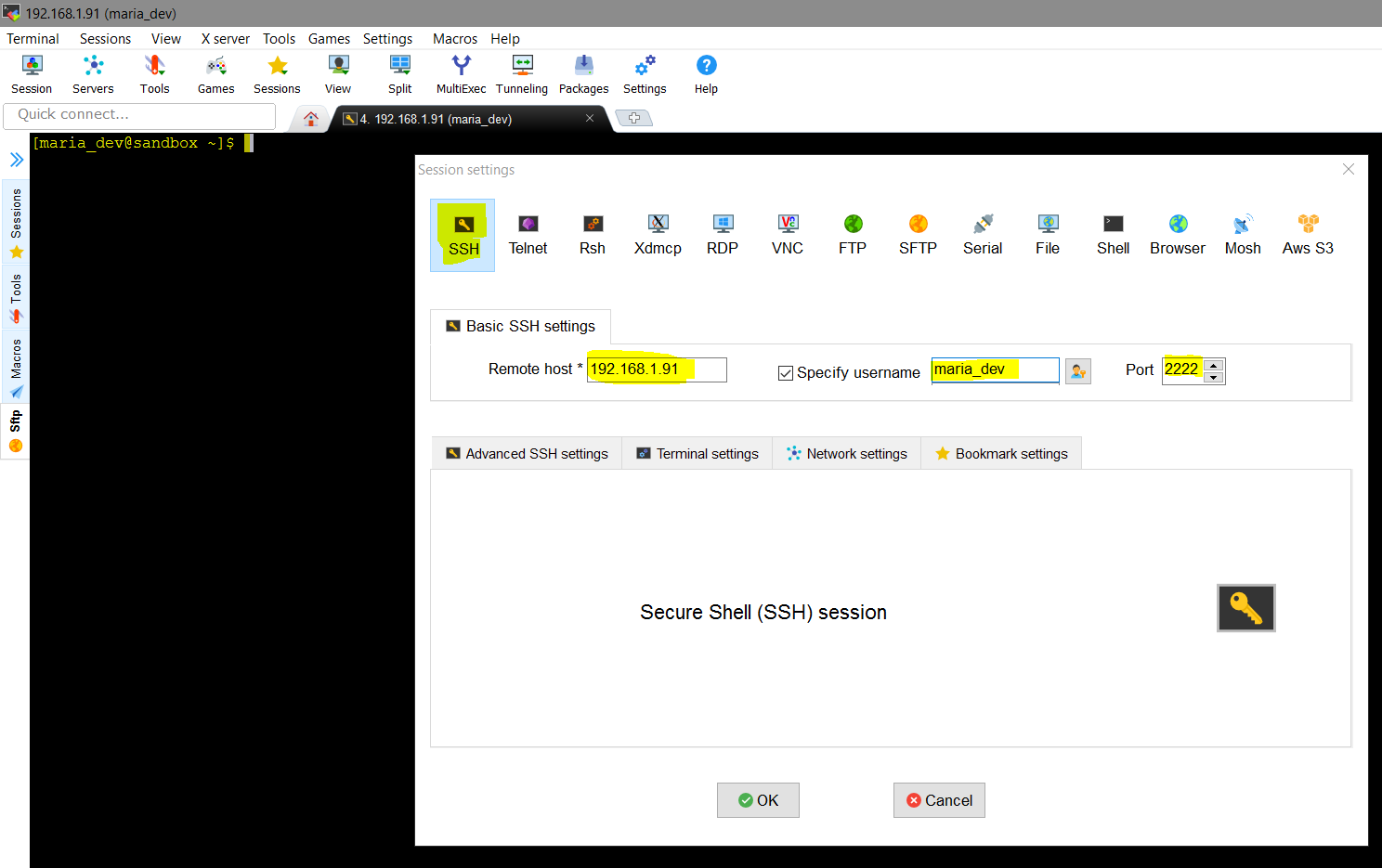
Enter the IP of the Sandbox, user and password is same as above and port is 2222. - First we will download data from Internet ( https://s3.amazonaws.com/testbucket786786/u.item and https://s3.amazonaws.com/testbucket786786/u.data) from my AWS S3 bucket) to the Sandbox local file system , then from here we will upload it into HDFS.
- To Create a directory use command – mkdir NaeemDataCmdLineUpload
- To change to the directory – cd NaeemDataCmdLineUpload
- To Download these files from Internet ( my AWS bucket) use command – wget https://s3.amazonaws.com/testbucket786786/u.data and wget https://s3.amazonaws.com/testbucket786786/u.item
-
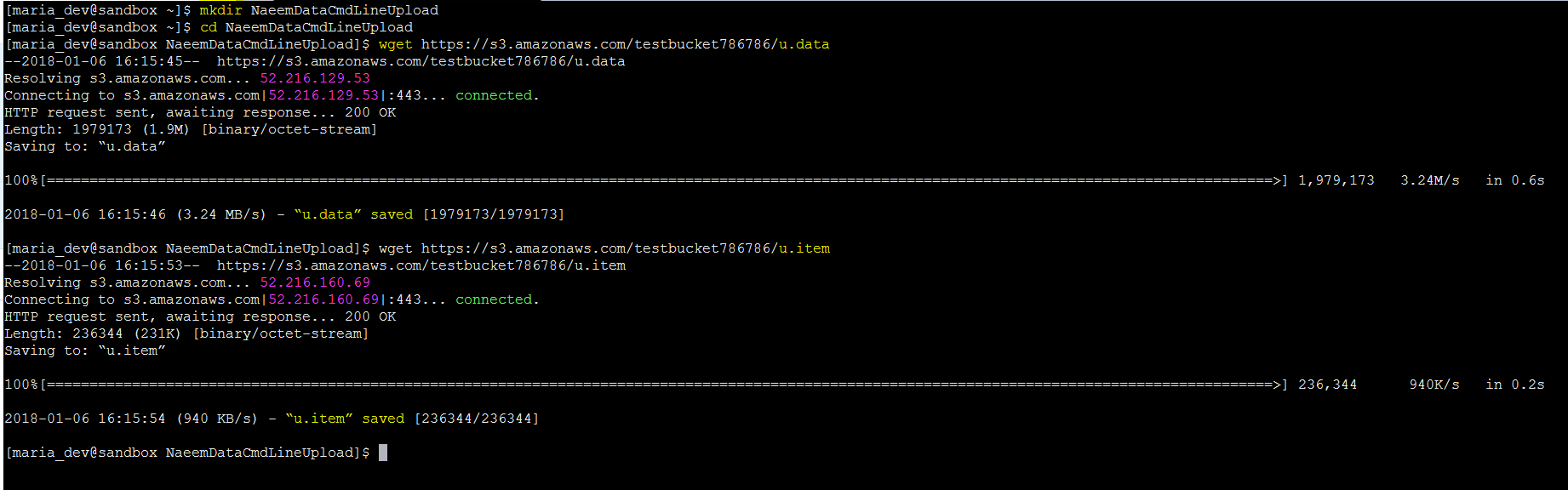
Make a Directory NaeemDataCmdLineUpload and download the files using wget command - Now lets upload these 2 files to HDFS into the folder ‘NaeemDatainHDFSCmdLineUpload’
- To create a directory inside HDFS (hadoop fs command is used to refrer to HDFS, then you are asking hadoop fs to make a directory(mkdir)) – hadoop fs -mkdir /user/maria_dev/NaeemDatainHDFSCmdLineUpload
- To upload the files from the local sandbox to HDFS use –copyFromLocal to copy files from local sandbox to HDFS(this is the magic command to push files to HDFS. Alternatively you can use –copyToLocal to download data from HDFS to local sandbox, u.* means all files which begins with ‘u’ character)- hadoop fs –copyFromLocal u.* /user/maria_dev/NaeemDatainHDFSCmdLineUpload
-

hadoop fs -copyFromLocal u.* /user/maria_dev/NaeemDatainHDFSCmdLineUpload
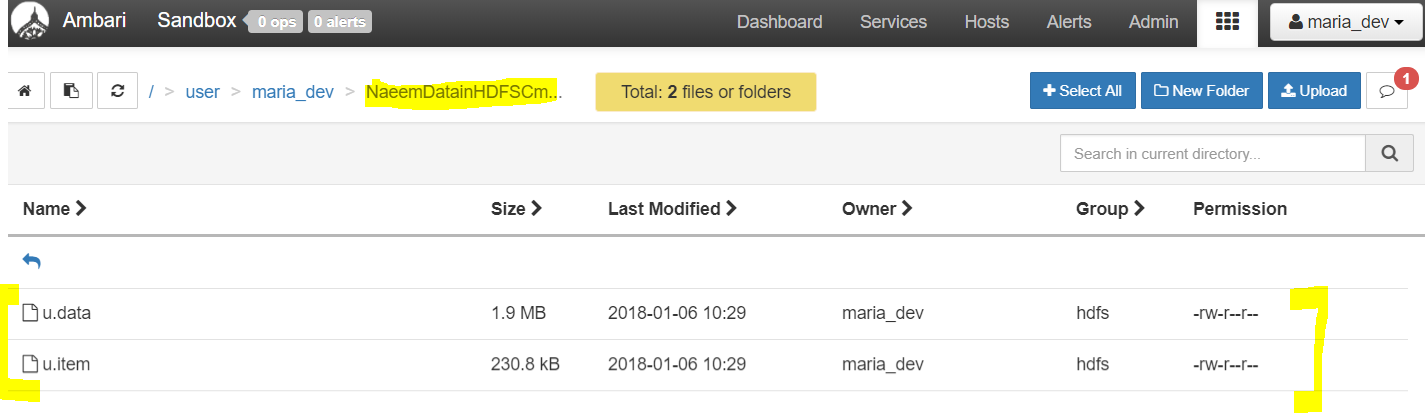
- Hurray, you have been successful in uploading data into HDFS. you can verify the same from Ambari dashboard too.
- We will now process this data in next few blogs.