
Problem:
- How to check if an Amazon instance is a valid approved golden image
Solution:
- Problem Detection
- You can use CLI as well as Console to perform this action
- Using CLI
- Save the below script as checkIfValidApprovedImage.sh
- Change the mode – chmod u+x checkIfValidApprovedImage.sh
- The AWS command ‘aws ec2 describe-instances‘ will return all instances in a specific region and is filtered by ImageId
- The array arrImages is holding the array of all ImageId
- Run a for loop with command ‘aws ec2 describe-images‘ to get the Image owner
- If the image owner is not “Self” it is not a valid approved image specific to your own customized base image
#!/bin/bash#regions to check
arrRegions=(“us-east-1” “us-east-2”); #image list
for regionId in ${arrRegions}
do
echo “Instances for $regionId region:”
arrImages=$(aws ec2 describe-instances –region $regionId –output text –query ‘Reservations[*].Instances[*].ImageId’); #get Image owner
for imgId in ${arrImages}
do
aws ec2 describe-images –region $regionId –output text –image-ids $imgId –query ‘Images[*].ImageOwnerAlias’
done
done
- Using Console
- Go to EC2 Dashboard, Select Instances tab and then select a specific instance
- In the Description tab, click on AMI ID link and select the AMI ID from the pop up. Copy the AMI ID.
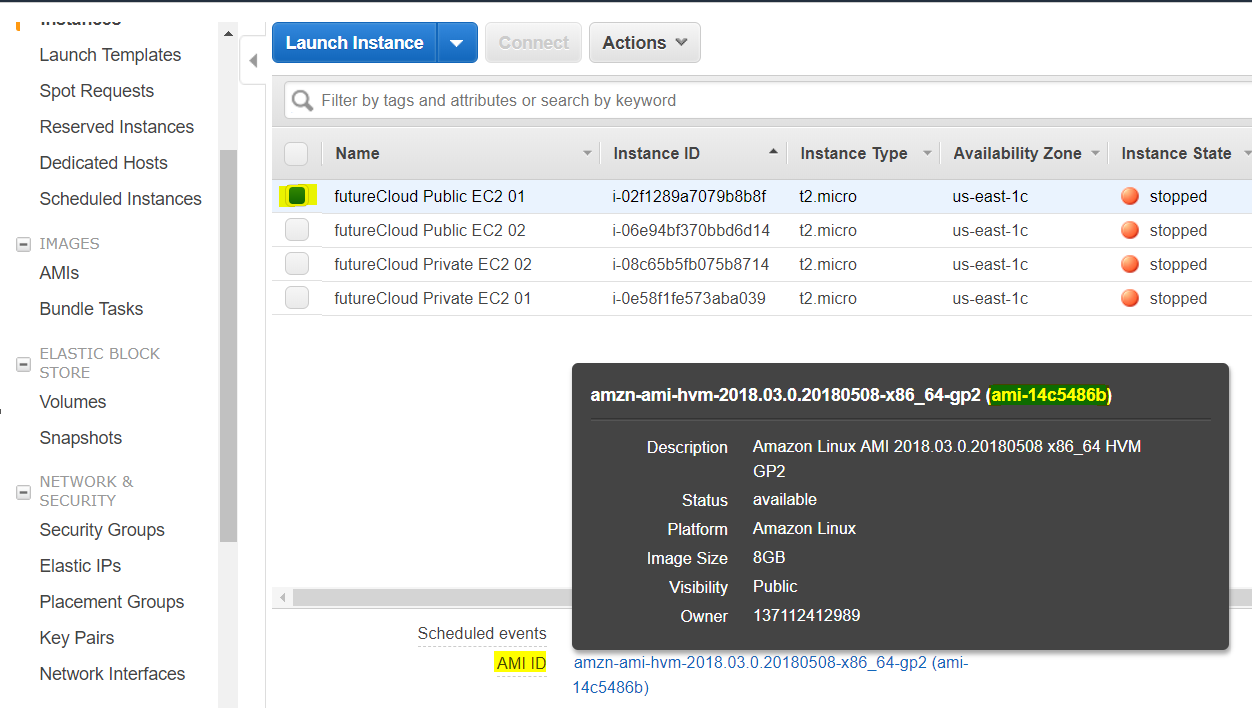
- Now go to AMI tab is Images section of EC2 Dashboard
- Select “Owned by me” from the drop down and filter by AMIID. Paste the AMI ID for the filter.
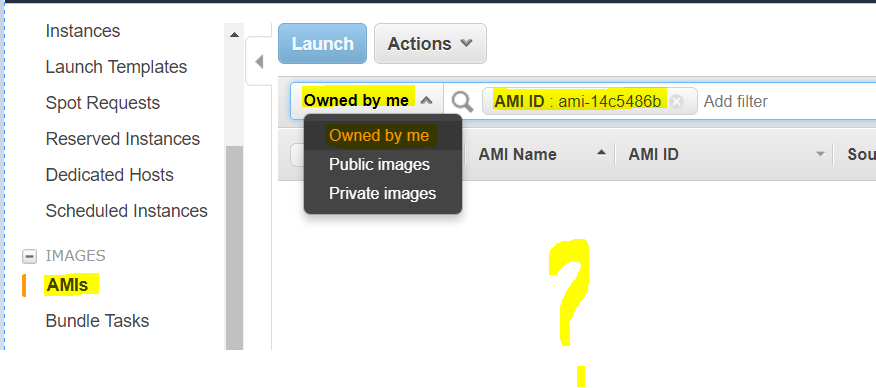
- If no rows are returned it means the images are either from Market Place or Amazon and are not “Self” customized approved valid image.
- Problem Remedy – to continue