- Stateless vs Stateful containers
- Stateless – they don’t need to maintain the state of an application
- e.g The TicTacToe game container we created is a simple game. We just wanted that when the container image is downloaded then the game should run. But we are not maintaining any users, their scores or anything like that.
- Stateful – they need the application state to be maintained on some storage volume e.g in a database we are storing the users, scores, history of the games etc.
- Stateless – they don’t need to maintain the state of an application
- Approaches for Stateful containers
- -v <host-dir>:<container-dir> parameter option
- -v host-dir:container-dir option instructs the docker to map a host directory to a container directory. It can be a good option for some scenarios but not an effective solution. What if the container is run from another docker where the host directory does not exist?
- Using Data Containers
- they are responsible for storing data
- but they don’t run like other containers
- they hold the data/volume and are referenced by other containers who want to use this volume
- -v <host-dir>:<container-dir> parameter option
- Data containers in action
- Lets use Busybox(one of the smaller Linux distributions) we will use this container to hold our data and to be referenced by other containers
- We will use docker create command to create a new container and pass -v parameter to create a container folder
- We will then copy the configuration file from host folder to container folder
- Now with the new data container created, we will use this container to reference/mount on a Ubuntu container using command –volumes-from
- We will see how in the Ubuntu container since out container is mounted as volume, we can see the config file there.
- This data container can be exported and imported too.
-
# create a config file
echo “test=true” >> config.conf # create a container by a specific name , with v option to create a folder in the container
# (busybox is very small container)
docker create -v /config –name naeemsDataContainer busybox # copy data from local to the container
docker cp config.conf naeemsDataContainer:/config/ # run an ubuntu container, referencing the container naeemsDataContainer using command –volumes-from
docker run –volumes-from naeemsDataContainer ubuntu ls /config # export the container
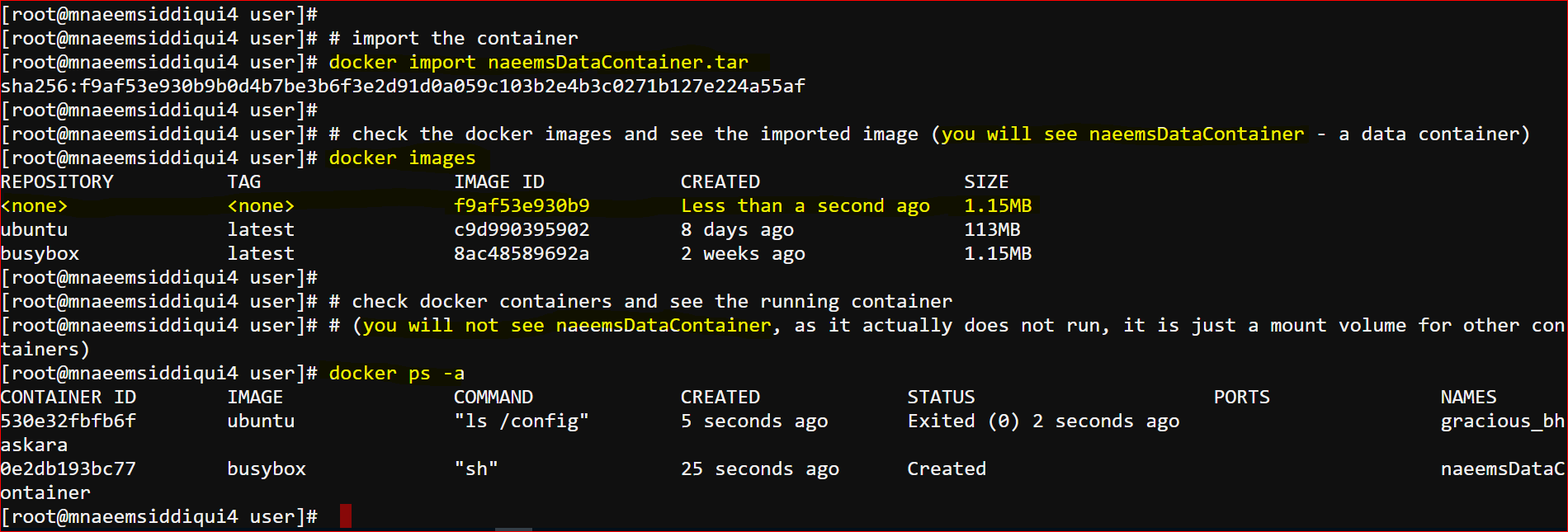
docker export naeemsDataContainer > naeemsDataContainer.tar # import the container
docker import naeemsDataContainer.tar # check the docker images and see the imported image (you will see naeemsDataContainer – a data container)
docker images # check docker containers and see the running container
# (you will not see naeemsDataContainer, as it actually does not run, it is just a mount volume for other containers)
docker ps -a 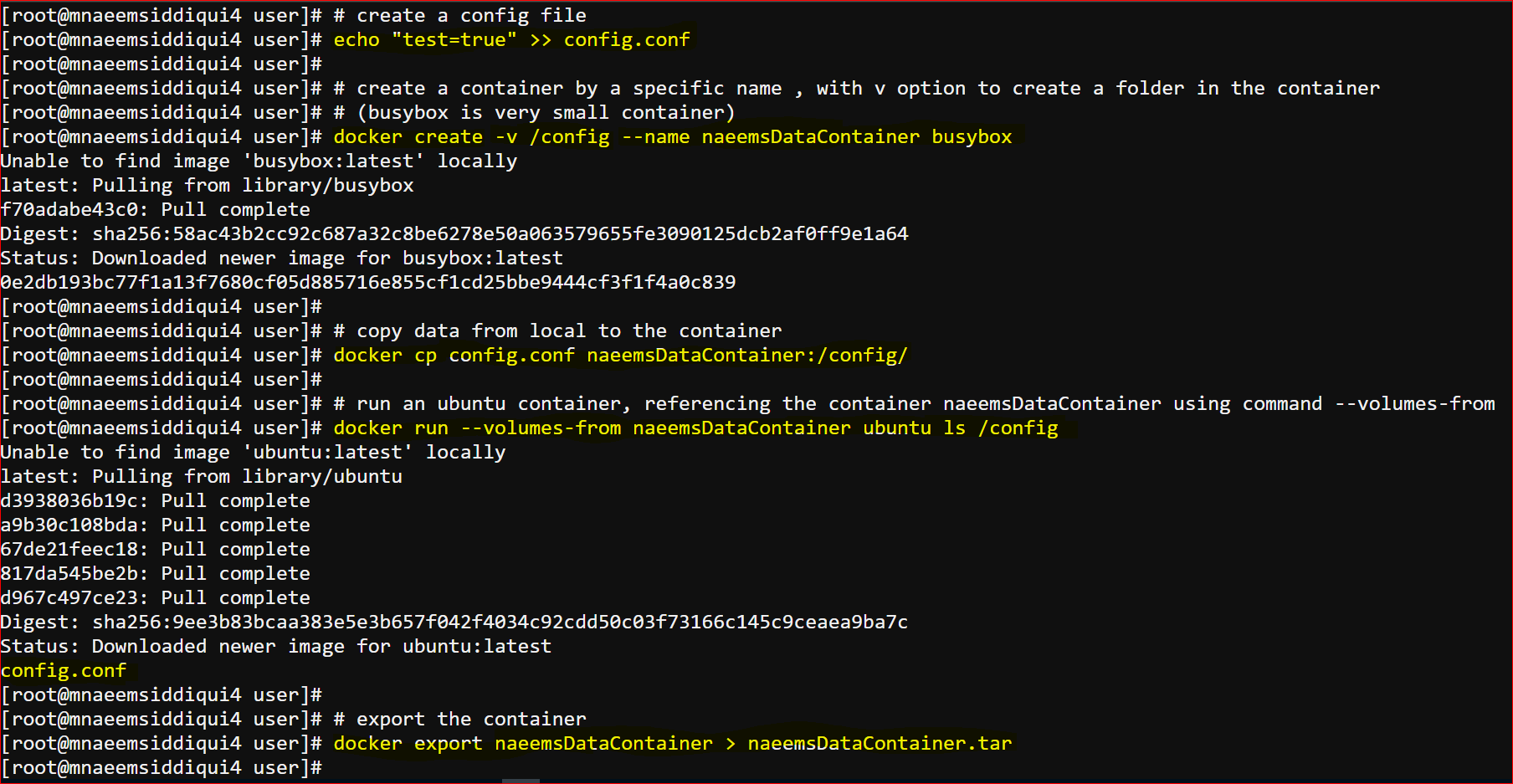
Dockers 101 – Series 8 of N – Stateful Containers and Importing and Exporting Containers
