- Requirement:
- To run a static website using nginx server
- Strategy:
- Docker uses a Dockerfile to define what all will be going in a container
- For above requirement we need the following:
- nginx web server
- a working directory with some static html content
- copying the contents to nginx server
- build the app
- push the container to Docker Hub( you will need to create Docker Hub account and a repository under the account, Please visit hub.docker.com)
- pull the image
- run the container
- Solution:
- Login to your Host machine(in my case a CentOS 7 machine)
- Make a directory “myweb” and go to the directory – mkdir myweb && cd myweb
- Create a html filr with some content
- echo “<h1>HI , This is a statis web page</h1>”> index.html
- Now create a Dockerfile and copy the following content into it – nano Dockerfile
- Copy following content into the Dockerfile and save:
- The docker file has self explanatory explanations as what it is doing:
-
FROM nginx:alpine COPY . /usr/share/nginx/html -
- Now build the app-
- docker build -t mywebserver-image:v1 .
- Now run run the container to run the website
- docker run -d -p 80:80 mywebserver-image:v1
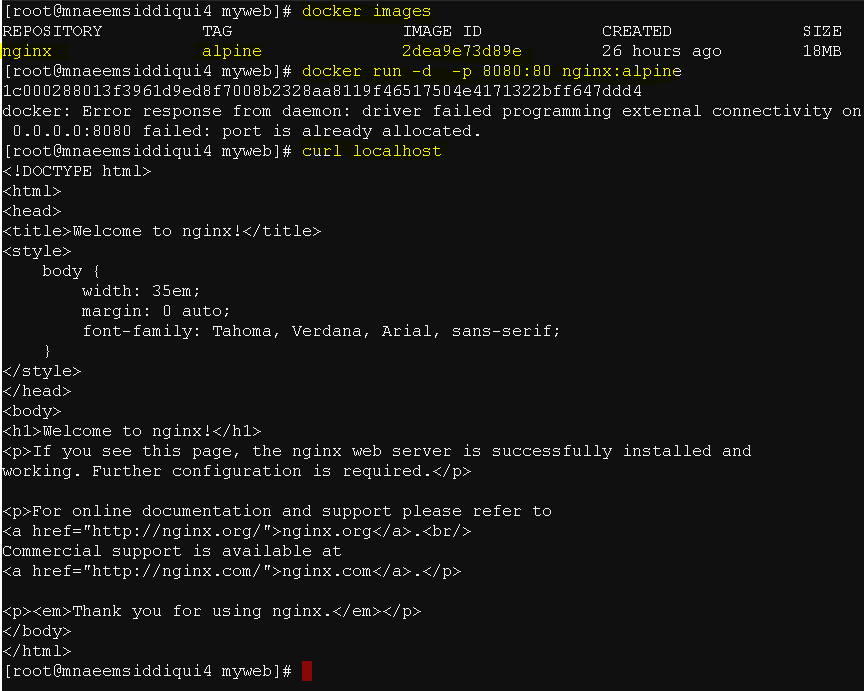
- Check the content
- curl localhost
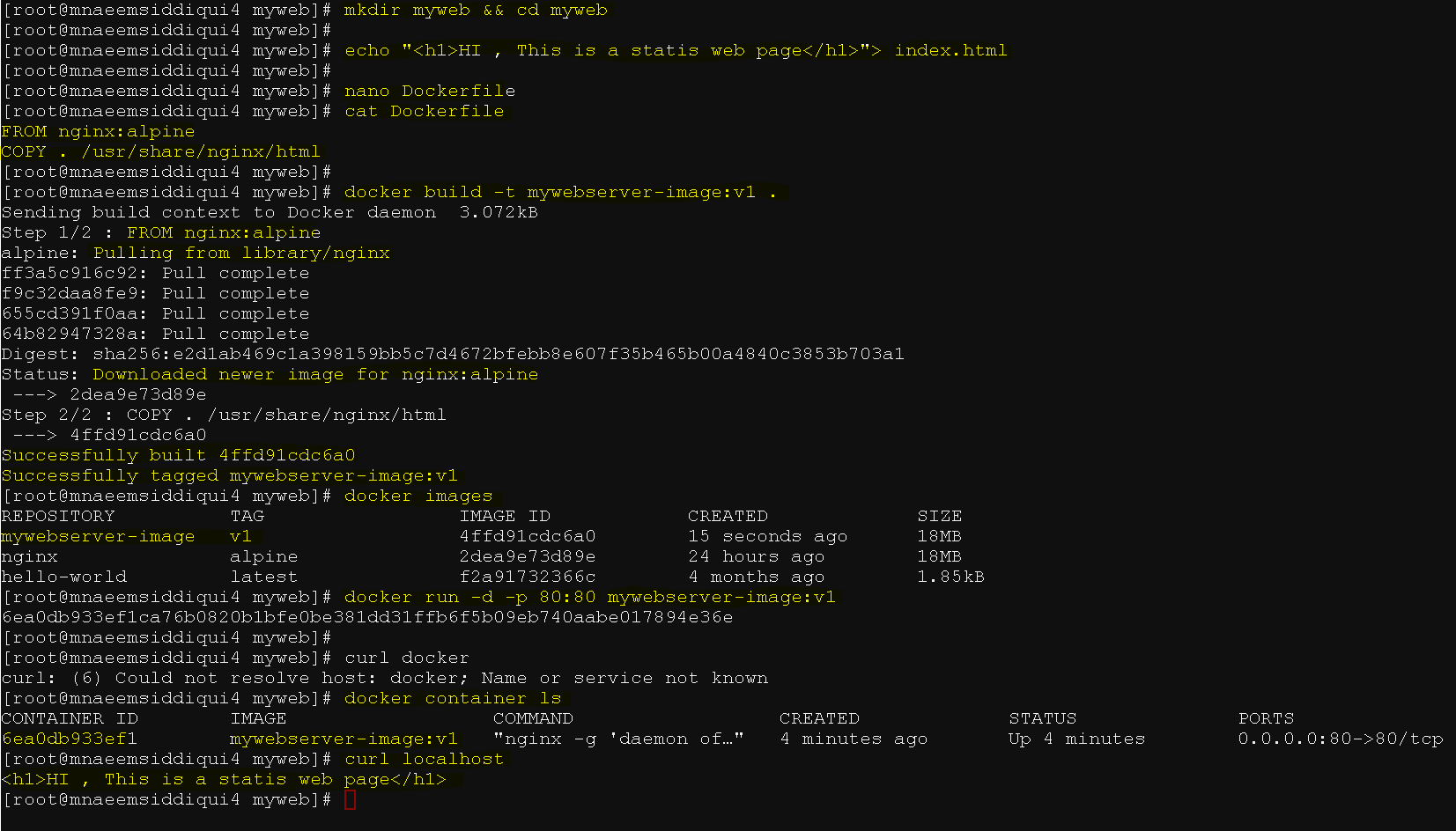
- Now check for the image name for your app and tag it for pushing it to Docker Hub
- docker images # to check for image name
- docker tag image username/repository:tag # for tagging
- docker tag 4ffd91cdc6a0 mnaeemsiddiqui/naeemsrepo:mynginxwebserverv1
- docker login # to login to the Docker hub
- Now push the image to Docker Hub
- docker push mnaeemsiddiqui/naeemsrepo:mynginxwebserverv1
- Now that you have a docker image on docker hub, you can
- pull the docker image – docker pull mnaeemsiddiqui/naeemsrepo:mynginxwebserverv1
- to run your app – docker run -d -p 80:80 mnaeemsiddiqui/naeemsrepo:mynginxwebserverv1
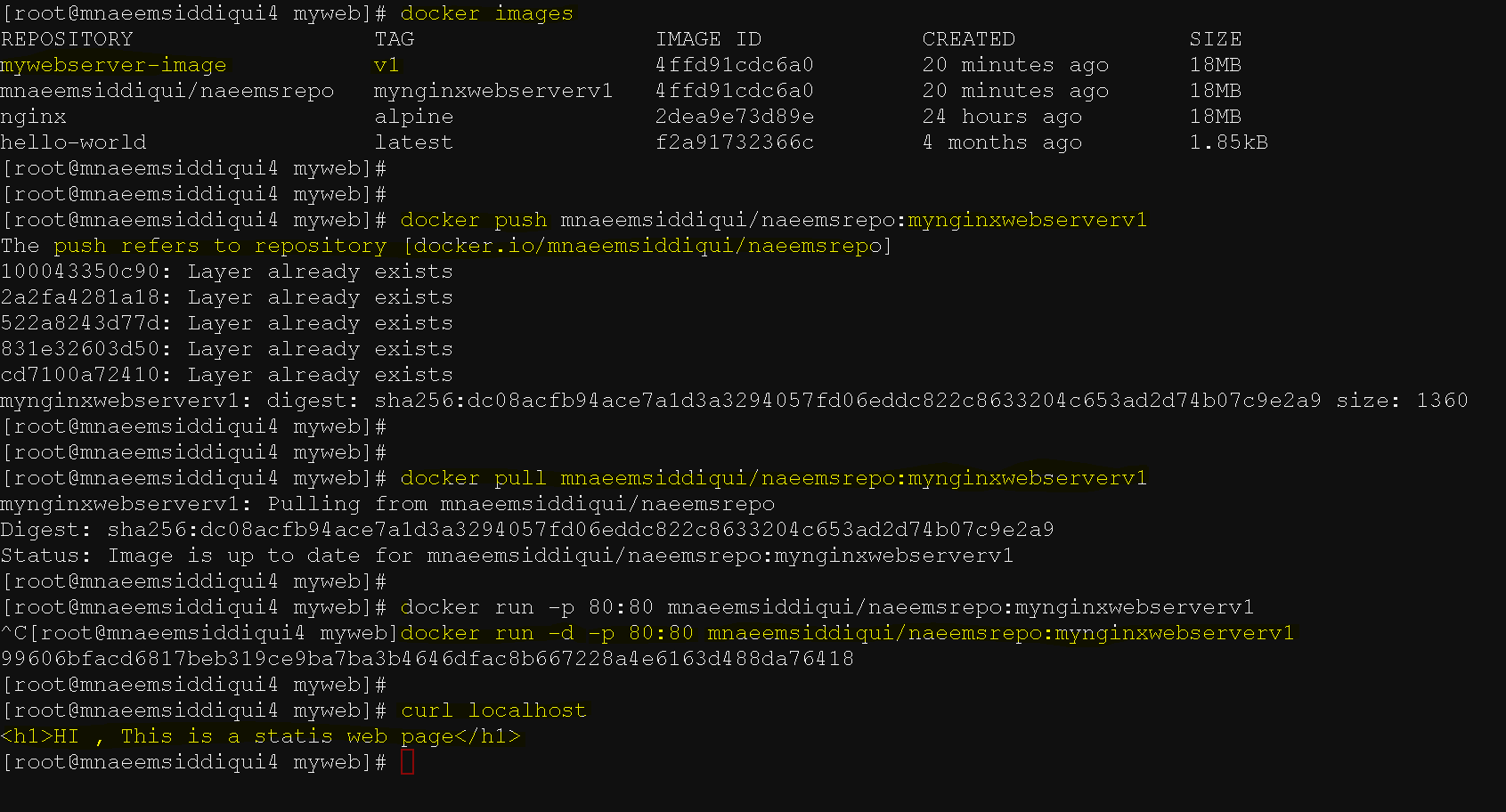
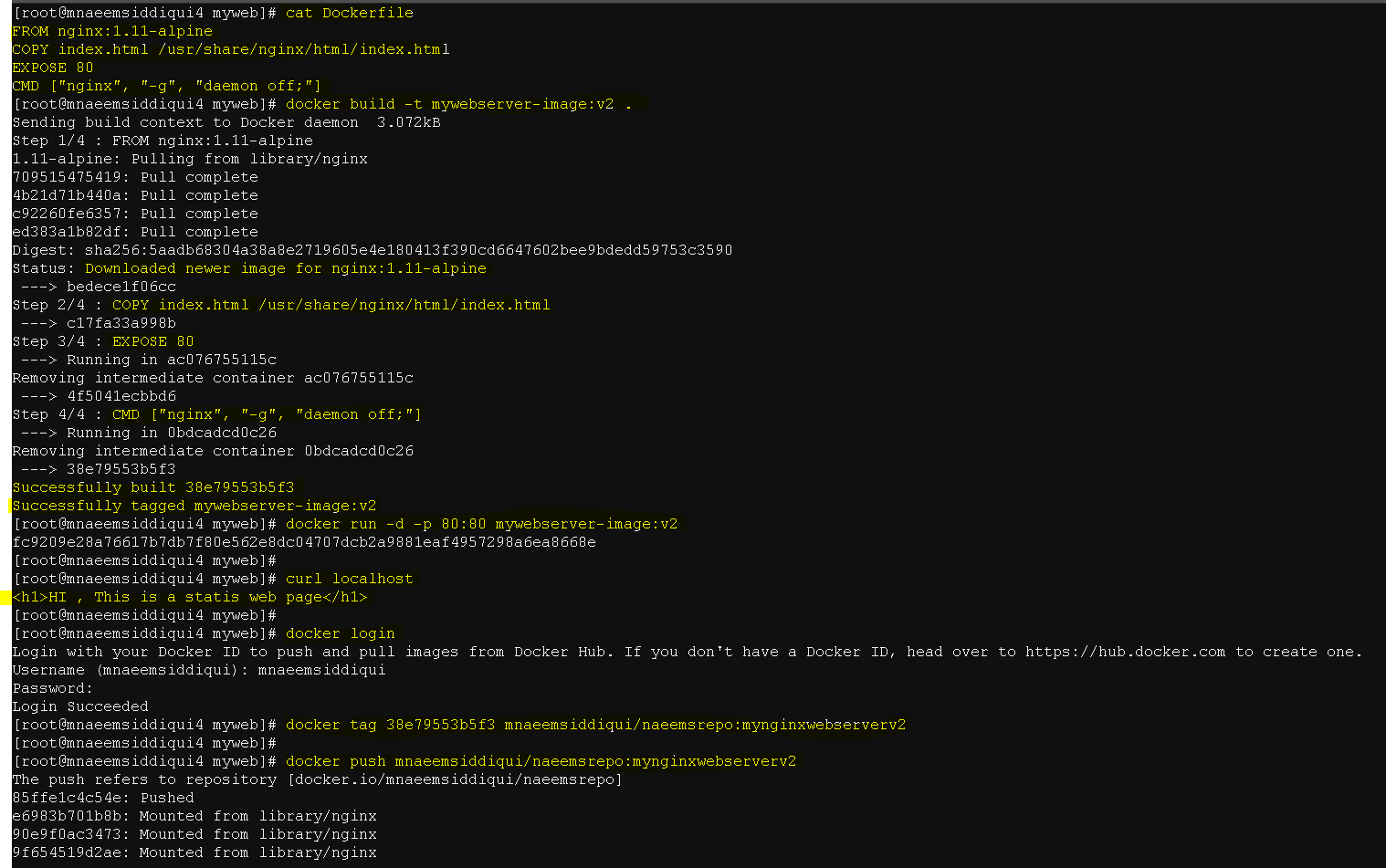
- Now update the docker file to add EXPose and CMD commands
-
FROM nginx:1.11-alpine
COPY index.html /usr/share/nginx/html/index.html
EXPOSE 80
CMD [“nginx”, “-g”, “daemon off;”] - Build, run, push, pull and run.
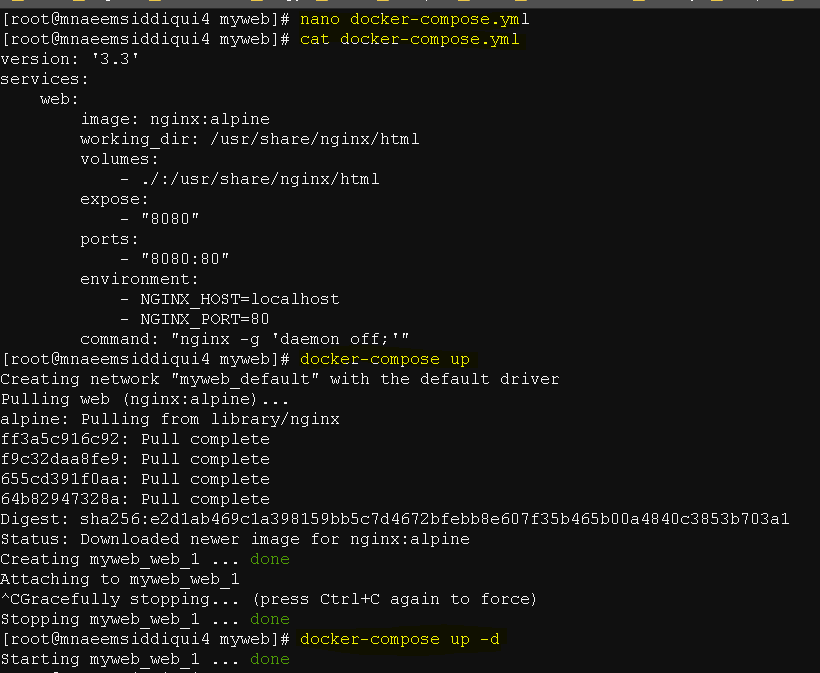
- Now lets use a docker-compose.yml, copy the content below and save.
-
version: ‘3.3’
services:web:
image: nginx:alpine
working_dir: /usr/share/nginx/html
volumes:
– ./:/usr/share/nginx/html
expose:
– “8080”
ports:
– “8080:80”
environment:
– NGINX_HOST=localhost
– NGINX_PORT=80
command: “nginx -g ‘daemon off;'” - run – docker compose up -d
- Yay!!, you containerized your app and pushed it to docker hub and pulled that image and ran the container to run your application.
Dockers 101 – Series 6 of N – Using Dockerfile to a Static Website Using NGINX Server
