- Requirement:
- Lets imagine that as a DevOps, you have been asked to create a container to run MySQL/MariaDB, and try different docker commands to run MySQL/MariaDB in foreground, background, with specific port binding, with dynamic port binding, persisting data and logs from container to a volume on host
- Strategy:
- search the name of image on docker hub
- run the MySQL/MariaDB container in background as its a database and will take time to setup
- run MySQL/MariaDB in background
- run MySQL/MariaDB with specific port
- run MySQL/MariaDB with dynamic port
- run MySQL/MariaDB with volume persistance
- Solution:
- Login to your Host machine(in my case a CentOS 7 machine)
- Make a directory “mymariadb” and go to the directory – mkdir mymariadb && cd mymariadb
- How to:
- search for an image using filters and limits- docker search –filter “is-official=true” –limit 5 mariadb
- run an image
- in interactive mode – docker run –name mymariadb-fg -e MYSQL_ROOT_PASSWORD=mypasswordfg -it mariadb:latest
- in background mode – docker run –name mymariadb-bg -e MYSQL_ROOT_PASSWORD=mypasswordbg -d mariadb:latest
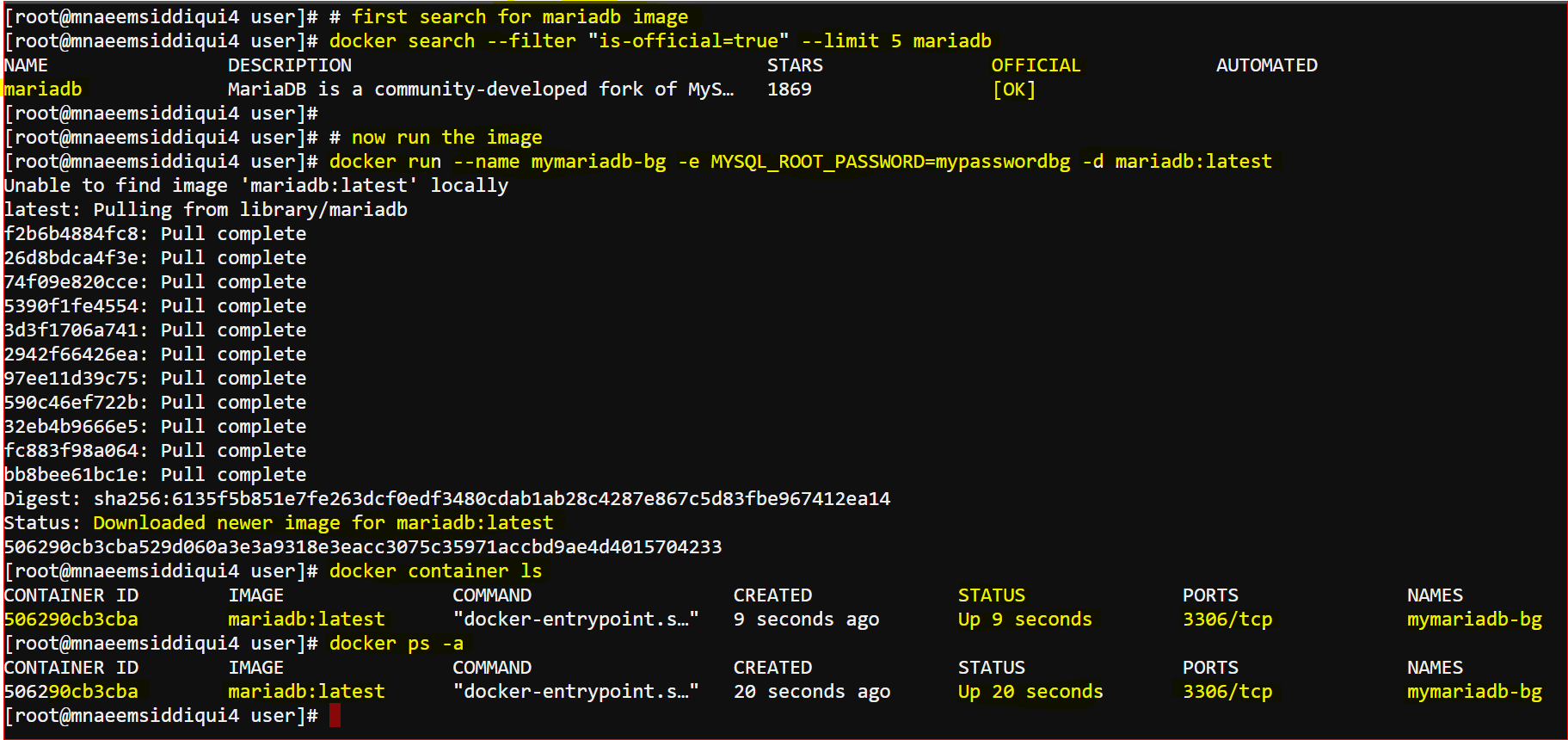
- Check logs –
- docker logs -f 506290cb3cba # show continuous logs as it generates
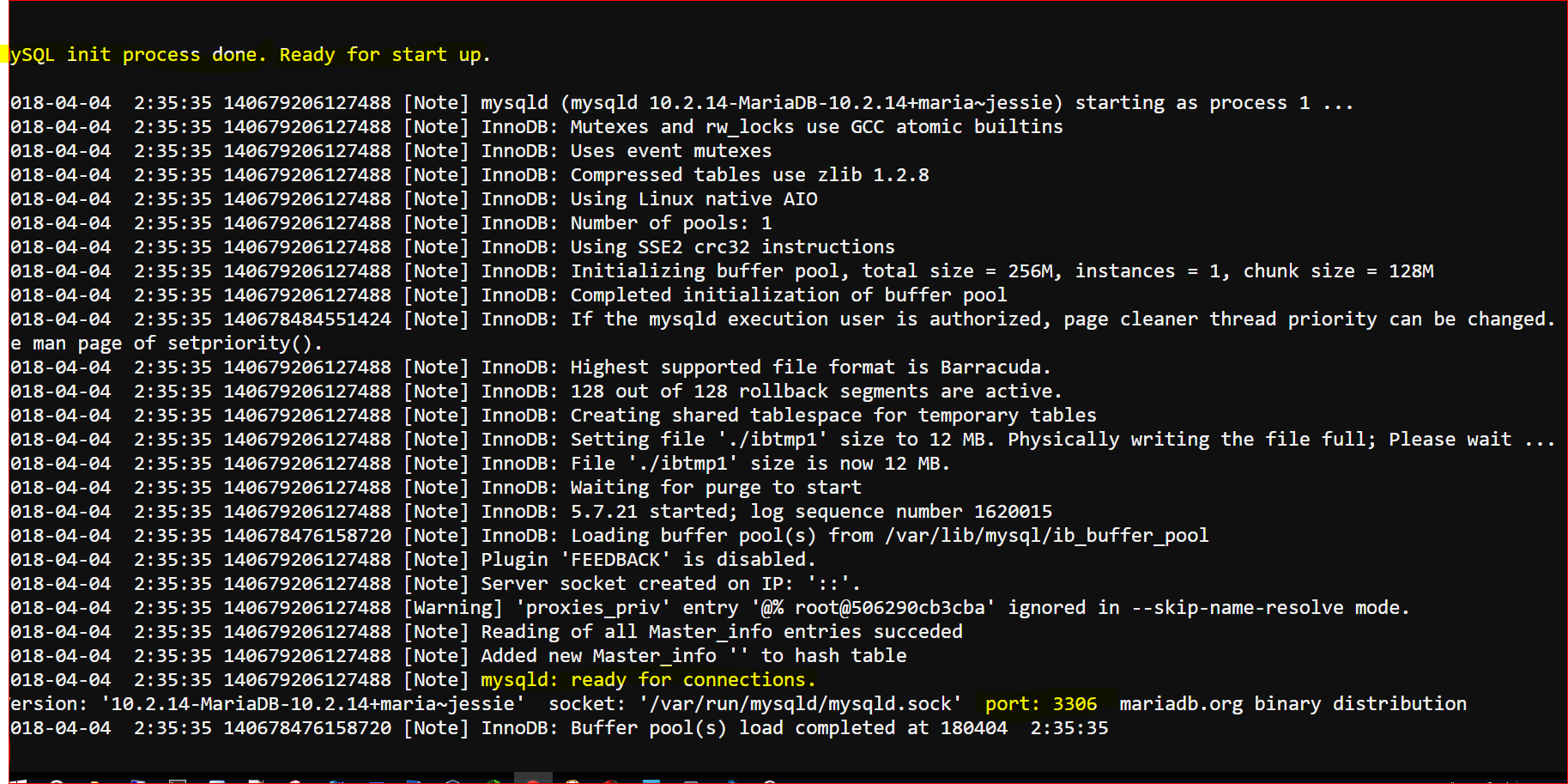
- Using docker-compose:
-
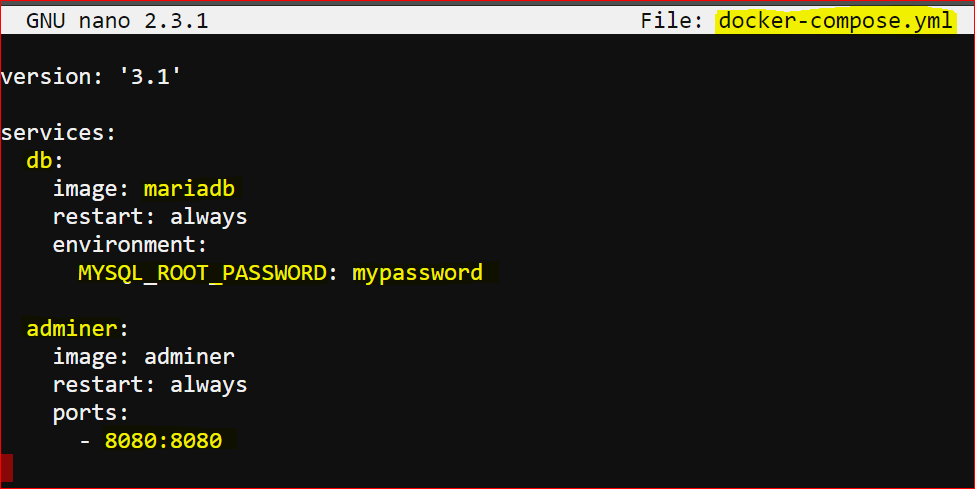
version: '3.1' services: db: image: mariadb restart: always environment: MYSQL_ROOT_PASSWORD: testpass adminer: image: adminer restart: always ports: - 8080:8080 - Create a file ‘docker-compose.yml’ and copy the above content and save.
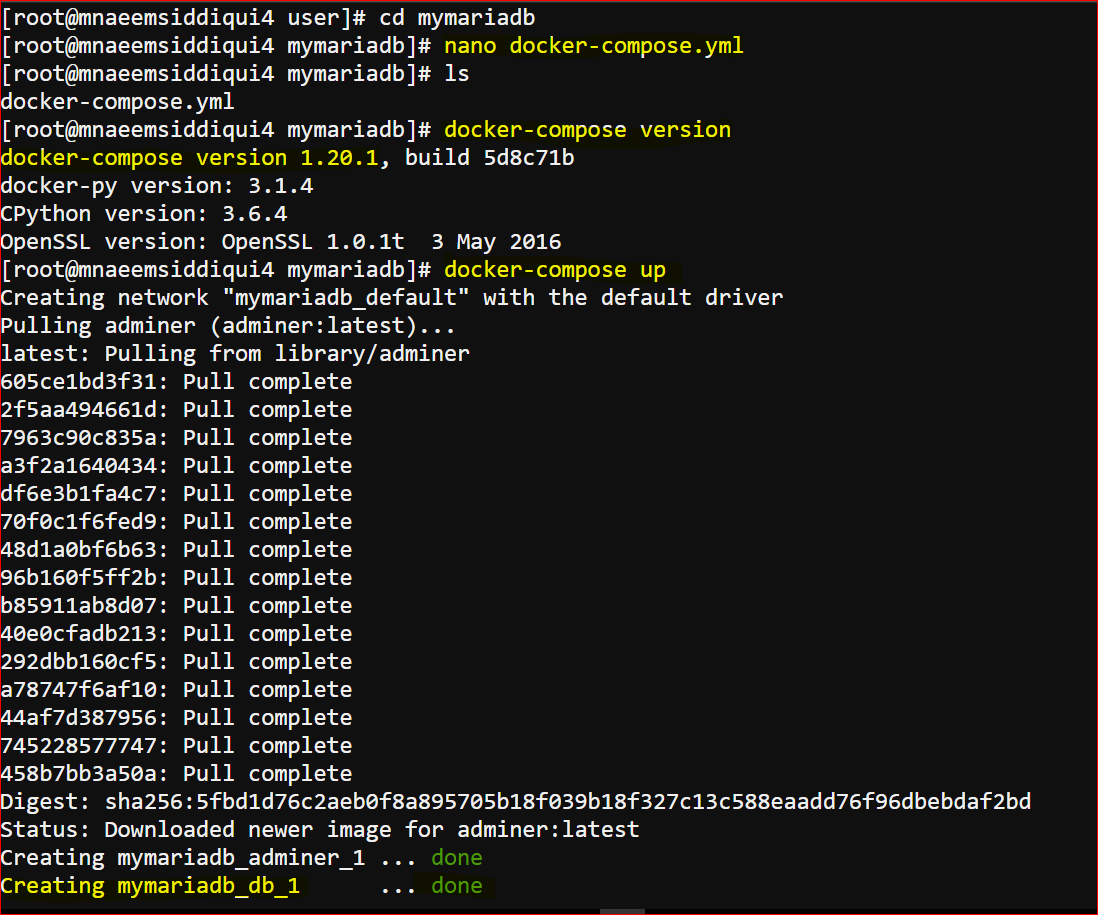
- run ‘docker-compose up’ to execute the container
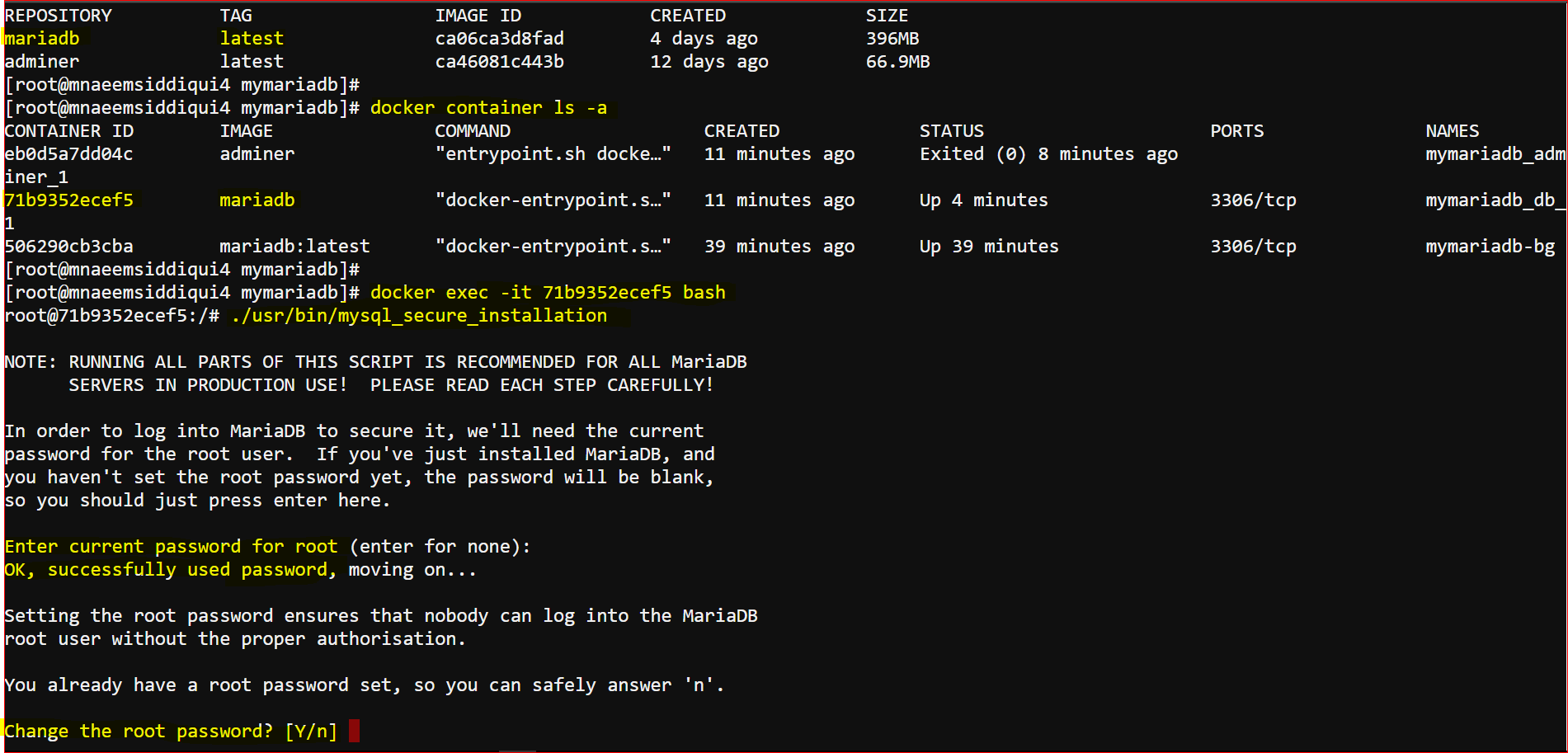
- run ‘docker exec -it <container-id>’ e.g. docker exec -it 71b9352ecef5 bash and follow the series of questions you are prompted with.
Dockers 101 – Series 5 of N – Using Docker-Setting Up a MySQL/MariaDB Container
