
- Why FlatMap instead of Map?
- Map function is a one to one mapping relation between the existing and the new RDD
- E.g. Lets imagine that a file ‘test.txt’ has the below 4 lines:
- I am Mohammad Naeem.
I am 39 years old.
I live in Texas, USA.
I am software engineer. - If we read this file using Map ( having 4 lines)as:
- l= sc.textFile(“file:///D:/dumps/BigData/Otherdata/test.txt”)
lRDD =l.map(lambda line: line.split()) - the new RDD lRDD will also have 4 rows just like ‘l’ the intial RDD
- Each row will have a tuple of splited fields
- l= sc.textFile(“file:///D:/dumps/BigData/Otherdata/test.txt”)
- If we read this file using FlatMap ( having 4 lines)as:
- l= sc.textFile(“file:///D:/dumps/BigData/Otherdata/test.txt”)
lRDD =l.flatMap(lambda line: line.split()) - the new RDD lRDD will have more than 4 lines(may be each each splited word is a new line)
- Each row will have a tuple of splited fields
- l= sc.textFile(“file:///D:/dumps/BigData/Otherdata/test.txt”)
- So FlatMap function is a
- one to many relationship
- thus performs faster than Map
- I am Mohammad Naeem.
- E.g. Lets imagine that a file ‘test.txt’ has the below 4 lines:
- Map function is a one to one mapping relation between the existing and the new RDD
- We will be doing 3 exercises to accomplish the following objectives:
- How to use FlatMap RDDs.
- How to use Regular Expressions in RDDS.
- how to perform Sorting on RDDs.
- Download link for WordCount exercise. This will be out source file for word count exercises: https://testbucket786786.s3.amazonaws.com/spark/data/Otherdata/LinuxRefresher.txt
- Lets download and save this file in location – D:/dumps/BigData/Otherdata
- How to use FlatMap RDDs:
- Download the python script – https://testbucket786786.s3.amazonaws.com/spark/sparkFlatMapRDD.py
- Or Copy and paste the below code into a file sparkFlatMapRDD.py at D:\dumps\BigData\SparkCourse\MyFiles
-
from pyspark import SparkConf, SparkContext sConf = SparkConf().setMaster(“local”).setAppName(“FlatMapRDDApp”) sContext = SparkContext(conf = sConf) fileData = sContext.textFile(“file:///D:/dumps/BigData/Otherdata/LinuxRefresher.txt”) # flatMap will split the fileData into a one to many relationship fileFlatMapRDD =fileData.flatMap(lambda line: line.split()) # countByValue will create a tuple like (word, count) resultData= fileFlatMapRDD.countByValue() for result in resultData.items(): print(“%s: %i” % (result[0], result[1]))
- Here is the output:
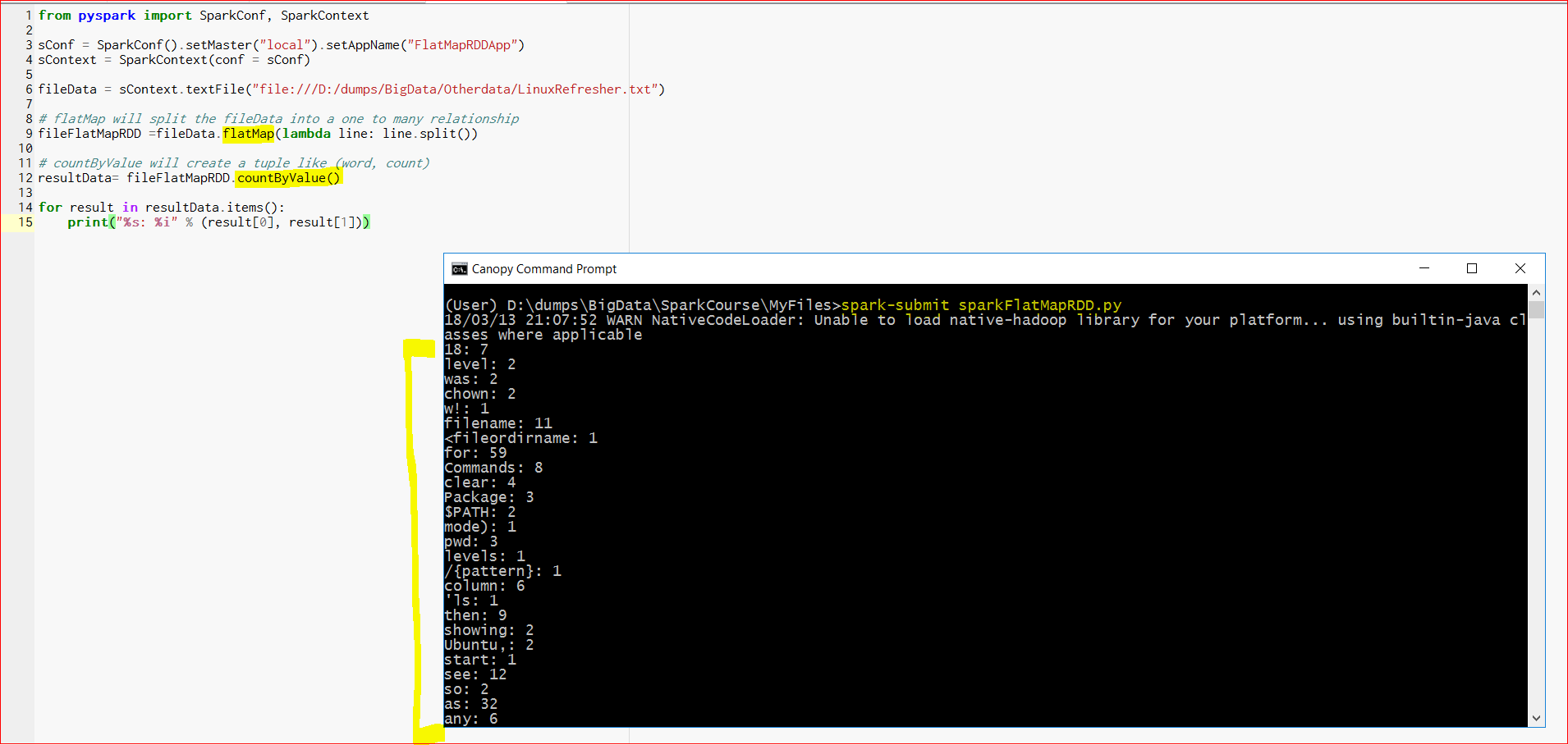
- We can see that for each word it is showing the count of the word. But there are lot of issues in the data. ‘!’, ‘~’ or apostrophe(‘) are all counted as words. If we can use a regular expression to clean up the data, the output will be much better.
-
- How to use Regular Expressions in RDDs:
- Download the python script – https://testbucket786786.s3.amazonaws.com/spark/sparkFlatMapWithRegularExprRDD.py
- Or Copy and paste the below code into a file sparkFlatMapWithRegularExprRDD.py at D:\dumps\BigData\SparkCourse\MyFiles
-
from pyspark import SparkConf, SparkContext # import regular expression module import re # write a function to clean up words def cleanupWords(word): return re.compile(r’\W+’, re.UNICODE).split(word.lower()) sConf = SparkConf().setMaster(“local”).setAppName(“FlatMapWithRegularExprRDDApp”) sContext = SparkContext(conf = sConf) fileData = sContext.textFile(“file:///D:/dumps/BigData/Otherdata/LinuxRefresher.txt”) # flatMap will split the fileData into a one to many relationship fileFlatMapRDD =fileData.flatMap(cleanupWords) # countByValue will create a tuple like (word, count) resultData= fileFlatMapRDD.countByValue() for result in resultData.items(): print(“%s: %i” % (result[0], result[1]))
- Here is the output:
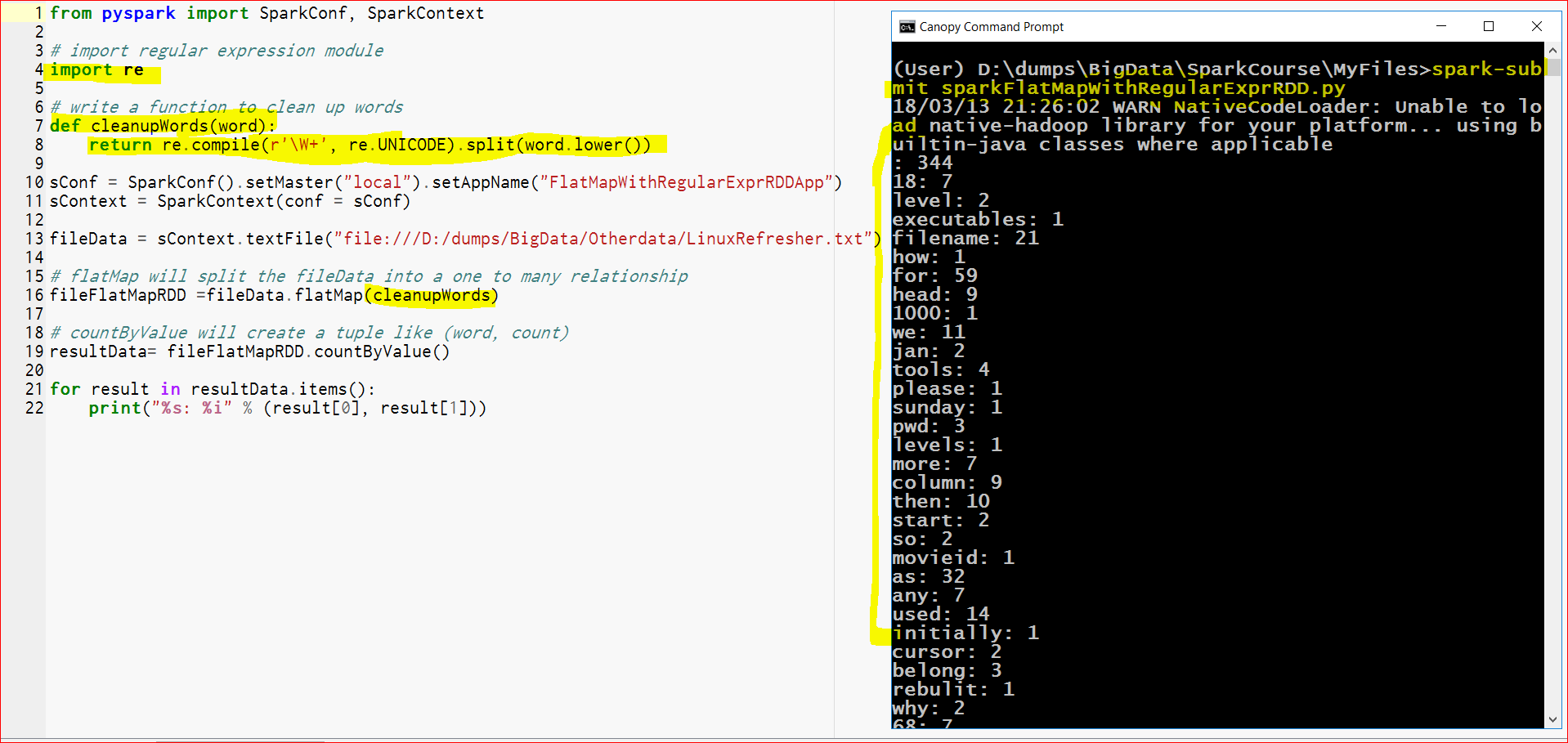
- Now the results are much better with cleaned up words, but still it is not sorted, so lets sort the results.
- How to use Sorting in RDDs:
- Download the python script – https://testbucket786786.s3.amazonaws.com/spark/sparkFlatMapWithRegularExprSortedRDD.py
- Or Copy and paste the below code into a file sparkFlatMapWithRegularExprSortedRDD.py at D:\dumps\BigData\SparkCourse\MyFiles
-
from pyspark import SparkConf, SparkContext # import regular expression module import re # write a function to clean up words def cleanupWords(word): return re.compile(r’\W+’, re.UNICODE).split(word.lower()) sConf = SparkConf().setMaster(“local”).setAppName(“FlatMapWithRegularExprRDDApp”) sContext = SparkContext(conf = sConf) fileData = sContext.textFile(“file:///D:/dumps/BigData/Otherdata/LinuxRefresher.txt”) # flatMap will split the fileData into a one to many relationship fileFlatMapRDD =fileData.flatMap(cleanupWords) # Now that we have got the words flat mapped, we have to do the following # Step 1 – create another RDD with each line as a tuple but in the form (word, 1) # Step 2 – now we can aggregate by adding the counts wordsWithCountsRDD = fileFlatMapRDD.map(lambda x: (x,1)).reduceByKey(lambda x, y: x + y) # Step 3 – now we can map again but we will flip the sequence # but this time the key would not be the word but the count e.g the tuple will be (x[1], x[0]) wordsWithCountsSortedRDD = wordsWithCountsRDD.map(lambda x: (x[1], x[0])).sortByKey(False) # collect the result to affect the RDD results = wordsWithCountsSortedRDD.collect() for result in results: count = result[0] word = result[1] print(“%s: %i” % (word, count))
- Here is the output which is sorted now
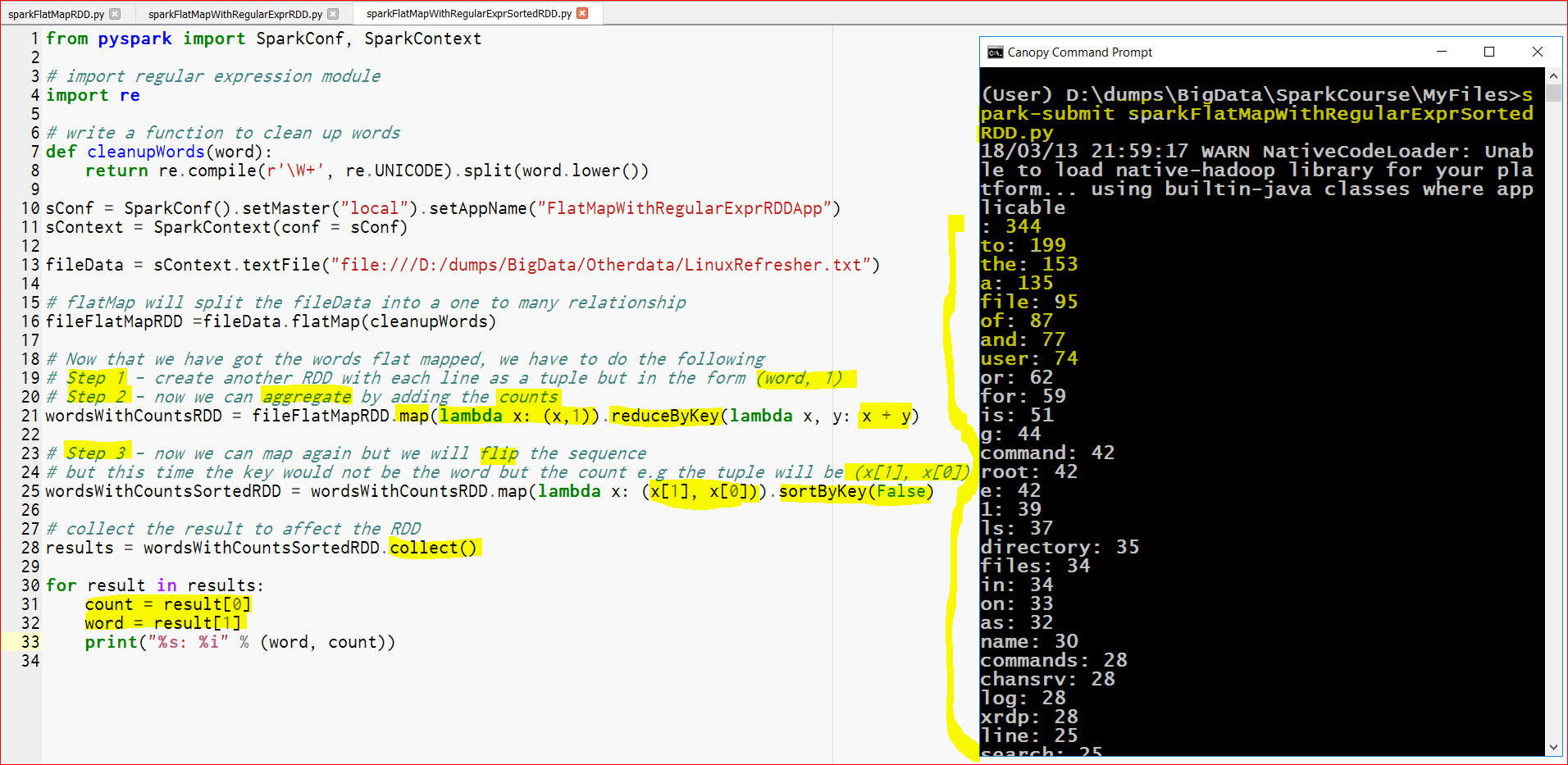
- So we touch all the 3 objectives with the help of these 3 exercises.