
Windows
- Install JDK (Java Development Kit)
- Visit Java site – http://www.oracle.com/technetwork/java/javase/downloads/jdk8-downloads-2133151.html
- Select your environment ( Windows x86 or x64)
- Accept license and download it
- Install JDK, but make sure your installation folder should not have spaces in path name e.g d:\jdk8
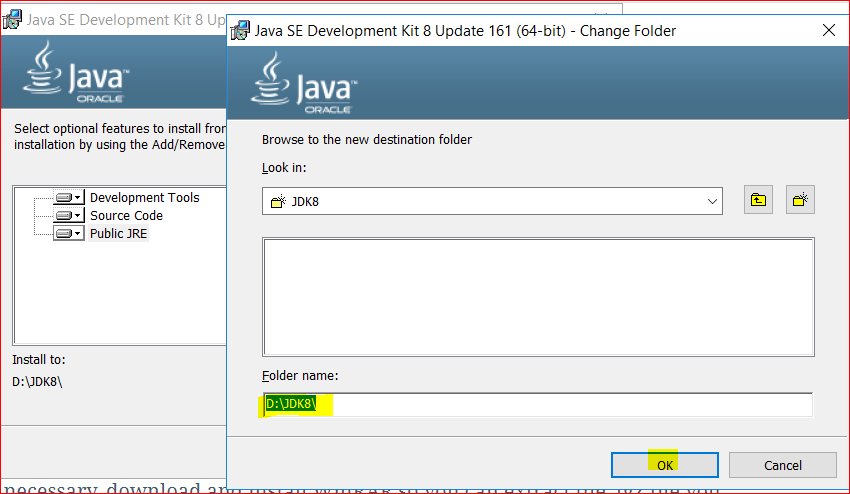
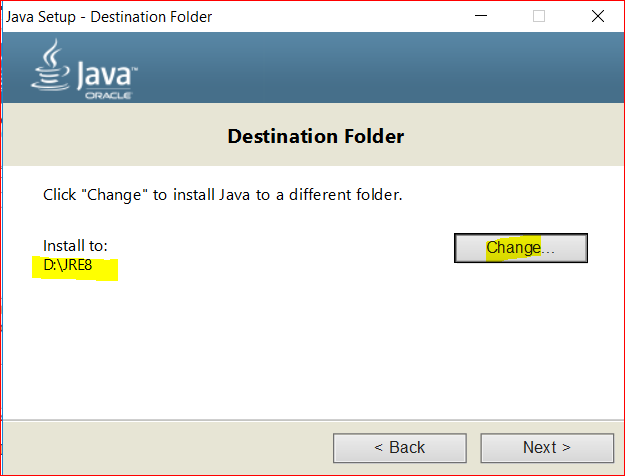
- The same with the JRE folder –
- Visit Java site – http://www.oracle.com/technetwork/java/javase/downloads/jdk8-downloads-2133151.html
- Install Spark:
- Visit Spark site – https://spark.apache.org/downloads.html
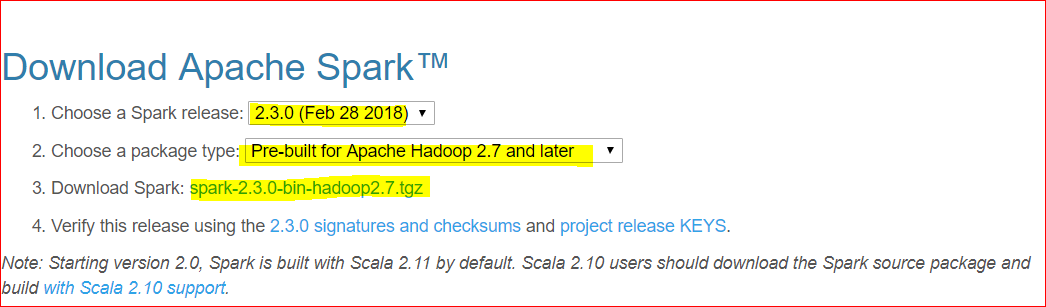
- Lets select Spark version 2.3.0 and click on the download link
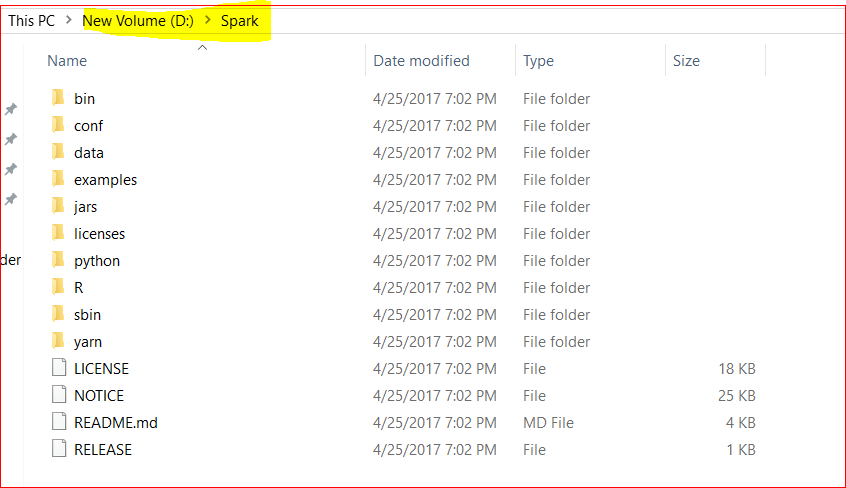
- Now lets unzip the tar file using WinRar or 7Z and copy the content of the unzipped folder to a new folder D:\Spark
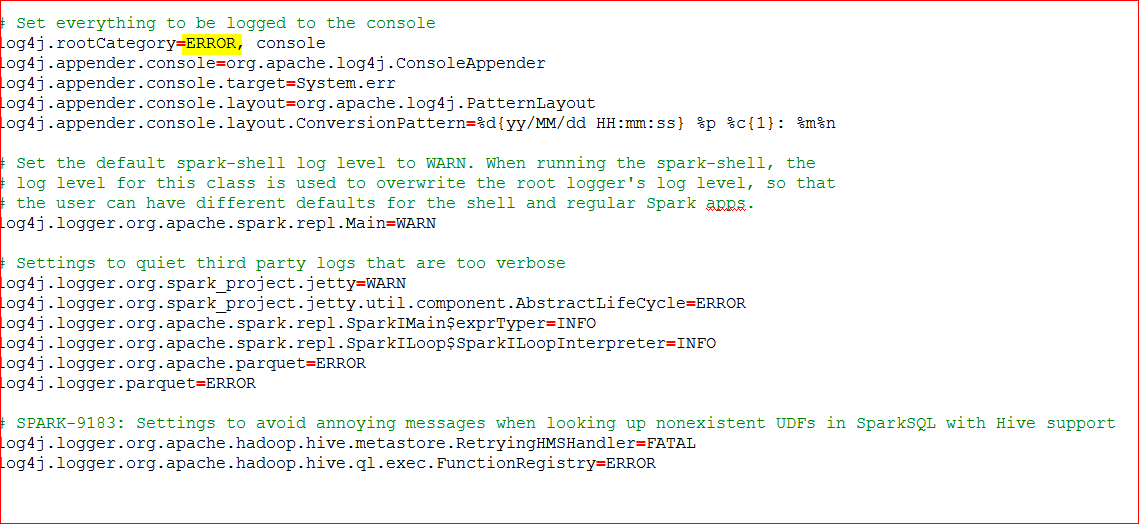
- Rename file conf\log4j.properties.template file to log4j.properties
- Edit the file to change log level to ERROR – for log4j.rootCategory
- Download WinUtils :
- Its an artifacts for mimicking Hadoop
- Visit GitHub at – https://github.com/steveloughran/winutils/raw/master/hadoop-2.7.1/bin/winutils.exe
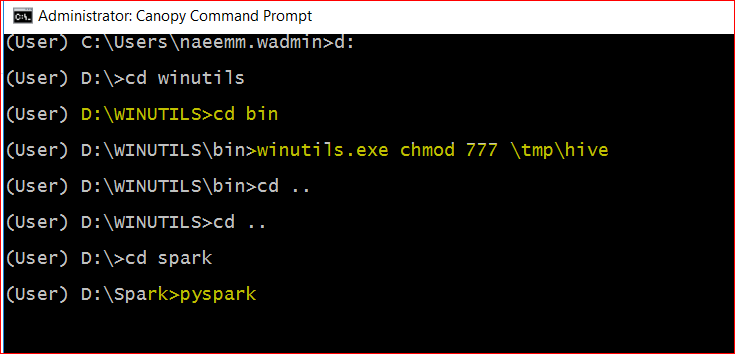
- Copy this file to D:\WinUtils\bin
- execute command – winutils.exe chmod 777 \tmp\hive from that folder
- Setup Environmental variables:
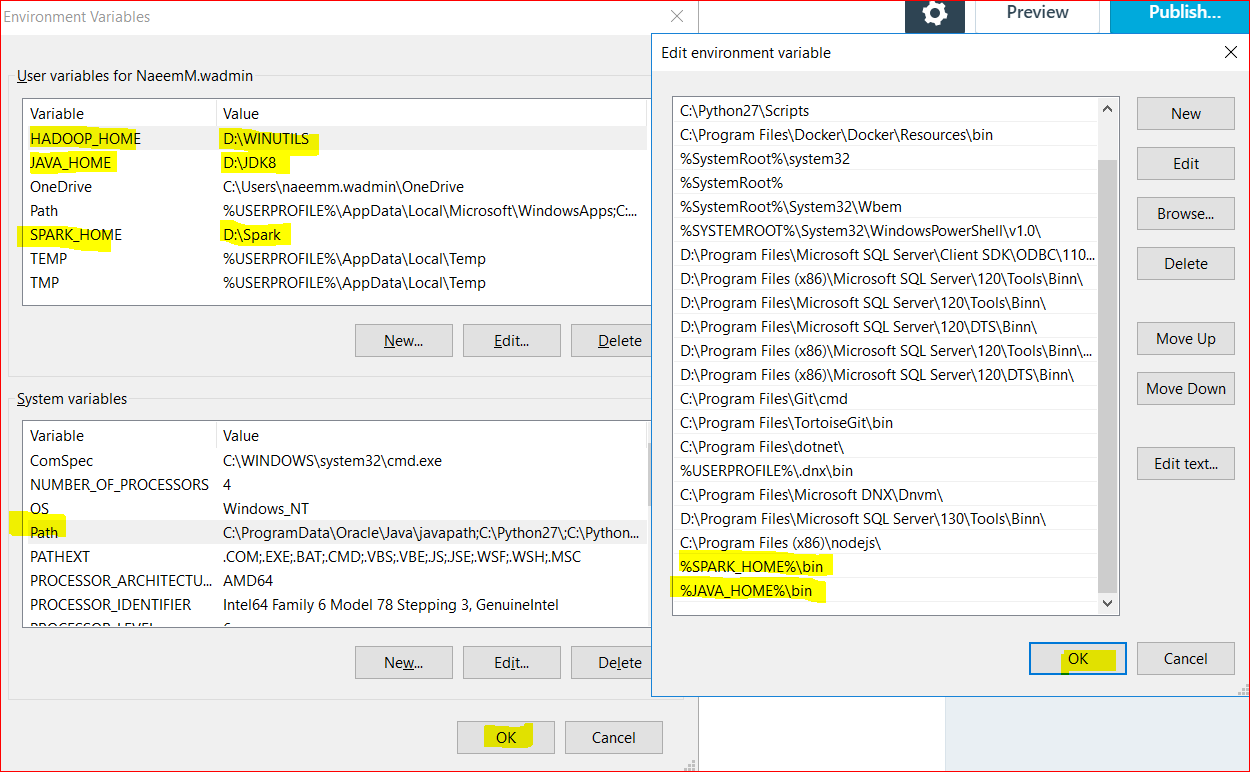
- Right-click Windows menu –> select Control Panel –> System and Security –> System –> Advanced System Settings –> Environment Variables
- Add these USER variables:
- SPARK_HOME as D:\SPARK
- JAVA_HOME as D\JDK8
- HADOOP_HOME as D:\WINUTILS
- Append the below to PATH variable:
- %SPARK_HOME%\bin
- %JAVA_HOME%\bin
- Add these USER variables:
- Right-click Windows menu –> select Control Panel –> System and Security –> System –> Advanced System Settings –> Environment Variables
- Install Enthought Canopy:
- Visit Enthought canopy site at – https://store.enthought.com/downloads/#default
- Select environment for Windows(32 bit or 64 bit) and download 3.5 version canopy and install.
- Now lets test and play:
- Open Enthought Canopy
- Tools –> Canopy Command Prompt.
- Go to D:\spark folder
- Look for README.md or CHANGES.txt in that folder
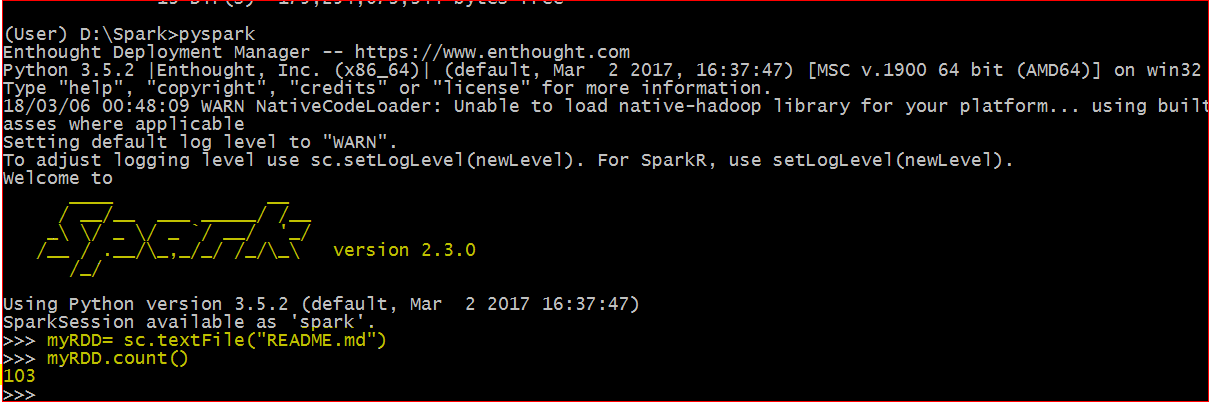
- Type and Enter pyspark
- On this “>>>” prompt.
- Type and Enter myRDD= sc.textFile(“README.md”)
- Then Type and enter myRDD.count()
- If you get successful count then you succeeded in installing Spark with Python on Windows
- Type and Enter quit() to exit the spark.
Linux
- Install JDK (Java Development Kit)
- To install JRE8- yum install -y java-1.8.0-openjdk
- To install JDK8- yum install -y java-1.8.0-openjdk-devel
- execute – javac -version
- It should return a version as 1.8
- Install Python
- To install Python :
- sudo yum -y install yum-utils
sudo yum -y groupinstall development
sudo yum -y install https://centos7.iuscommunity.org/ius-release.rpm
sudo yum -y install python36u - Setup alias for python command and update the ~/.bashrc
- echo “alias python=python36” >> ~/.bashrc
- source ~/.bashrc
- execute – python -version
- It should return a version as 3.6
- Install pip –
- curl “https://bootstrap.pypa.io/get-pip.py” -o “get-pip.py”
python get-pip.py
pip -V
- curl “https://bootstrap.pypa.io/get-pip.py” -o “get-pip.py”
- Install Spark:
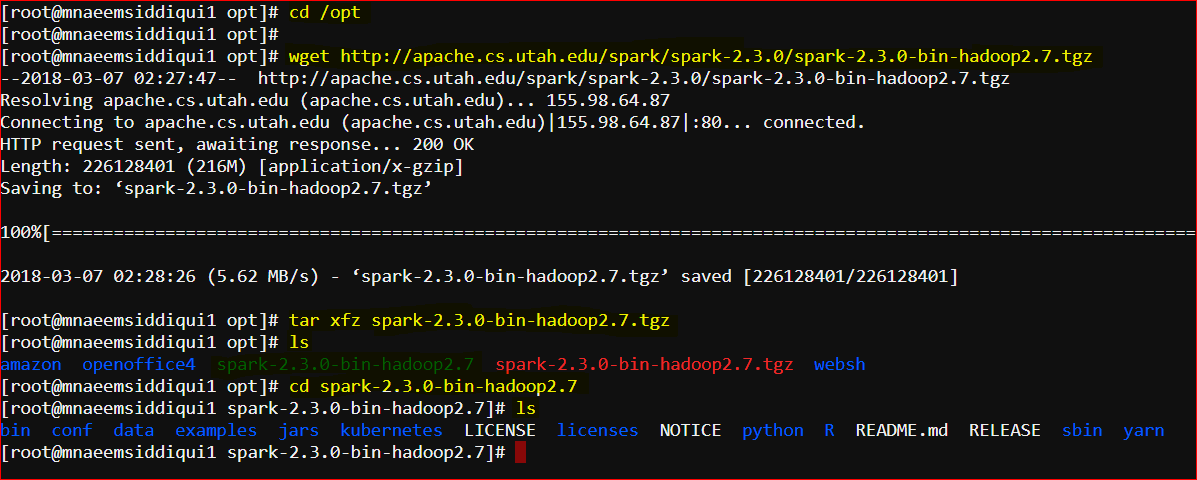
- First move to opt folder – cd /opt
- Now download proper version of Spark(First go to https://spark.apache.org/downloads.html and then copy the link address) – wget https://www.apache.org/dyn/closer.lua/spark/spark-2.3.0/spark-2.3.0-bin-hadoop2.7.tgz
- Unzip the tar – tar xvfz spark-2.3.0-bin-hadoop2.7.tgz
- Rename spark-2.3.0-bin-hadoop2.7 to spark – mv spark-2.3.0-bin-hadoop2.7 spark
- Rename file conf\log4j.properties.template file to log4j.properties
- Edit the file to change log level to ERROR – for log4j.rootCategory
- Install PySpark – pip install pyspark
- Install Scala:
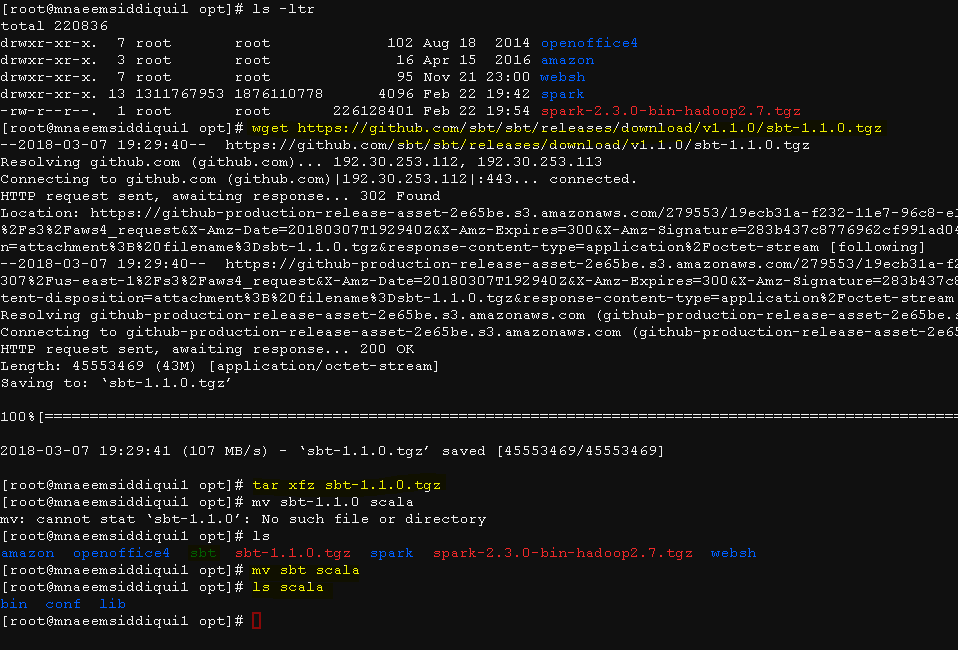
- cd /opt
- wget https://scala-lang.org/files/archive/scala-2.11.6.tgz
- Unzip and rename –
- tar -xfz scala-2.11.6.tgz
- mv scala-2.11 scala
- execute – scala -version
- It should return a version as 2.11
- Update PATHS by updating file ~/.bashrc:
- nano ~/.bashrc
- then add these lines and save
- alias python=python3.6
alias pip=pip3 export SPARK_HOME=/opt/spark
export PATH=$PATH:/opt/spark/bin
export PATH=$PATH:/opt/scala/bin
- alias python=python3.6
- then reload bash file – source ~/.bashrc
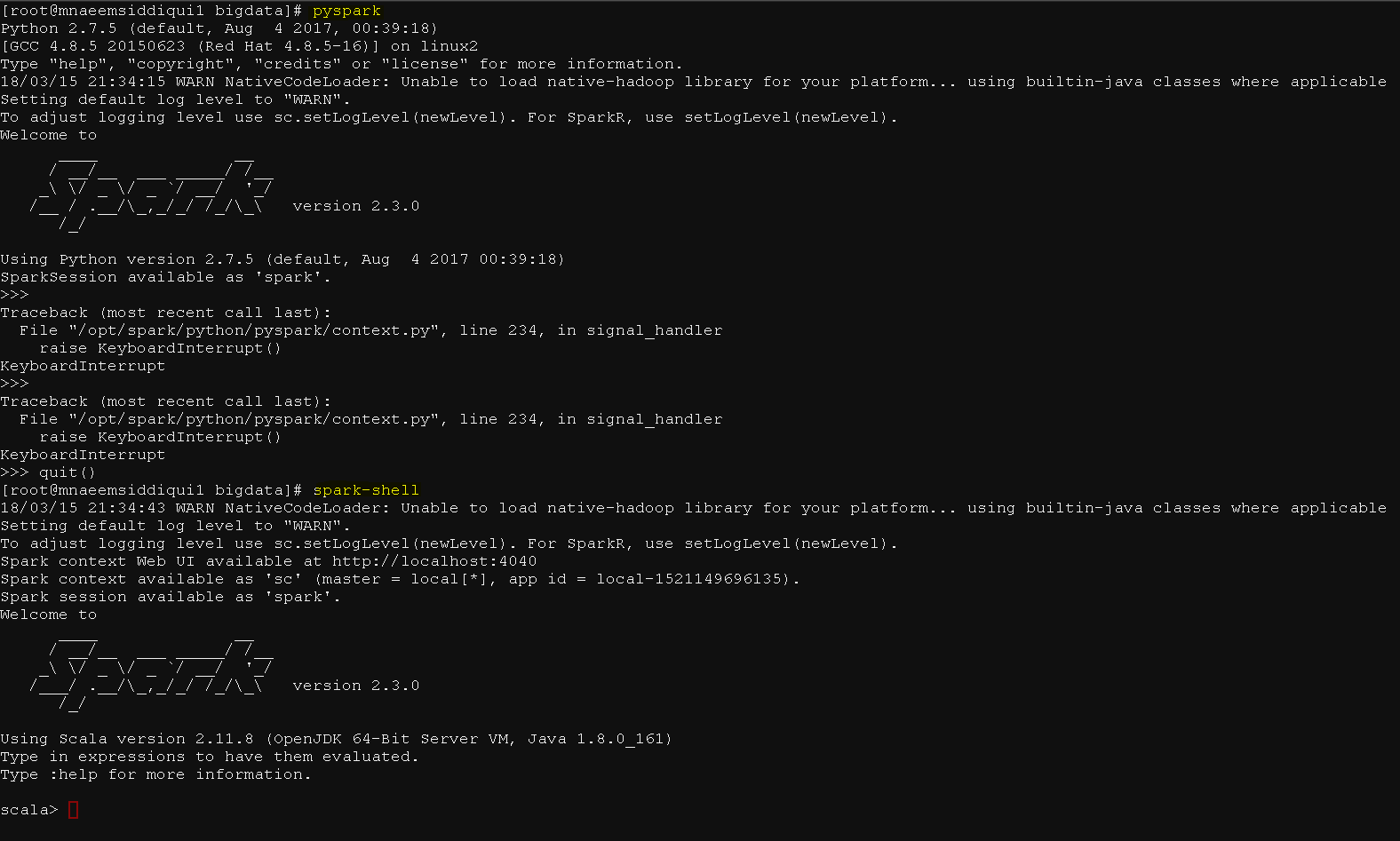
- Now if you run
- pyspark – it should show spark version
- spark-shell – it should run scala version
- Lets test
- run pyspark
- go to \opt\spark folder
- run pyspark
- On this “>>>” prompt.
- Type and Enter myRDD= sc.textFile(“README.md”)
- Then Type and enter myRDD.count()
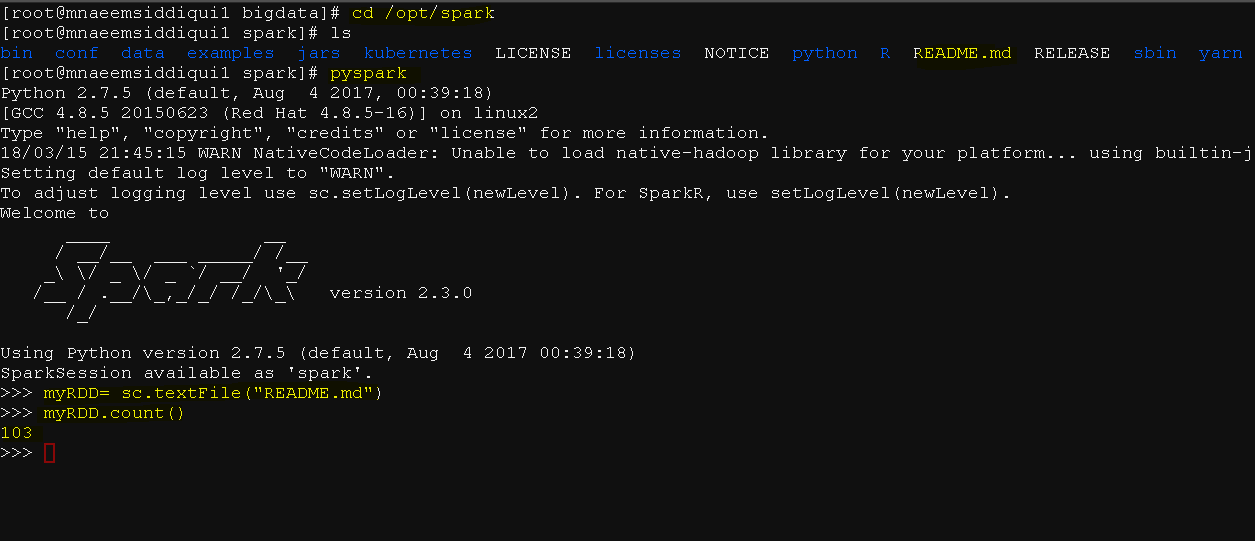
- Yay!!!, you tested by running word count on file README.md
- Now One more Test
- Download Movielens data-set –
- wget http://files.grouplens.org/datasets/movielens/ml-100k.zip
- unzip ml-100k.zip
- Download python script:
- wget https://testbucket786786.s3.amazonaws.com/spark/sparkFirst.py
- correct the path of the u.data file in ml-100k folder in the script:
- from pyspark import SparkConf, SparkContext
import collections
sConf = SparkConf().setMaster(“local”).setAppName(“RatingsRDDApp”)
sContext = SparkContext(conf = sConf)
alllinesRDD = sContext.textFile(“/home/user/bigdata/datasets/ml-100k/u.data”)
allratingsRDD =alllinesRDD.map(lambda line: line.split()[2])
resultRDD= allratingsRDD.countByValue()
sortedResultsRDD = collections.OrderedDict(sorted(resultRDD.items()))
for rddKey, rddValue in sortedResultsRDD.items():
print(“%s %i” % (rddKey, rddValue))
- Now run the python script:
- spark-submit sparkFirst.py
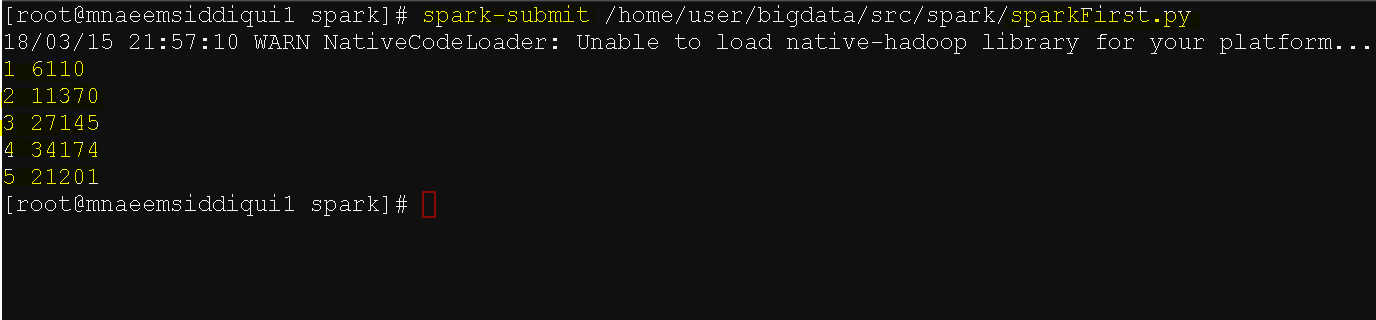
- Yay!! you read the ratings count for each movie in Movielens data base using a python script.
- Download Movielens data-set –
- run pyspark