What is Apache Flume:
- As we know that Apache Kafka is a generic streaming tool which can handle not only Hadoop specific streaming but also for non Hadoop streaming too.
- Apache Flume is Hadoop based answer for streaming tool.
Why Apache Flume:
- As lot of data streaming between the log sources to HDFS can be spiky affair, there should be a buffer in between to handle the load, which can regulate the amount of data moving to HDFS or in case of spiked load can store the data for a while.
- Apache Hadoop is know to have those buffers or sinks.
Apache Flume Architecture:
- Its made up of agents. Flume agents listen to data sources ( say web server logs ) using a channel and then save it into a sink. Data is pushed to HDFS from the sink.
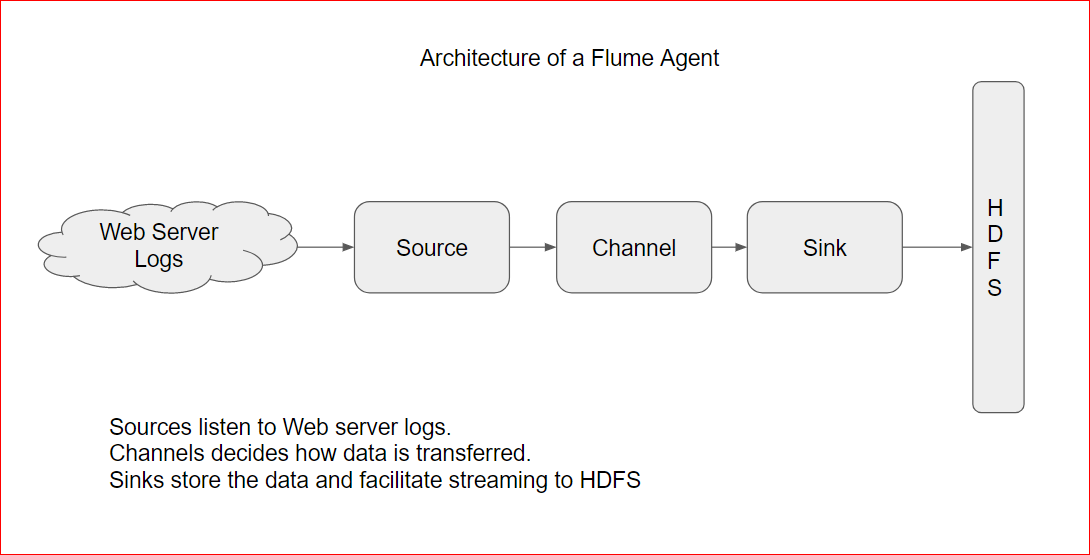
- Once data is processed in Sink, its deleted.
- Sources can have connector for a lot of source types e.g. it can read from a tail bashed log file on command line, log files as usual, a TCP port, a custom code etc.
- Similarly you can have Sink types too. E.g HDFS, Hive, HBase, Kafka, Elastic Search, Custom code etc
Lets play with Flume(Simple example):
- We will setup a simple agent which listens on a specific port and any data streamed from that telnet port will be captured by flume agent.
- First lets download a flume configuration file and try to understand it.
- wget https://testbucket786786.s3.amazonaws.com/flume-example.conf# example.conf: A single-node Flume configuration ( 1 agent a1)# Name the components on this agent (agent a1, source r1, sink k1 and channel c1, these 3 lines are describing the source, channel and sink )
a1.sources = r1
a1.sinks = k1
a1.channels = c1 # Describe/configure the source ( these 3 lines details the source type, binding and port )
a1.sources.r1.type = netcat
a1.sources.r1.bind = localhost
a1.sources.r1.port = 44444 # Describe the sink( this line describes the sink type )
a1.sinks.k1.type = logger # Use a channel which buffers events in memory( these 3 lines describe the channel type, capacity etc)
a1.channels.c1.type = memory
a1.channels.c1.capacity = 1000
a1.channels.c1.transactionCapacity = 100 # Bind the source and sink to the channel ( these 2 lines finally binding source and the sink to the channel
a1.sources.r1.channels = c1
a1.sinks.k1.channel = c1 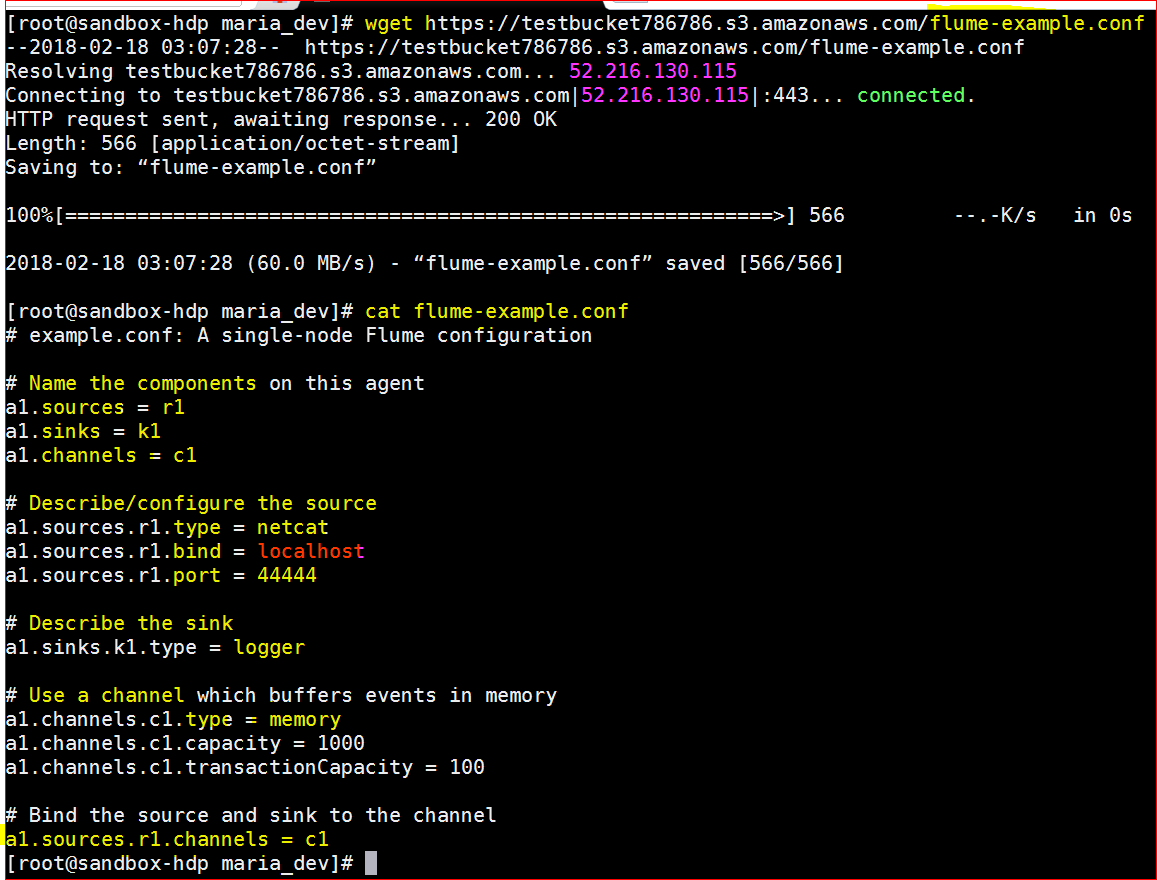
- Now that the config file is ready , lets kick off a flume agent
- Flume Location : cd /usr/hdp/current/flume-server/bin
- Command to kick the agent – ./flume-ng agent –conf conf –conf-file /home/maria_dev/flume-example.conf –name a1 -Dflume.root.logger=INFO,console
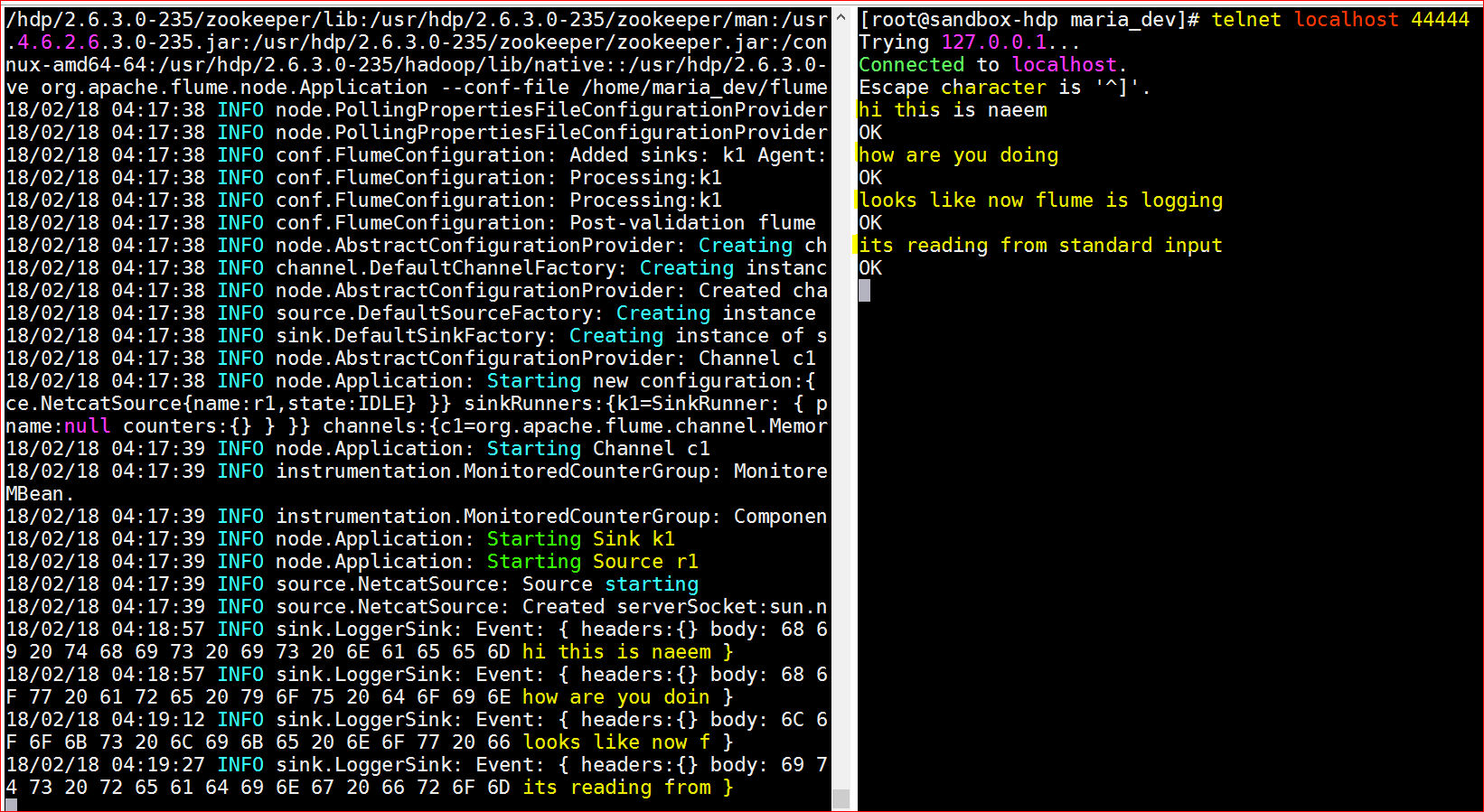
- Now that the agent is listening to port 44444, lets telnet to port 44444 and start typing and see if flume agent can read it – telnet localhost 44444
Lets play with Flume(Complex example):
- In this example, we will have a spool folder, flume agent waits for any new files added to the spool folder and reads it and saves it into the sink.
- Lets download – wget https://testbucket786786.s3.amazonaws.com/flumelogging.conf
- Lets try to understand the conf file first.# flumelogging.conf: A single-node Flume configuration# Name the components on this agent
a1.sources = r1
a1.sinks = k1
a1.channels = c1 # Describe/configure the source ( source type is a spooldir and spoll folder is /home/maria_dev/spool, it also has a fileheader which is a timestamp interceptor and add a timestamp to the file
a1.sources.r1.type = spooldir
a1.sources.r1.spoolDir = /home/maria_dev/spool
a1.sources.r1.fileHeader = true
a1.sources.r1.interceptors = timestampInterceptor
a1.sources.r1.interceptors.timestampInterceptor.type = timestamp # Describe the sink ( sink type is hdfs with the HDFs folder /user/maria_dev/flume/%y-%m-%d/%H%M/%S, rounding is true for 10 mts so it will fetch files for very 10 mts
a1.sinks.k1.type = hdfs
a1.sinks.k1.hdfs.path = /user/maria_dev/flume/%y-%m-%d/%H%M/%S
a1.sinks.k1.hdfs.filePrefix = events-
a1.sinks.k1.hdfs.round = true
a1.sinks.k1.hdfs.roundValue = 10
a1.sinks.k1.hdfs.roundUnit = minute # Use a channel which buffers events in memory
a1.channels.c1.type = memory
a1.channels.c1.capacity = 1000
a1.channels.c1.transactionCapacity = 100 # Bind the source and sink to the channel
a1.sources.r1.channels = c1
a1.sinks.k1.channel = c1 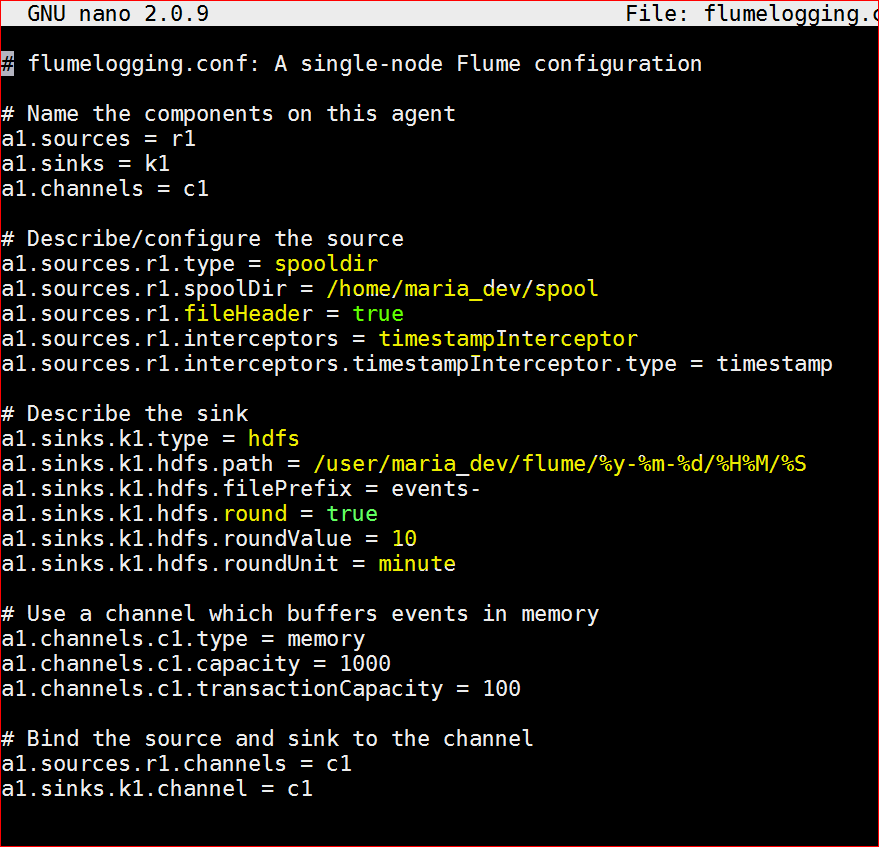
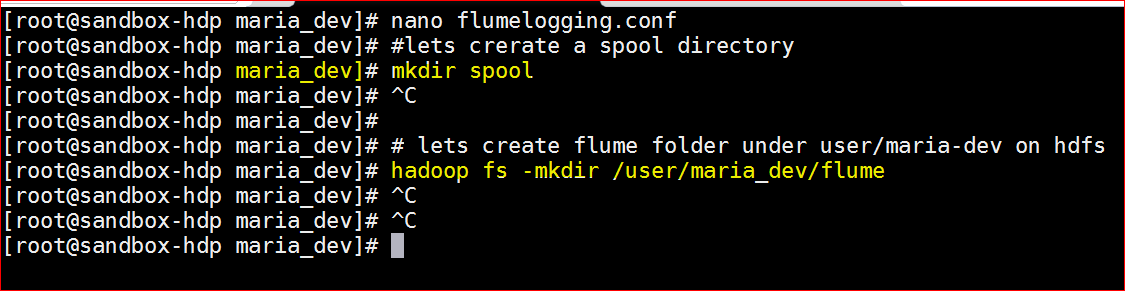
- Now lets create the required folders
- Under user/maria_dev : mkdir spool
- Under HDFS – create a ‘flume’ folder : hadoop fs -mkdir /user/maria_dev/flume
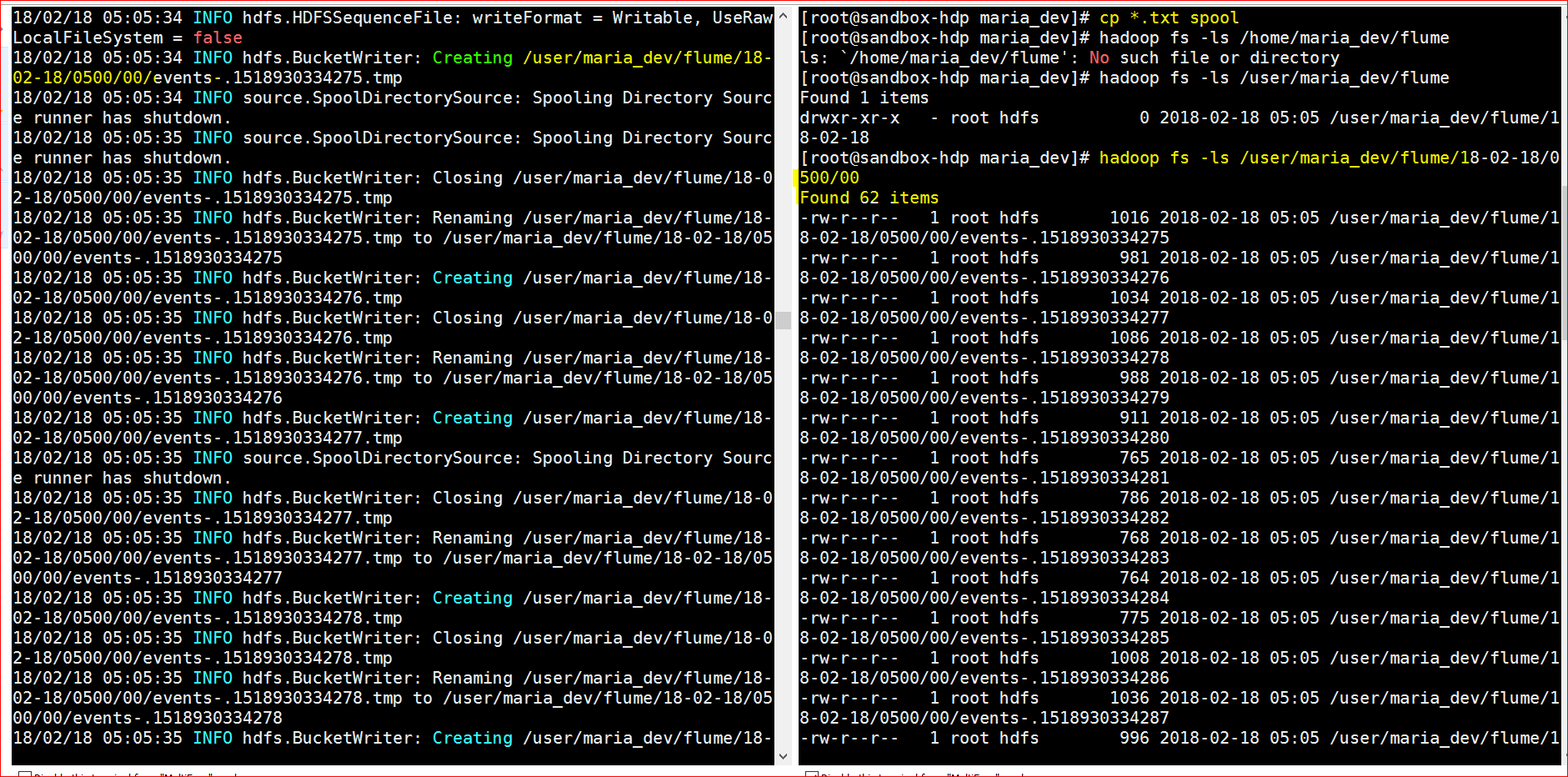
- Lets run the agent with new conf file – ./flume-ng agent –conf conf –conf-file /home/maria_dev/flumelogging.conf –name a1 -Dflume.root.logger=INFO,console
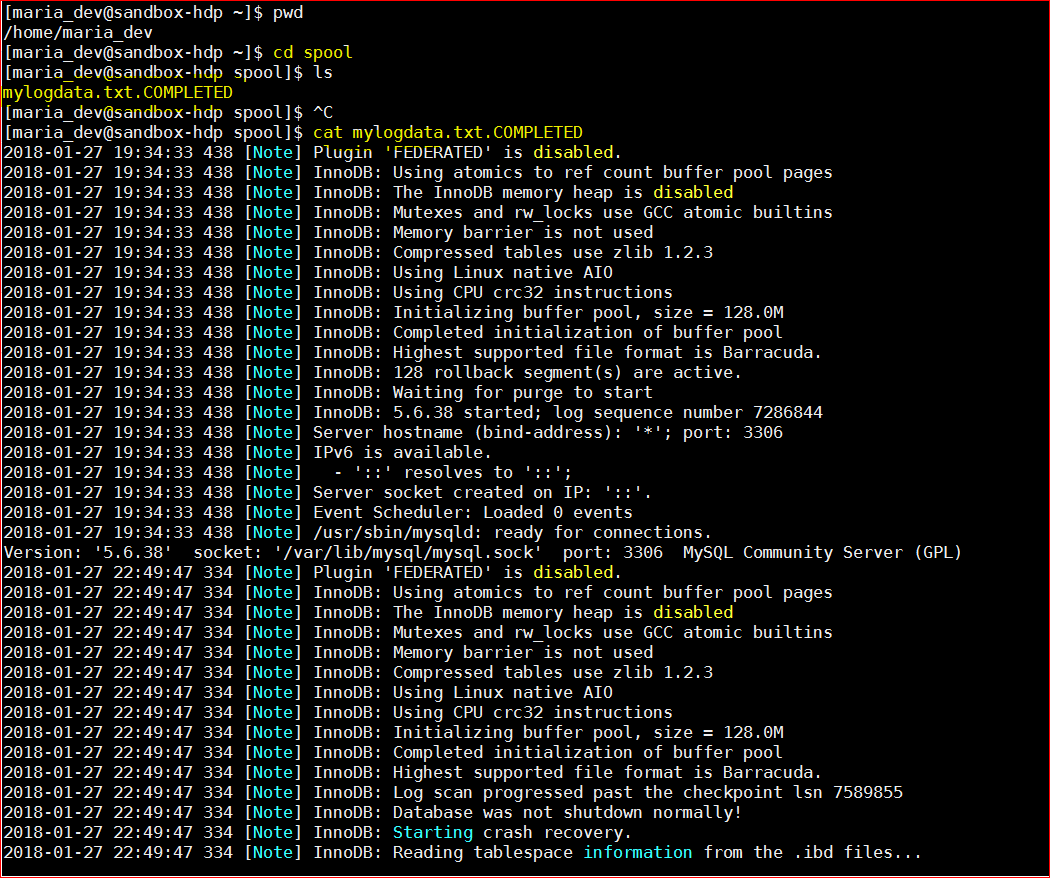
- Now drop some files into folder /home/maria_dev/spool (either use simple cp command, or use ftp stc)
- Yayy!!!, the agent read the dropped files and using the HDFS sink stored in the HDFS
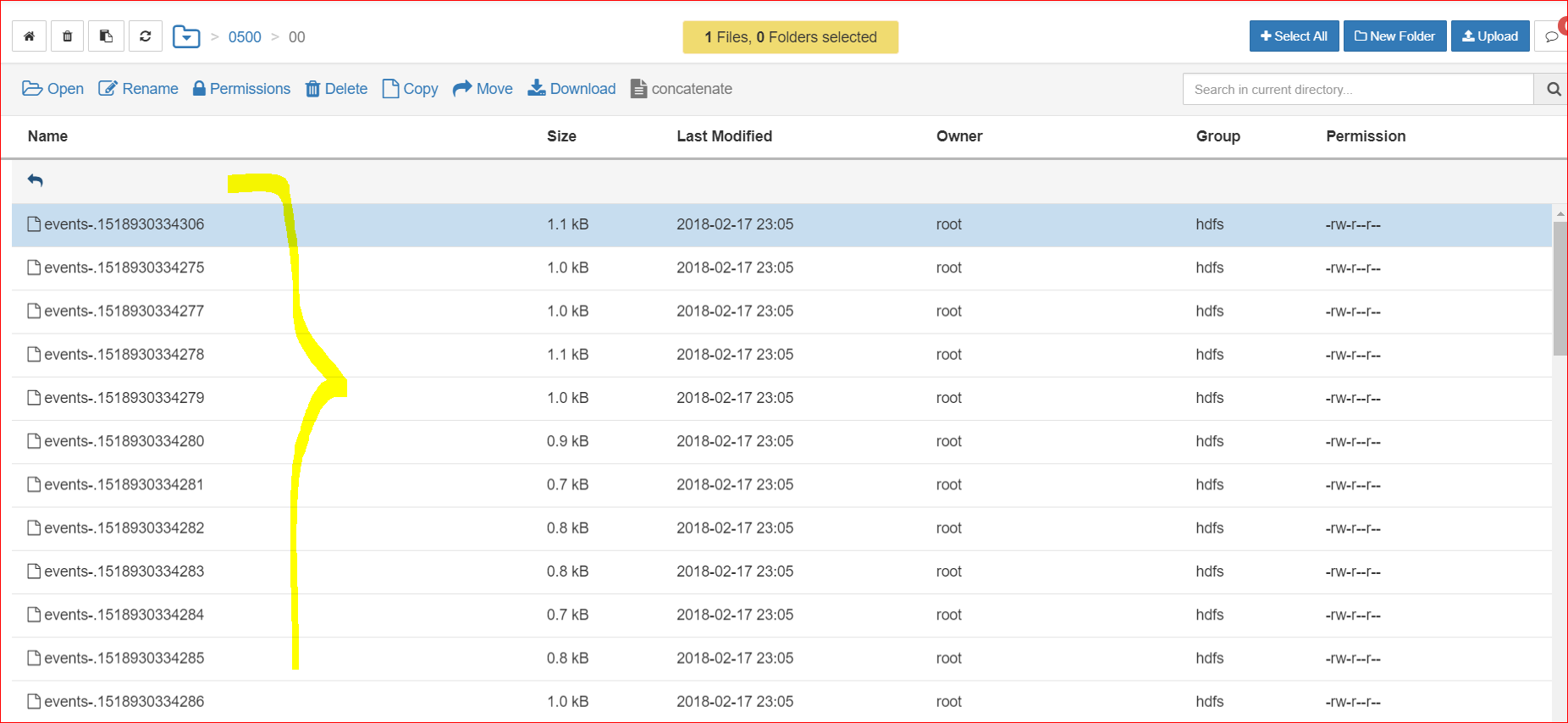
- Also go to spool folder , you will see the file suffixed with .completed and it will show all the data it trasnsferred