- What is Streaming?
- So what if you have to capture live data or logs from a web servers,
- you have data coming from the camera sensors of your security cam and other IoT devices
- you have the huge stock trading data
- and you need to upload these into the Hadoop clusters.
- This is called Streaming.
- Please recall that in all our previous articles, we were processing data either already sitting in the HDFS or Hive or inside some database or may be our local system and then we were either scooping it inside our cluster and then processing.
- What is Kafka?
- is a Publisher-Subscriber Messaging streaming tool
- is general purpose(not only meant for big data streaming but also any general purpose data) thus immensely powerful streaming tool.
- Kafka Architecture and Scaling?
- Architecture:
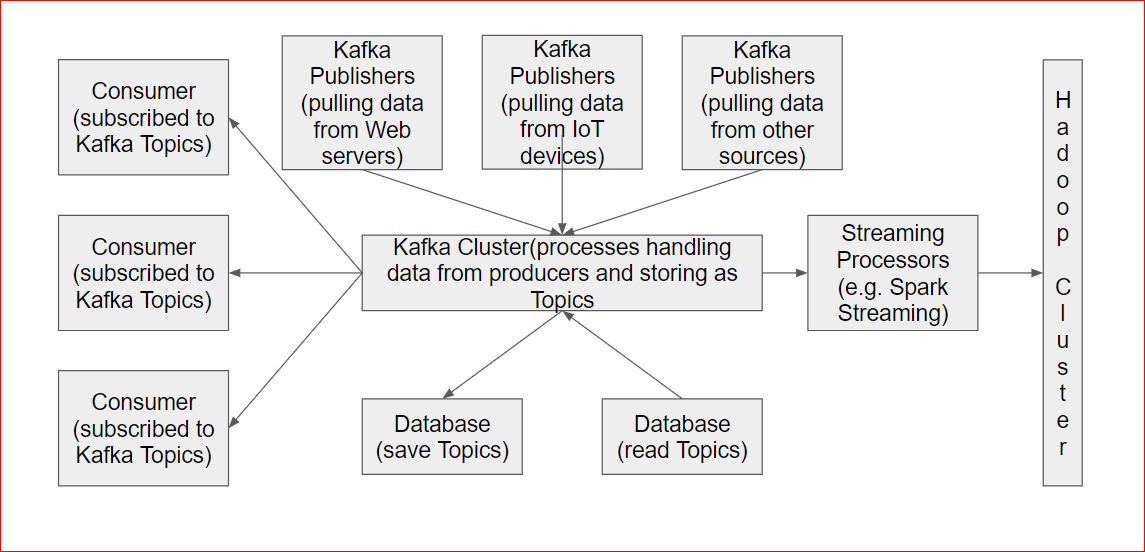
- There are Kafka Publishers e.g these apps are designed to read stream data from Web servers, IoT devices, Stock Trading Data etc
- The Kafka cluster has multiples servers processing this data and storing as Topics.
- There are Kafka Consumers/Subscribers which
- subscribed to the Topics.
- Multiple subscribers can subscribe to a topic and each subscribers read point is saved properly on the topic.
- The subscribers can either be Non-Hadoop subscribers or Hadoop subscribers like Spark streaming or directly HDFS etc
- The topics can also be persisted into databases and read/written to and fro from there.
- Scaling:
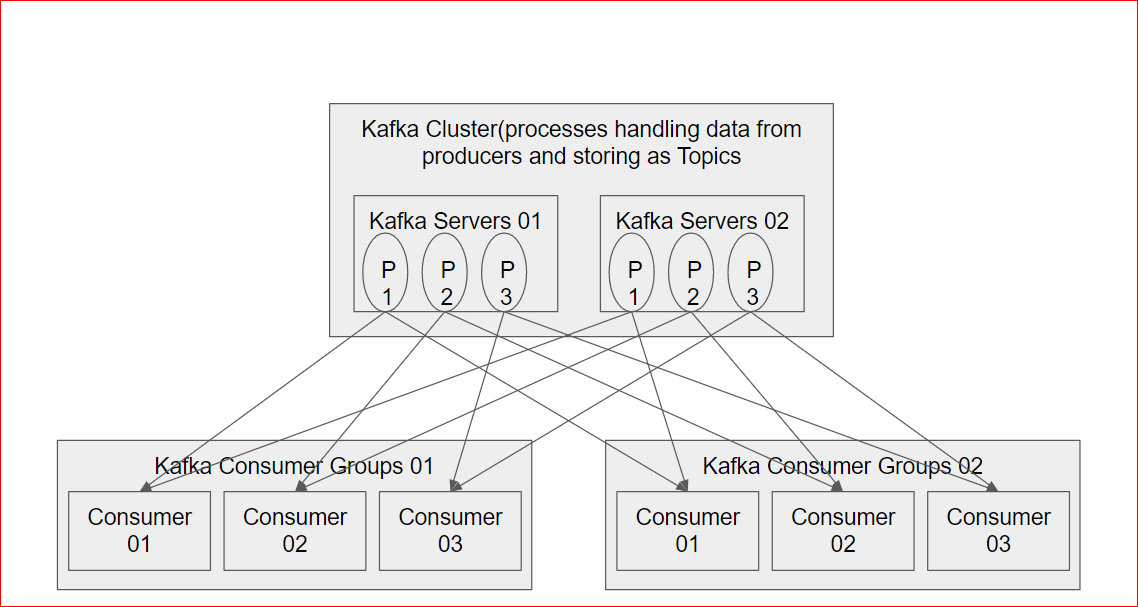
- The Kafka Cluster consists of multiple server running multiple processes to be high available
- Kafka can be architectures distribute data to subscriber groups. Multiples subscribers can register into a subscriber group so that the Kafka servers can distribute the data across the subscriber group.
- Architecture:
- Play with Kafka?
- Lets start Kafka service which comes preinstalled.
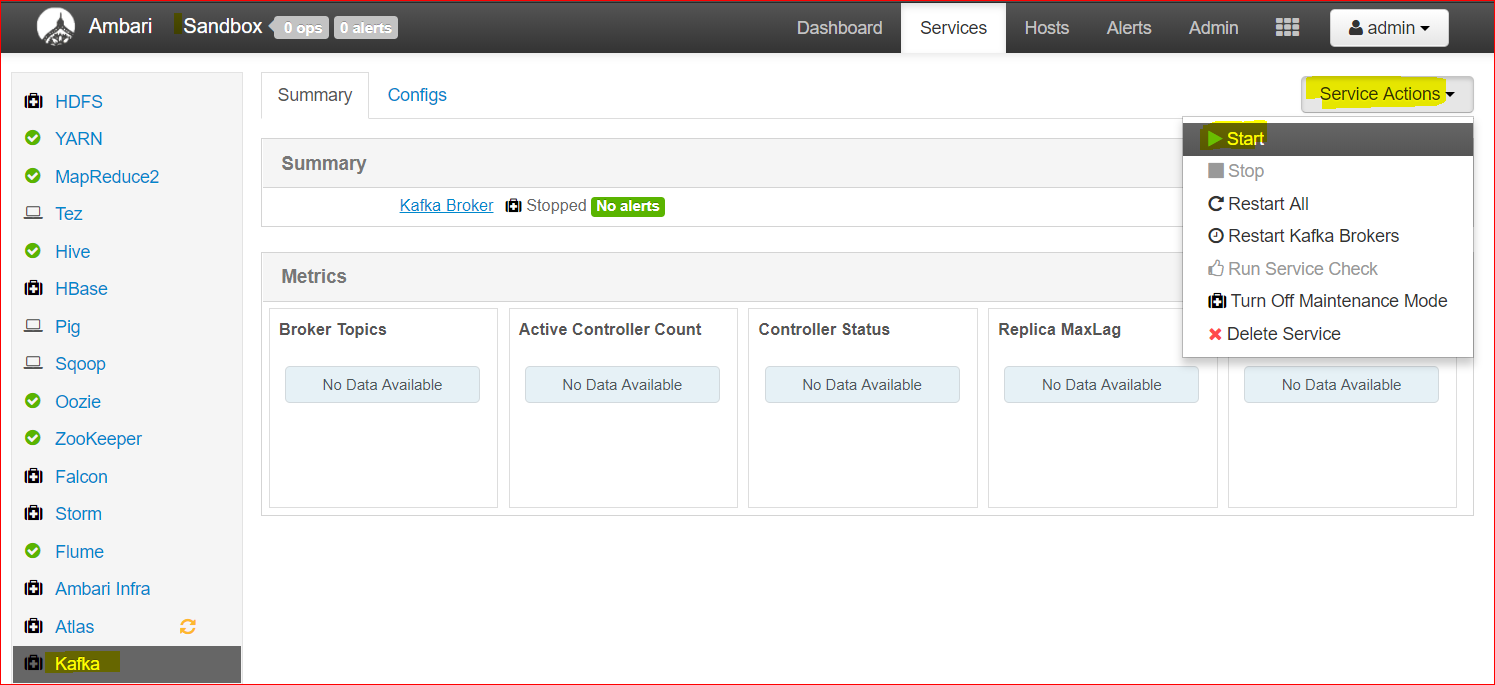
- Lets login to Ambari Console using ‘maria_dev’ credentials and lets analyse where Kafka lives and what are the files there –
- First check the host name ( type the below command hostname)
- Hostname
- use the value you get in the hostname where ever I am using ‘sandbox-hdp.hortonworks.com‘
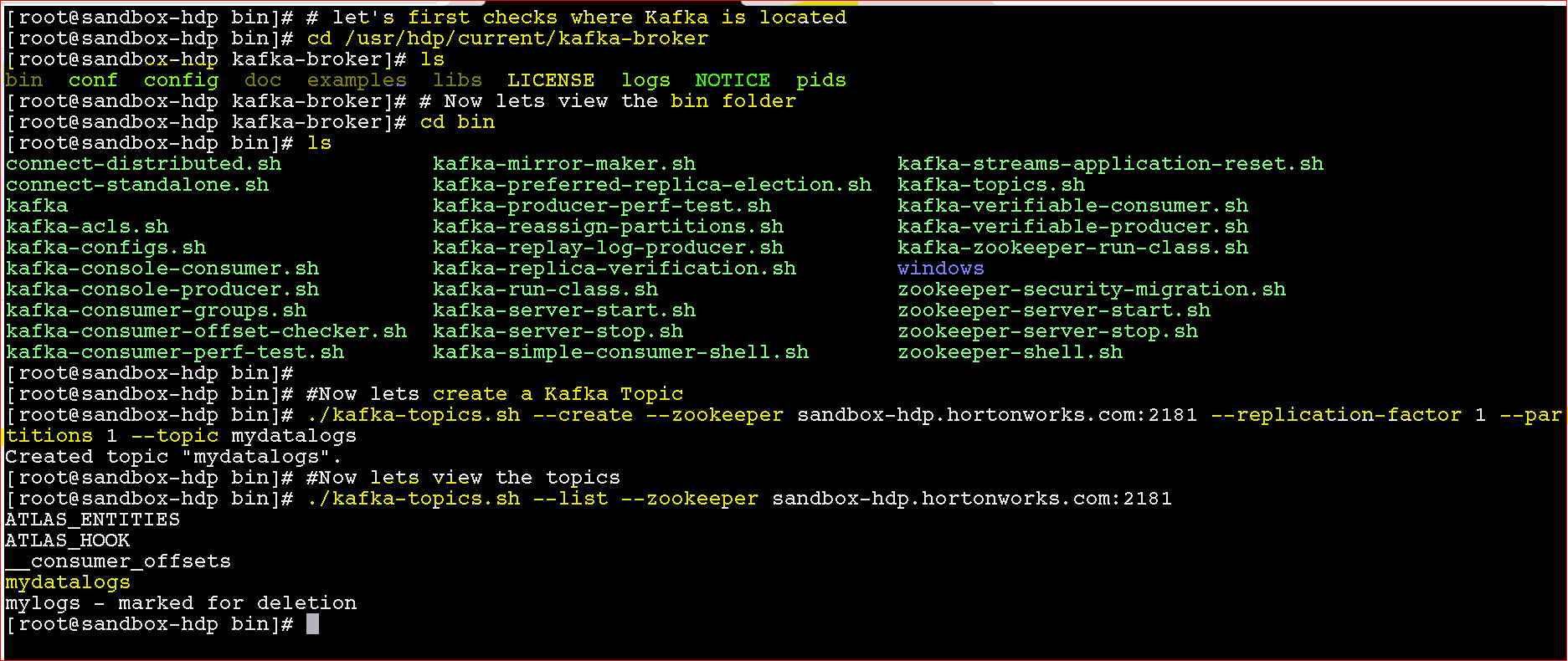
- Let’s first checks where Kafka is located
- cd /usr/hdp/current/kafka-broker
- you can see all folders related to kafka
- Now lets view the bin folder
- cd bin
- you can see all Kafka .sh files
- Now lets create a Kafka Topic:
- ./kafka-topics.sh –create –zookeeper sandbox-hdp.hortonworks.com:2181 –replication-factor 1 –partitions 1 –topic mydatalogs
- alternatively to delete a topic ( it gets marked for deleted) –
- ./kafka-topics.sh –delete –zookeeper sandbox-hdp.hortonworks.com:2181 –replication-factor 1 –partitions 1 –topic mydatalogs
- Now lets see the list of topics
- ./kafka-topics.sh –list –zookeeper sandbox-hdp.hortonworks.com:2181
- it will enlist all the topics
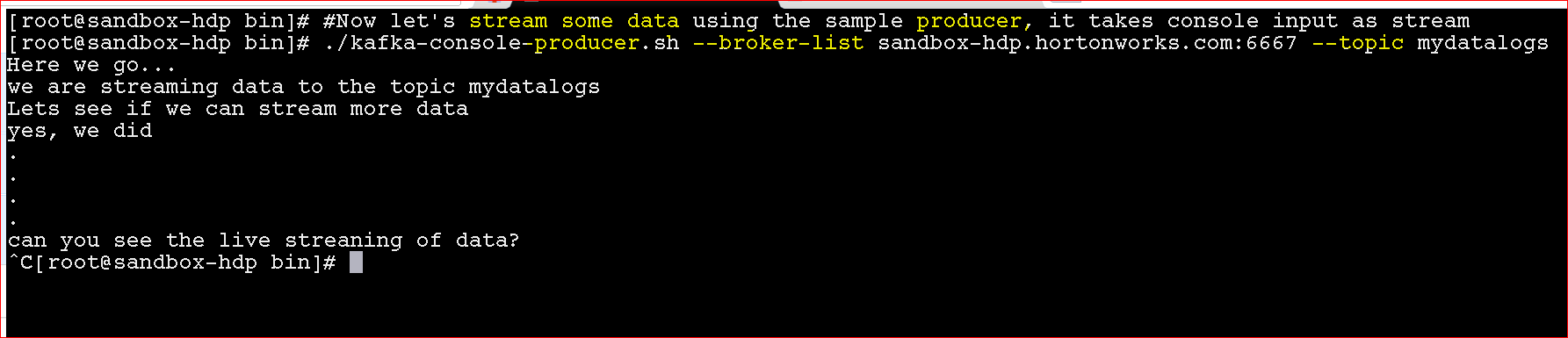
- Now Lets run the producer
- ./kafka-console-producer.sh –broker-list sandbox-hdp.hortonworks.com:6667 –topic mydatalogs
- Now lets run the consumer to subscribe to the topic and get the streamed data
- ./kafka-console-consumer.sh –bootstrap-server sandbox-hdp.hortonworks.com:6667 –topic mydatalogs –from-beginning
- use ‘from-beginning’ to read all messages, else it will only show new messages generated after the subscriber got active

- See the producer and the consumer in side by side screens
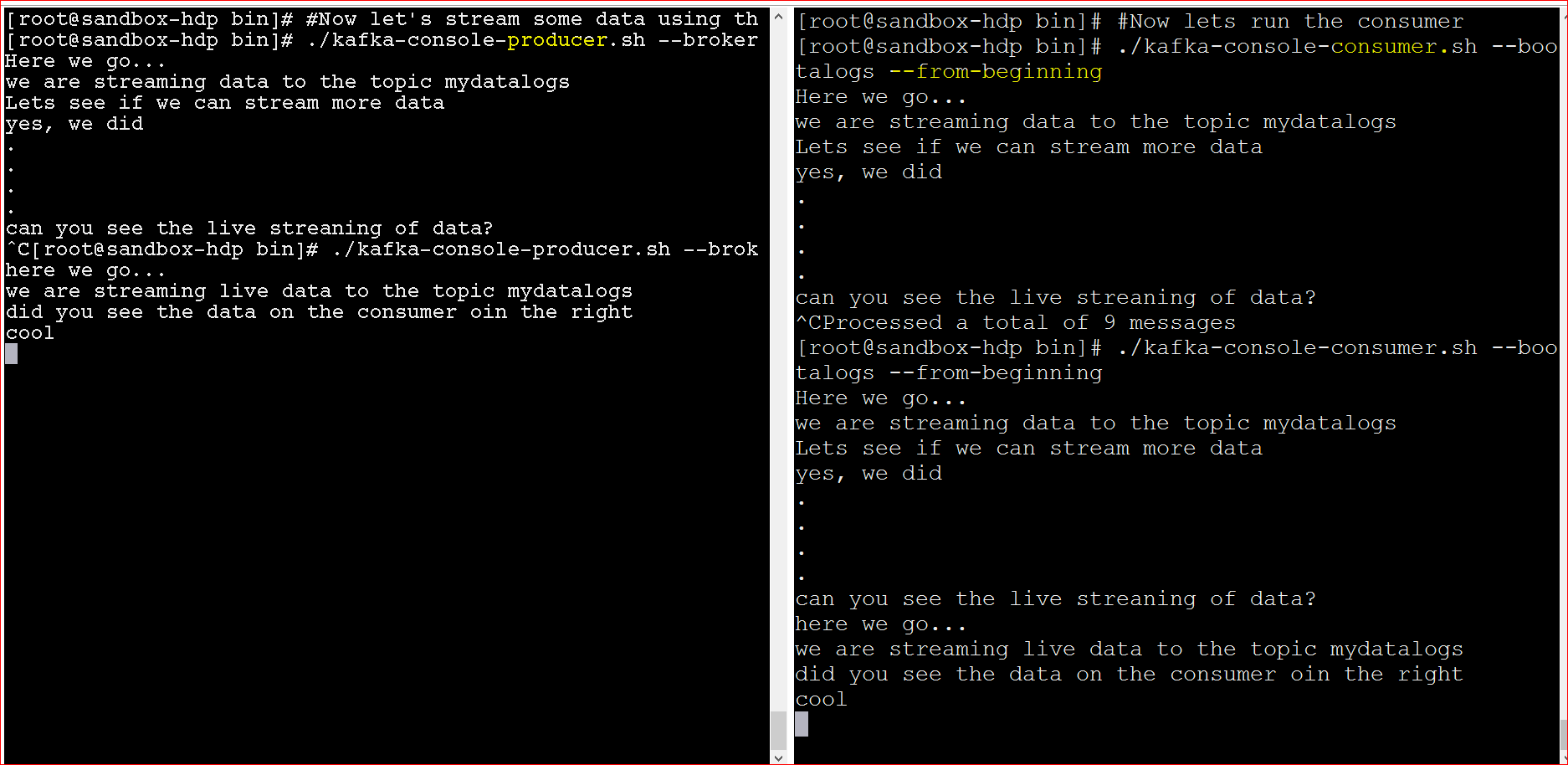
- The above example was live streaming of standard input from the keyboard
- What if we want to live stream web server data log in real time? this would be a real life example:
- First check the host name ( type the below command hostname)
- So, the Kafka real life example:
- You will need to use file connectors to connect to the files which we want to live stream
- So lets see where we can configure a file connector – lets go to folder – cd /usr/hdp/current/kafka-broker/conf
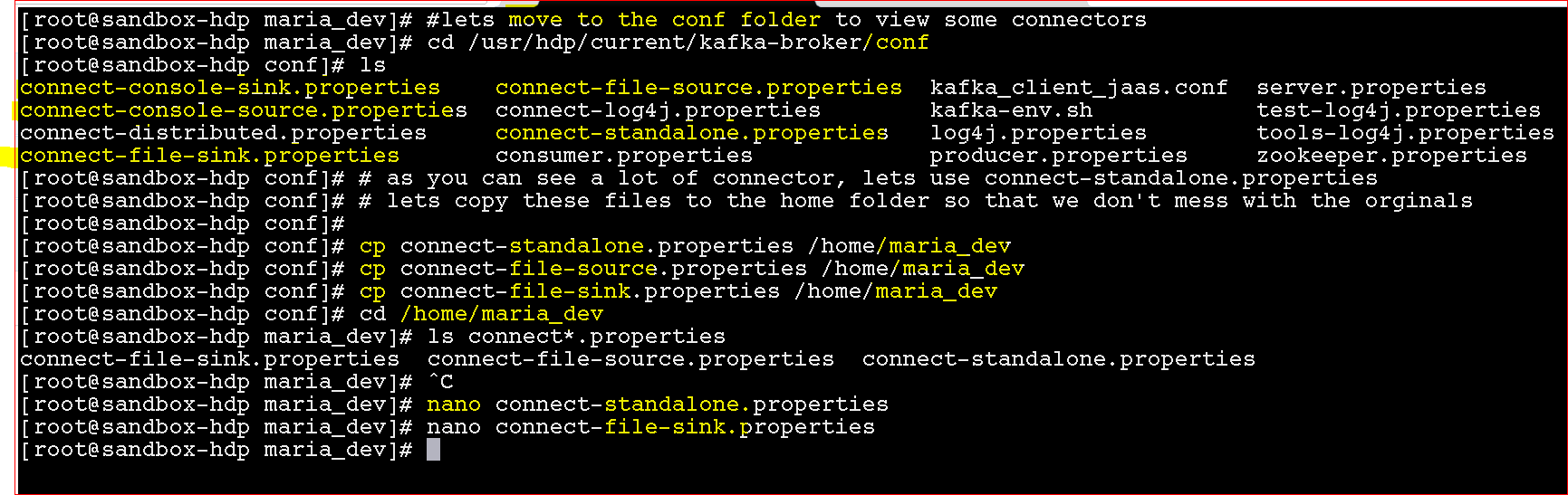
- lets copy these 3 files from the kafka’s conf folder to maria_dev folder
- cp connect-standalone.properties /home/maria_dev
- cp connect-file-source.properties /home/maria_dev
- cp connect-file-sink.properties /home/maria_dev
- Lets update ‘connect-standalone.properties‘ to update line
- bootstrap.servers=sandbox-hdp.hortonworks.com:6667
- also update ‘connect-file-sink.properties‘ to update lines ( the file here will be target file where the streaming data will be written)
- file=/home/maria_dev/mylogdata.txt
topics=mylogdata
- file=/home/maria_dev/mylogdata.txt
- also update ‘connect-file-source.properties‘ to update lines( the file here is the source log file which will be read by producer
- file=/home/maria_dev/mysourlogs.log
topics=mylogdata
- file=/home/maria_dev/mysourlogs.log
- Lets run a consumer first which will listen for any logs
- ./kafka-console-consumer.sh –bootstrap-server sandbox-hdp.hortonworks.com:6667 –topic mylogdata
- Now finally run the connector/producer – ( we will execute connect-standalone.sh passing parameters for standalone, source and sink files
- ./connect-standalone.sh /home/maria/connect-standalone.properties /home/maria/connect-file-source.properties /home/maria/connect-file-sink.properties
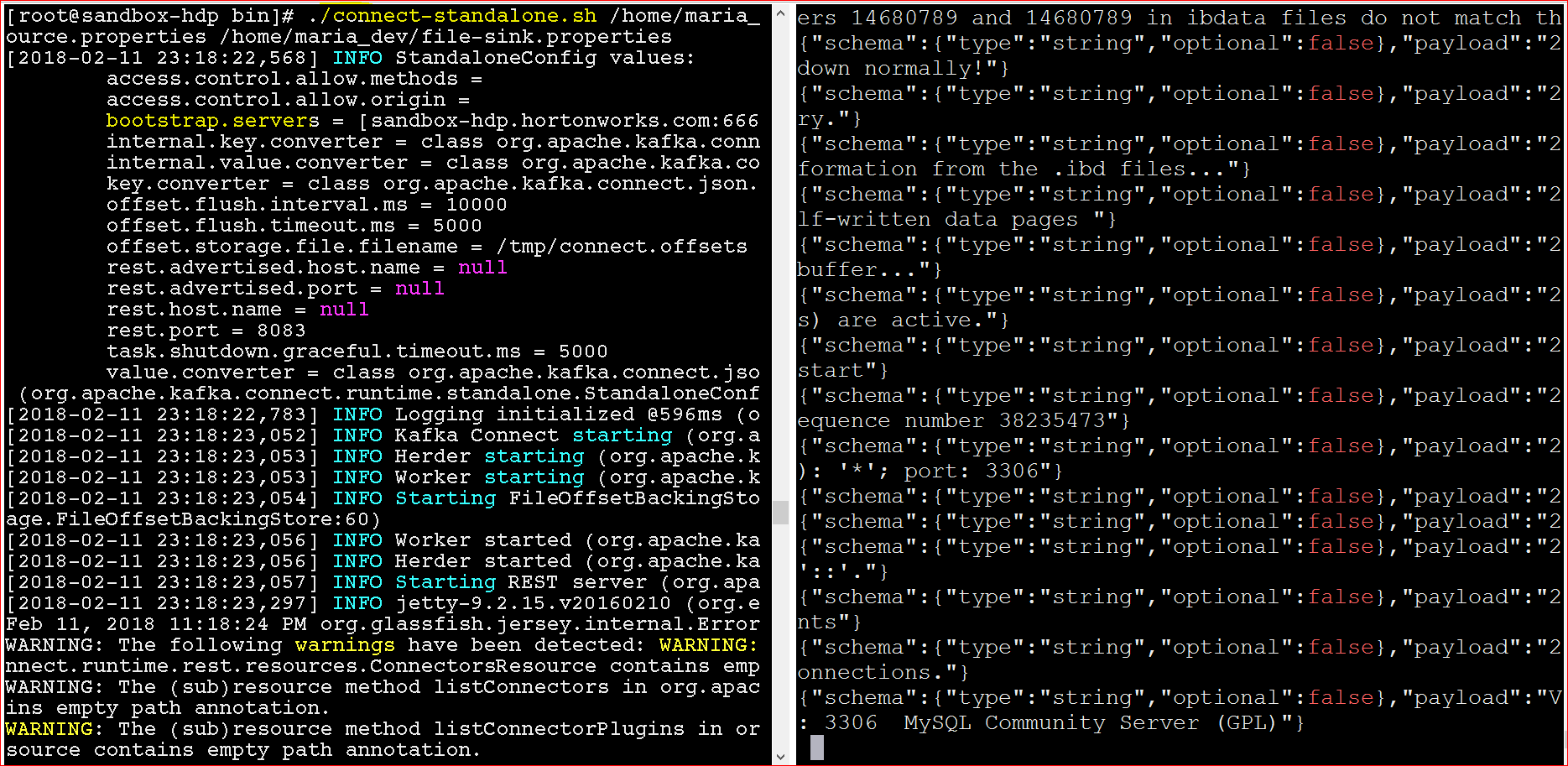
- Yay!!!, you can see that once we ran the connector, it generated the log to the topic and the subscriber rtead the topic to show you data from mysql log.