
- What is Apache Zeppelin –
- Notebook interface to the core as well as custom Big data technologies.
- an analysis and visualization tool which expands across lot of Big data technologies.
- has interpreters/connectors to connect to Hbase, Hive, Console, Cassandra etc
- these Zeppelin notebooks are interactive where you can not only write markup but also run your scripts.
- you can use graphs and charts to analyse the data.
- has a strong integration with Spark.
- comes pre-installed with Hortonworks Sandbox on port 9995
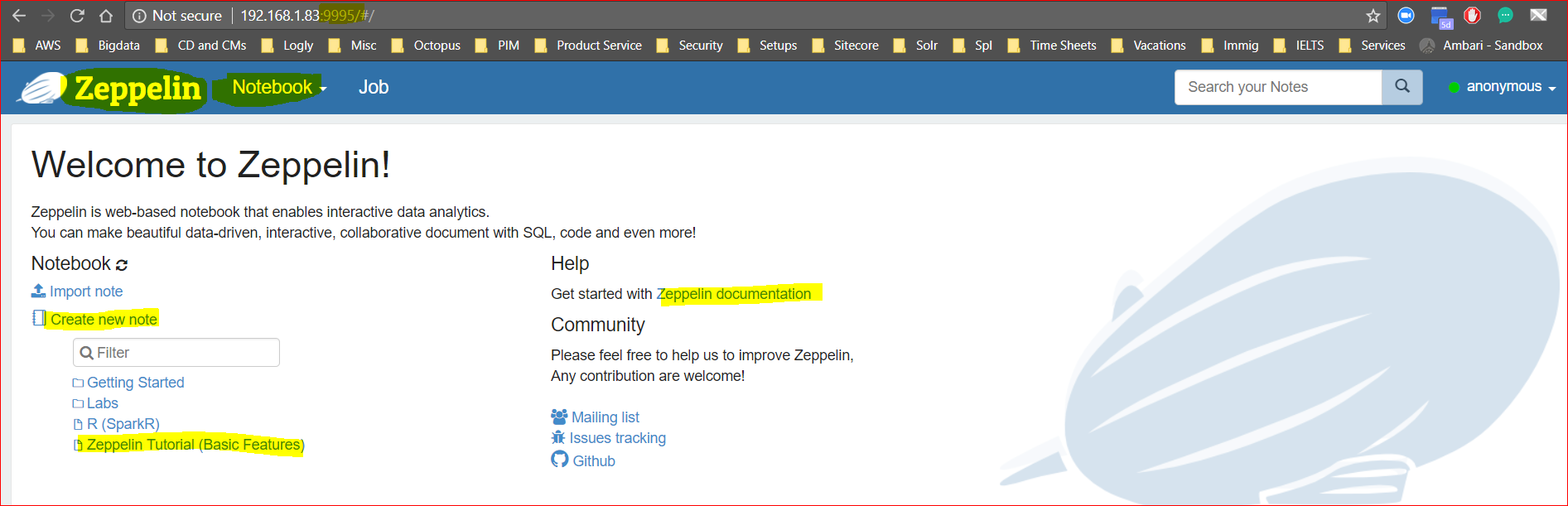
- Click on ‘Create New Note’ and give a name to the note book – say “Naeem’s Zeppelin Notes”.
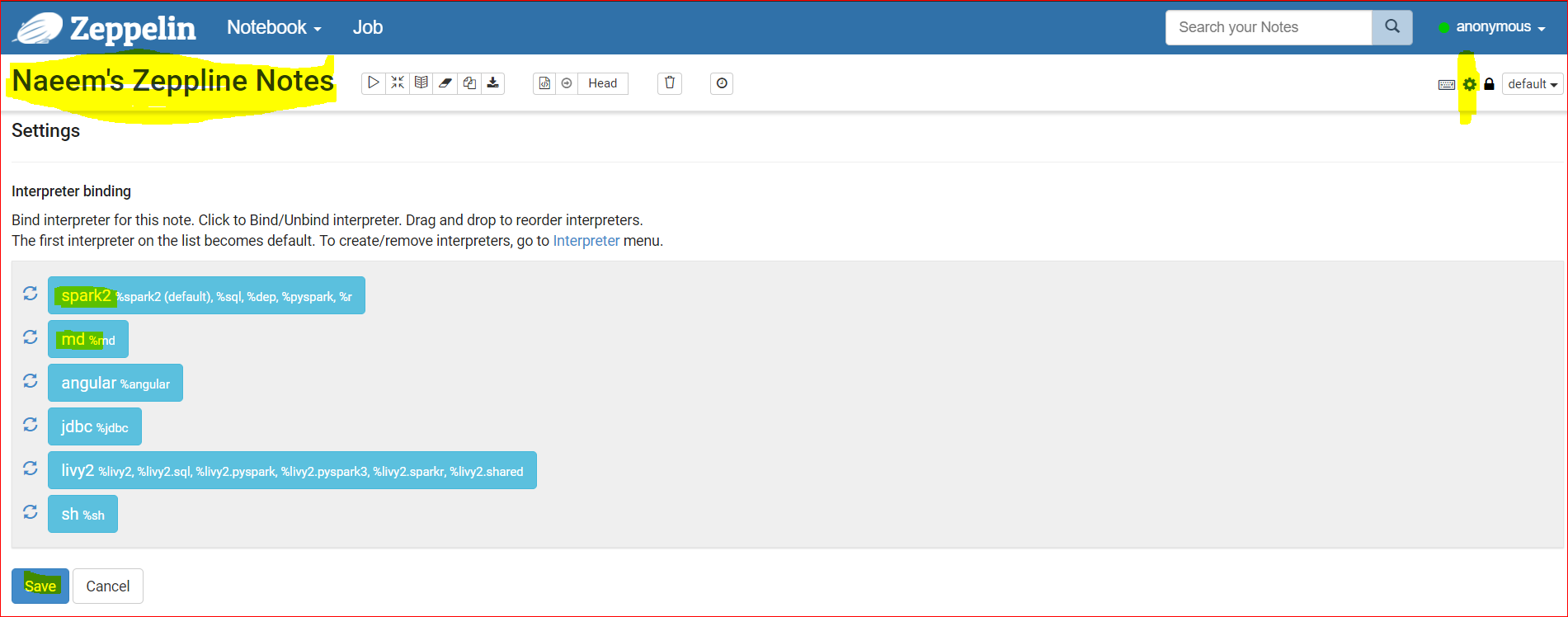
- As Zeppelin supports multiples interpreters, first go to settings button to select the correct interpreter. You can drag and drop the interpreters as shown in the snapshot. and press save. We’ve selected Spark and md(markdown or html) so both are on top. We use markdowns to write beautiful looking notes.
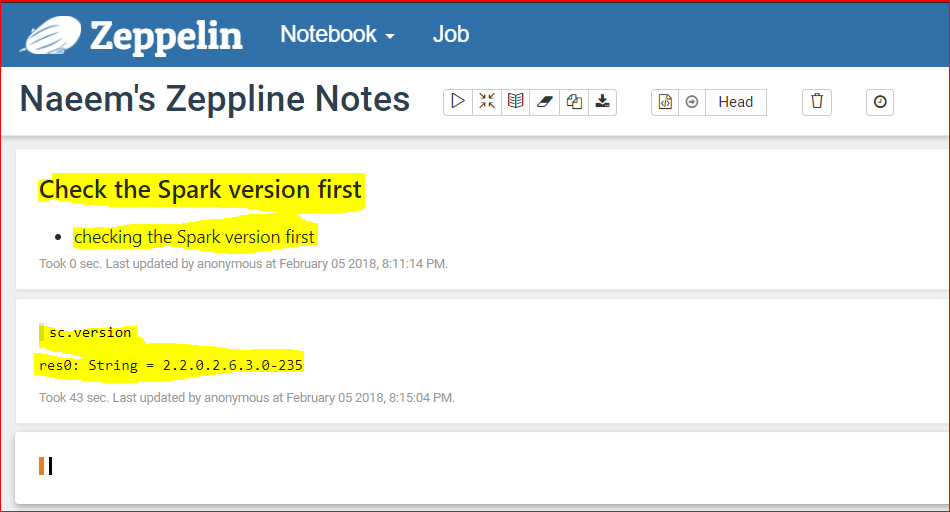
- Write the markdown as shown below and press execute or Shift+Enter.
- %md denotes that the below text is not code but a markdown, ### is used emphasize a text and * is used to show a bullet
- %md
### Check the Spark version first
* checking the Spark version first - Now lets write a Spark code as Spark has been selected as the interpreter.
- So it will automatically create a SparkContext for you ‘sc‘.
- So type sc.version in the next cell and press Shift+Enter.
- Cool the Spark version is 2.2
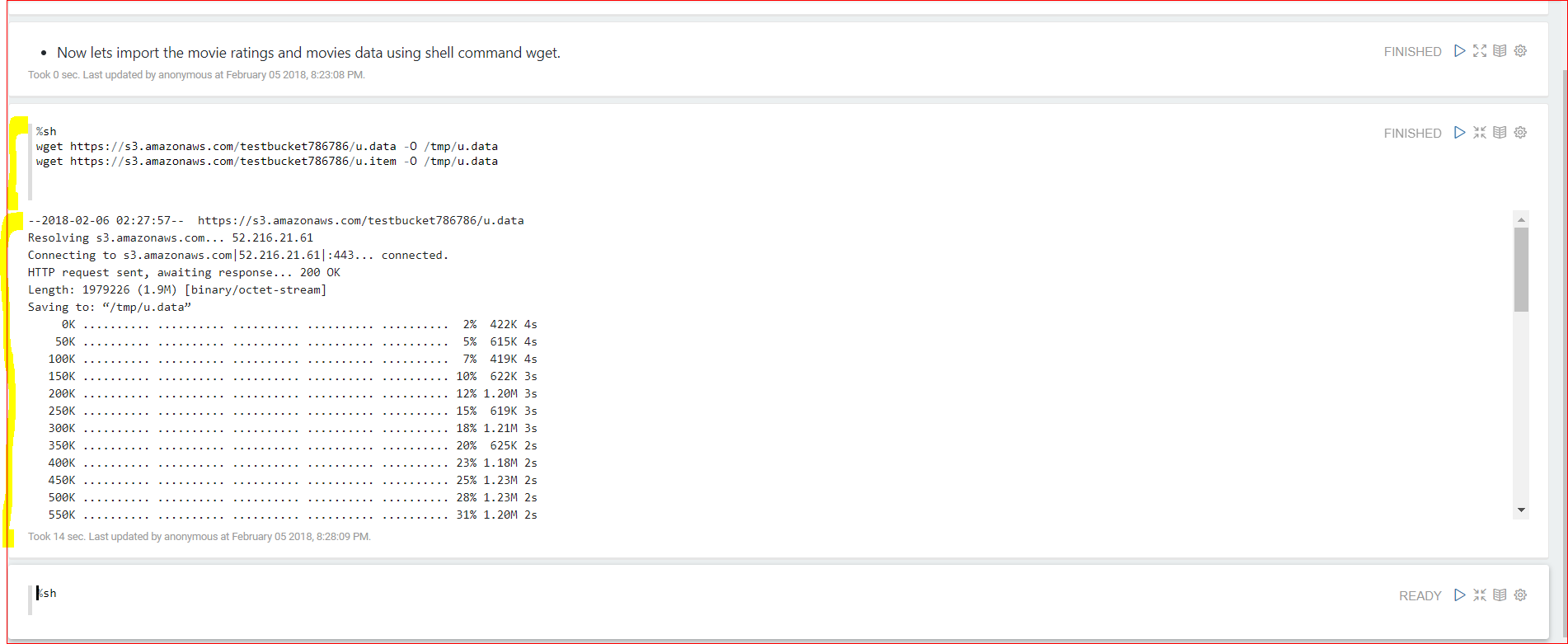
- Now lets import the u.data using a wget command ( we will use shell )
- Type the below commands to wget and store data in /tmp folder
- %sh
wget https://s3.amazonaws.com/testbucket786786/u.data -O /tmp/u.data
wget https://s3.amazonaws.com/testbucket786786/u.item -O /tmp/u.data
- %sh
- Type the below commands to wget and store data in /tmp folder
- Now lets upload the data from local machine to HDFS
- Type the below commands
- %sh
hadoop fs -rm -r -f /tmp/ml-100k
hadoop fs -mkdir /tmp/ml-100k
hadoop fs -put /tmp/u.data /tmp/ml-100k/
hadoop fs -put /tmp/u.item /tmp/ml-100k/ 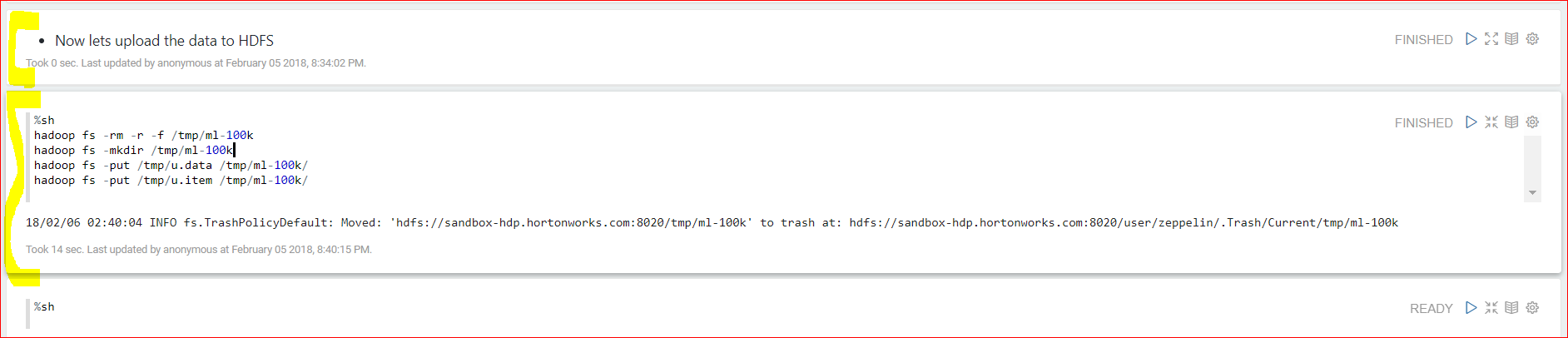
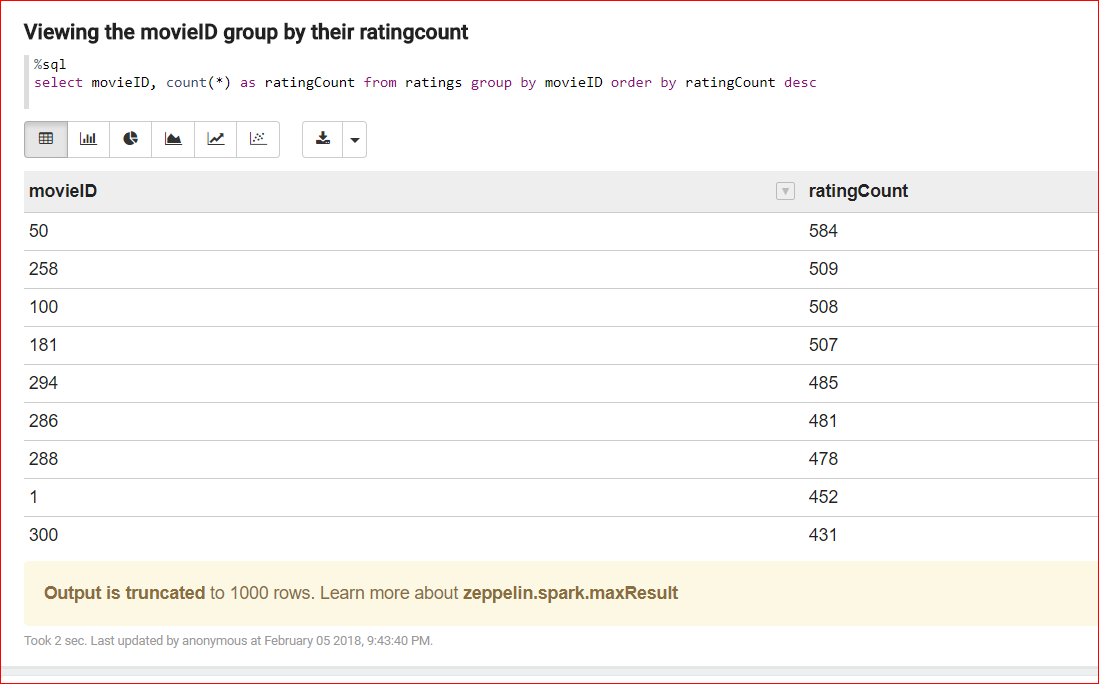
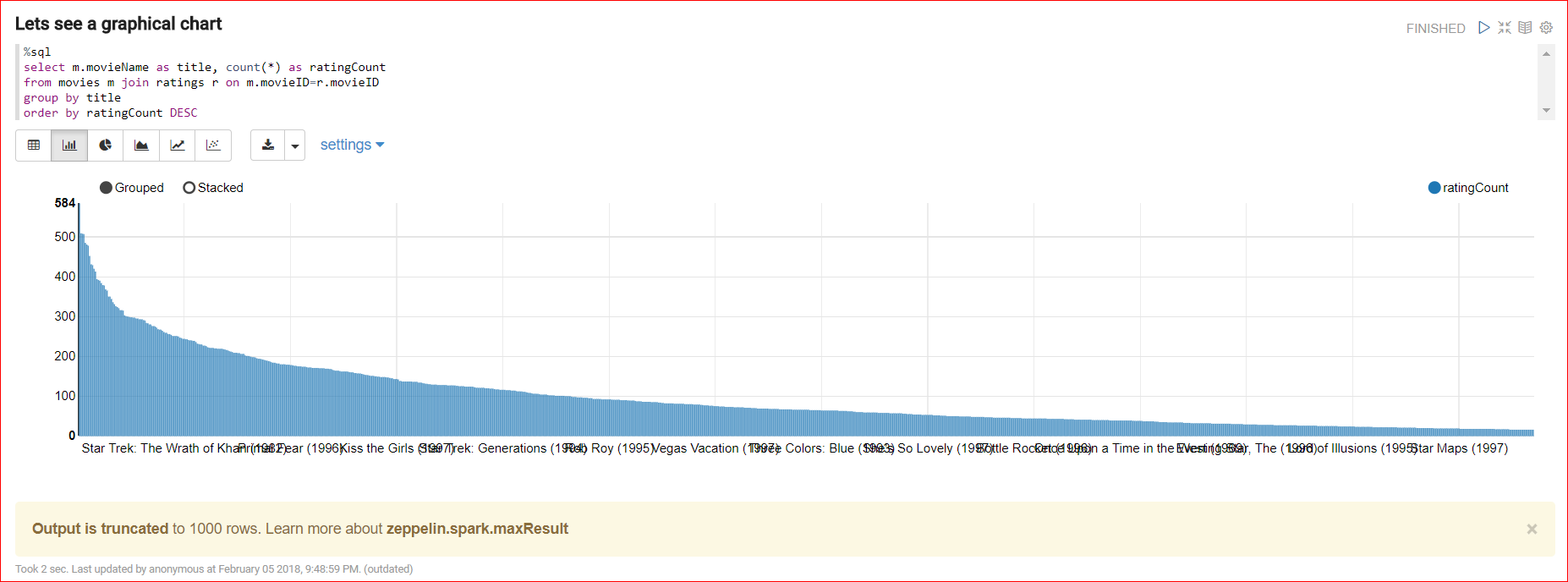
- Below is the full code which reads data from ratings and movie tables and joins the data to view meaningful information using charts.
- Download this ZeppelinJSON file and upload onto the notebook – https://s3.amazonaws.com/testbucket786786/Naeem’s+Zeppline+Notes.json
- View this PDF for the full code – Jappelin
- Or See the code below –
____________________________________________________________________________________________ 
Downloading data to local machine
%sh
wget https://s3.amazonaws.com/testbucket786786/u.data -O /tmp/u.data
wget https://s3.amazonaws.com/testbucket786786/u.item -O /tmp/u.item Uploading data from local to HDFS
%sh
hadoop fs -rm -r -f /tmp/ml-100k
hadoop fs -mkdir /tmp/ml-100k
hadoop fs -put /tmp/u.data /tmp/ml-100k/
hadoop fs -put /tmp/u.item /tmp/ml-100k/ Using Scale code to read the lines by splitting by delimiter tab and pipe for both files respectively
final case class MovieRating(movieID: Int, rating: Int)
val ratinglines = sc.textFile(“hdfs:///tmp/ml-100k/u.data”).map(x => {val fields = x.split(“\t”); MovieRating(fields(1).toInt, fields(2)
final case class Movies(movieID: Int, movieName: String)
val movielines = sc.textFile(“hdfs:///tmp/ml-100k/u.item”).map(x => {val fields = x.split(‘|’); Movies(fields(0).toInt, fields(1))}) Converting the files into a Data Frame
import sqlContext.implicits._
val movieRatingsDF = ratinglines.toDF()
movieRatingsDF.printSchema()
val moviesDF = movielines.toDF()
moviesDF.printSchema() Lets group by the data by movieID and count and order by descending order of the count and also see movies data
val myTopMovieIDs = movieRatingsDF.groupBy(“movieID”).count().orderBy(desc(“count”)).cache()
myTopMovieIDs.show()
val myMovieIDs = moviesDF.cache()
myMovieIDs.show() Now register the Data Frames to a table
movieRatingsDF.registerTempTable(“ratings”)
moviesDF.registerTempTable(“movies”) Lets join the tables to view meaningful info
%sql
select m.movieName as title, count(*) as ratingCount
from movies m join ratings r on m.movieID=r.movieID
group by title
order by ratingCount DESC