Photo: Christina @ wocintechchat.com / Unsplash · Royalty-free
There are quite a few important under the hood players in a Hadoop System – those who manage the cluster – they just are there working for us and we do not realize.
YARN, Tez, Mesos, Zookeeper, Oozie, Zeppelin, Hue to name a few.
YARN:
What is YARN?
stands for ‘Yet Another Resource Negotiator’
manages the resources in the cluster, job scheduling
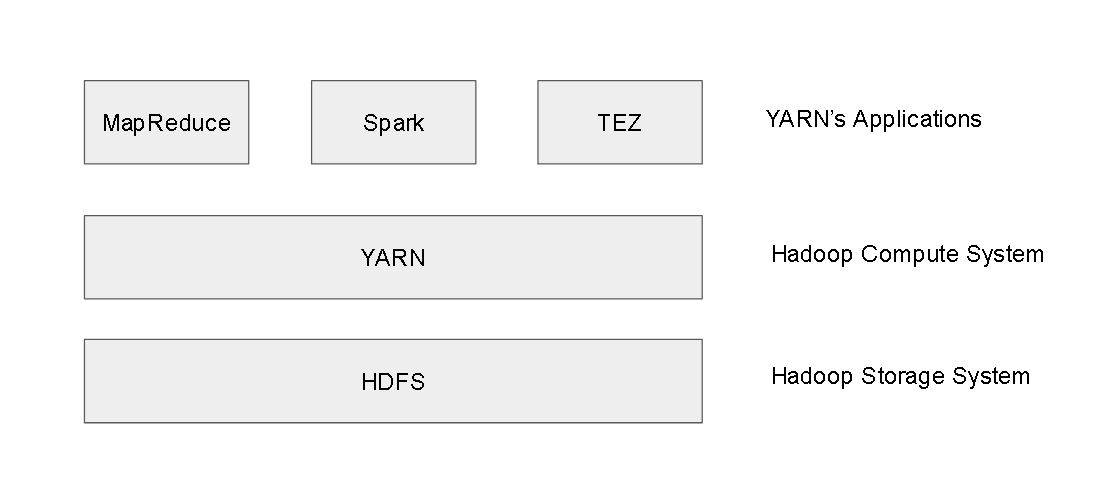
sits on the top of the HDFS system and is used by Yarn applications like MapReduce, Tez, Spark etc
How does YARN work?
it works similarly as Map Reduce works
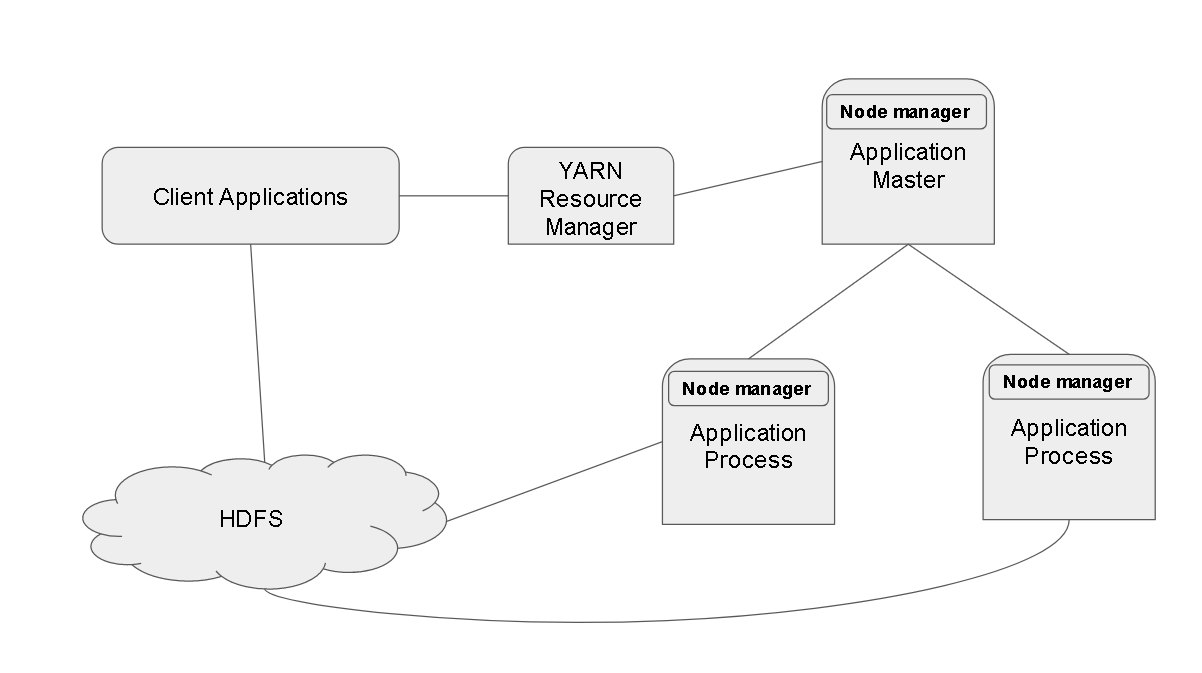
The client application with a MapReduce Job requests a YARN resource manager.
The YARN resource manager kicks an Application master which requests YARN to kick of as many Application Processes by spinning up more node managers.
In an ideal world there would be many resource managers, applications masters so that it does not become a single point of failure.
YARN uses something called as “quorum”. So say if you have 5 resource managers and say you are writing some data into HDFS. It will confirm that data is written successfully only if acknowledgement comes from 3 of the 5 resource managers.
YARN uses three kinds of scheduling methods for scheduling jobs
FIFO – One job is scheduled after the other and first in is first out, one job at a time.
Capacity – Jobs can be scheduled in parallel based on capacity. So if you have a big job running and there is a capacity of run another small job, so it can run in parallel.
Fair – Its kind of fair policy in running parallel jobs. So if YARN knows that one of the parallel jobs is going to run for long, so it will kind of steal some unused resources for that job and assign to a smaller job to get that done.
YARN is itself is very powerful resource negotiator but if you want to build your own YARN you can use existing frames like Apache slider and Apache Twill which encapsulated the complexities behind the YARN to expose API like features.
Apache TEZ:
What is Apache TEZ and how it works?
alternative to MapReduce and much faster due it due to better scheduling of resources.
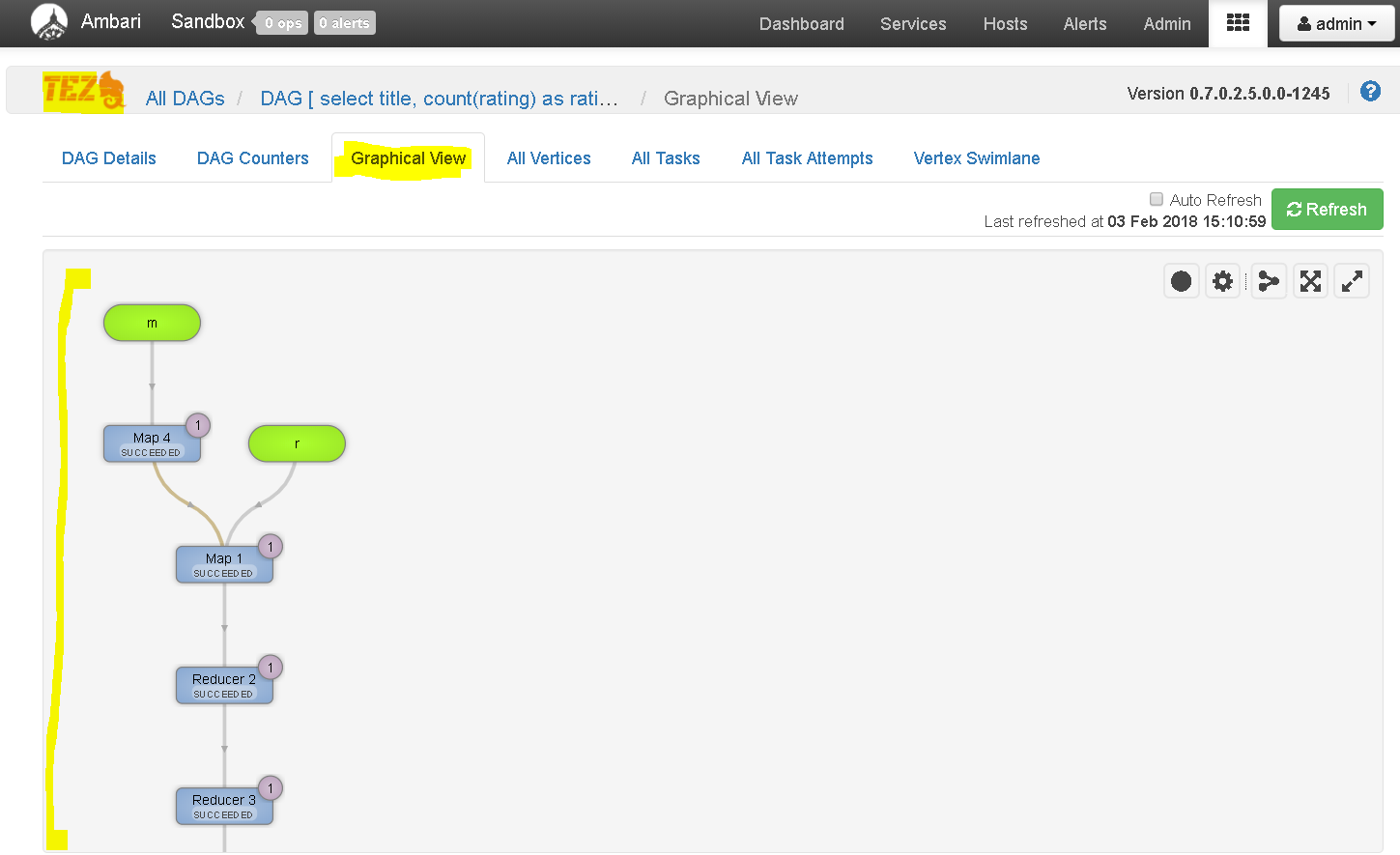
uses DAGs (Direct Acyclic Graphs) for better scheduling of mappers and reducers.
run a complex query in Hive using MapReduce and then using TEZ and see the difference.
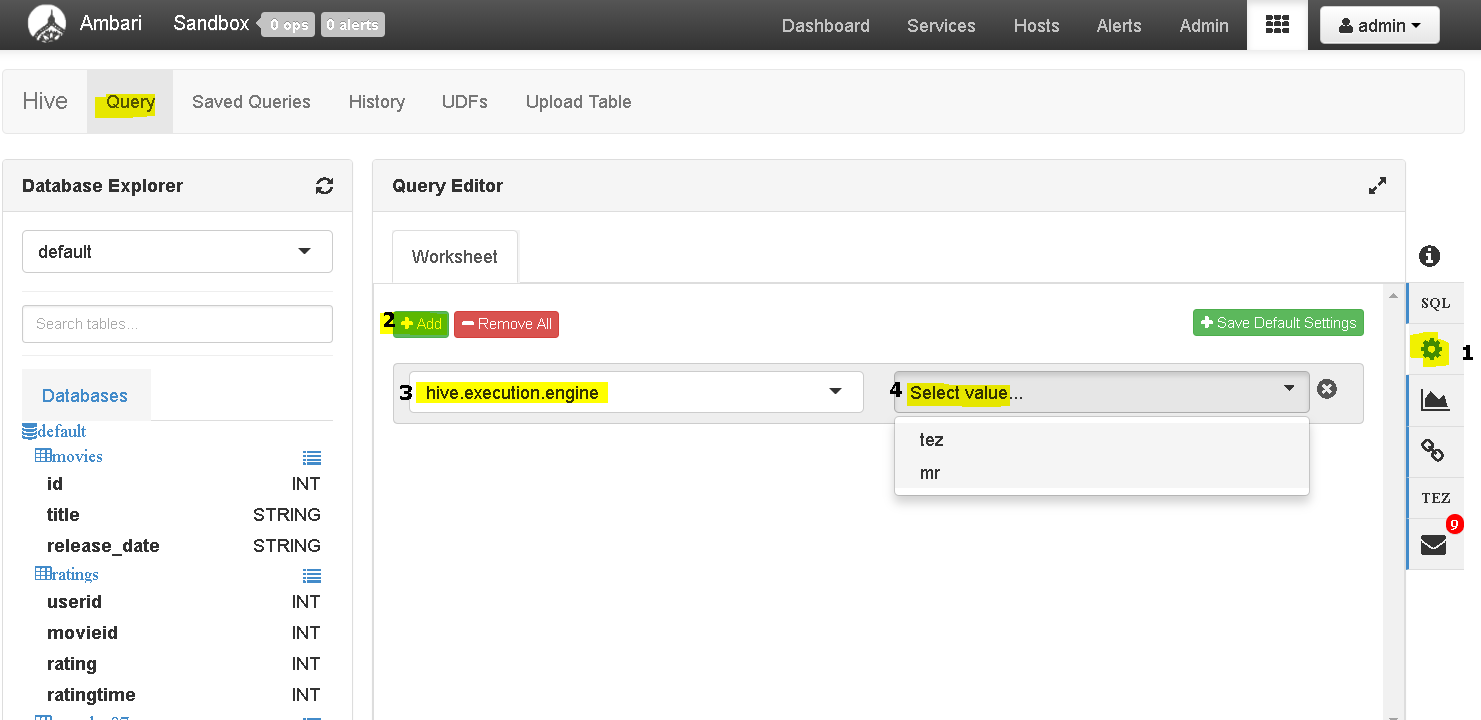
So first login to Ambari dashboard and open “Hive View” and click query tab.
As we already have the ‘ratings’ and ‘movies’ tables in ‘default database ( if not, upload the tables)
Now first setup the ‘hive.execution.engine’ as TEZ. To do that clicks on the settings button( step 1) , then “add” ( step 2) , then select the appropriate engine ( steps 3 and 4) finally save the settings.
Now go to ‘Query’ tab and write the below query ans execute one selecting TEZ and another time selecting MR(Mapreduce).
My Results using TEZ = 20 secs, using MR – 110 secs
select title, count(rating) as ratingCount from ratings r join movies m on r.movieid = m.id group by title order by ratingCount desc;
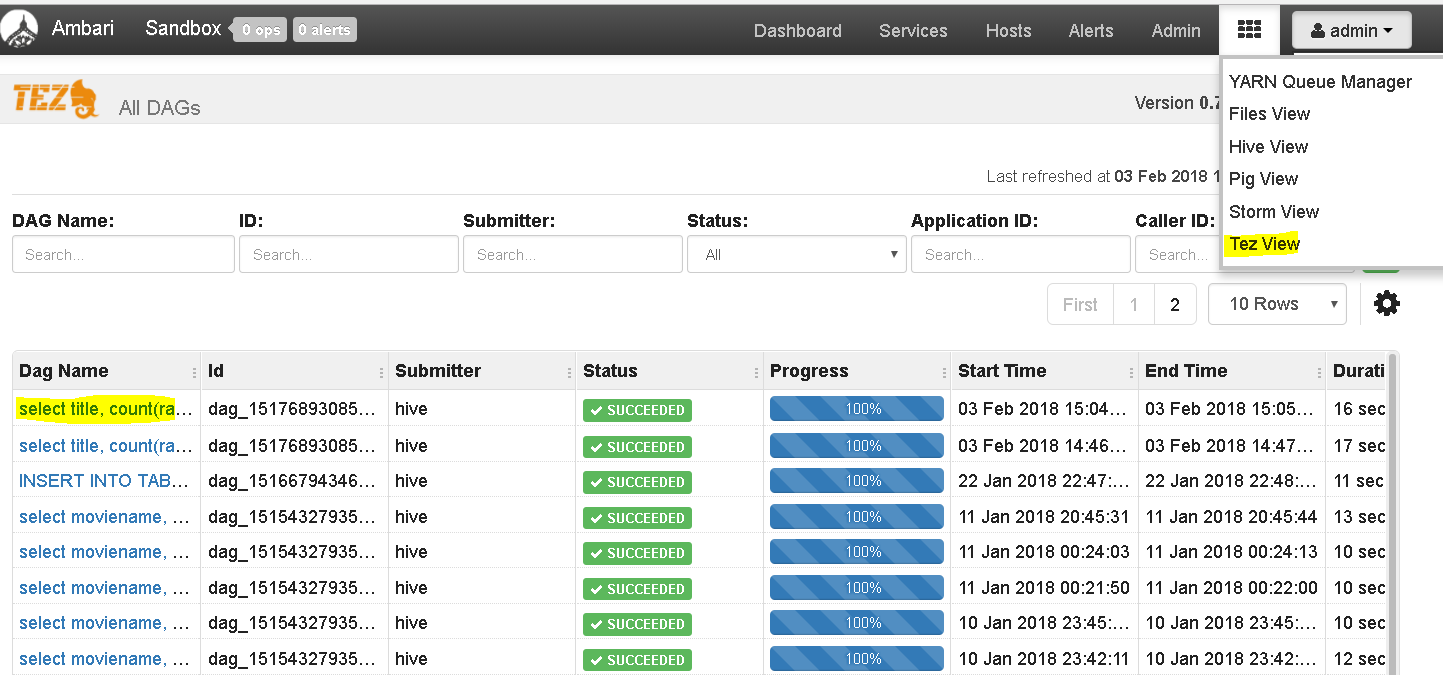
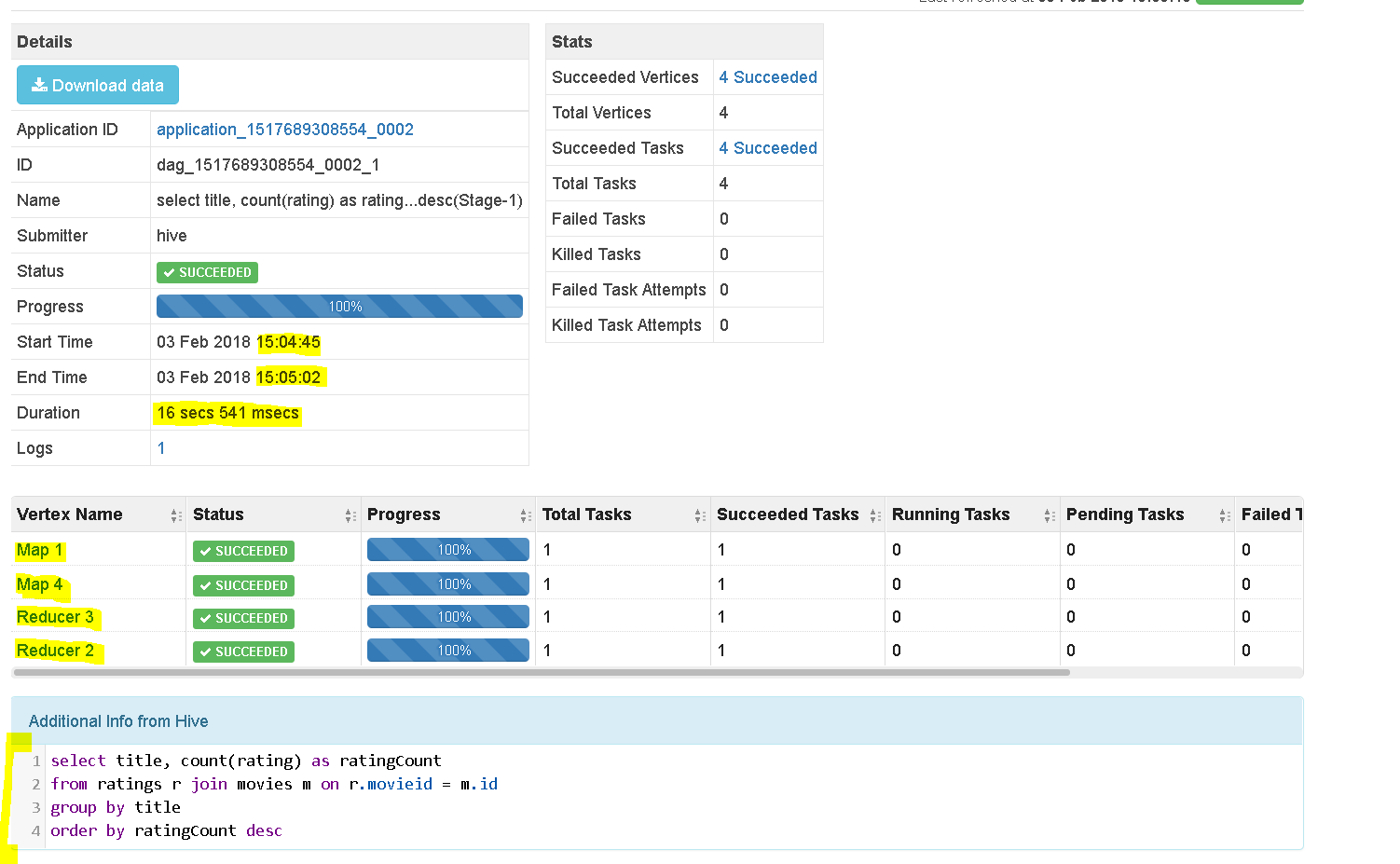
Now lets move to TEZ View to analyse the query
Click on TEZ view and select the latest query we ran
See the nice details it presents how TEZ processed the query
Also see the graphical and other views of the same:
MESOS:
What is MESOS?
Mesos is yet another resource negotiator like YARN.
But unlike YARN, Mesos can be uses to manage resources for not only big data clusters but also non-big data resources(literally can apply to the whole data center and multiple data centers.
It came out from Twitter and it is a container management system.
Dockers and Containers, Keberentes can also be alternatives.
can live together with YARN and works very well with Spark.
YARN is single directional meaning you request a job to be scheduled and YARN knows how to kick resources.
MESOS on the other hand is bidirectional meaning it will offer you multiples choices once requested to schedule a job and lets you decide.
Who is better then ? Well it depends on your need
If your organization is already using MESOS then better to use it for Hadoop too. If your application is quite based on Spark then better to use MESOS.
But if you are solely using Hadoop then its better to use YARN.
You can use both together too.
ZOOKEEPER:
What is Zookeeper?
It is a watcher who monitors the watchers.
Zookeeper manages the YARN Resource Managers.
It checks things like
who is the master node
which task is assigned to which node
in case of failover, which one is the new master
which are the current list of workers etc
It assign the Hadoop ecosystem to maintain a high availability and recover from fail-overs.
by setting up backup nodes as masters in case of master failovers
setting up new worker nodes in case of worker node failovers
setting up masters and works if network trouble.
Basically it maintains a list of master mode and worker nodes and has provisions to keep checking which ones are available or not.
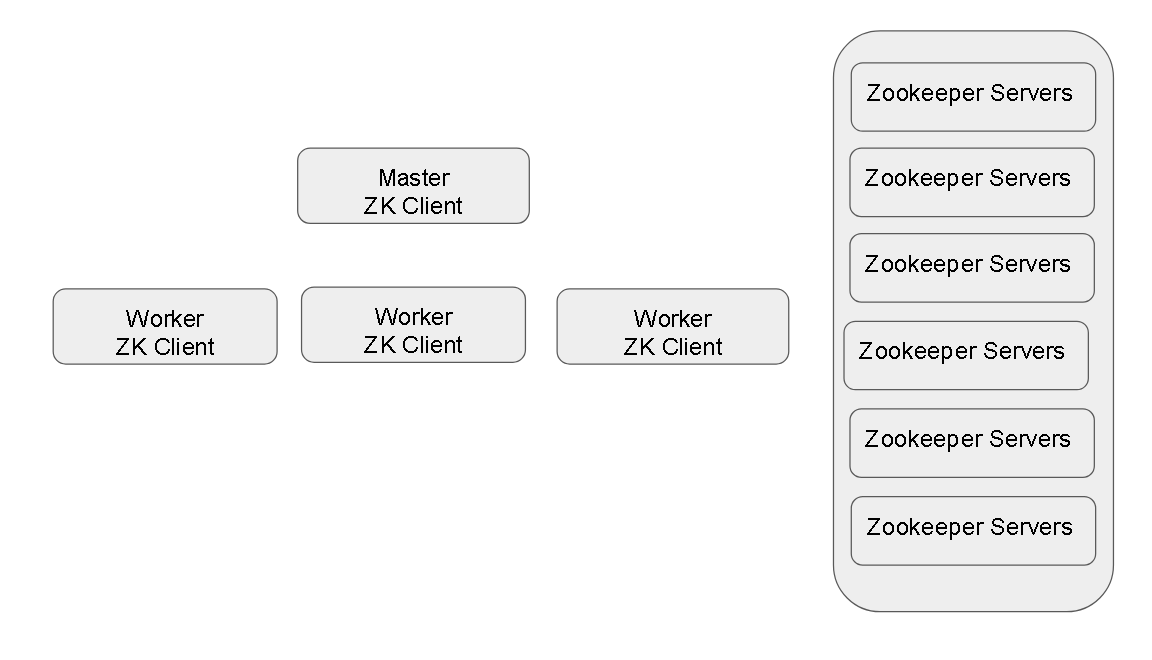
The Zookeeper clients have a list of Zookeeper servers and they use the quorum method to ensure a source of truth. E.g. if some information needs to be stored on the Zookeeper client, unless the majority of the servers( say 3 of the 5 or 4 of the 6) return that data is saved, then only its treated by Zookeeper clients that data has been saved.
Zookeeper is already installed on your Cluster you don’t have to do anything specific to make is active. In fact you run any job on the cluster its thanks to YARN and Zookeeper that we even don’t realize that they are constantly working and scheduling jobs for us.
Zookeeper server and client scripts are already existing –
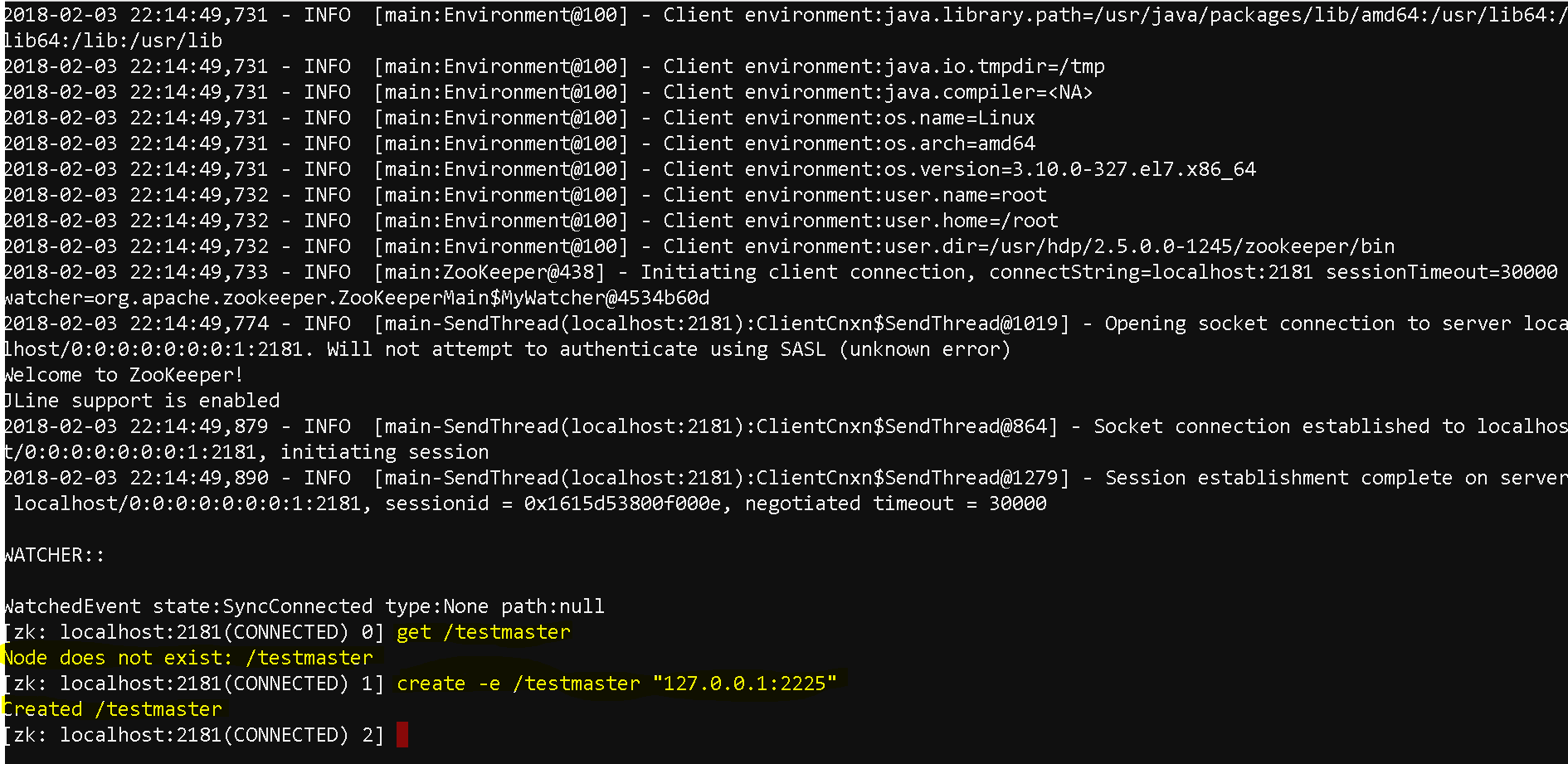
Use commands – cd /usr/hdp/current/zookeeper-client/ and then cd bin
Now run zkCli.sh – ./zkCli.sh
Now as we are connected, lets try to see how the clients ensure that there is one master awlays
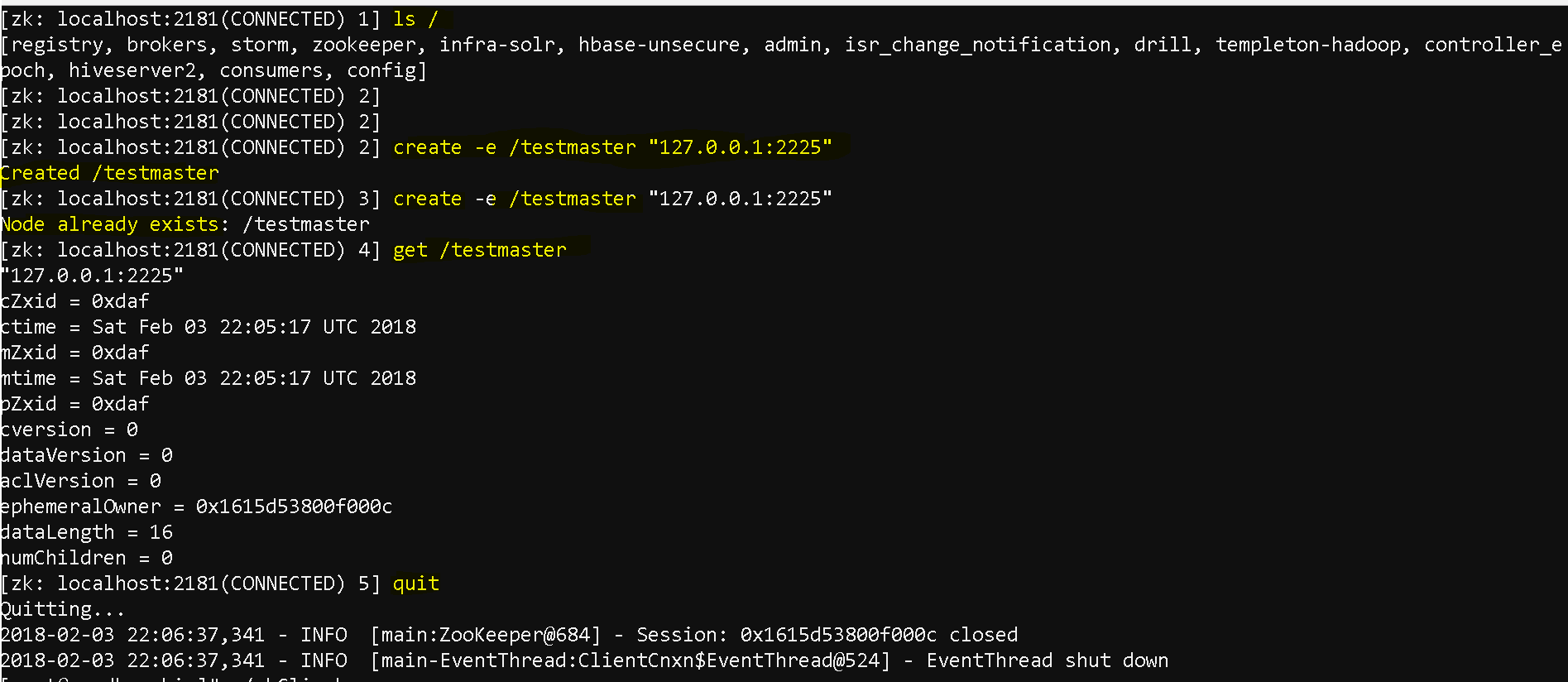
create a zookeeper node using “create -e” command( ‘e’ means ephemeral which means one the system is quit, the server data is also gone – create -e /testmaster “127.0.0.1:2225”
Assume that we are into a multi cluster enviroment and one of the masters issued this command.
Any other zookeper servers will get the information that who is the master by executing – get /testmaster
and if they also try to execute ‘create -e /testmaster “127.0.0.1:2225”‘ it will tell the testmaster already exists
But once this node quits/fails and any other master issues the same command it will create the master.
See once the existing nod quit and we logged back again and tried to get the testmaster node it said it does not exist. and when we tried to create a new testmaster, it let us create it.
Oozie:
What is Oozie:
it is a job scheduler with the power of a workflow or multi-stage jobs.
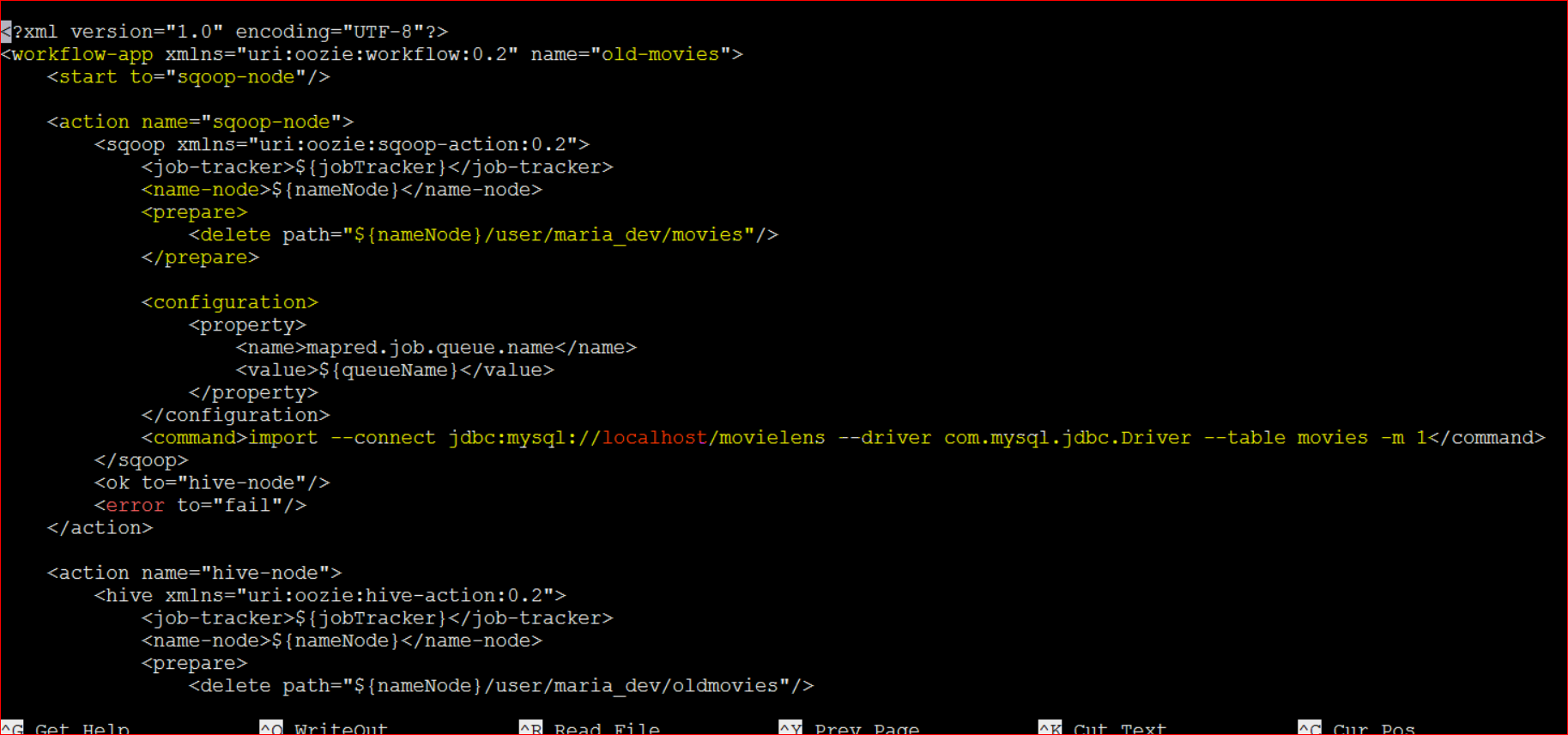
Suppose a task needs a spark, sqoop, pig, and a hive jobs etc to accomplish a task then we can mention that in a xml file
Basically in a XML doc you can mention the steps in the workflow.
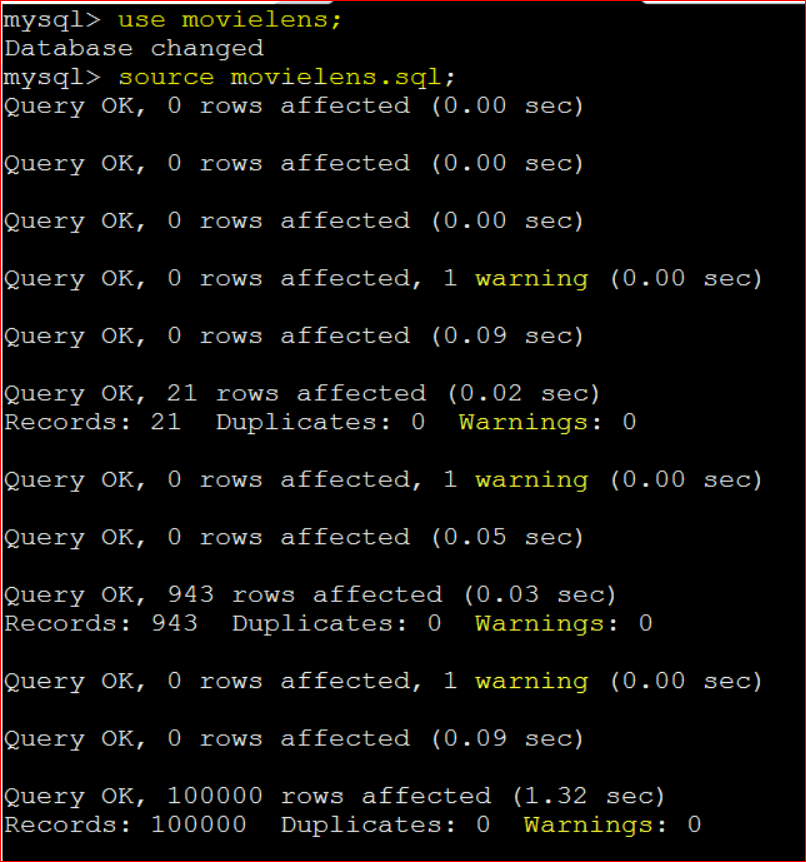
Lets setup a work flow to first push some data into the MySQL DB and then use sqoop to write data in Hive.
lib_20161025075203 will change based on which version of hdp you have installed , using file view go to the above path in Ambari dashboard to see the actual folder name
Restart Oozie service as we added a new connector.
Now run the job – oozie job -oozie http://localhost:11000/oozie -config /home/maria_dev/job.properties -run
http://localhost:11000/oozie is the oozie web interface and /home/maria_dev/job.properties is the job.properties file
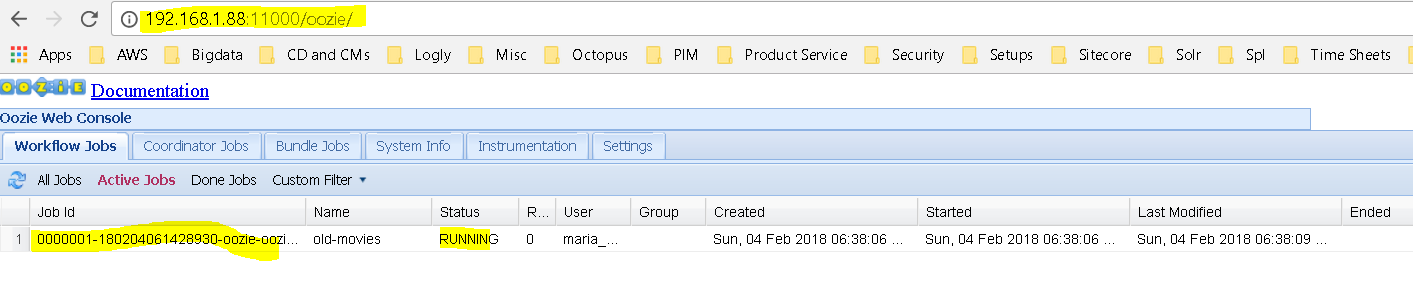
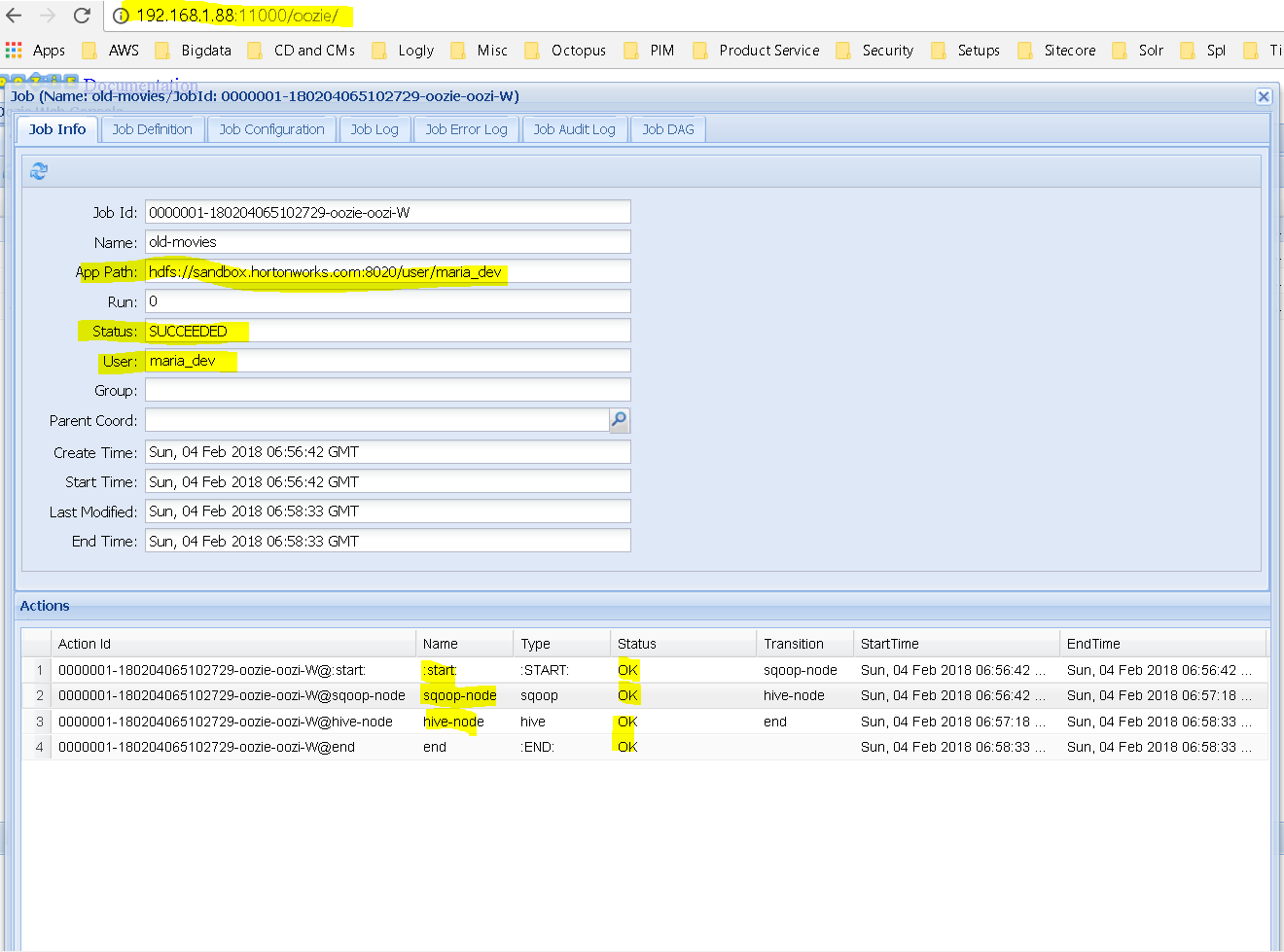
Now lets run the wen interface – http://localhost:11000/oozie or http://192.168.1.88:11000/oozie ( in my case)
In action
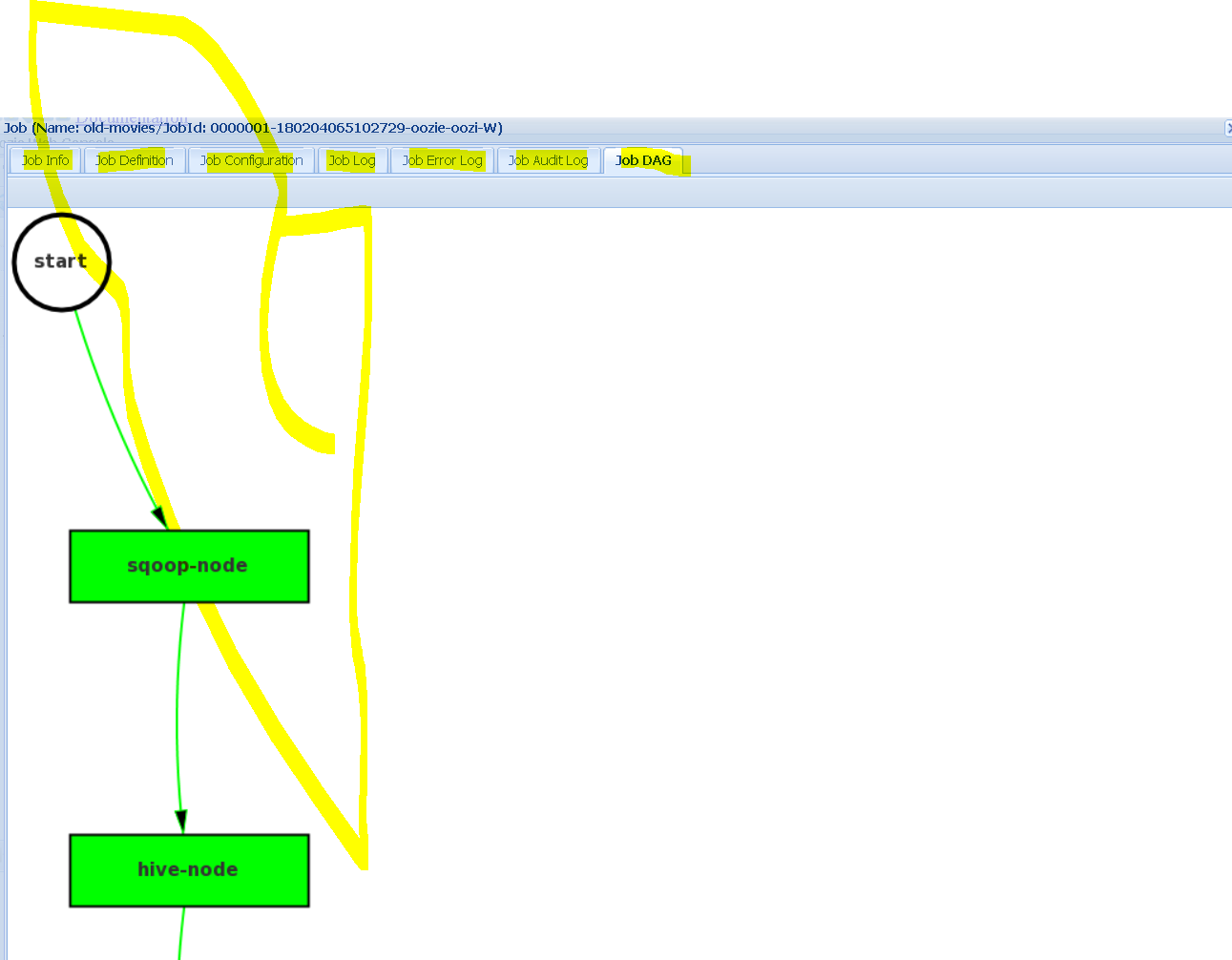
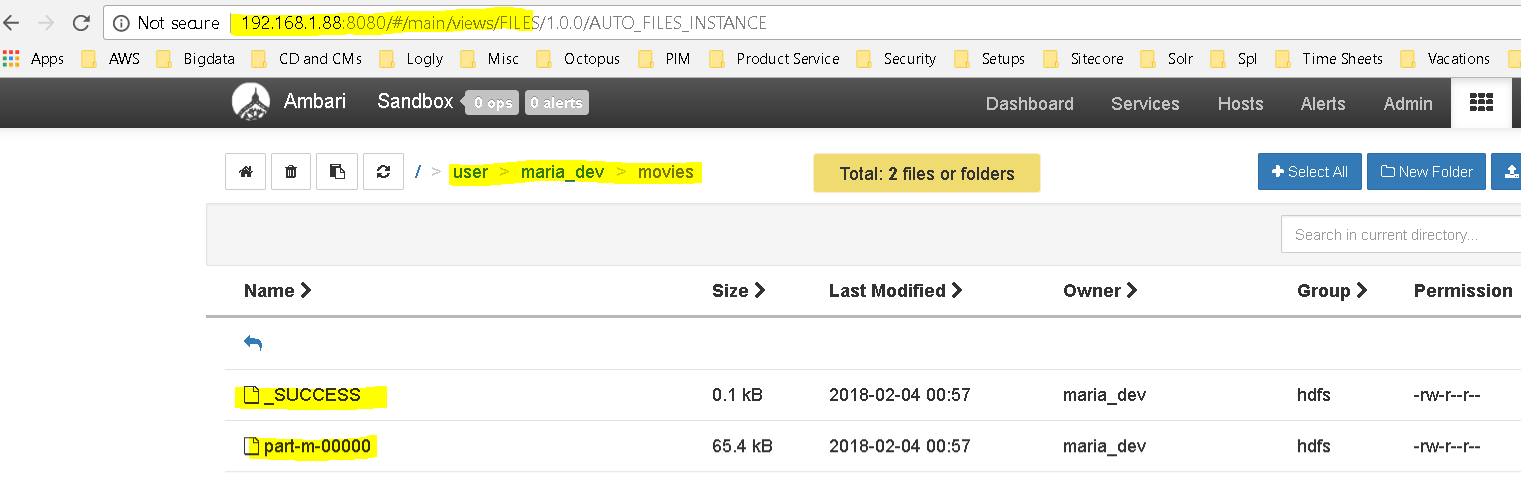
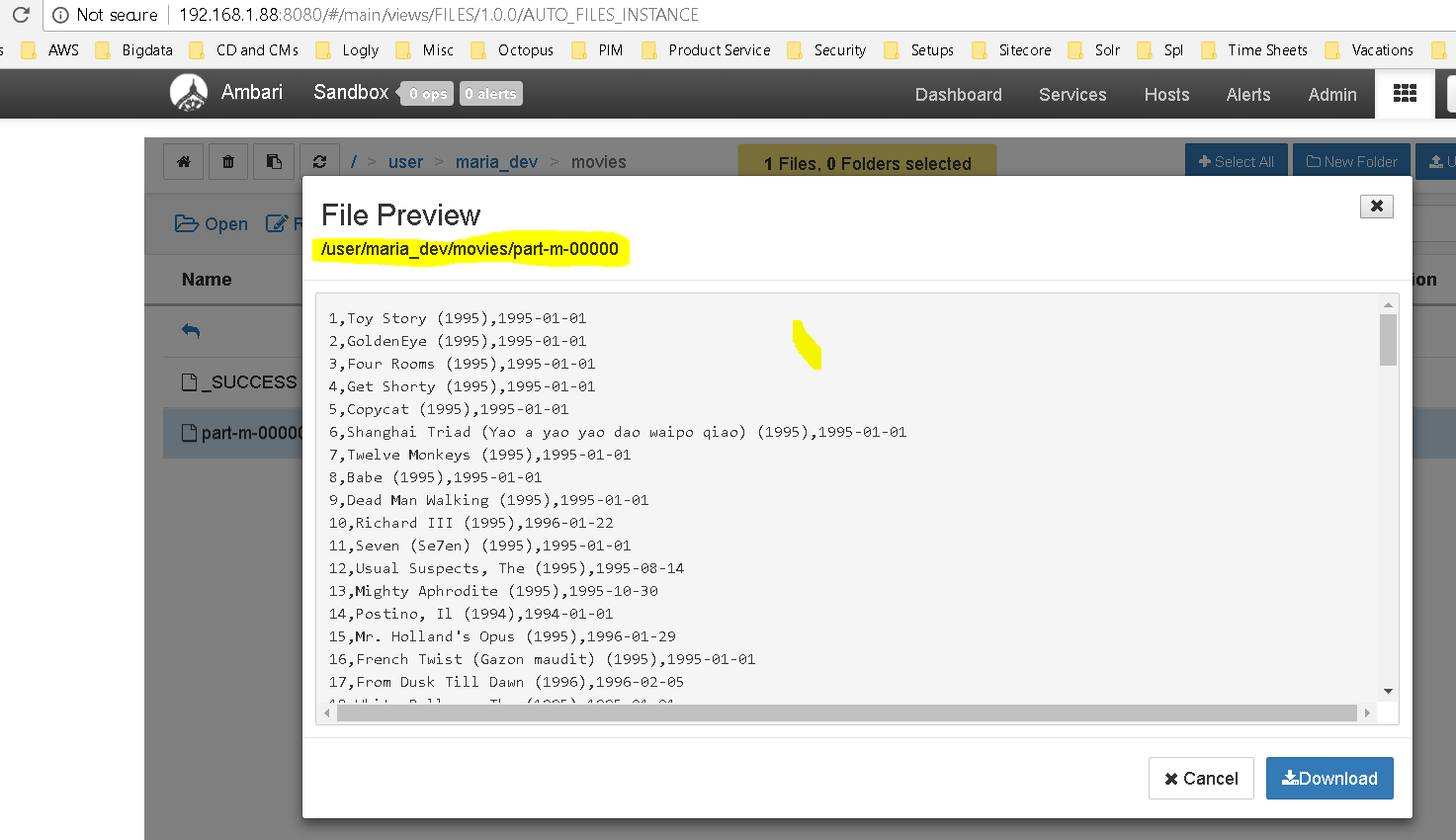
Succeeded. You can see different tabs like Job Definition, Job Configuration, Job Logs, Job Error Logs etc and thr Job Dag too which shows a visual representation of how the workflow executed.The HDFS also verifies the same. using a Oozie workflow we sqooped data from MySQL and imported into HDFS The file preview: