


- The distributed Hadoop file system can not only retrieve data from flat files but also my structured as well as unstructured sources.
- Today we will exchange( import and export both) data between MySQL and Hadoop.
- Step 1 – First load data into MySQL from some external source
- Connect to the Ambari Sandbox using ‘maria_dev’ credentials
- Now use the wget command to download a SQL script which creates a database and puts data into respective tables
- wget https://s3.amazonaws.com/testbucket786786/movielens.sql
-
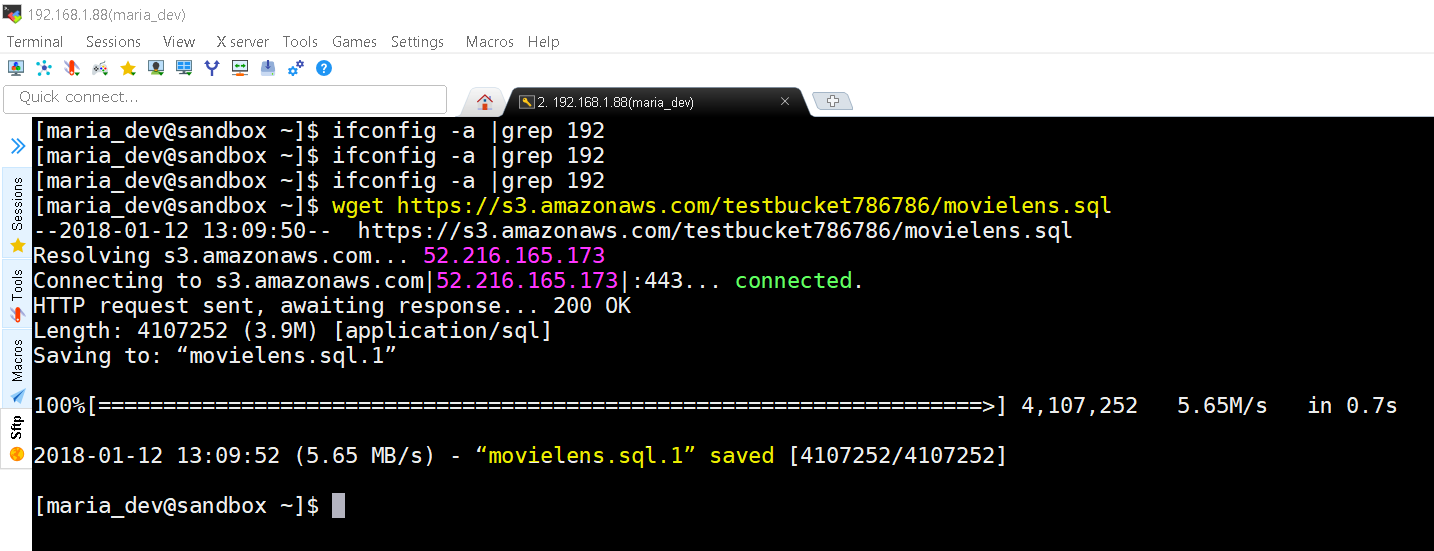
movielens.sql downloaded from https://s3.amazonaws.com/testbucket786786 - in Ambari MySQL in already pre-installed, if not you might need to install MySQL first. The credentials of pre-installed MySQL in Ambari/HortonWorks is root with password hadoop.
- Let’s connect to MySQL and create a ‘movielens’ database and run our SQL script to create all the tables and data for this exercise.
-
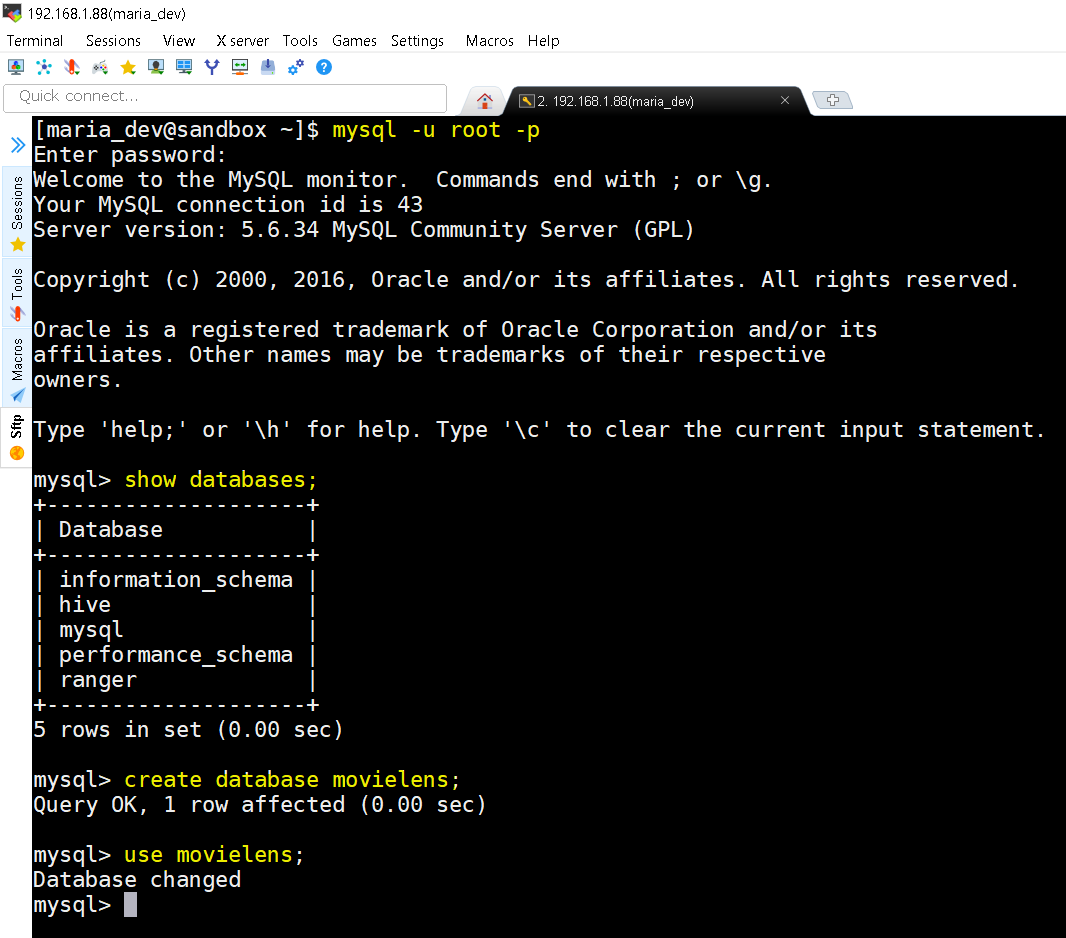
mysql -u root -p command prompts you to enter password to connect to MySQL then you check the list of databases using show databases command. Now create a database movielens using command create database movielens and finally switch to that database using command use movielens. - Now lets execute the downloaded SQL script to generate the data.
-
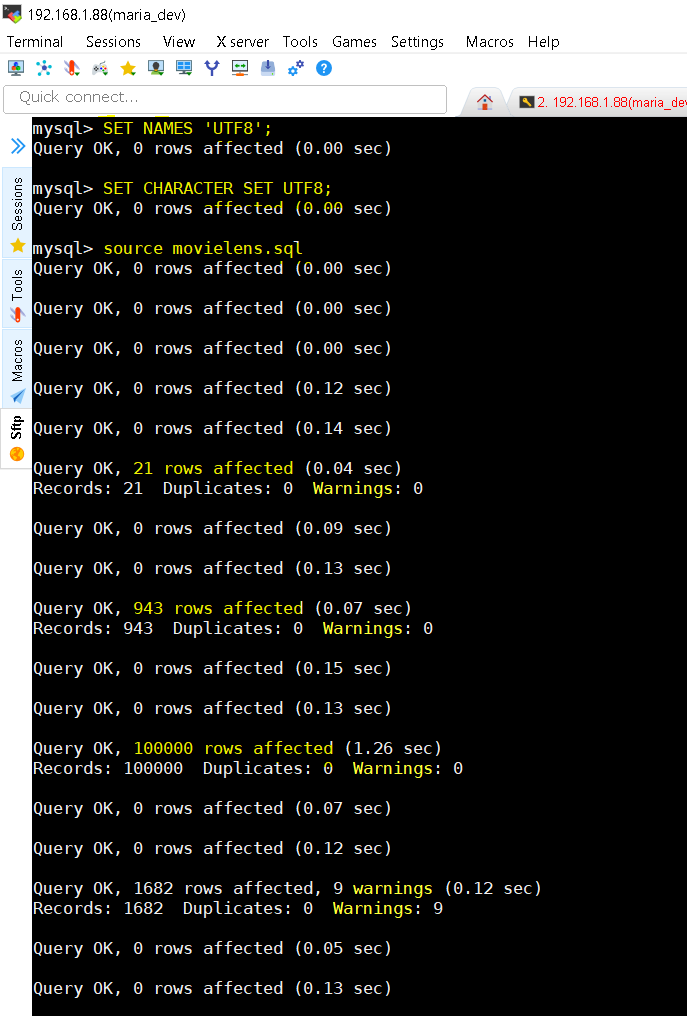
You should set the names and character set to UTF8 because it might contain UTF8 characters too. Use commands – set NAMES ‘UTF8’ and set CHARACTER SET UTF8. Then finally execute the downloaded SQL script to generate tables and data as source movielens.sql; - Verify that now SQL has data needed and run a SQL query to check for the MostRated Movie.
-
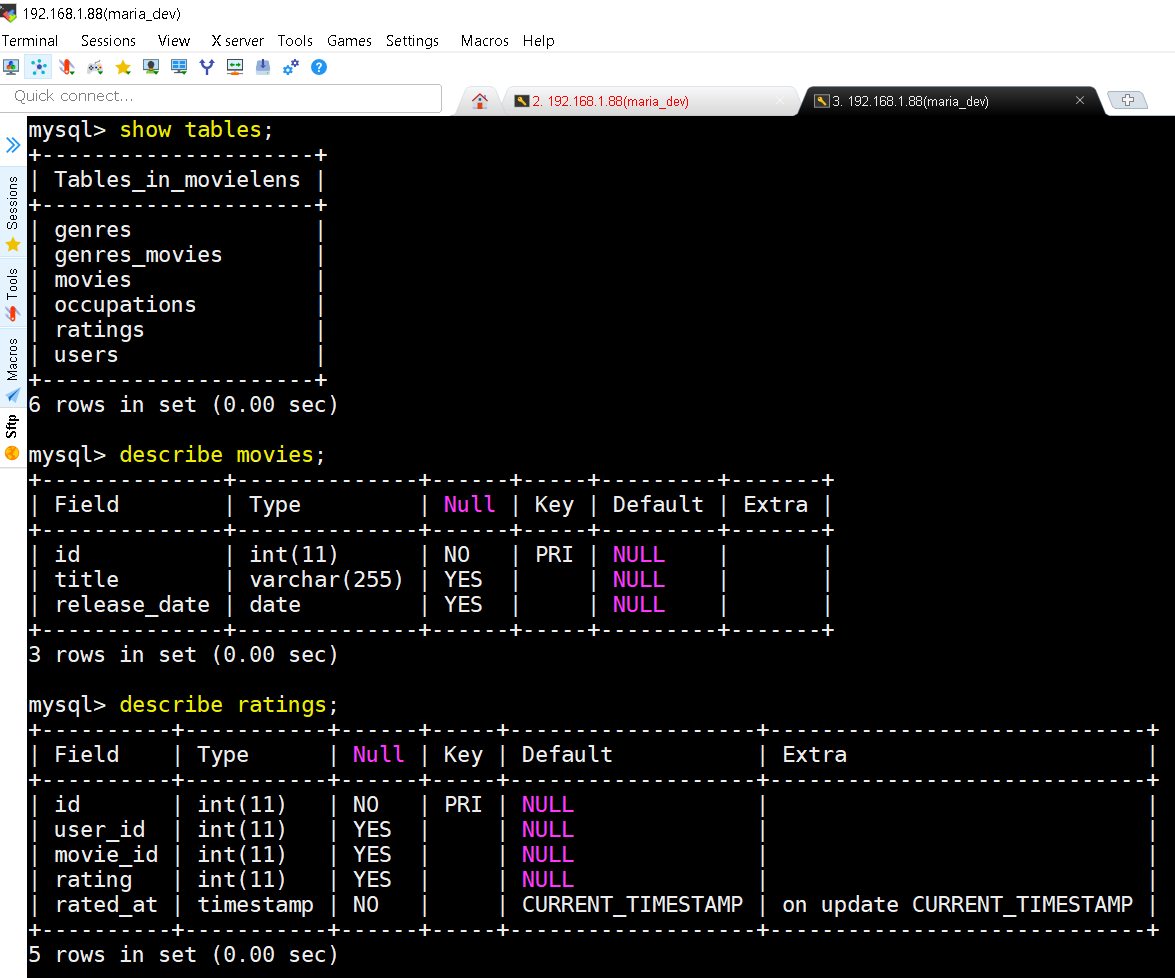
show tables; command shows list of all tables in the database. describe movies; command show the schema of the table movies and so on. -
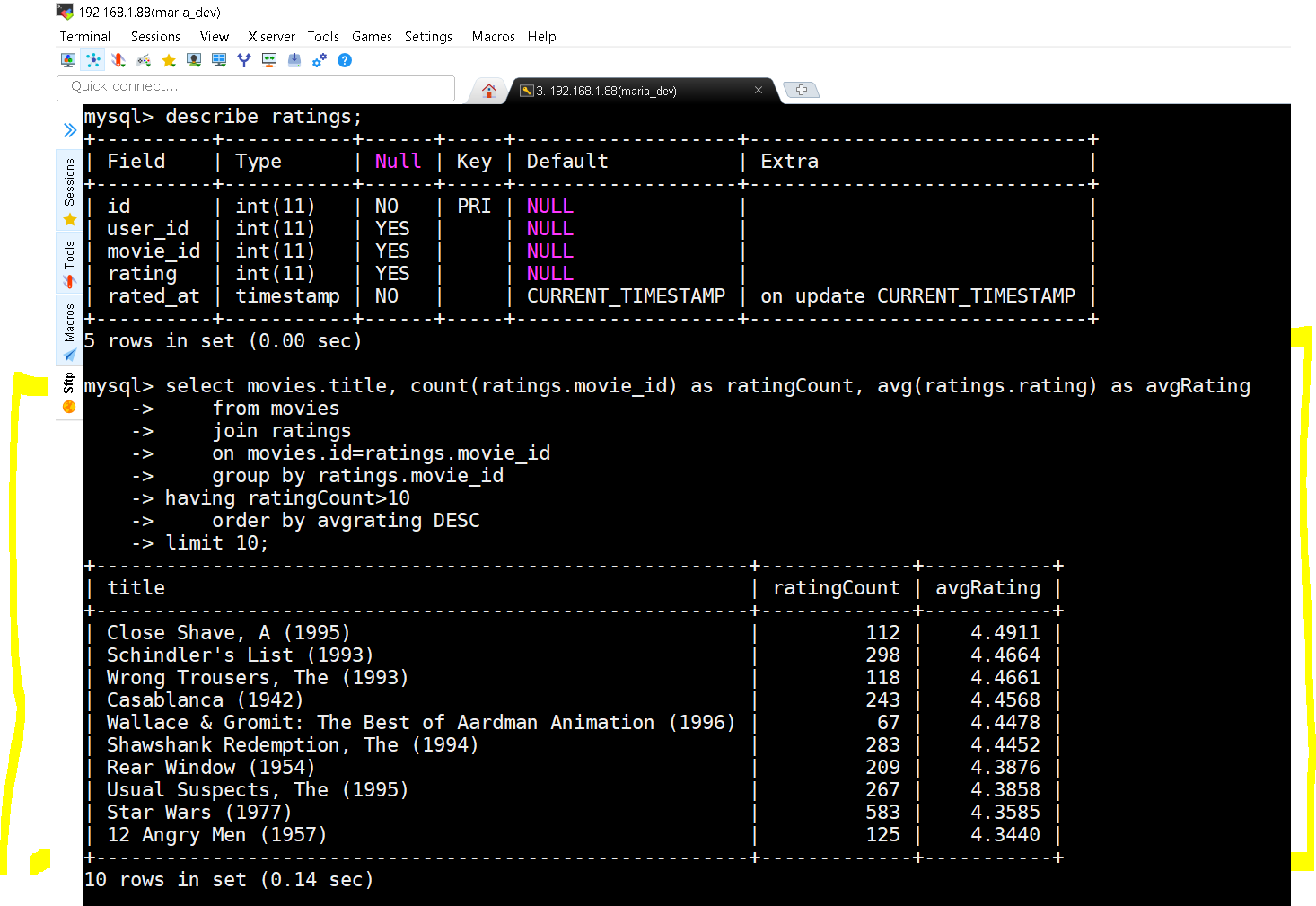
The query and the results
select movies.title, count(ratings.movie_id) as ratingCount, avg(ratings.rating) as avgRatingselect movies.title, count(ratings.movie_id) as ratingCount, avg(ratings.rating) as avgRating from movies join ratings on movies.id=ratings.movie_id group by ratings.movie_id having ratingCount>10 order by avgrating DESC limit 10;
- Step 2 : Import Data from MySQL to HDFS
- We use Sqoop Import Command for importing data into HDFS
- First Important step – grant all privileges on movielens database. Run this command on MySQL and then exit the MySQL shell using exit command
- grant all privileges on movielens.* to ”@’localhost’;
- Command breakdown is like this –
- sqoop import –connect jdbc:mysql://localhost/movielens –driver com.mysql.jdbc.Driver –table moviestab -m 1
- –connect jdbc:mysql://localhost/movielens species your MySQL database connection
- –driver com.mysql.jdbc.Driver – species the driver
- –table moviestab speciesfies which table to export
- -m 1 – specifies that we want to use only one mapper. For large datasets we can use more.
-
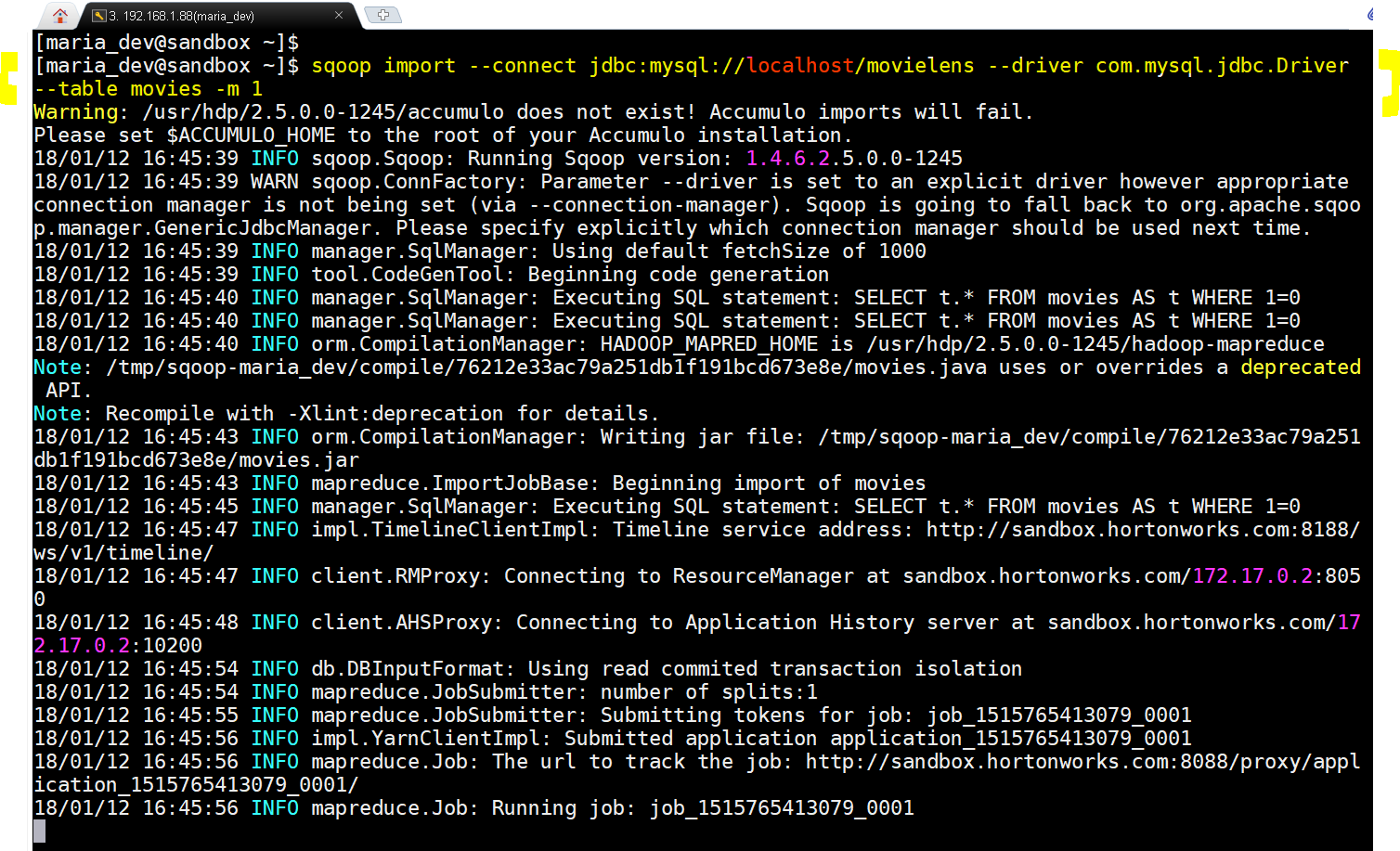
Scoop Import in action. -
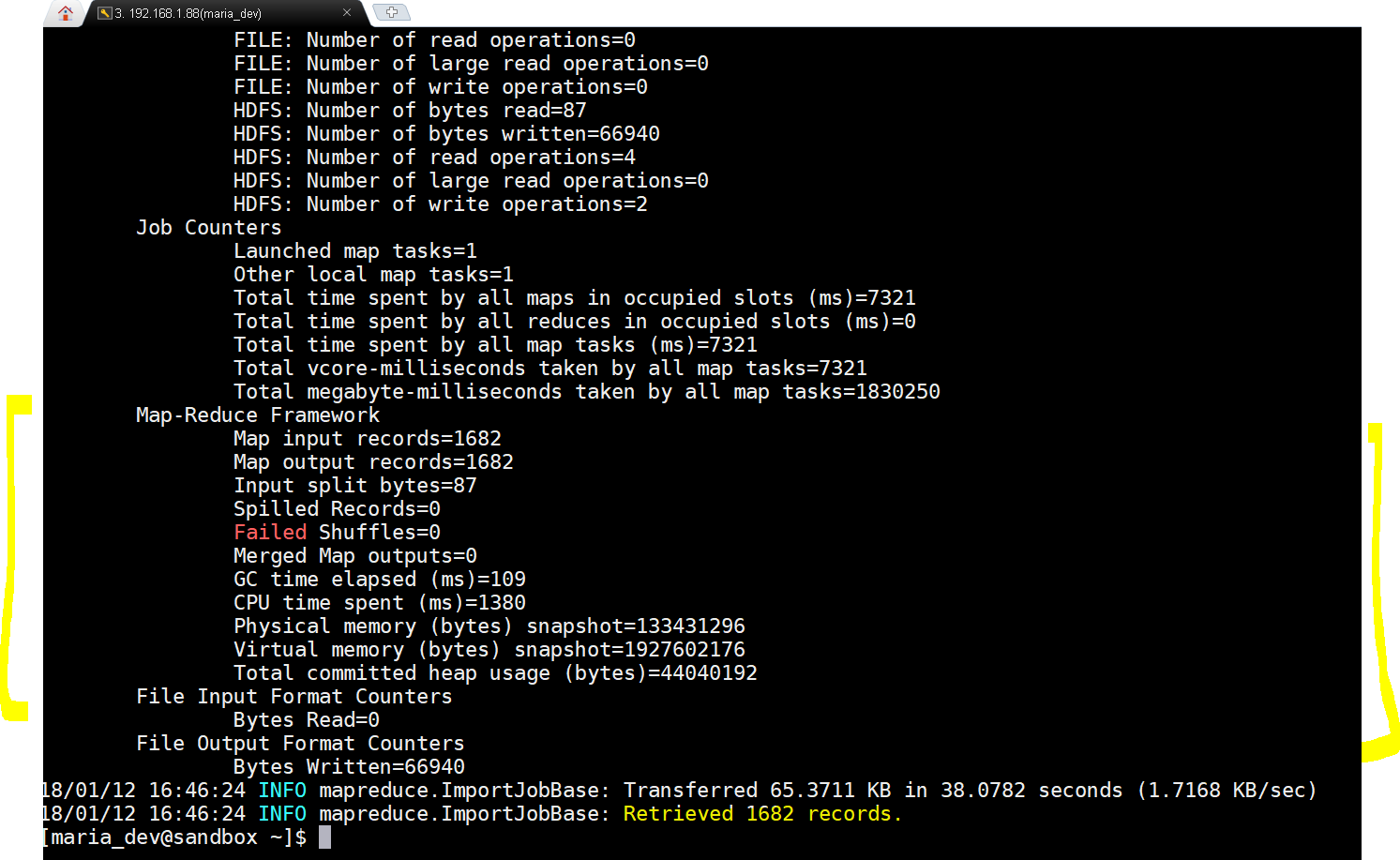
Wow…result is success with 1682 rows imported - Once succeeded we will log into Ambari Files view to see if files have been loaded or not.
-
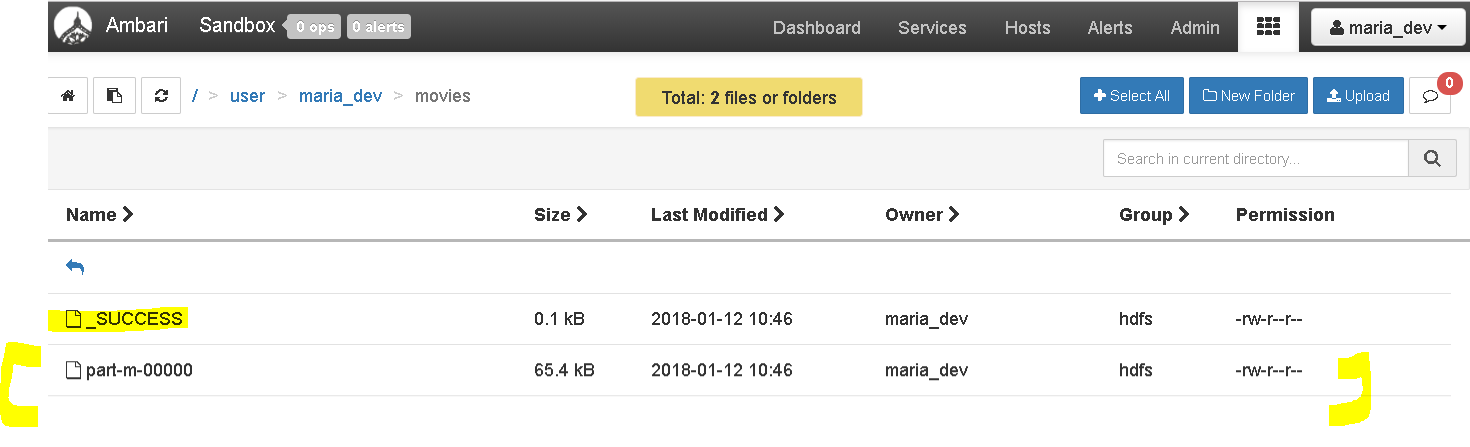
Great, we imported data from MySQL to HDFS
- sqoop import –connect jdbc:mysql://localhost/movielens –driver com.mysql.jdbc.Driver –table moviestab -m 1
- Step 3 : Import Data from MySQL to Hive
- lets see how can we import directly into HIVE.
- sqoop import –connect jdbc:mysql://localhost/movielens –driver com.mysql.jdbc.Driver –table movies -m 1 –hive-import
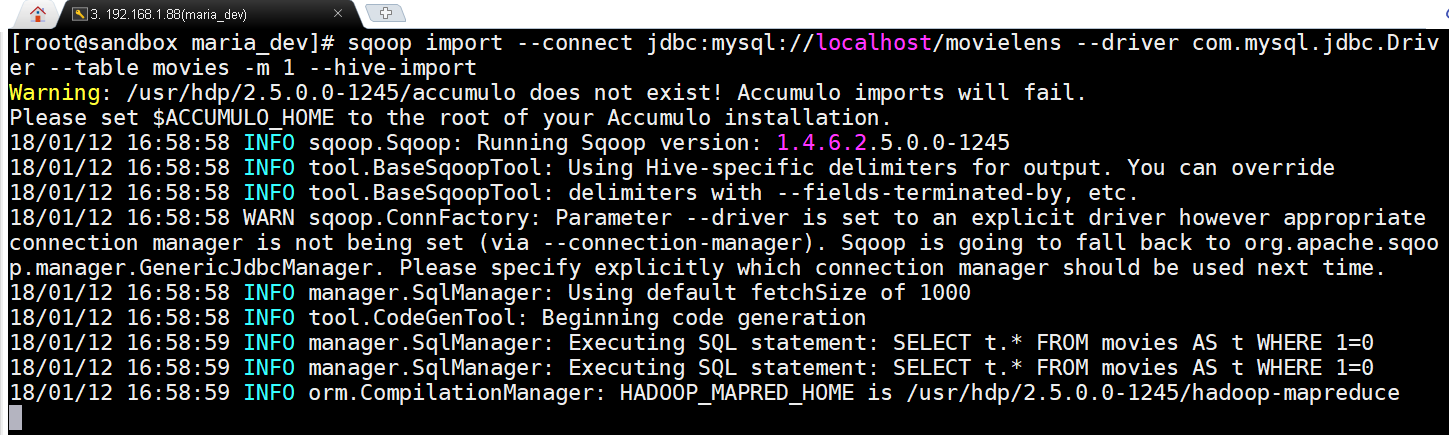
Only difference is that we added a flag –hive-import -
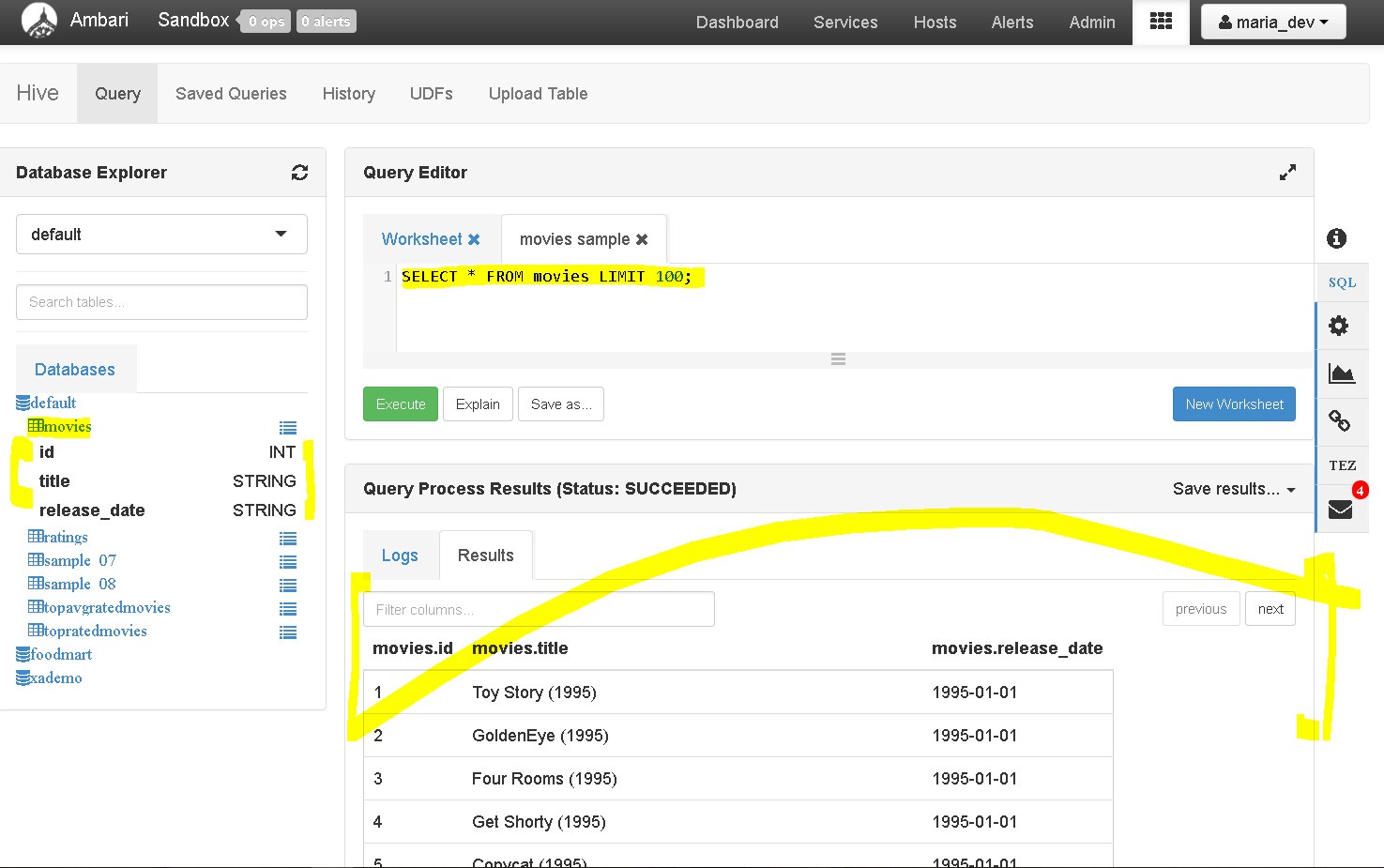
yay!!!, the data is imported directly to hive.
- Step 4: Export Data from Hive to MySQL
- lets do the opposite, export data from HDFS to MySQL
- One pre-conditions is there that the table should be existing in MySQL as Sqoop export does not create tables at destination
- Use this command to create a new empty table from movies table
- create table moviestab as select * from movies where 1=0
- this will create a table moviestab which is empty as condition 1=0 does not return any rows, but definitely copies the structure.
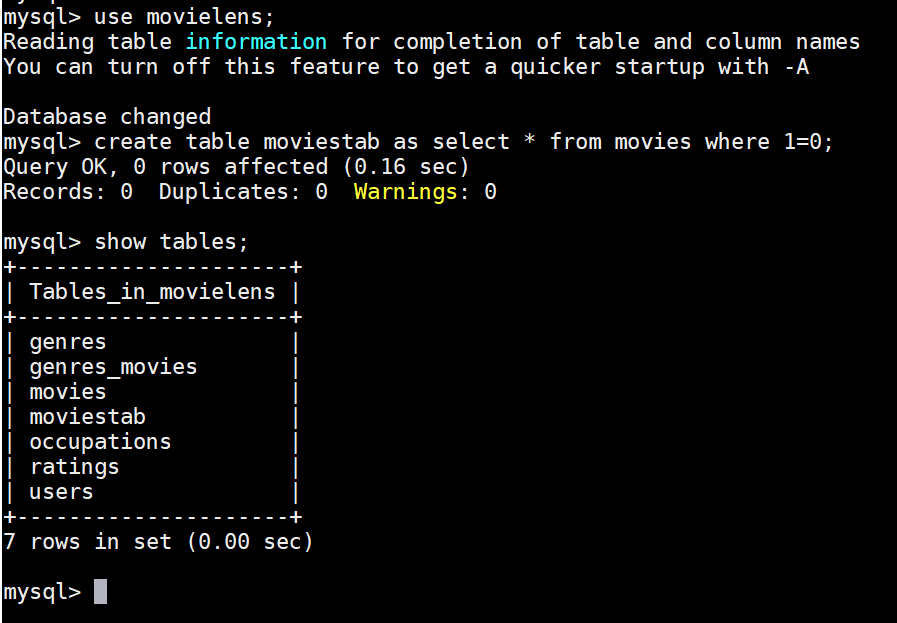
- The command to export data is :
- sqoop export –connect jdbc:mysql://localhost/movielens –driver com.mysql.jdbc.Driver –table moviestab -m 1 –export-dir /apps/hive/warehouse/movies –input-fields-terminated-by ‘\0001’
- See the extra flags –export-dir /apps/hive/warehouse/movies specifies the source and –input-fields-terminated-by ‘\0001’
- lets execute and get results.
-
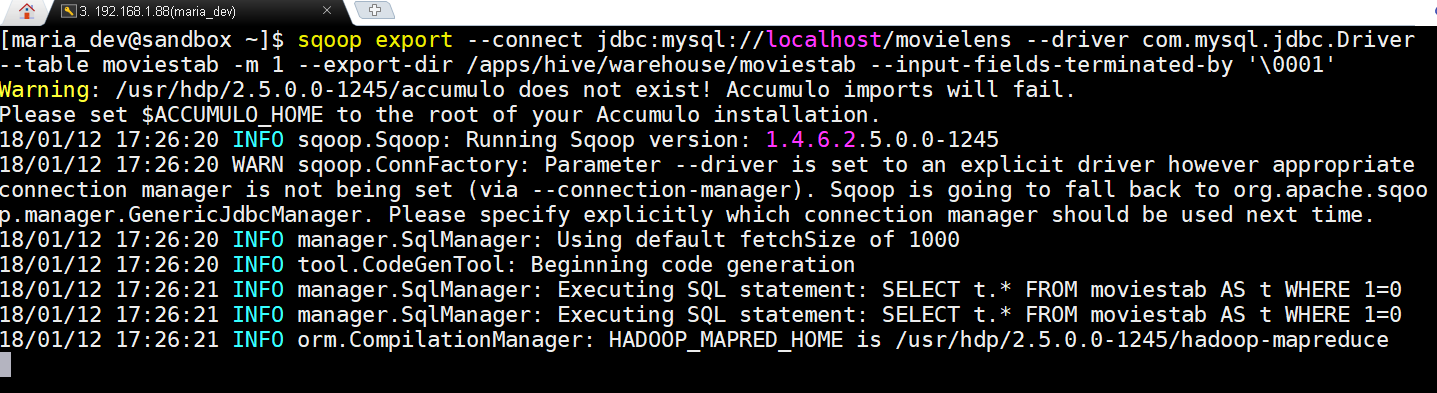
Sqoop export in action -
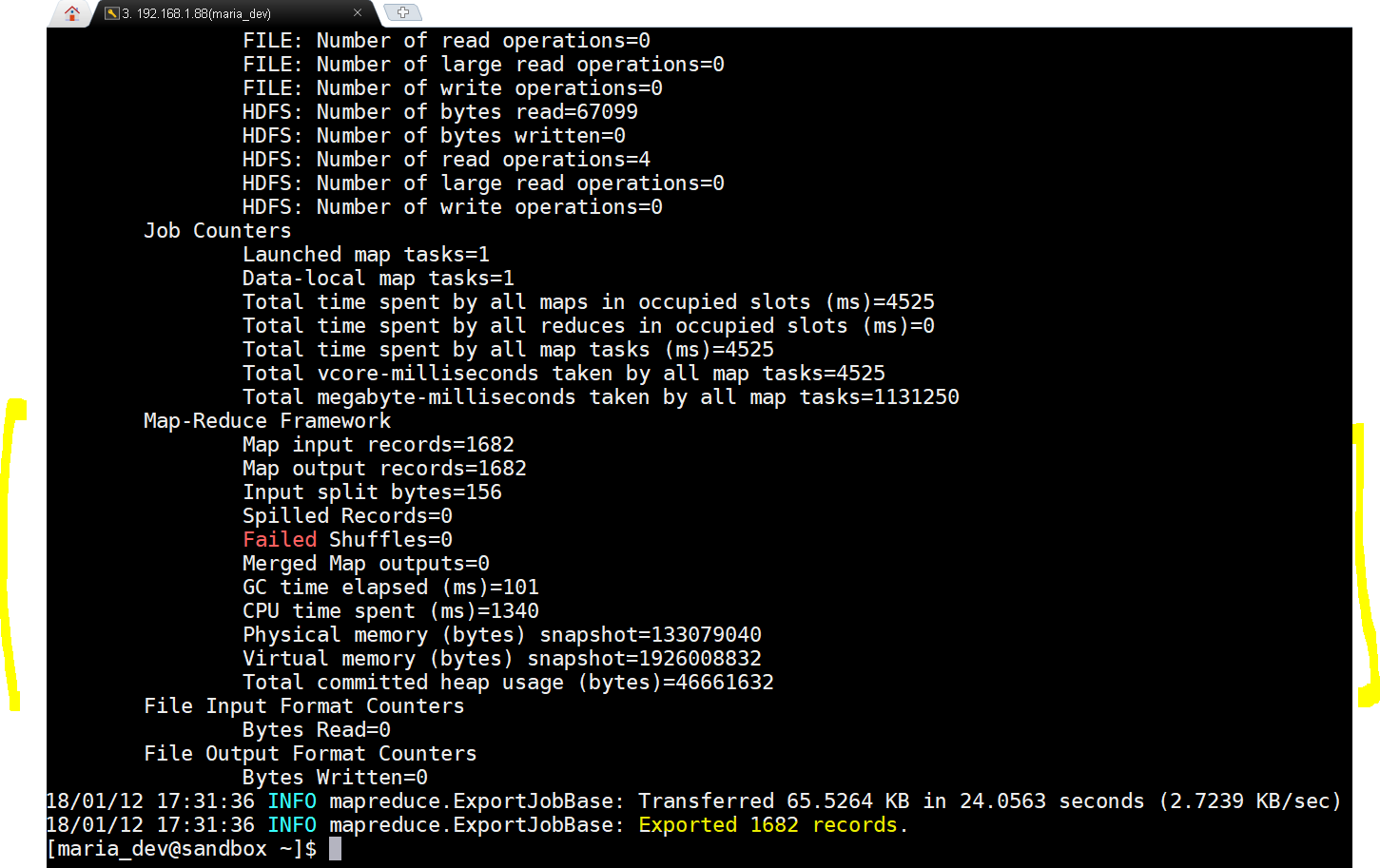
yay!!!, the scoop export succeeded. Lets now check from MySQL. -
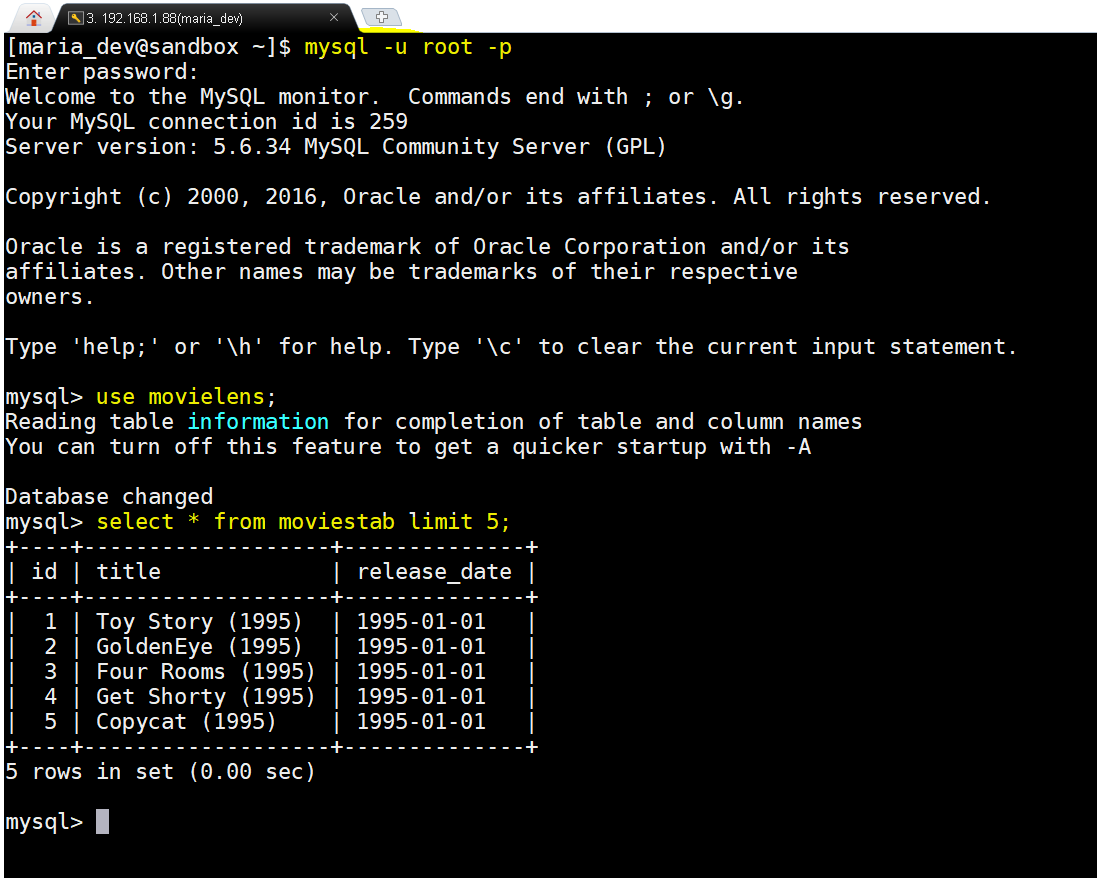
Yay!!!, we succeeded in exporting data from HDFS back to SQL into a newly created empty table movietab and select 5 rows to verify. - Hope this all helped you.

Big Data
Exchanging Data between MySQL and Hadoop Using Sqoop Import and Export
The distributed Hadoop file system can not only retrieve data from flat files but also my structured as well as unstructured sources. Today we will exchange( import and […]