


- Requirement:
- To run a Tic Tack Toe which is written in Python
- Strategy:
- Docker uses a Dockerfile to define what all will be going in a container
- For above requirement we need the following:
- a Python runtime
- a working directory with the Python file
- a command to execute the Python file
- build the app
- push the container to Docker Hub( you will need to create Docker Hub account and a repository under the account, Please visit hub.docker.com)
- pull the image
- run the container
- Solution:
- Login to your Host machine(in my case a CentOS 7 machine)
- Make a directory “TicTackToe” and go to the directory – mkdir TicTackToe && cd TicTackToe
- Download my Python Tic Tack Toe game from here – wget https://testbucket786786.s3.amazonaws.com/python/TictacToe.py
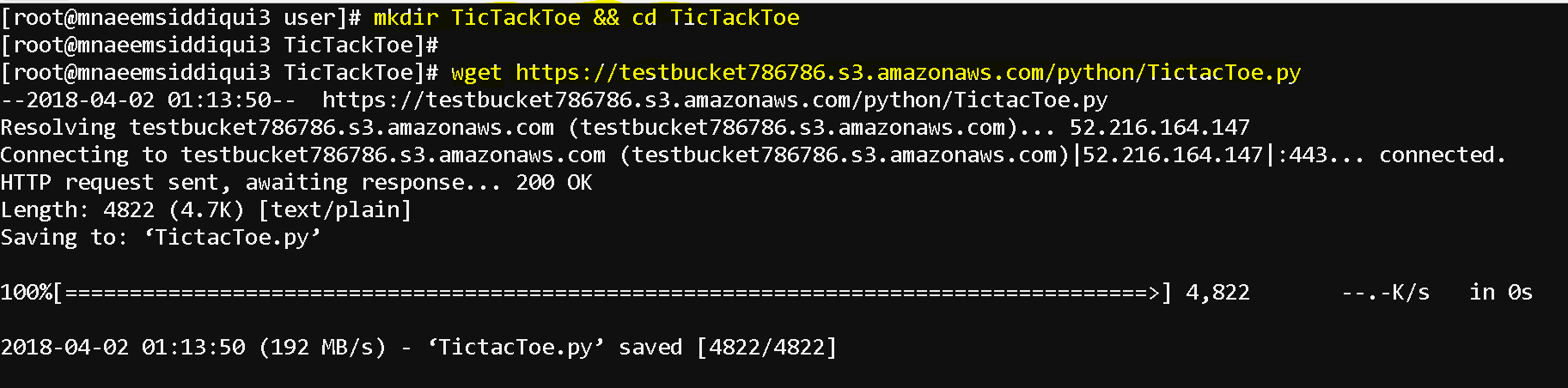
- Now create a Dockerfile and copy the following content into it – nano Dockerfile
- Copy following content into the Dockerfile and save:
- The docker file has self explanatory explanations as what it is doing:
-
# Use an official Python runtime as a parent image FROM python:2.7-slim # Set the working directory to /app WORKDIR /app # Copy the current directory contents into the container at /app ADD . /app # Run TicTacToe.py when the container launches CMD ["python", "TicTacToe.py"] 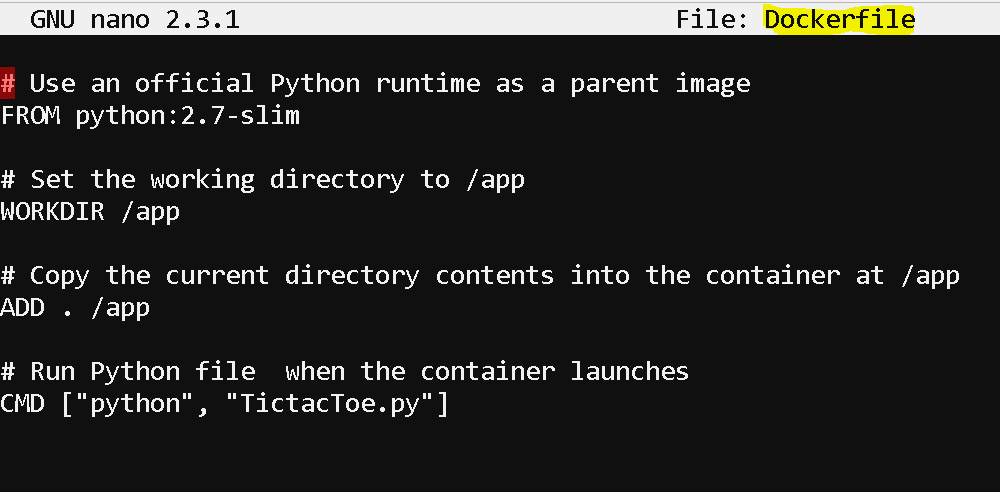
- Now build the app(naeemstictactoelatest is the image name you want for this app)- docker build -t naeemstictactoelatest .
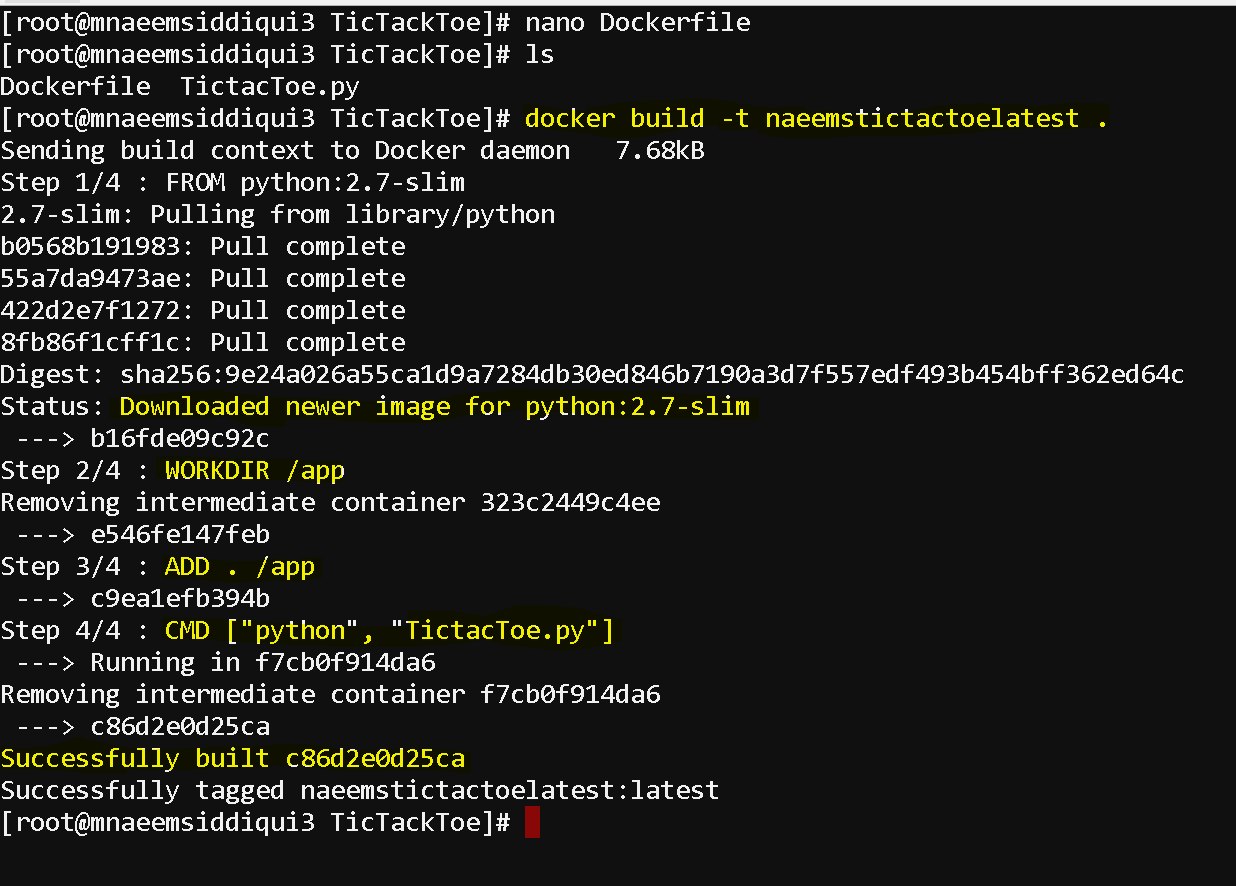
- Now check for the image name for your app and tag it for pushing it to Docker Hub
- docker images # to check for image name
- docker tag image username/repository:tag # for tagging
- docker login # to login to the Docker hub
- Now push the image to Docker Hub
- docker push mnaeemsiddiqui/naeemsrepo:naeemstictactoelatest
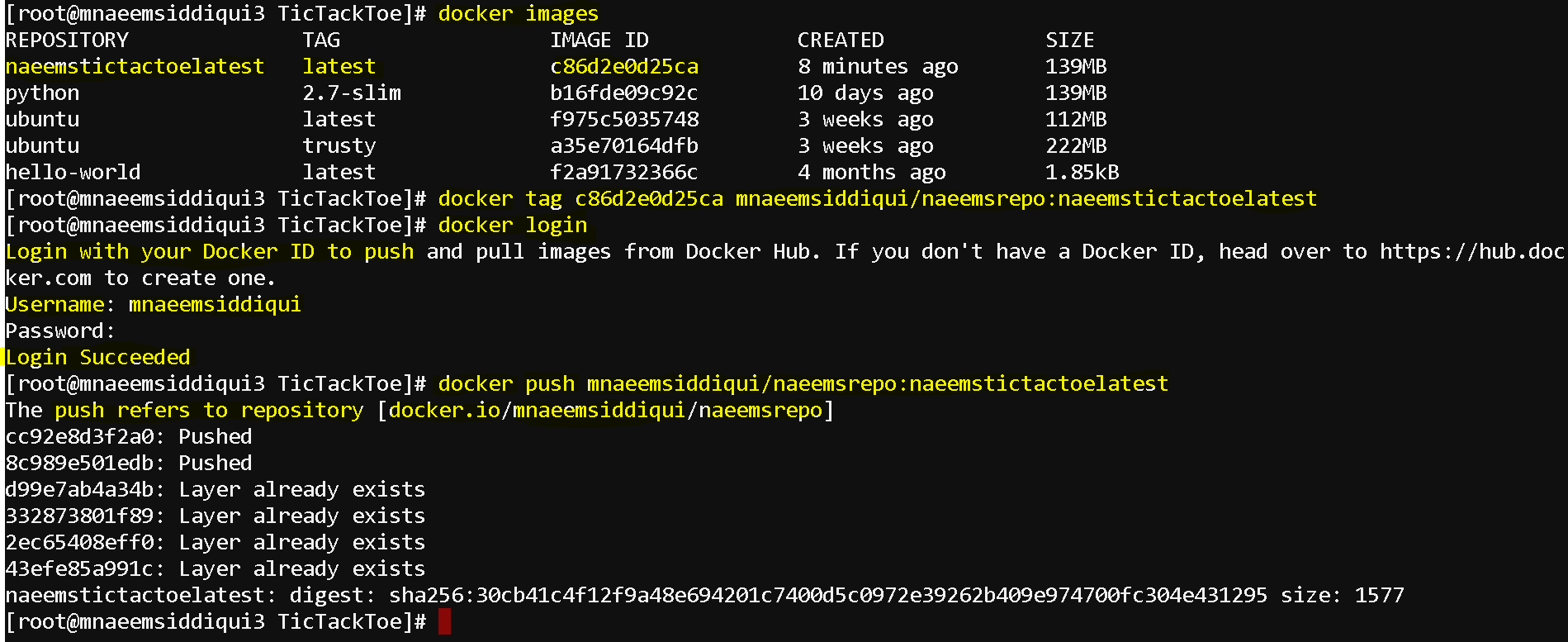
- Now that you have a docker image on docker hub, you can
- pull the docker image – docker pull mnaeemsiddiqui/naeemsrepo:naeemstictactoelatest
- to run your app – docker run -it mnaeemsiddiqui/naeemsrepo:naeemstictactoelatest
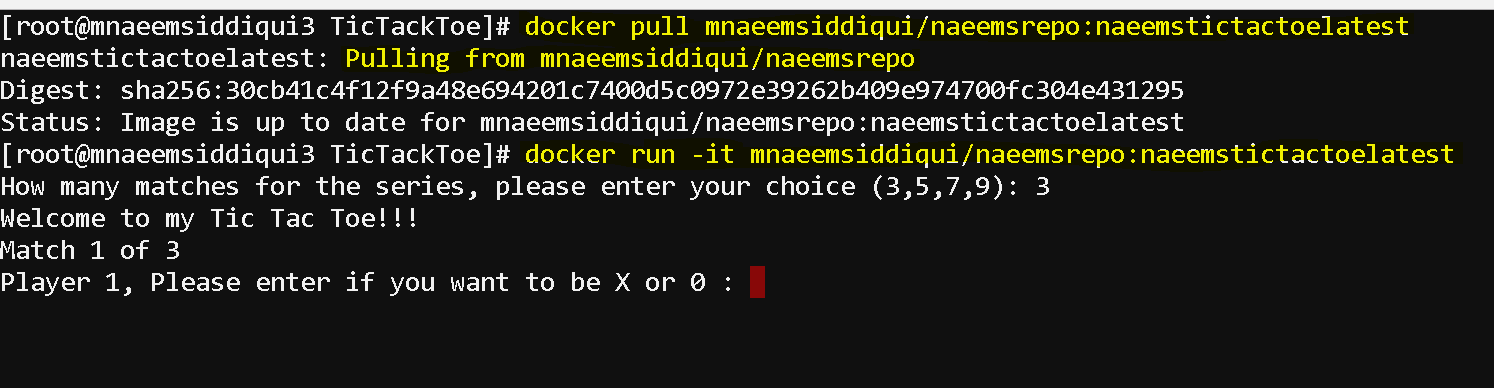
- Yay!!, you containerized your app and pushed it to docker hub and pulled that image and ran the container to run your application.

Dockers
Dockers 101 – Series 2 of N – Using Dockerfile to Run a Tic Tac Toe Game in Python
Requirement: To run a Tic Tack Toe which is written in Python Strategy: Docker uses a Dockerfile to define what all will be going in a container For […]