


- Apache Phoenix is another query engine similar to Apache Drill but unlike Drill which can connect to any databases, it can only connect to HBase.
- Why Phoenix then,
- It’s fine tuned for performance on the top of HBase.
- The overhead of having a Phoenix layer on the top of HBase thus is not worth it, if your developer team is more good in SQL rather then the non-relational Hbase
- It supports OLTP, user-defined functions
- integrates with Flume, Spark, Hive etc
- So while Apache drill can be said as jack of all the pots, Apache Phoenix can be called master of one.
- Phoenix Architecture:
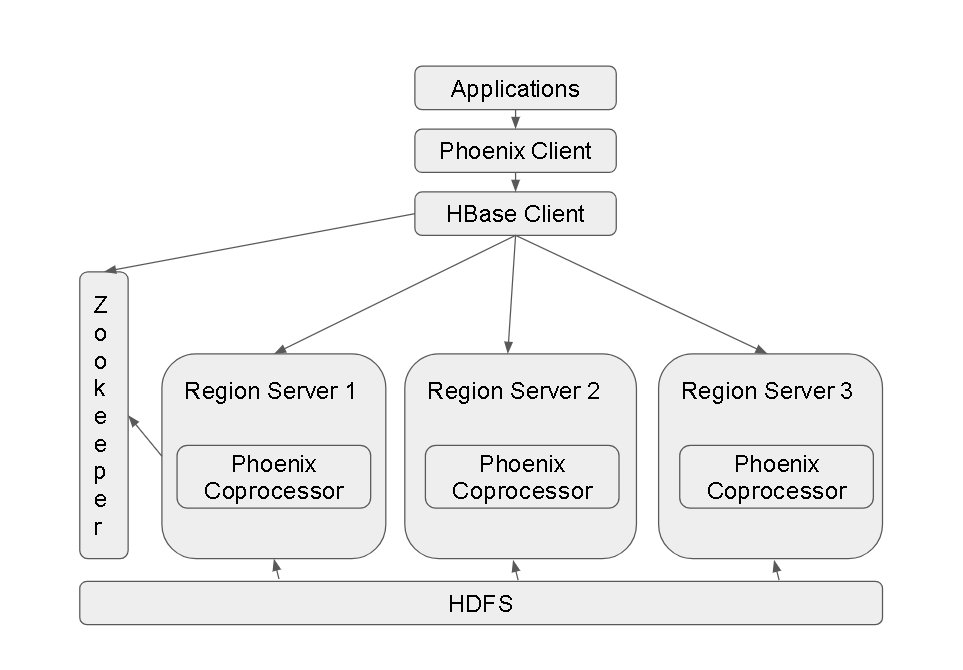
- Each HBase Region Server has the Phoenix CoProcessor installed and the client(s) have the Phoenix Client installed.
- Phoenix Use-cases/Modes:
- Command Line Interface
- Phoenix JDBC driver – mostly used in this fashion with Applications written in Java, Python etc
- Phoenix Query Server – thin client interface making it possible for access to non-JVM environments
- Phoenix APIs specially Phoenix Java API
- Installing and Playing with Apache Phoenix:
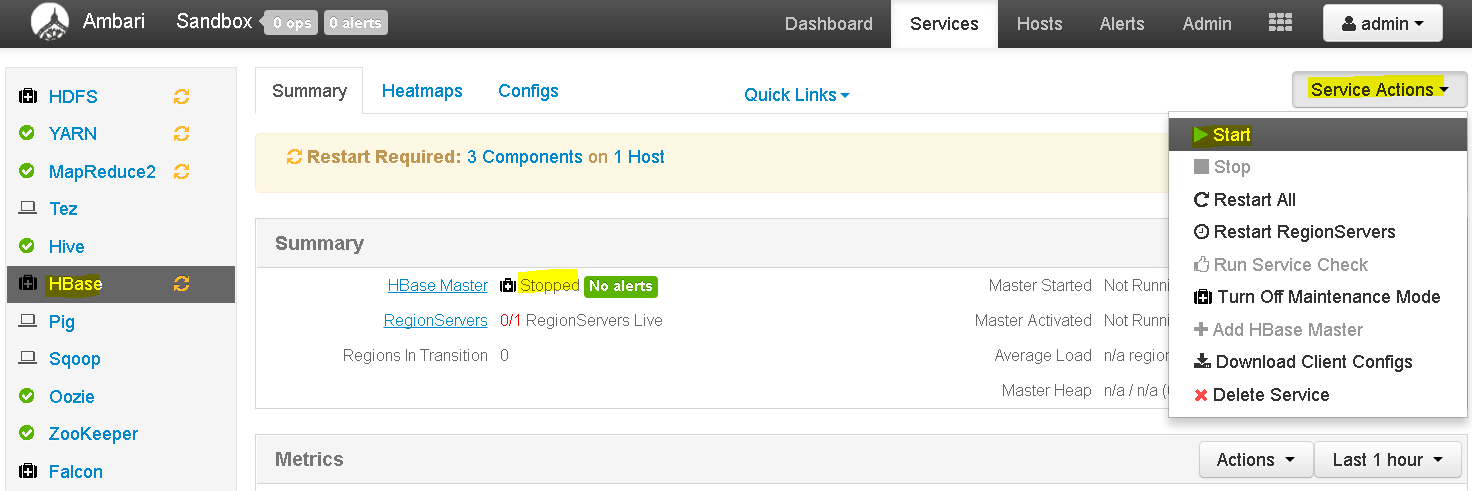
- By default, HBase service is not running on Hortonworks Cluster , so go to Ambari Dashboard and start HBase service.
- Now login to the Ambari Sandbox console using ‘maria_dev’ credentials and elevate permissions to root.
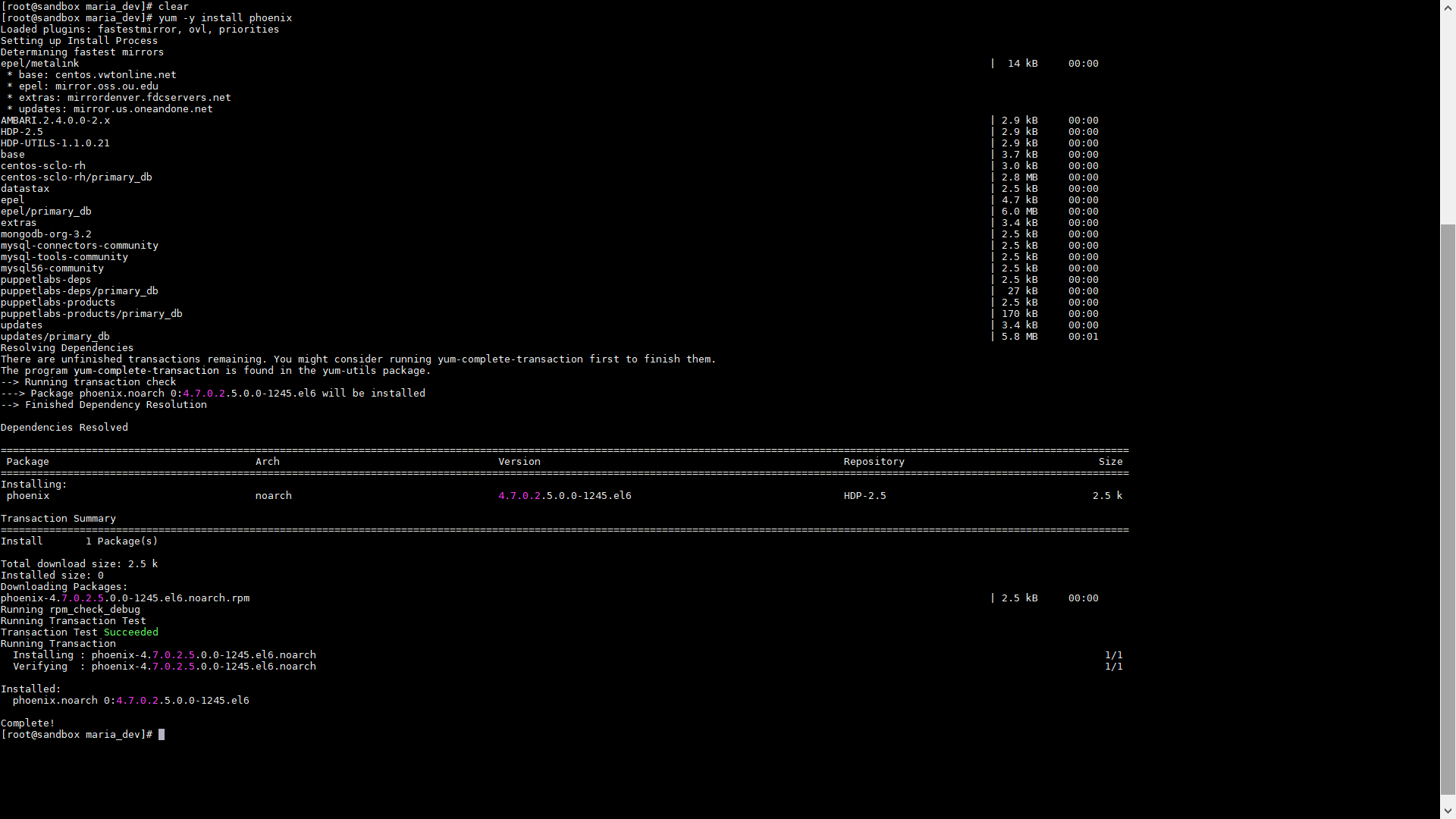
- Execute this to install Apache Phoenix – yum -y install phoenix
- No change directory to – cd /usr/hdp/current/phoenix-client and then cd bin
- Now run sqlline.py using command – python sqlline.py
-
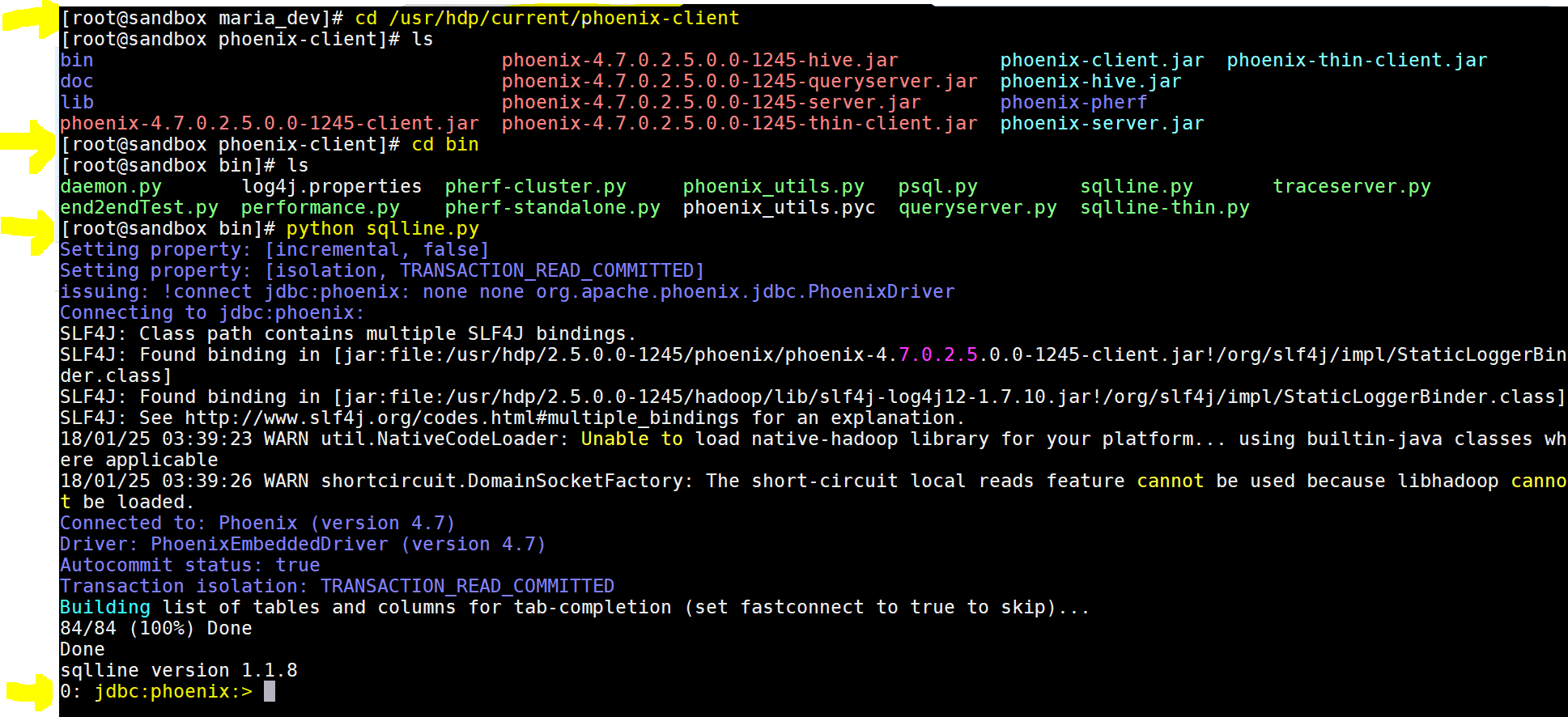
yay!!! we got the phoenix command prompt - Lets now play using few commands:
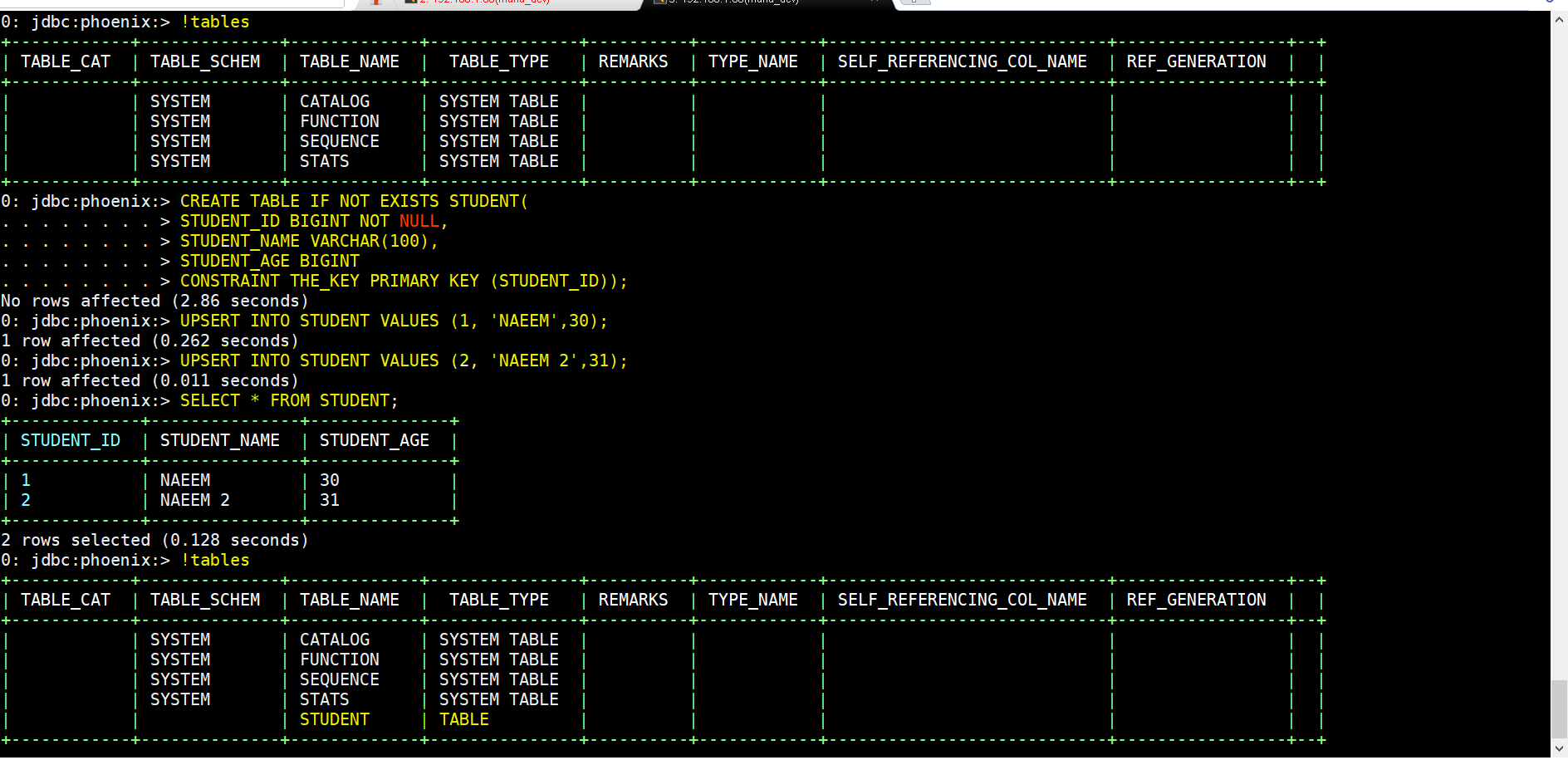
- To see list of tables – !tables
- To create a table – CREATE TABLE IF NOT EXISTS STUDENTS(ID BIGINT NOT NULL, NAME VARCHAR, AGE BIGINT CONSTRAINT PKEY PRIMARY KEY (ID));
- To insert records(instead of ) – UPSERT INTO STUDENT VALUES(1, ‘NAEEM’,34);
- To drop table – DROP TABLE STUDENT;
- Integrating Phoenix with HBase using Pig:
- First lets create this table usersData:
- CREATE TABLE usersData ( USERID INTEGER NOT NULL, AGE INTEGER, GENDER CHAR(1), OCCUPATION VARCHAR, ZIP VAR CHAR CONSTRAINT PKEY PRIMARY KEY(USERID));
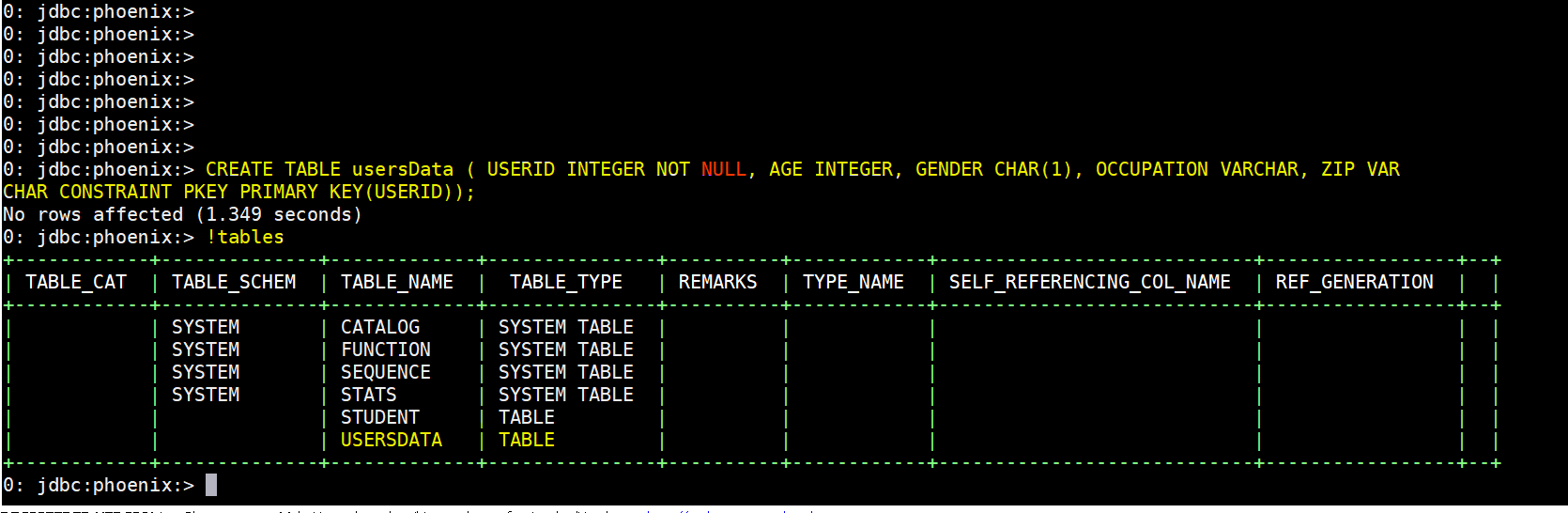
- Quit the Phoenix command line – !quit
- Then lets download this script to Ambari Sandbox into maria_dev folder using – wget https://s3.amazonaws.com/testbucket786786/phoenix-pig-integration.pig
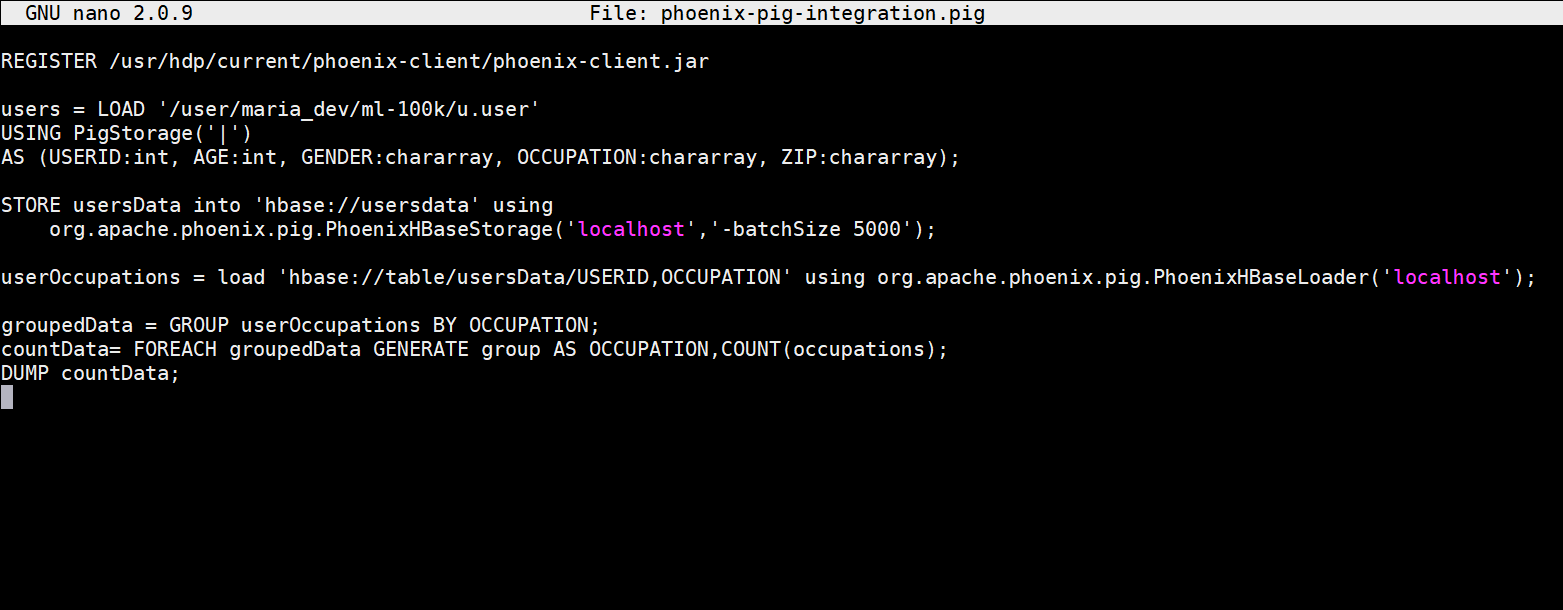
- # registers the pjoenix jar files
REGISTER /usr/hdp/current/phoenix-client/phoenix-client.jar# loads usersdata file using Pig latin
usersData = LOAD ‘/user/maria_dev/ml-100k/u.user’
USING PigStorage(‘|’)
AS (USERID:int, AGE:int, GENDER:chararray, OCCUPATION:chararray, ZIP:chararray); # stores usersData into Hbase using Phoenix command
STORE usersData into ‘hbase://usersdata’ using
org.apache.phoenix.pig.PhoenixHBaseStorage(‘localhost’,’-batchSize 5000′); #load projected data from HBase using Phoenix command
userOccupations = load ‘hbase://table/usersData/USERID,OCCUPATION’ using org.apache.phoenix.pig.PhoenixHBaseLoader(‘localhost’); # group by and count data and dump the output
groupedData = GROUP userOccupations BY OCCUPATION;
countData= FOREACH groupedData GENERATE group AS OCCUPATION,COUNT(occupations);
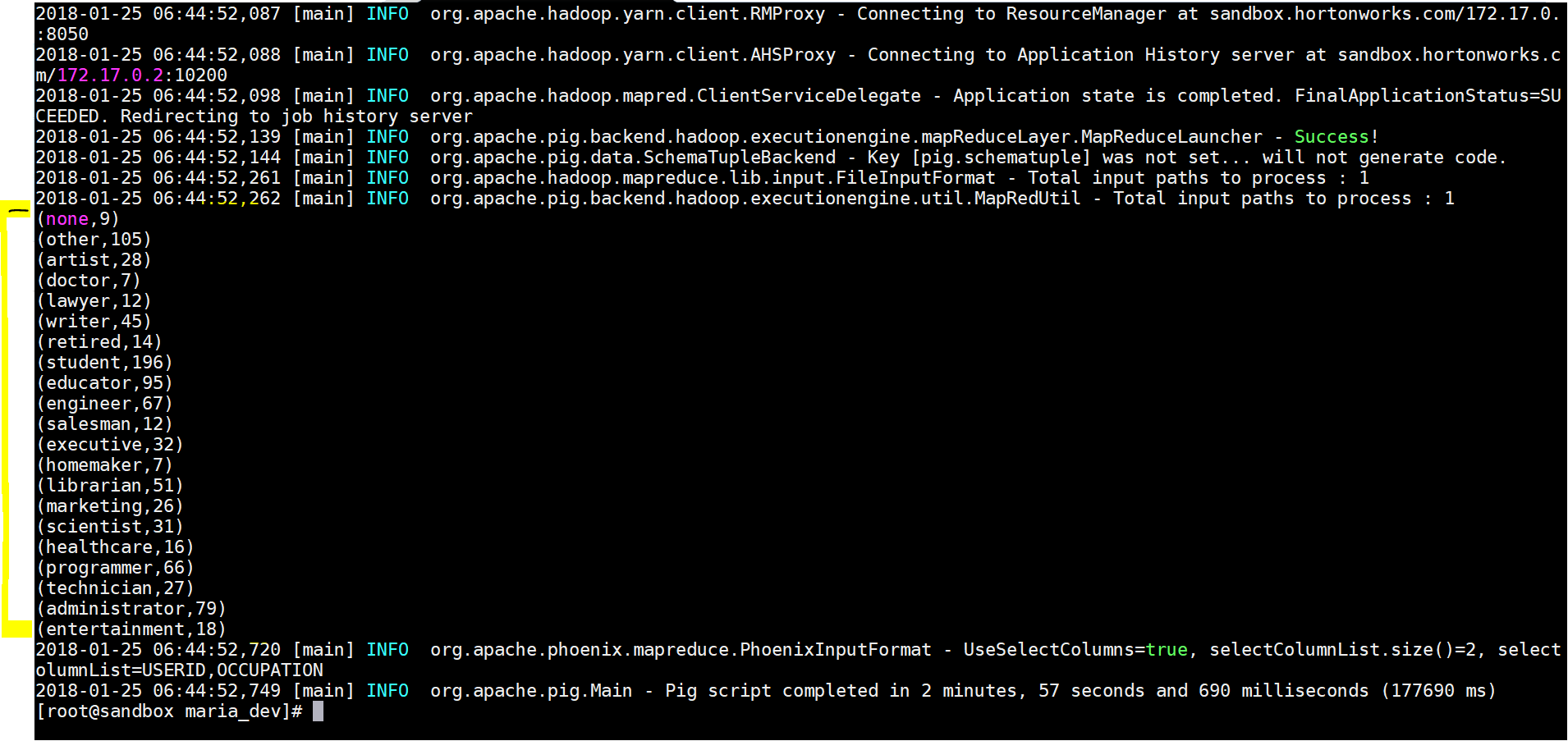
DUMP countData; - Now finally lets execute the file – pig phoenix-pig-integration.pig
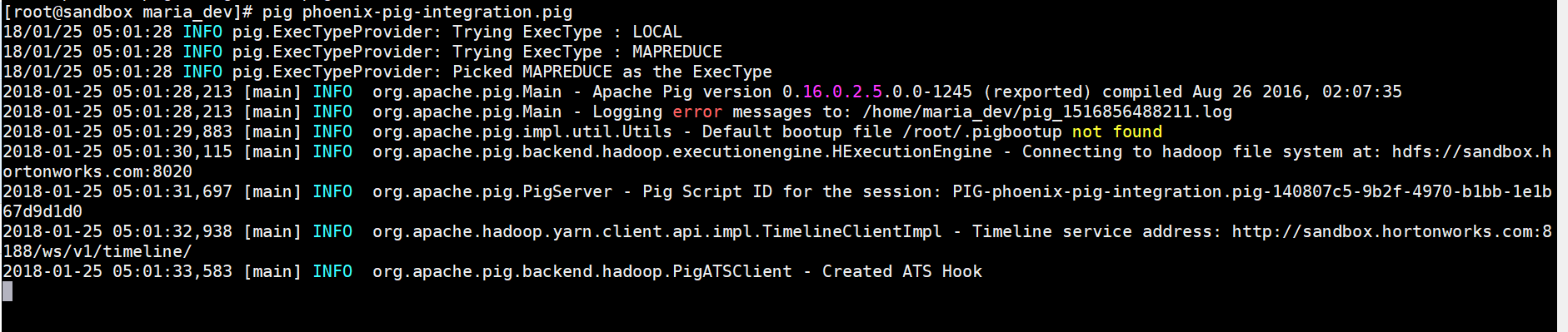
- Here is the result output:
- Lets see the results in Apache Phoenix –
- use – select * from usersData
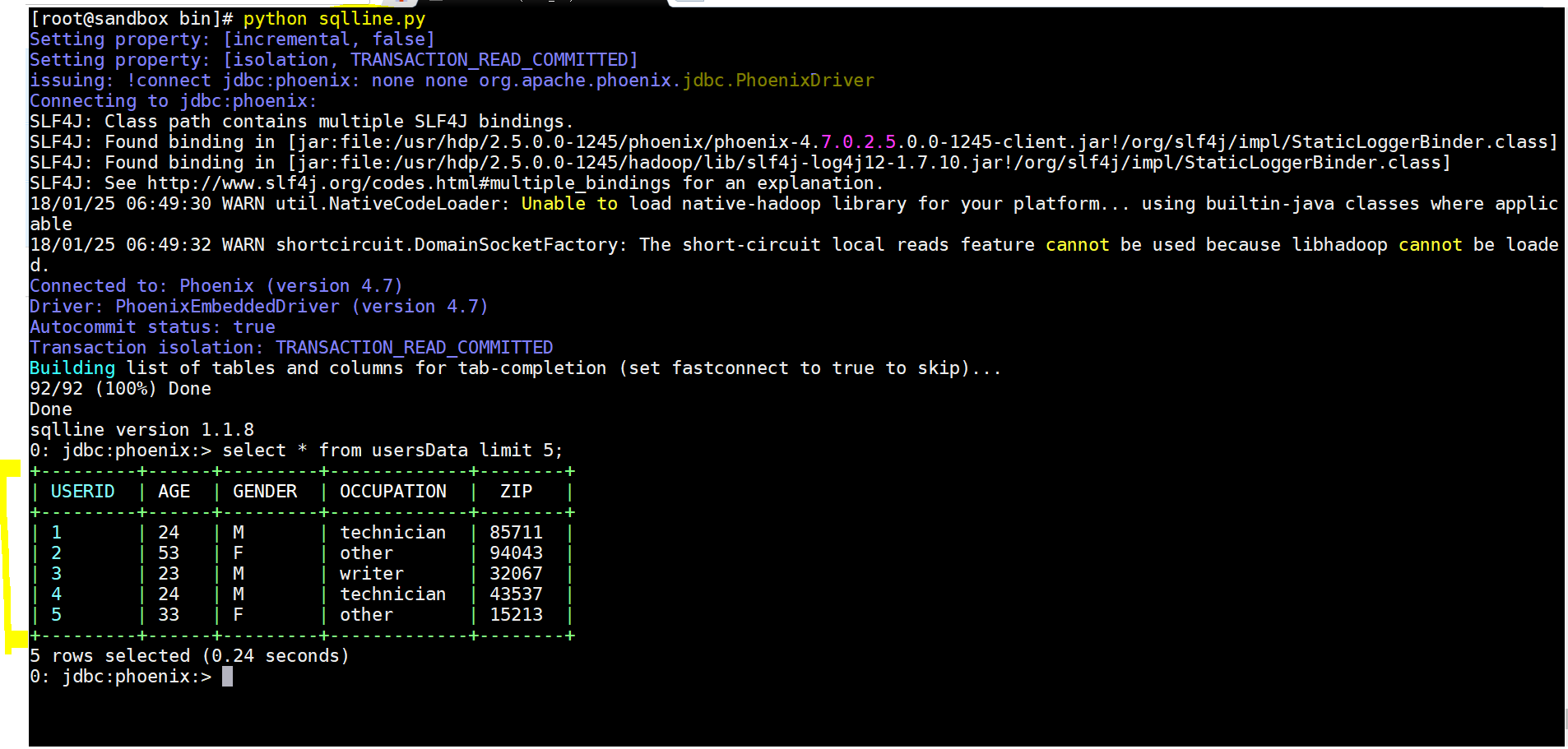
- Yay!!! we integrated Apache Phoenix and Pig to process the required data.

Big Data
Apache Phoenix – Another Query Engine with a SQL Interface Fine Tuned for Performance with HBase
Apache Phoenix is another query engine similar to Apache Drill but unlike Drill which can connect to any databases, it can only connect to HBase. Why Phoenix then, […]