


- Apache Drill can sit on the top of any data source – be it relational, non-relational, S3, JSON etc.
- It presents an SQL interface to process data from these data sources
- Lets see how Apache Drill connects with HIVE as well as MongoDB and then presents a SQL interface to process data.
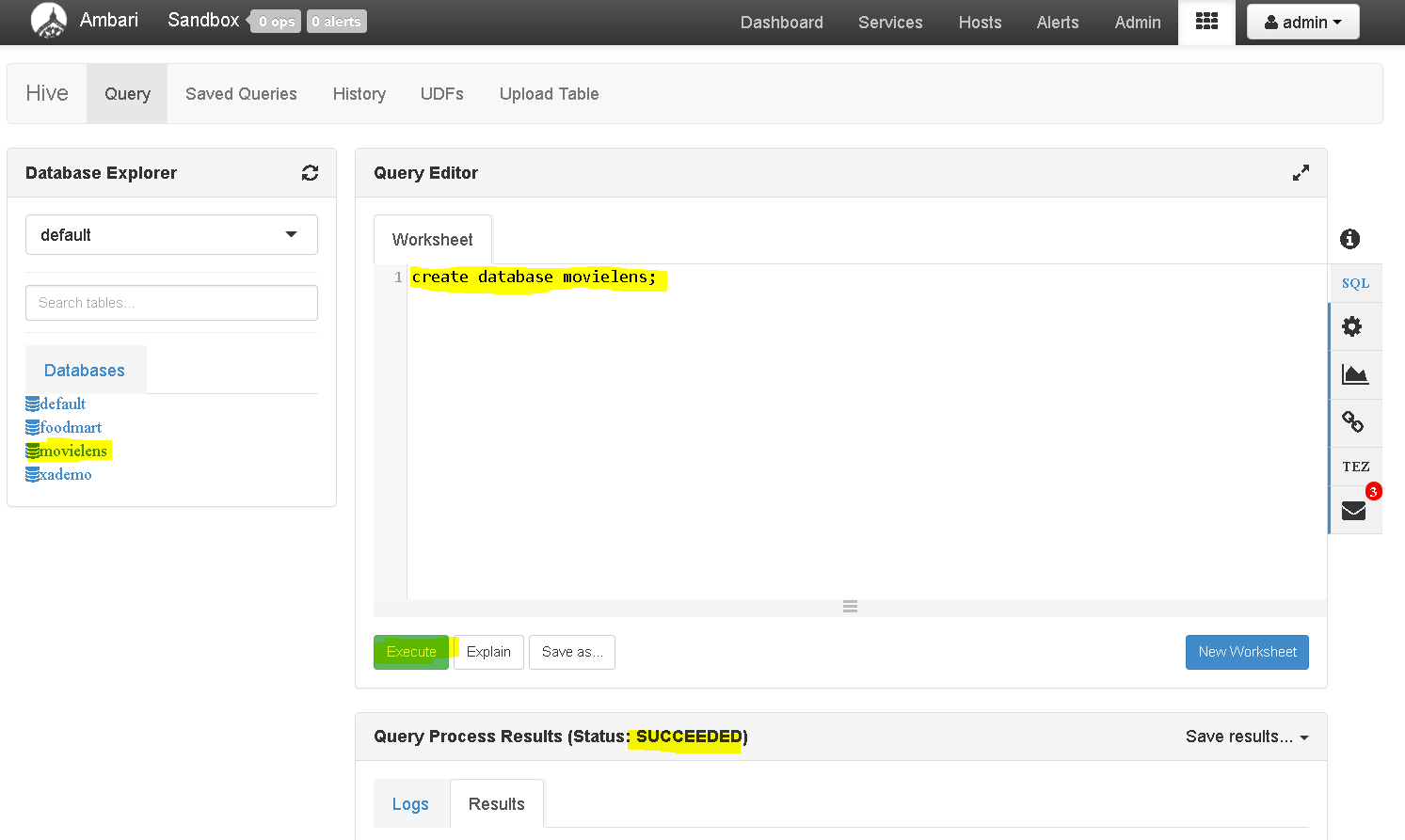
- First open Hive view in Ambari dashboard and create a database movielens in Hive query window:
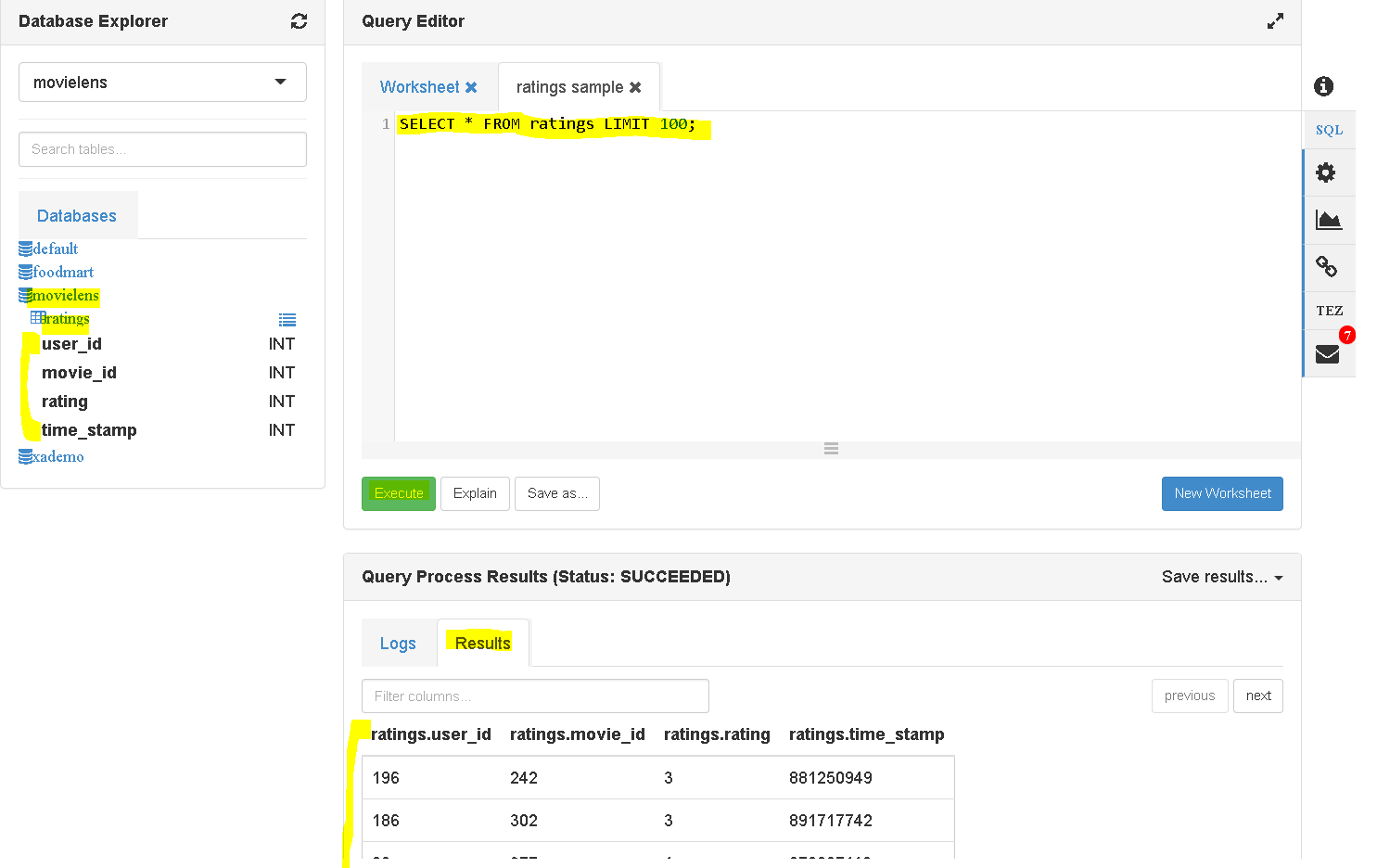
- Now upload the ratings data to the movielens database:
- Now lets load users data to MongoDB:
- Verify by logging into MongoDB if the users data is present.
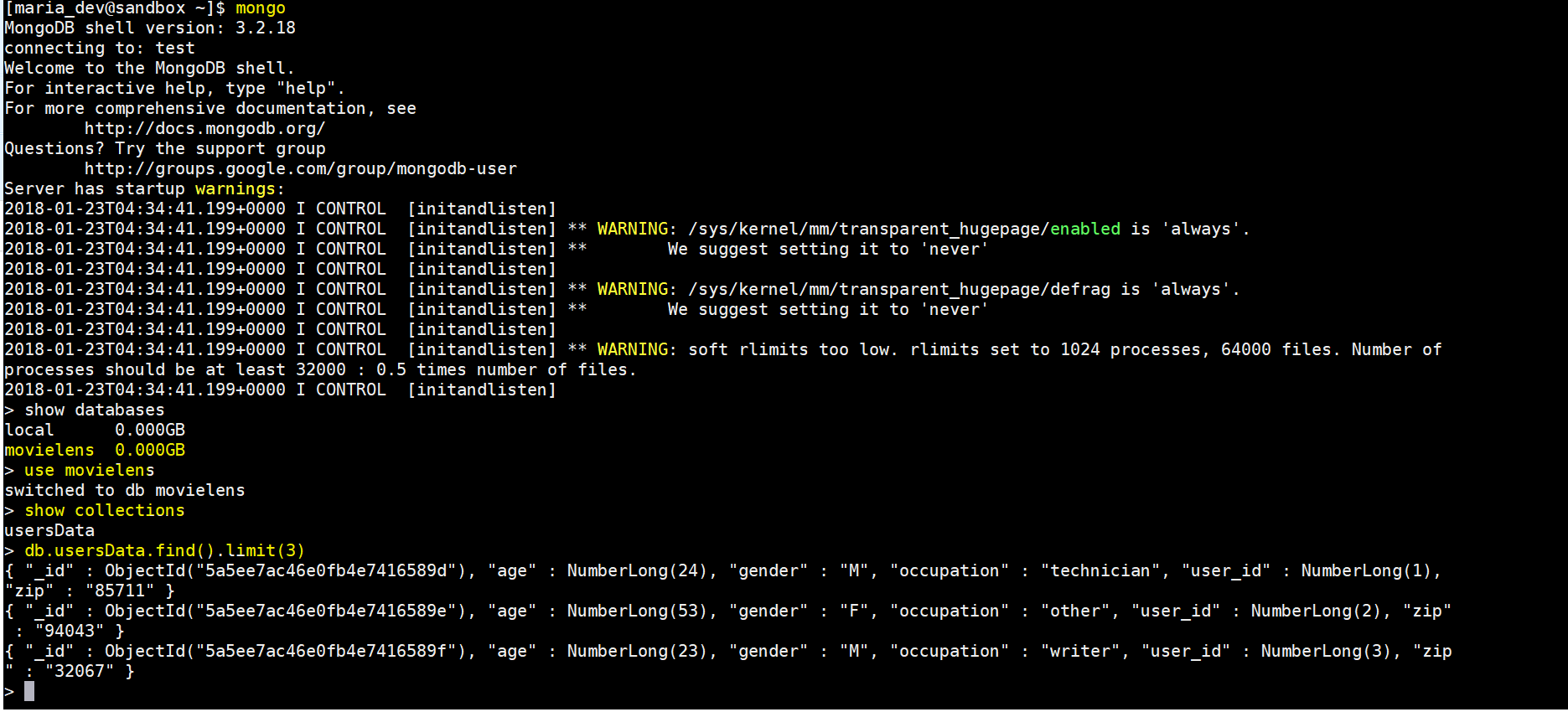
- If not, then use the previous post – https://mohdnaeem.wordpress.com/2018/01/17/big-data-integration-with-mongodb-using-spark/ – to upload the users data
- Once both the databases are ready, now begins the “Apache Drill” magic.
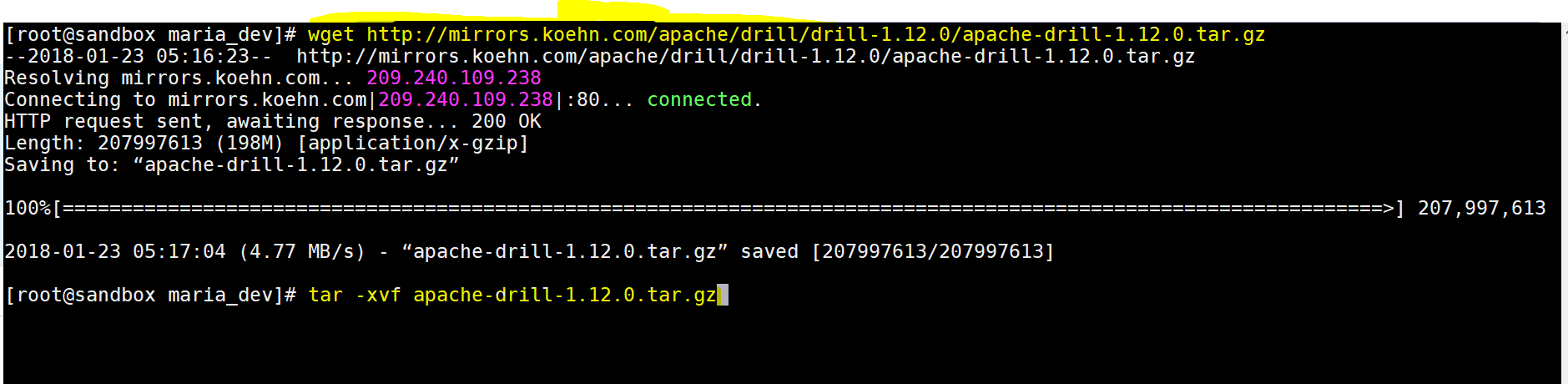
- Go to “http://drill.apache.org/download/” to go to the latest Apache Drill from either the direct download or the mirror. Copy the link.
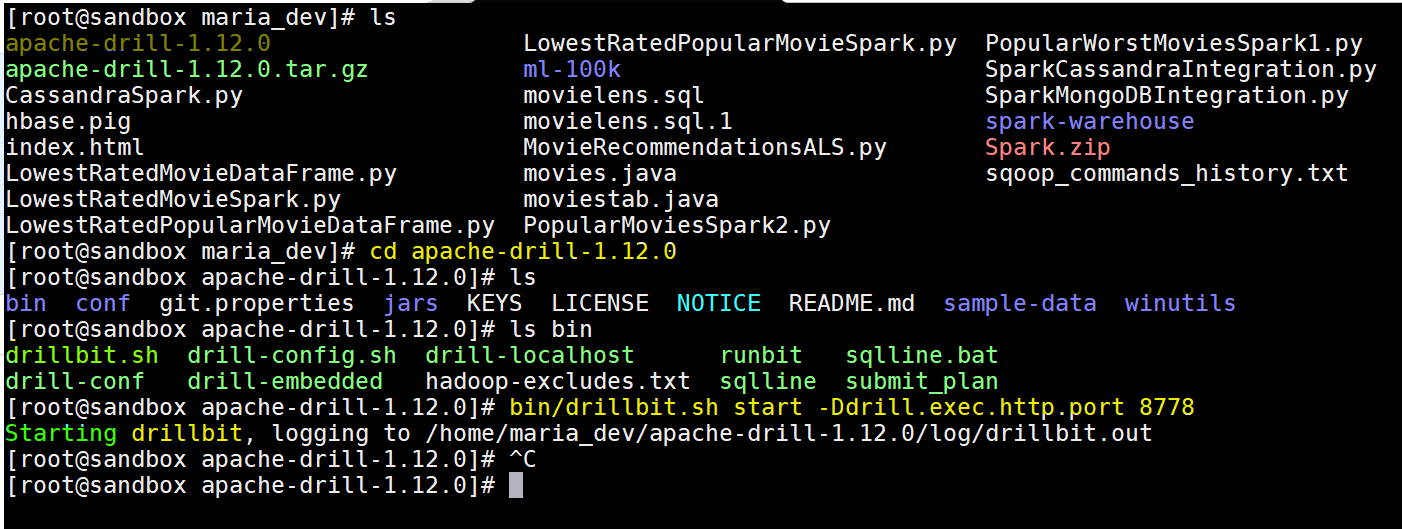
- Now go to the Ambari Sandbox command line console download the tar file to say “home/maria_dev”( you can choose any folder though with right permissions) – wget http://mirrors.koehn.com/apache/drill/drill-1.12.0/apache-drill-1.12.0.tar.gz
- unzip the file – tar -xvf apache-drill-1.12.0.tar.gz
- change directory to extracted folder – cd apache-drill-1.12.0
- Now start drill – bin/drillbit.sh start -Ddrill.exec.http.port=8778 or bin/drillbit.sh start -Ddrill.exec.http.port=8765
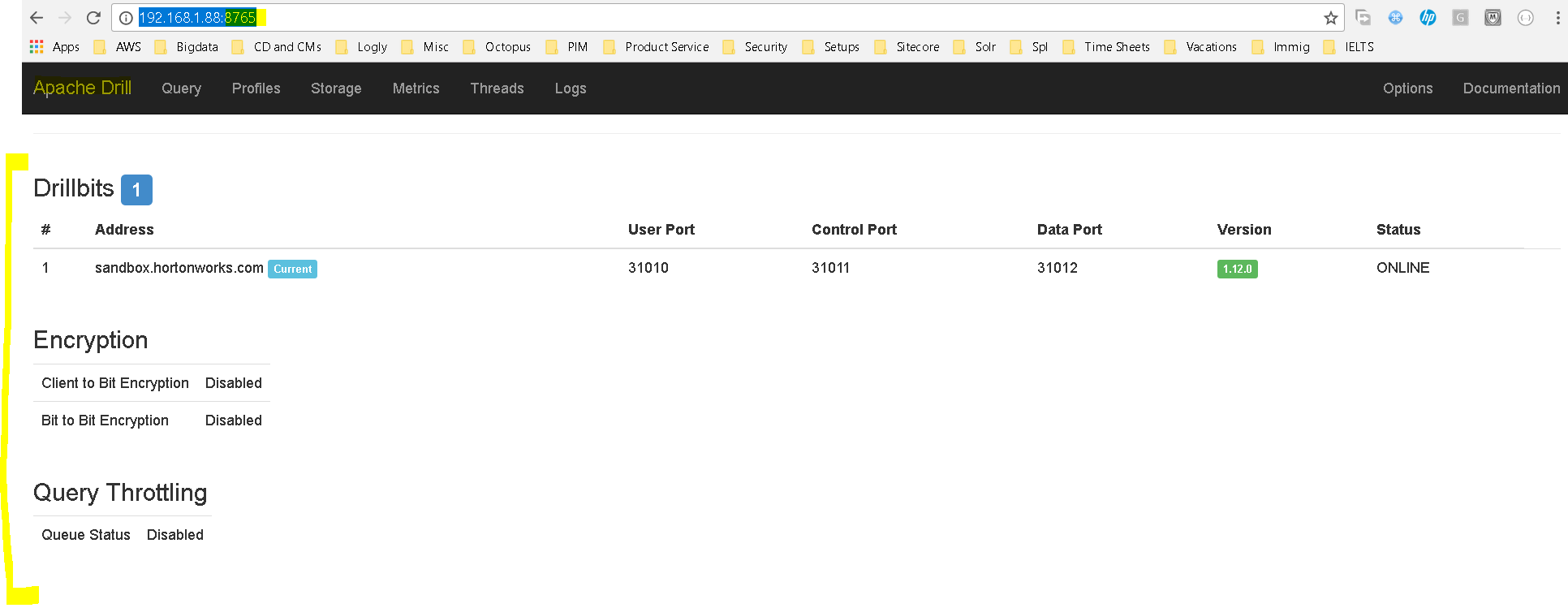
- Now open the browser and use this port 8778/8765 to open the Drill dashboard:
- Click on the ‘Storage’ menu to open the configuration tab:
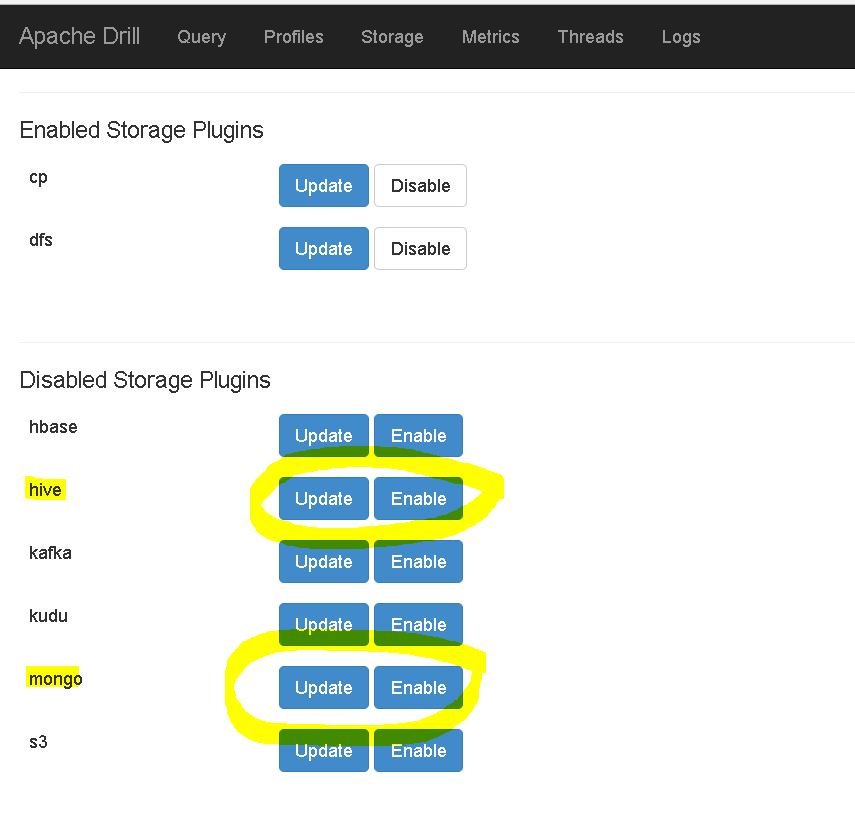
- You can see that the Storage plugins for hive and mongo are yet not enabled.
- You will have to first click on “update” link to update or verify the connectionstrings and then “enable” to enable the plugin
-
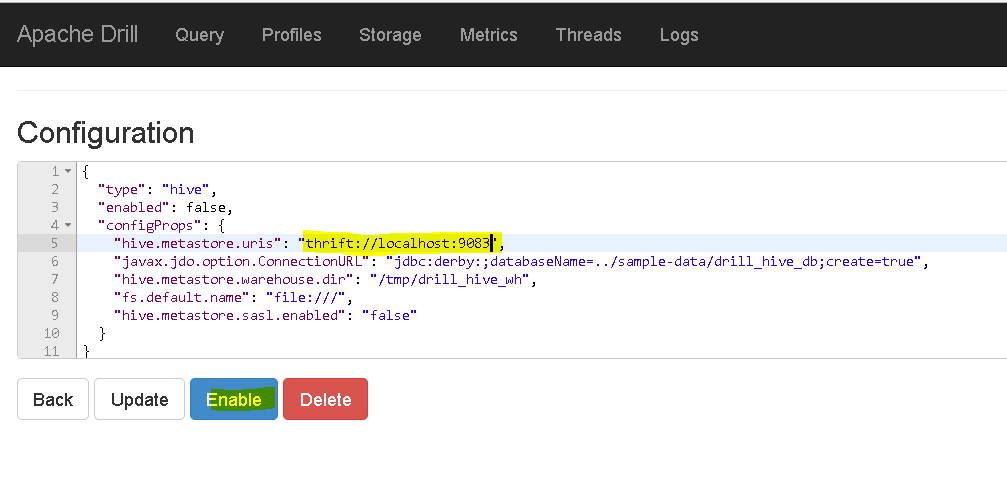
update the hive.metastore.urls to “thrift://localhost:9083” or to the server and port hive is running -
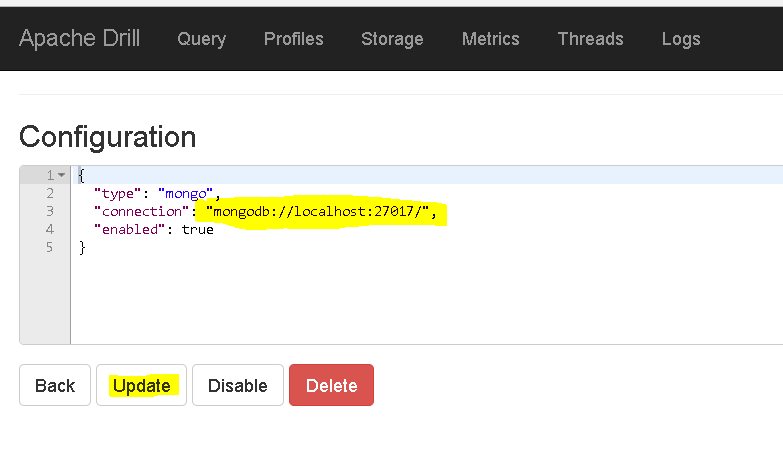
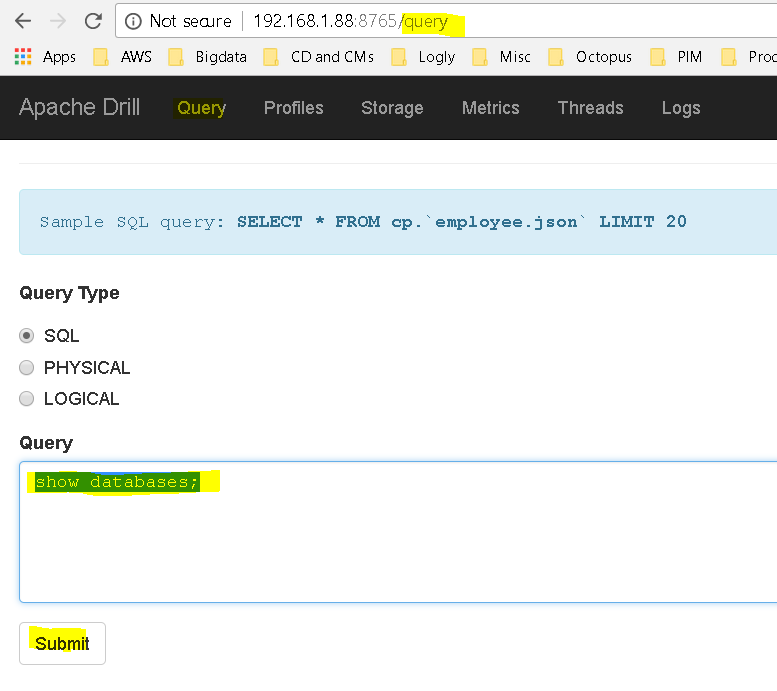
update connection to “mongodb://localhost:27017” or to the server and port mongo is running. - Finally click “Query” window and start playing.
- First see list of databases Drill is configured to – show databases;
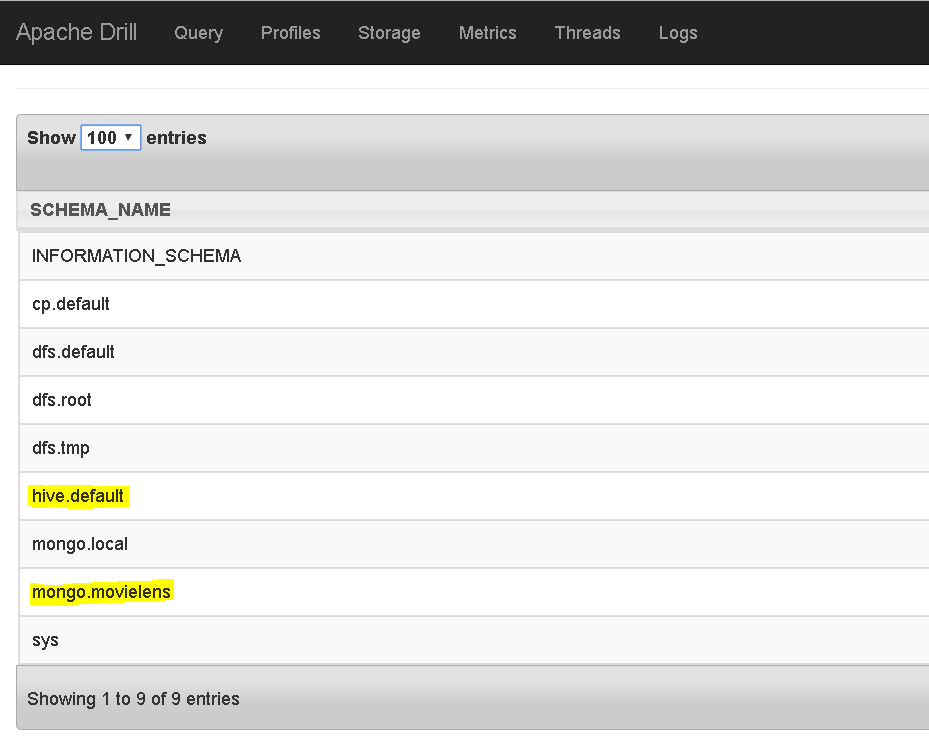
- Now check data from mongo:
- run – SELECT * FROM mongo.movielens.usersData LIMIT 5;
-
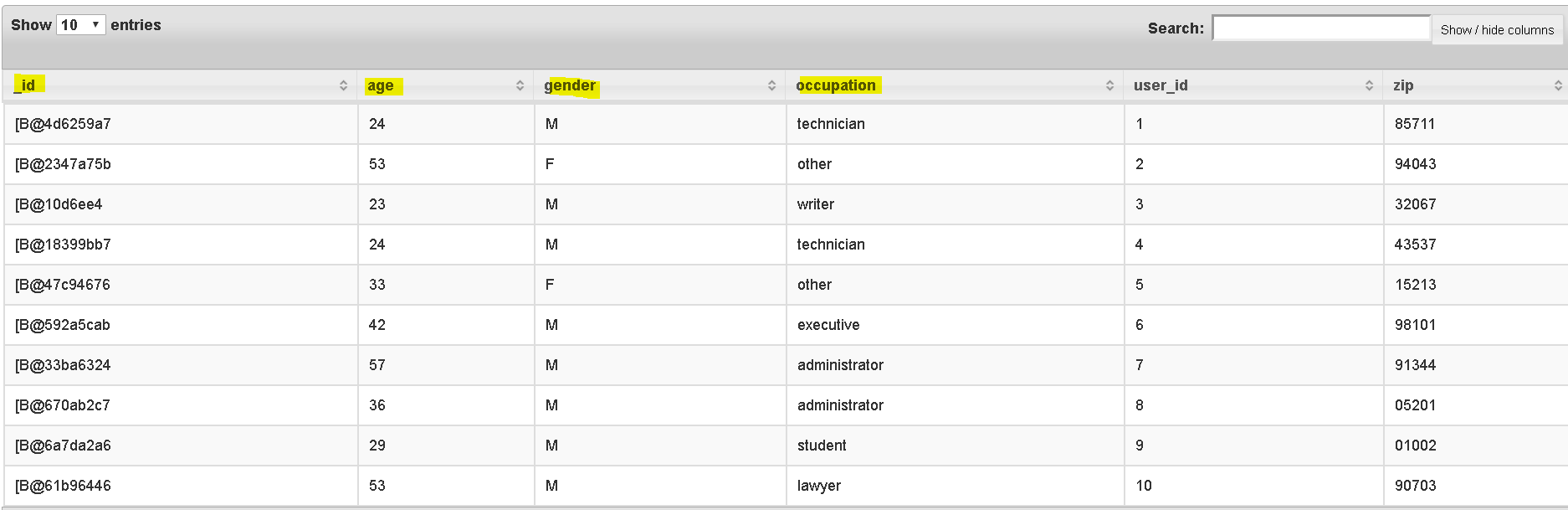
We pulled data from mongo
- Now check data from hive:
- SELECT * FROM hive.movielens.ratings LIMIT 5;
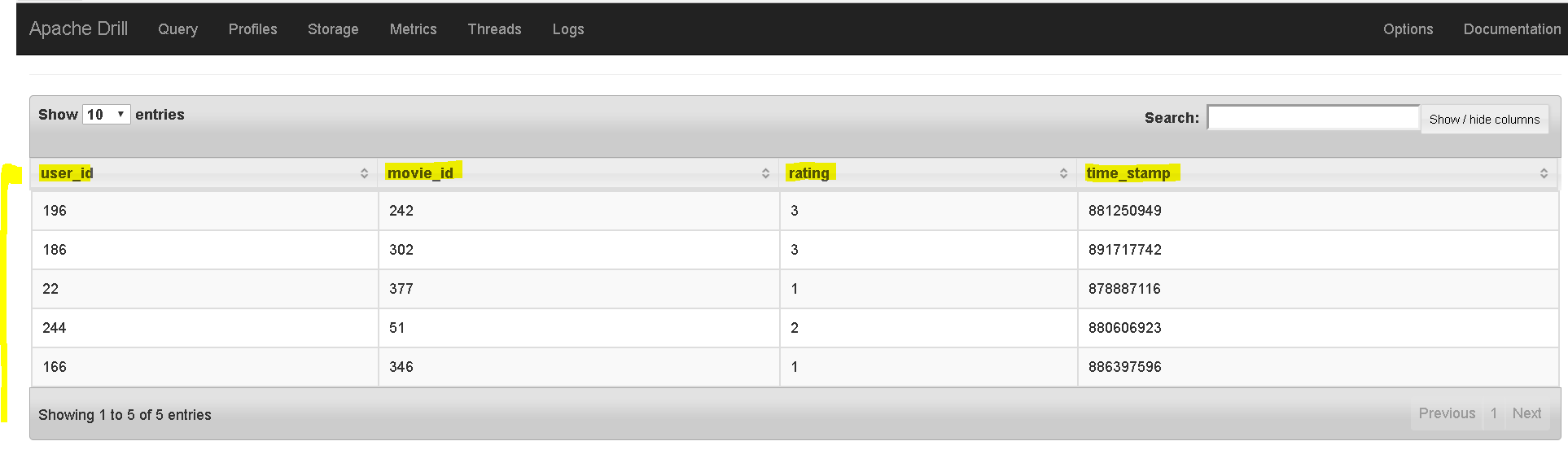
- Finally join them:
- SELECT u.occupation, count(*) as ratingCount FROM mongo.movielens.usersData u join hive.movielens.ratings r on r.user_id=u.user_id group by u.occupation order by ratingCount desc;
-
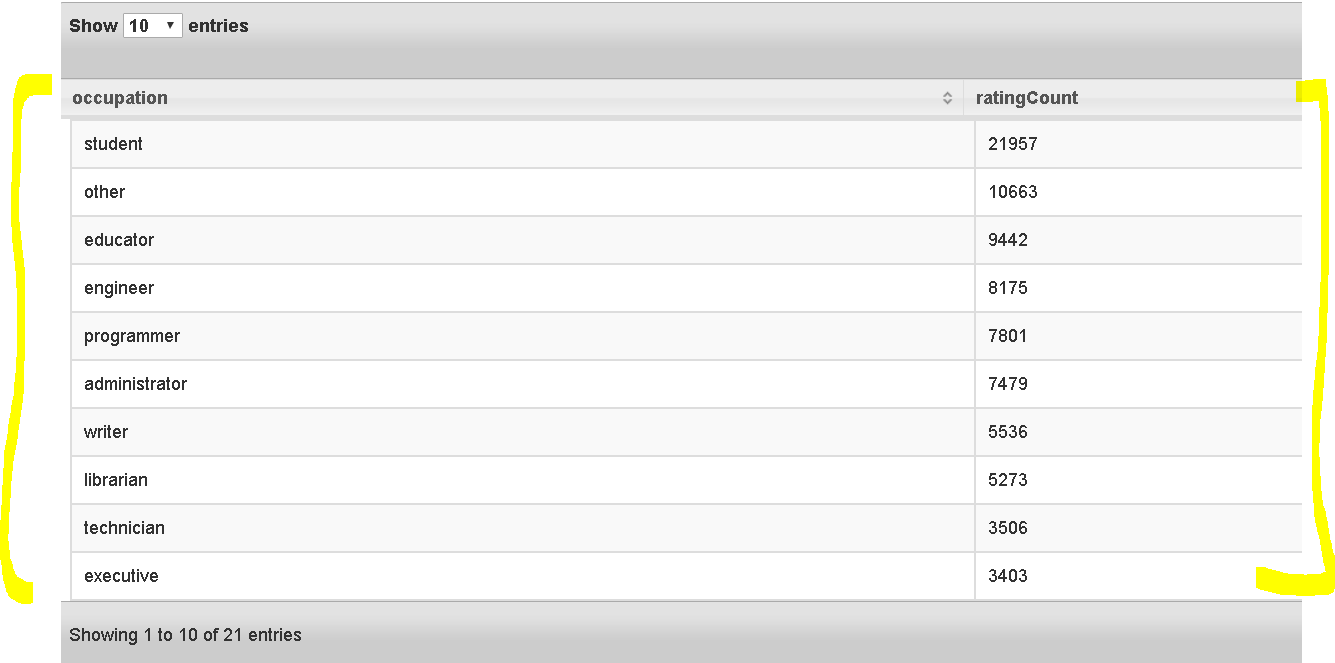
So we succeeded in pulling data from mongo and hive and presenting in Apache drill and used joins, group by order by etc. Wow, Students have given the most ratings…. - Lets stop Drill now – bin/drillbit.sh stop and also MongoDB shell.

Big Data
Apache Drill – A Data Engine Which Can Play with Data from Any Data Source
Apache Drill can sit on the top of any data source – be it relational, non-relational, S3, JSON etc. It presents an SQL interface to process data from […]